
Why I Built FrameOps: A Photography Business Command Center Built for Working Photographers
Most photographers don't start a photography business because they love sending invoices.
They don't buy their first camera because they're excited about contracts, CRM software, mileage logs, client follow-ups, scheduling, payment reminders, questionnaires, lead management, or bookkeeping.
They start because they love photography.
Then the business grows.
Suddenly the photographer becomes the salesperson, scheduler, project manager, accountant, customer-service department, marketer, editor, contract administrator, and photographer.
I know because that's exactly what happened to me.
I own and operate a photography business myself.
And eventually I reached the same conclusion a lot of independent photographers reach:
The photography isn't necessarily the hardest part of running a photography business.
The work surrounding the photography is.
That's why I built FrameOps.
The Problem Wasn't One Missing Tool
There are already plenty of business apps available.
The problem was having too many of them.
A photographer might have one system for inquiries, another for contracts, another for scheduling, another for payments, another for gallery delivery, a spreadsheet for expenses, notes somewhere else, and a collection of AI tools that know absolutely nothing about the business.
Every tool may work individually.
But the photographer becomes the integration between all of them.
An inquiry arrives.
You copy information into another system.
You create the client.
You create the project.
You prepare the proposal.
You make the contract.
You add the date to your calendar.
You track the deposit.
You remember the questionnaire.
You create a shot list.
You shoot the job.
You deliver the gallery.
You follow up.
You request a review.
Then you try to remember whether you logged the mileage and expenses.
That's a lot of administrative work for someone who is also supposed to be creating great photographs and serving clients.
I wanted one place that understood the entire workflow.
FrameOps Is the Photography Command Center
FrameOps is designed around what happens before, during, and after a shoot.
The idea is simple:
Lead → Inquiry → Booking → Proposal → Contract → Shoot → Gallery → Payment → Follow-Up
Instead of treating each piece as an isolated task, FrameOps connects them.
A client can enter through your public profile, booking page, or inquiry form.
That inquiry can become a client and project.
That client can receive a proposal.
The proposal can become a booked job.
The project can contain the contract, payment schedule, tasks, shot list, questionnaire, gallery, messages, documents, expenses, and timeline.
When the project is complete, workflows can help with delivery, follow-up, reviews, and future client communication.
The business starts functioning like a system instead of a collection of disconnected tasks.
AI Should Do More Than Write Captions
AI is everywhere now.
But adding a chatbot to an app doesn't automatically make it useful.
I wanted FrameOps AI to understand photography-business operations and work with the information already inside the studio.
The FrameOps AI Assistant can work across clients, projects, inquiries, expenses, payments, schedules, documents, galleries, reminders, shot lists, and more.
You can ask:
“What do I need to get done today?”
Or:
“Which clients still owe me money?”
Or:
“Draft a reply to this wedding inquiry.”
Or:
“Add these jobs from this screenshot.”
Or:
“Log this receipt.”
Or:
“Am I available next Saturday?”
Or even:
“Move the Johnson session to Friday afternoon.”
The goal isn't to have an AI you occasionally talk to.
The goal is to have an assistant that actually helps operate the business.
FrameOps Can Learn Your Business
Every photography business is different.
Your prices are different.
Your cancellation policy is different.
Your tone is different.
Your packages are different.
Your clients are different.
That's why FrameOps includes Business Brain.
You can upload documents such as your:
- Pricing guide
- Policies
- Frequently asked questions
- Brand voice
- Service information
- Business procedures
FrameOps can use that information when helping with client communication and business questions.
Instead of starting every AI conversation by explaining your company again, the system has context about how your business operates.
It Doesn't Stop When the Client Books
A lot of software focuses heavily on getting the client booked.
That's important.
But photographers still have a business to run after the contract is signed.
FrameOps includes tools for the rest of the job too.
You can manage project tasks and shot lists.
Send questionnaires.
Track payments.
Log mileage and expenses.
Scout locations.
Use AI-assisted creative planning.
Deliver galleries.
Create digital albums.
Message clients.
Track favorites.
Manage workflows.
Generate marketing content.
And on Pro, FrameOps includes tools such as AI Culling, Creative Assistant, hands-free voice, Business Brain, and the live On-Set Director.
The goal is for FrameOps to remain useful throughout the entire client lifecycle.
The Client Experience Matters Too
Your internal workflow can be organized while your client's experience still feels fragmented.
FrameOps is designed to connect both sides.
Photographers can create branded public profiles and pricing pages.
Clients can submit booking requests.
They can receive proposals and contracts.
They can electronically sign documents.
They can pay invoices and deposits through Stripe.
They can access their client portal.
They can message their photographer.
They can view galleries and favorite photographs.
They can view albums.
All of it connects back to the photographer's business records.
That means less hunting through email threads and fewer disconnected systems.
I'm Building This as a Photographer
FrameOps isn't the result of someone studying photographers from a distance and deciding the industry needed another SaaS product.
I'm building it while running my own photography business.
That changes the development process.
When something wastes my time in my photography business, I notice it.
When a workflow doesn't make sense in the real world, I encounter it.
When I need information while I'm away from my desk, I understand why mobile access and voice matter.
FrameOps is being built from inside the problem.
And now I want other photographers involved.
Introducing the FrameOps Founders Program
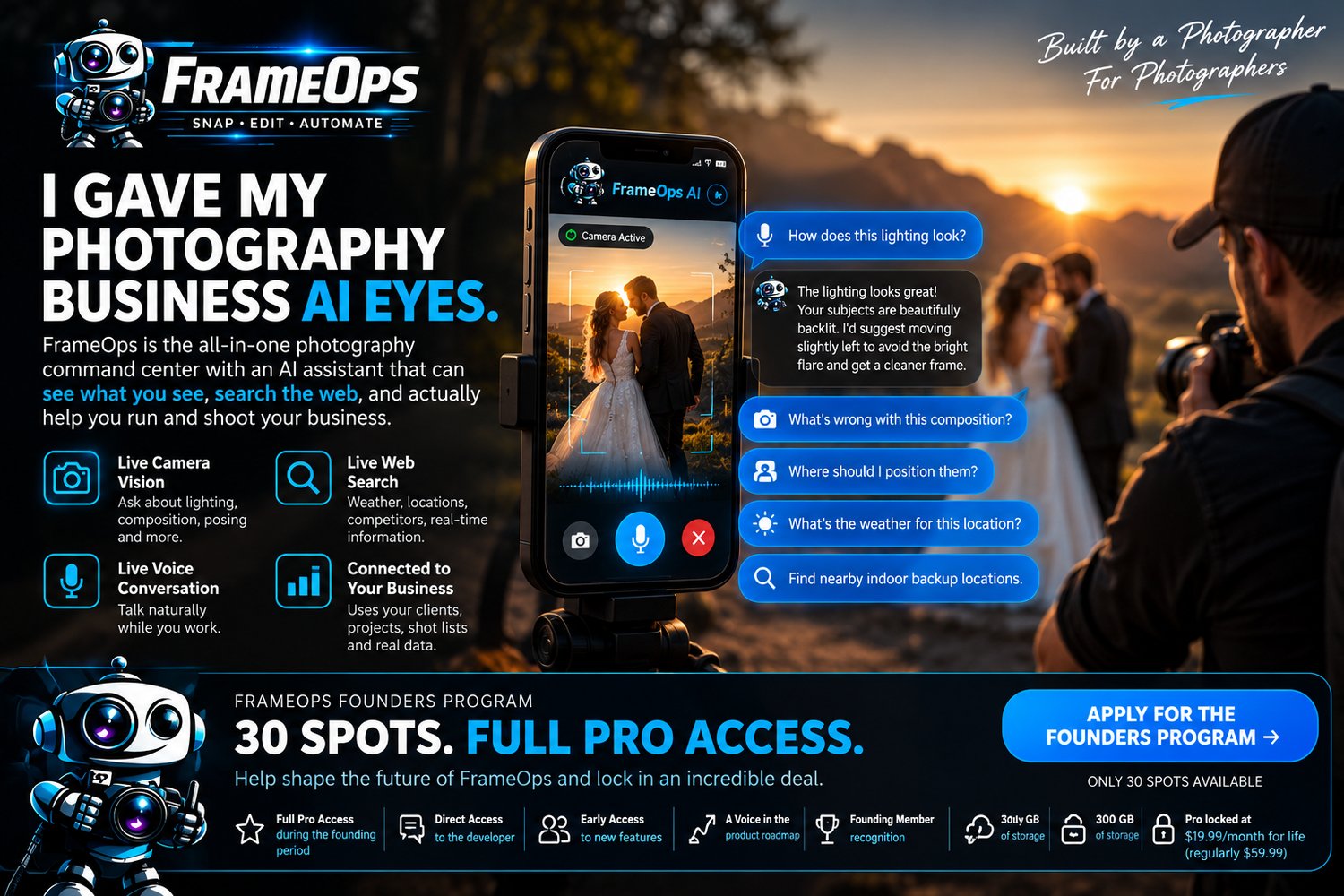
I'm opening a limited Founders Program for photographers and photo booth operators who want to help shape FrameOps while it grows.
I'm selecting 30 founding members.
Approved founders receive full FrameOps Pro access during the founding period and direct access to the development process.
Founders can test new functionality, report problems, suggest ideas, and help influence where the platform goes next.
And there is a significant pricing benefit.
FrameOps Pro is normally $59.99 per month.
Approved Founders lock in Pro for $19.99 per month for life after the founding period.
Founders also receive 300 GB of storage and Founding Member recognition.
I'm not looking for 30 people who will sign up and disappear.
I'm looking for photographers who will actually use FrameOps.
Use it with a real client.
Create a real project.
Try the booking workflow.
Send yourself a proposal.
Build a contract.
Test the AI.
Find the rough edges.
Tell me what wastes your time.
Tell me what is confusing.
Tell me what would make you open FrameOps every morning.
That feedback is how the platform gets better.
You Don't Have to Be a Founder to Try FrameOps
FrameOps also has a permanent Free plan.
And every new account starts with a 14-day trial of FrameOps Pro with no credit card required.
That means you can explore the full platform before deciding whether it belongs in your workflow.
After the trial, you can choose Free, Starter, Studio, or Pro.
If you don't subscribe, the account moves to Free and keeps your existing data.
There is no reason to evaluate FrameOps based only on screenshots.
Use it.
Put a client in it.
Create a project.
See whether it makes running your photography business easier.
Where FrameOps Goes From Here
My goal isn't simply to build another photography CRM.
It's to build the operating system I wish I had when I started organizing my own photography business.
One place where the operational side of photography actually makes sense.
One place where your business data connects.
One place where AI understands the work you're doing.
One place that helps you spend less time administering photography and more time actually building the business.
That's what FrameOps is becoming.
And the photographers who join now have an opportunity to help decide what it becomes next.
Want to Help Build It?
Visit frameops.app to learn more about FrameOps.
If you want to be directly involved in shaping the platform, apply for one of the 30 FrameOps Founders Program spots.
If you'd rather simply try the platform first, create an account and start your 14-day Pro trial — no credit card required.
FrameOps — The Photography Command Center
Built by a photographer.
Built for photographers.
Built to handle everything around the shoot.
https://app.frameops.app/#/founders