
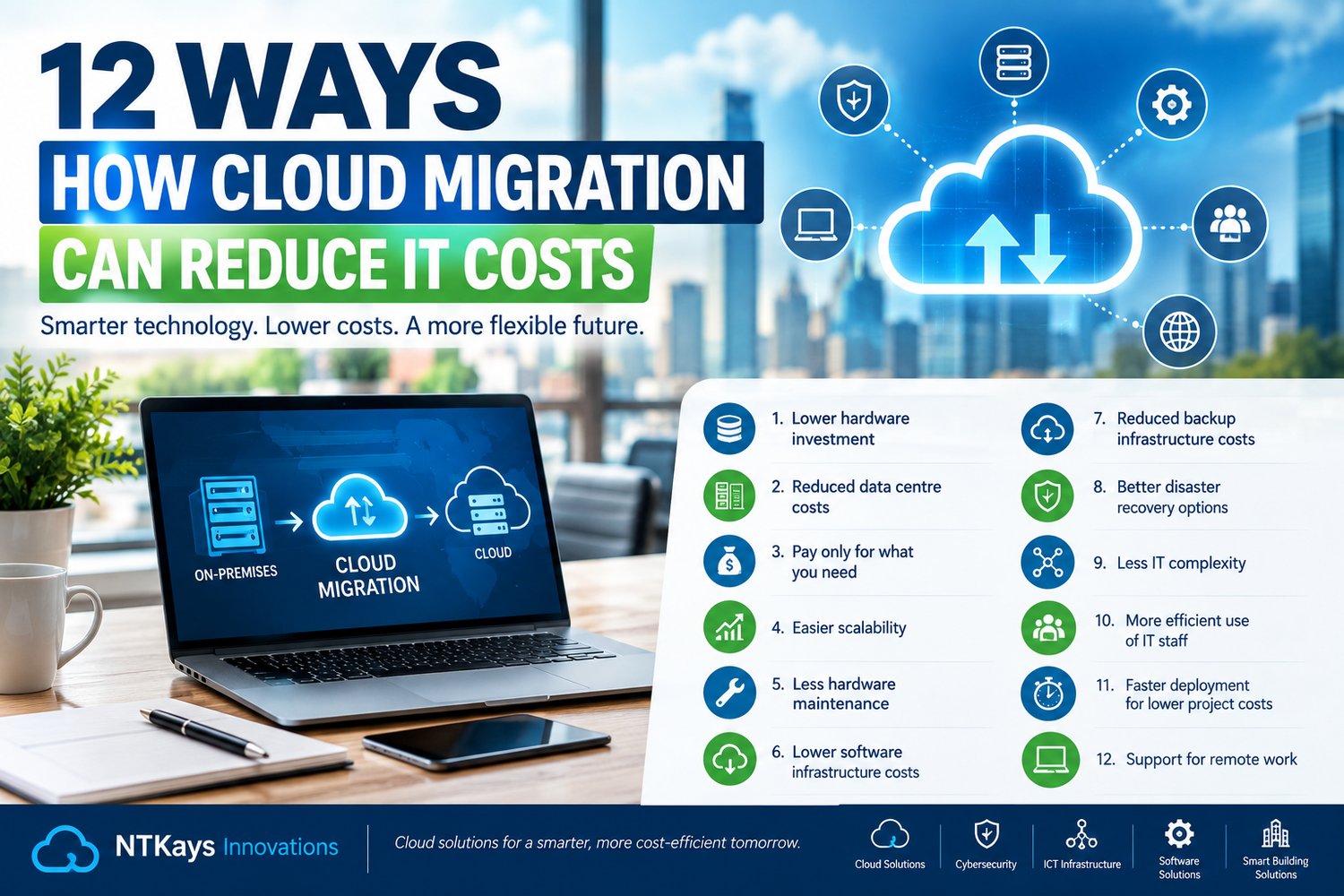
For many businesses, IT costs can quietly become one of the largest operational expenses.
There are servers to purchase, software to maintain, storage capacity to expand, hardware to replace, electricity and cooling to pay for, IT infrastructure to manage, backups to maintain and security systems to protect.
Then there is the unexpected expense.
A server fails.
Storage runs out.
A critical application needs an upgrade.
A business suddenly needs additional computing capacity.
A disaster affects the office.
Suddenly, the IT budget has grown teeth.
This is one reason many organizations are considering cloud migration.
Cloud migration involves moving some or all of an organization's applications, data, workloads or IT infrastructure from traditional on-premises environments to cloud-based services.
But does moving to the cloud automatically make IT cheaper?
No.
Cloud migration can reduce costs when it is properly planned, designed and managed. Poorly planned migration can actually increase spending.
The real opportunity is to move from a technology model that requires businesses to continually purchase and maintain physical infrastructure toward a more flexible model where computing resources can be provisioned according to business requirements.
What Is Cloud Migration?
Cloud migration is the process of moving digital business resources from one environment to another, often from on-premises infrastructure to a cloud platform.
These resources can include:
- Applications
- Databases
- Files
- Storage
- Virtual machines
- Business systems
- Backup environments
- Development platforms
- Collaboration tools
A business does not necessarily have to move everything to the cloud.
It can adopt a:
Cloud-first approach
Most suitable workloads are hosted in cloud environments.
Hybrid approach
Some systems remain on-premises while others operate in the cloud.
Multi-cloud approach
The organization uses services from multiple cloud providers.
The right approach depends on the organization's applications, security requirements, budget, data, regulatory obligations and business strategy.
1. Reduced Hardware Investment
One of the most obvious potential cost advantages of cloud computing is reducing the need to purchase large amounts of physical infrastructure.
Traditionally, a growing organization might need to purchase:
- Servers
- Storage systems
- Network equipment
- Backup hardware
- Data centre equipment
- Spare components
This requires significant upfront capital expenditure.
With cloud services, businesses can obtain computing and storage resources without necessarily purchasing all the underlying physical hardware themselves.
Instead of asking:
"How many servers do we need to purchase?"
the organization can ask:
"What computing resources does the business actually require?"
This can make technology investment more flexible.
2. Lower Data Centre Costs
Running physical IT infrastructure involves more than buying servers.
Organizations may also have expenses related to:
- Electricity
- Cooling
- Physical space
- Power protection
- Hardware maintenance
- Environmental monitoring
- Physical security
A dedicated server room or data centre can become expensive to operate.
Moving appropriate workloads to cloud infrastructure can reduce the amount of physical infrastructure a business needs to maintain itself.
This can free up physical space and potentially reduce infrastructure-related operating costs.
3. Pay for the Resources You Need
Traditional infrastructure often requires businesses to purchase capacity before they actually need it.
For example, a company expecting significant growth might purchase a powerful server capable of handling future demand.
But for several years, the server may operate well below its maximum capacity.
Cloud services can provide a different model.
Businesses can provision resources according to their requirements and, depending on the service and pricing model, adjust those resources as demand changes.
This can help reduce the problem of paying for large amounts of unused capacity.
4. Easier Scalability
Imagine an online business suddenly experiences a major increase in customers.
With traditional infrastructure, the organization may need to:
- Purchase additional hardware
- Wait for delivery
- Install the equipment
- Configure it
- Integrate it into the environment
That can take time.
Cloud environments can often provide resources much more quickly.
A business can scale computing, storage or other services according to demand.
When demand decreases, resources can potentially be reduced as well.
This flexibility can be particularly useful for organizations with:
- Seasonal demand
- Rapid growth
- Online services
- Variable workloads
- Temporary projects
5. Reduced Hardware Maintenance
Physical infrastructure requires maintenance.
Servers need:
- Firmware updates
- Hardware repairs
- Component replacements
- Monitoring
- Configuration
- Physical access
Cloud services can shift some of this infrastructure responsibility to the cloud provider, depending on the service model being used.
For example, with managed cloud services, the provider may handle certain aspects of the underlying infrastructure.
This can allow internal IT teams to spend more time on business-focused technology initiatives rather than maintaining physical equipment.
6. Potentially Lower Software Infrastructure Costs
Traditional environments can require organizations to purchase and maintain software infrastructure themselves.
Cloud-based services can offer subscription or consumption-based models for many applications and services.
Examples include:
- Productivity platforms
- Collaboration tools
- Databases
- Storage
- Backup
- Security services
Instead of maintaining every component internally, businesses can consume certain technologies as services.
However, businesses must carefully review subscription costs.
A collection of small monthly subscriptions can quietly turn into a very large annual invoice.
Cloud cost optimization is therefore essential.
7. Reduced Backup Infrastructure Costs
Backup is critical for business continuity.
Traditional backup environments can require:
- Backup servers
- Storage devices
- Backup software
- Off-site storage
- Maintenance
- Monitoring
Cloud-based backup services can provide an alternative.
Organizations can store backup data in cloud environments and potentially scale storage as their requirements change.
Cloud backup can also support disaster recovery strategies by allowing data or workloads to be stored away from the primary business location.
8. Better Disaster Recovery Options
A serious IT incident can become extremely expensive.
Consider a business that loses access to its primary servers.
The financial impact could include:
- Lost productivity
- Lost sales
- Recovery costs
- Emergency hardware purchases
- Customer dissatisfaction
- Reputational damage
Cloud services can support disaster recovery by providing geographically separate infrastructure and backup options.
This doesn't mean cloud migration automatically guarantees disaster recovery.
A proper disaster recovery strategy still requires:
- Backup planning
- Recovery procedures
- Appropriate security
- Testing
- Clear recovery objectives
But cloud technology can make certain disaster recovery architectures more accessible.
9. Reduced IT Infrastructure Complexity
A traditional IT environment can become complicated over time.
You might have:
Servers + Storage + Backup + Networking + Applications + Security + Hardware
and each component needs management.
Cloud services can consolidate or abstract some of this infrastructure.
For example, an organization may use cloud-based:
- Storage
- Collaboration
- Backup
- Business applications
- Virtual desktops
This can simplify parts of the IT environment.
Less infrastructure complexity can potentially mean less time spent troubleshooting and maintaining systems.
10. More Efficient Use of IT Staff
IT professionals are valuable resources.
If your IT team spends most of its time:
- Replacing failed hardware
- Managing server storage
- Installing patches
- Maintaining infrastructure
- Troubleshooting physical equipment
they have less time for strategic projects.
Cloud migration can shift certain infrastructure management responsibilities away from the internal team.
This can allow IT professionals to focus more heavily on:
- Cybersecurity
- Business applications
- Digital transformation
- Automation
- Data analytics
- User experience
- Strategic technology planning
The goal isn't necessarily to reduce the IT team.
It is to make better use of their skills.
11. Faster Deployment Can Reduce Project Costs
Traditional infrastructure deployment can take significant time.
A new project may require:
- Hardware procurement
- Installation
- Configuration
- Networking
- Storage allocation
- Security configuration
Cloud environments can allow many resources to be provisioned much faster.
This can help businesses launch applications, test ideas and develop new services more quickly.
For example, a software development team could create a temporary testing environment without purchasing an entirely new physical server.
Once the project is complete, the resources can be removed.
12. Cloud Can Support Remote Work
Modern businesses often have employees working from:
- Home
- Offices
- Customer locations
- Different cities
- Different countries
Cloud-based applications can provide employees with secure access to business services from different locations, depending on the organization's architecture and security controls.
This can reduce dependence on office-based infrastructure and support more flexible working arrangements.
Cloud Migration Can Also Reduce Hidden Costs
Some of the biggest savings may not appear on an IT invoice.
Consider an employee who loses two hours because a business system is unavailable.
Multiply that across:
10 employees × 2 hours = 20 hours of lost productivity.
Now imagine the same problem occurring repeatedly.
Downtime, manual processes and slow infrastructure can create significant hidden costs.
Cloud migration may help reduce some of these inefficiencies when cloud architecture is properly designed.
But Cloud Migration Doesn't Automatically Save Money
This is one of the most important points.
Moving everything to the cloud without a strategy can result in higher costs.
For example:
Oversized cloud resources
A business may provision much more computing capacity than necessary.
Unused resources
Cloud servers may remain running even when nobody is using them.
Uncontrolled storage growth
Data can accumulate indefinitely.
Too many subscriptions
Departments may purchase overlapping cloud services.
Poor architecture
Applications may be migrated without being redesigned for cloud environments.
Weak cost monitoring
Nobody monitors monthly cloud spending.
Cloud migration therefore needs cloud cost management.
The Importance of Cloud Cost Optimization
Businesses should continuously monitor cloud spending.
Important questions include:
- Which services are costing the most?
- Which resources are being underused?
- Can unused resources be removed?
- Can workloads be resized?
- Are there duplicate services?
- Are storage policies appropriate?
- Are employees using all subscribed services?
Cloud cost optimization should be part of ongoing IT management rather than something considered once a year.
Cloud Migration Strategies
Businesses can approach migration in several ways.
1. Rehost
Often called "lift and shift."
The application is moved to the cloud with relatively limited modification.
This can be faster, although it may not fully take advantage of cloud-native capabilities.
2. Replatform
The application is moved while making selected improvements to take advantage of cloud services.
3. Refactor
The application is significantly redesigned to operate more effectively in a cloud environment.
This can require more investment initially but may provide greater long-term benefits for suitable applications.
4. Retire
Some applications may no longer be necessary.
Migration can provide an opportunity to identify and remove outdated systems.
5. Replace
Instead of migrating an existing application, the organization may adopt a cloud-based alternative.
For example, a legacy application might be replaced with a modern Software-as-a-Service platform.
How to Calculate Whether Cloud Migration Makes Financial Sense
Businesses should look beyond the monthly cloud bill.
Consider the Total Cost of Ownership, or TCO.
Compare:
Traditional infrastructure
Hardware + Data Centre + Electricity + Maintenance + IT Labour + Software + Backup + Security + Downtime
against:
Cloud environment
Cloud Services + Licensing + Connectivity + Security + Management + Migration + Support
Then consider the business benefits.
These might include:
- Faster deployment
- Better scalability
- Improved availability
- Reduced maintenance
- Better remote access
- Greater flexibility
- Improved disaster recovery
The cheapest technology option isn't always the best.
The objective is to find the solution that provides the best overall business value.
A Practical Cloud Migration Roadmap
If your organization is considering cloud migration, start with planning.
Step 1: Assess Your Existing Environment
Document:
- Servers
- Applications
- Databases
- Storage
- Users
- Network requirements
- Security controls
Step 2: Identify Suitable Workloads
Not every application should automatically move to the cloud.
Step 3: Calculate Current Costs
Understand what your existing infrastructure actually costs.
Step 4: Estimate Cloud Costs
Calculate expected:
- Compute
- Storage
- Licensing
- Connectivity
- Backup
- Security
- Support
Step 5: Create a Migration Strategy
Decide which systems should be:
Migrated → Replaced → Retired → Retained
Step 6: Secure the Environment
Implement appropriate:
- Identity controls
- Authentication
- Access management
- Encryption
- Monitoring
- Backup
Step 7: Migrate in Phases
Start with suitable workloads rather than moving everything simultaneously.
Step 8: Monitor Costs
After migration, continuously review resource utilization and spending.
Cloud Migration and Cybersecurity
Cost reduction should never come at the expense of security.
A cloud environment needs appropriate security controls.
Businesses should consider:
- Identity and access management
- Multi-factor authentication
- Encryption
- Network security
- Endpoint protection
- Backup
- Monitoring
- Vulnerability management
- Data protection
Cloud migration should therefore be treated as both a technology project and a security project.
How NTKays Innovations Can Help
At NTKays Innovations, cloud solutions form part of our broader technology portfolio.
Our cloud-related solutions include:
Cloud Migration
Helping businesses assess their existing technology environment and plan appropriate migration strategies.
Microsoft 365 & Google Workspace
Supporting organizations moving productivity and collaboration services into modern cloud environments.
Cloud Hosting & Storage
Helping businesses access scalable computing and storage environments.
Backup & Disaster Recovery
Supporting business continuity and data protection strategies.
Virtual Desktop Solutions
Enabling organizations to provide appropriate access to business computing environments.
Scalable & Secure Cloud Services
Helping businesses build cloud environments aligned with their operational and security requirements.
Cloud solutions can also work alongside our other services:
Software Solutions + Cybersecurity + ICT Infrastructure + Smart Building Solutions + Strategic Technology Partnerships
This broader approach helps businesses avoid treating cloud migration as an isolated technology exercise.
Final Thoughts
Cloud migration can help businesses reduce IT costs, but the savings don't come simply from moving servers somewhere else.
The real opportunity comes from changing how technology is purchased, managed, scaled and consumed.
A well-planned cloud strategy can potentially help organizations:
- Reduce hardware investment
- Lower infrastructure maintenance
- Scale resources more efficiently
- Improve disaster recovery
- Support remote work
- Reduce infrastructure complexity
- Deploy technology faster
- Make better use of IT resources
But cloud migration needs careful planning.
Move with a strategy, not a suitcase.
Before migrating, understand your current costs, identify suitable workloads, assess security requirements and calculate the expected total cost of ownership.
The goal isn't simply to become a "cloud business."
The goal is to build a technology environment that is more flexible, secure, scalable and financially sensible for your business.
NTKays Innovations helps businesses explore cloud, cybersecurity, software and ICT infrastructure solutions designed around their technology requirements.
Empowering Southern Africa Through Technology.