

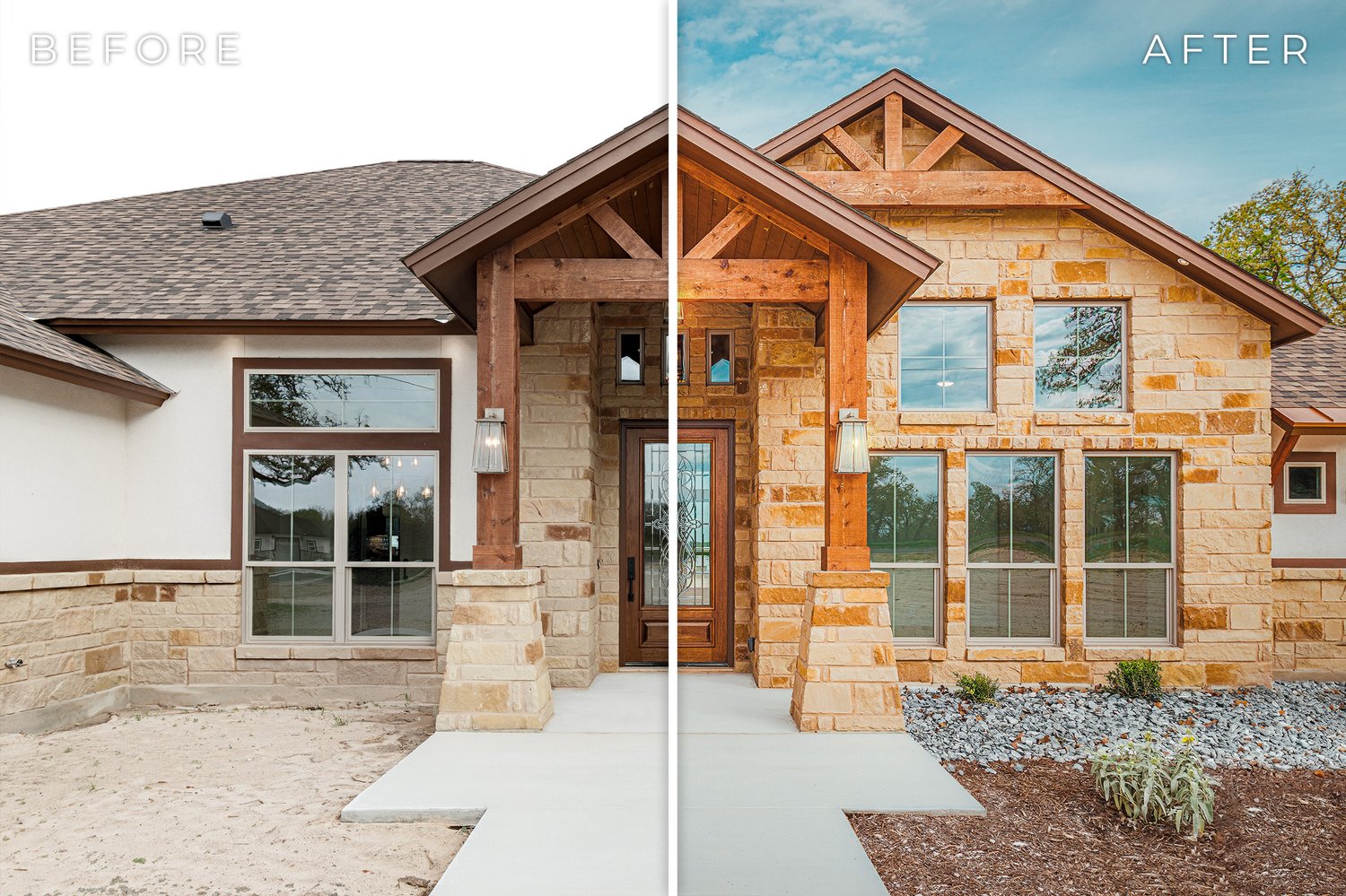
HOW TO TURN REAL CLIENT PROJECTS INTO A WEBSITE, CASE STUDIES, ARTICLES, INSTAGRAM POSTS, VIDEOS, EMAILS, AND SALES MATERIAL WITHOUT CREATING CONTENT FROM SCRATCH EVERY DAY
Business 19 | Marketing, Client Acquisition & Business Growth | August 29, 2026
Author: Malachi Gobart | Founder, Real Estate Photography Training
INTRODUCTION
Real estate photographers have an unusual marketing advantage.
We produce new visual material almost every day.
A single week of normal work may create:
• Finished listing photographs
• Drone images
• Twilight photographs
• Vertical video
• Property tours
• Builder progress
• Before-and-after edits
• Floor plans
• Behind-the-scenes footage
• Commercial projects
• Client feedback
Yet many photographers still sit down at the end of the week wondering:
What should I post?
The problem usually is not a shortage of content.
The problem is that the business has no system for recognizing, organizing, and reusing what it already creates.
A strong marketing system begins inside the production workflow.
You photograph a property.
While the details are still fresh, you record why the project mattered.
You save a few marketing selects.
One completed project can then become a website case study, Instagram carousel, short video, educational post, email example, sales reference, and eventually part of a larger portfolio category.
That creates a much more durable marketing library than constantly trying to invent isolated social-media posts.
It also aligns well with the way search engines increasingly evaluate useful content. Google’s current Search guidance emphasizes original information, first-hand experience, clear authorship, meaningful analysis, and content created primarily to help an intended audience. Google specifically warns against mass-producing material across unrelated topics simply to attract search traffic. — https://developers.google.com/search/docs/fundamentals/creating-helpful-content
Real photography projects naturally provide the thing generic marketing content often lacks:
experience.
You were at the property.
You dealt with the light.
You spoke with the client.
You solved the problem.
You delivered the media.
That experience can become the raw material for almost everything the business publishes.
This chapter explains how to build that system from the ground up.
TABLE OF CONTENTS
• Understand What Content Marketing Is Supposed to Do
• Define the Business Goal Before the Content
• Know Who You Are Trying to Reach
• Separate Client Content From Photographer Content
• Build Four Core Content Pillars
• Use the Website as the Permanent Home Base
• Turn Strong Projects Into Case Studies
• Build Educational Content Around Client Questions
• Use Proof Content to Reduce Sales Friction
• Show Process Without Turning Every Post Into a Tutorial
• Use Timely Content Selectively
• Capture Marketing Information During the Project
• Build a Marketing Selects Folder
• Turn One Project Into Multiple Assets
• Create a Content Calendar That Tracks Real Work
• Choose a Sustainable Publishing Cadence
• Build Content Around Search Intent
• Write Better Titles and Headlines
• Use Internal Links Deliberately
• Optimize Project Images for Search
• Build Instagram Around Useful Project Content
• Use Instagram’s Own Performance Guidance
• Use YouTube for Longer-Lived Video
• Build Email Around Existing Relationships
• Follow Commercial Email Rules
• Use Local Content to Demonstrate Market Familiarity
• Create Content for Agents
• Create Content for Builders
• Create Content for Commercial Clients
• Create Content for Designers and Architects
• Create Content for Vacation Rental Clients
• Adapt Content for Each Platform
• Use AI to Accelerate Production Carefully
• Preserve First-Hand Experience
• Protect Client Privacy and Publication Rights
• Match the Call to Action to the Content
• Track Marketing Beyond Likes and Views
• Connect Content to Leads and Revenue
• Review the Library Quarterly
• A Practical 90-Day Content Marketing Buildout
• Common Content Marketing Mistakes
• Frequently Asked Questions
UNDERSTAND WHAT CONTENT MARKETING IS SUPPOSED TO DO
Content should help the business perform a job.
That job may be:
• Get discovered.
• Build trust.
• Explain a service.
• Show expertise.
• Answer a client question.
• Demonstrate a specialty.
• Support a sales conversation.
• Create repeat business.
• Produce an inquiry.
A photograph posted without context may still be useful.
A photograph connected to a clear business purpose becomes much more valuable.
Suppose you publish a beautiful twilight exterior.
The image might simply prove that you can photograph twilight.
That is useful.
Now imagine the caption explains:
• Why the home was photographed after sunset.
• What lighting became visible.
• How the twilight set helps the agent market the listing.
• Where a client can order that service.
The same image now teaches and sells.
That is the difference a system creates.
Professional Tip
Before publishing anything, finish this sentence: “This piece of content should help the reader understand ______.”
If you cannot fill in the blank clearly, the content probably needs more purpose.
DEFINE THE BUSINESS GOAL BEFORE THE CONTENT
Different businesses need different marketing.
A new photographer may need:
First five recurring agents.
An established residential photographer may need:
Higher average order value.
Another business may want:
More builders.
Another may want:
Commercial work.
Another may be trying to hire photographers and move the owner away from routine residential production.
The content should support the current business direction.
If you want builders, publishing another fifty posts about which flash trigger you use will probably have limited value.
A builder is more interested in:
• Completed projects
• Construction progress
• Craftsmanship
• Architectural photography
• Drone documentation
• Long-term project coverage
Your marketing should increasingly resemble the work you want more of.
KNOW WHO YOU ARE TRYING TO REACH
Most real estate media companies serve several audiences.
Common groups include:
• Residential agents
• Brokers
• Builders
• Architects
• Interior designers
• Commercial brokers
• Property managers
• Vacation rental owners
• Developers
Each audience has different concerns.
An agent may care about:
• Turnaround
• Ordering
• Coverage
• Seller preparation
• Social media
• Listing launch
A builder may care about:
• Craftsmanship
• Progress documentation
• Portfolio imagery
• Completed projects
• Recurring coverage
A commercial broker may care about:
• Site
• Aerial context
• Loading
• Parking
• Floor plans
• Property video
A designer may care about:
• Color
• Materials
• Styling
• Details
• Publications
• Manufacturer usage
Content becomes much easier when you know who the reader is.
SEPARATE CLIENT CONTENT FROM PHOTOGRAPHER CONTENT
This is one of the easiest traps in photography marketing.
Photographers naturally enjoy:
• Camera bodies
• Lenses
• Lighting
• Editing
• Gear
• Technical workflow
Other photographers enjoy those subjects too.
Your paying client may not.
If the purpose of the business website is attracting agents, builders, and commercial clients, those people should recognize themselves in the content.
A gear article can still be useful if it explains something the client cares about.
For example:
Why We Use Drone Photography to Show Commercial Site Access
is client-facing.
My Favorite Drone ND Filters
is primarily photographer-facing.
Neither topic is inherently bad.
Know which audience each one serves.
BUILD FOUR CORE CONTENT PILLARS
A simple content system can work around four categories.
1. PROOF
Show work you have completed.
Examples:
• Finished project
• Portfolio image
• Case study
• Client testimonial
• Before-and-after result
2. EDUCATION
Answer questions clients actually ask.
Examples:
• How to prepare a listing
• When twilight makes sense
• What a floor plan adds
• How builder photography differs from listing photography
• When drone is useful
3. PROCESS
Show how the company works.
Examples:
• Behind the scenes
• Editing
• Drone planning
• Property walkthrough
• Quality control
• Delivery
4. PERSPECTIVE
Share observations from actual work.
Examples:
• Why a particular room was photographed from one angle
• What makes a commercial property difficult
• How light changed a builder project
• What agents frequently forget before a shoot
Those four pillars can supply years of useful content.
USE THE WEBSITE AS THE PERMANENT HOME BASE
Social platforms move quickly.
A strong website becomes the long-term library.
Important content can include:
• Service pages
• Portfolio
• Case studies
• Educational guides
• Frequently asked questions
• About page
• Contact
• Pricing guidance where appropriate
Social content can then point back toward that library.
The business owns the website.
That matters.
A social post may disappear from attention in days.
A useful case study can continue attracting clients and supporting sales conversations for years.
Google’s current people-first content guidance also favors material that demonstrates first-hand experience, provides substantial value, identifies the author clearly, and satisfies the reason the visitor came to the page. — https://developers.google.com/search/docs/fundamentals/creating-helpful-content
A real project naturally supports all of those things.
TURN STRONG PROJECTS INTO CASE STUDIES
Case studies should become one of the main engines of the content system.
A good project can contain:
The Client Need
What did they need?
The Challenge
What required thought?
The Approach
What decisions were made?
The Deliverables
What did the client receive?
The Result
How was the media used?
The full case-study process is covered in the REPT Knowledge Base:
Explore the REPT Knowledge Base
Once a case study exists, it can supply smaller posts for weeks.
BUILD EDUCATIONAL CONTENT AROUND CLIENT QUESTIONS
Your inbox is a content source.
Every repeated client question can potentially become an article or post.
Examples:
How clean does the house need to be?
Do I need drone?
How long does photography take?
Should I order twilight?
Do you photograph closets?
Can the homeowner stay?
What is included in commercial photography?
What is the difference between Matterport and a floor plan?
Those questions already have demand.
You know because real clients ask them.
Write the answer once.
Then use it again.
The answer may become:
• Website FAQ
• Article
• Instagram carousel
• Reel
• Sales link
That reduces repeated explanation while helping future clients before they contact you.
USE PROOF CONTENT TO REDUCE SALES FRICTION
A potential client needs confidence.
Proof content provides it.
Examples include:
• Finished gallery
• Client quote
• Repeat project
• Builder relationship
• Commercial property
• Difficult lighting solution
• Architectural detail
• Drone site context
Suppose a commercial broker asks whether you photograph industrial property.
You could say:
Yes.
A stronger answer is:
Here is a warehouse project showing interiors, loading, truck court, and aerial context.
That page sells without sounding like a sales pitch.
SHOW PROCESS WITHOUT TURNING EVERY POST INTO A TUTORIAL
Behind-the-scenes content helps clients understand why professional work has value.
Show:
• Tripod placement
• Lighting
• Drone setup
• Editing
• Twilight timing
• Styling
• File delivery
Keep the explanation connected to the client.
For example:
This camera position is slightly narrower than a normal listing frame because the builder wanted the cabinetry and island proportions to remain natural.
That communicates expertise.
You do not need to explain every flash power and shutter speed unless photographers are the intended audience.
USE TIMELY CONTENT SELECTIVELY
Some content should respond to current developments.
Examples include:
• Platform changes
• Drone regulations
• Major software updates
• Listing-media policy changes
• Market trends affecting agents
• New real estate marketing tools
Timely content can bring attention.
It also ages quickly.
Build the core marketing library around durable material:
• Services
• Projects
• Client questions
• Workflow
• Case studies
• Expertise
Then add timely pieces when something genuinely changes the client’s work.
That gives the website both depth and relevance.
CAPTURE MARKETING INFORMATION DURING THE PROJECT
The best time to remember what made a project interesting is while you are still working on it.
Create a short marketing note.
Record:
• Project type
• Client type
• Services
• Main challenge
• Interesting solution
• Strongest image
• Behind-the-scenes material
• Client feedback
• Publication permission
• Possible content angle
This may take sixty seconds.
That minute can save an hour later.
BUILD A MARKETING SELECTS FOLDER
Create a simple folder inside projects that may become future content.
For example:
MARKETING_SELECTS
Save:
• Hero exterior
• Strong interior
• Detail
• Drone
• Vertical
• Behind-the-scenes
• Before/after
Now your future marketing library is being built while production is happening.
Six months later, you do not need to search through 40,000 files hoping to remember which property had the unusual staircase.
Professional Tip
Treat your project archive as a marketing database. The better the archive becomes, the easier content creation becomes.
TURN ONE PROJECT INTO MULTIPLE ASSETS
Imagine a finished builder project.
The original production creates:
Architectural photographs
Drone
Twilight
Vertical clips
Behind-the-scenes footage
Now build the marketing chain.
WEBSITE CASE STUDY
Full project story.
INSTAGRAM CAROUSEL
Eight images with a short explanation of the project.
REEL
Thirty-second visual summary.
EDUCATIONAL POST
Why the project was scheduled around afternoon light.
DETAIL POST
Custom cabinetry.
DRONE POST
How the home sits on the property.
Recent builder-project example.
SALES LINK
Send the case study to the next builder inquiry.
One shoot may produce eight useful assets without staging another marketing session.
CREATE A CONTENT CALENDAR THAT TRACKS REAL WORK
A content calendar does not need to be complicated.
Track:
• Content title
• Audience
• Source project
• Content type
• Platform
• Goal
• Call to action
• Publish date
• Status
• Final link
For example:
The system should make publishing easier.
If maintaining the calendar becomes its own full-time job, simplify it.
CHOOSE A SUSTAINABLE PUBLISHING CADENCE
There is no universal schedule.
Instagram’s own Best Practices tools provide creators with account-specific guidance around creation, engagement, reach, monetization, and platform guidelines. Meta says the system includes personalized recommendations based on individual account performance. — https://about.fb.com/news/2024/10/best-practices-education-hub-creators-instagram/
Use your real production capacity.
A small photography business might begin with:
• One meaningful website article or case study each month.
• One or two useful social posts each week.
• One short video when the project justifies it.
• One client email when there is something worth communicating.
A larger company may publish far more.
Consistency matters.
Sustainability matters more.
A schedule that lasts twelve months is much more valuable than an aggressive thirty-day burst followed by silence.
BUILD CONTENT AROUND SEARCH INTENT
SEO works best when the page answers something people genuinely want to know.
Google recommends people-first content created for an existing or intended audience, with original information, clear expertise, descriptive titles, and enough substance to satisfy the reader. — https://developers.google.com/search/docs/fundamentals/creating-helpful-content
For a real estate photographer, useful search topics may include:
• Real estate photography in your city
• Builder photography
• Commercial real estate photography
• Twilight photography
• Drone photography
• Listing preparation
• Vacation rental photography
• Architectural photography
A strong local case study might be titled:
Commercial Warehouse Photography and Drone Coverage in San Antonio
That title describes the actual project.
It also contains language a potential commercial client may use naturally.
WRITE BETTER TITLES AND HEADLINES
A title should help the reader understand what they will get.
Weak:
Recent Project
Better:
Photographing a New Custom Home for a Builder Portfolio
Weak:
Our Drone Work
Better:
How Drone Photography Shows Site Access on Commercial Properties
Weak:
Photography Tips
Better:
How Agents Can Prepare a Listing Before the Photographer Arrives
Clarity works well for both people and search engines.
Google’s current guidance explicitly recommends descriptive, helpful headings and titles rather than exaggerated or vague clickbait. — https://developers.google.com/search/docs/fundamentals/creating-helpful-content
USE INTERNAL LINKS DELIBERATELY
When an article mentions another service or topic, link to it.
A builder case study might naturally link to:
• Builder photography
• Architectural photography
• Drone
• Twilight
• Contact
An article about listing preparation might link to:
• Residential photography
• First-listing resources
• Booking
Google says internal links help its crawlers discover pages and recommends descriptive anchor text that tells users and search engines where the link leads. — https://developers.google.com/search/docs/crawling-indexing/links-crawlable
Avoid vague anchors such as:
click here
when you can write:
learn more about commercial real estate photography.
That is clearer for everyone.
OPTIMIZE PROJECT IMAGES FOR SEARCH
A photography website contains a large amount of visual information.
Give the images useful context.
Google’s current image guidance recommends:
• Descriptive filenames
• Useful alt text
• Relevant surrounding text
• High-quality representative images
• Standard crawlable image elements — https://developers.google.com/search/docs/appearance/google-images
Instead of:
DSC_4819.jpg
use:
custom-home-kitchen-san-antonio.jpg
Instead of alt text:
house
use:
Twilight exterior of a contemporary custom home with illuminated living room and pool.
Avoid turning alt text into a keyword list.
Google specifically cautions against keyword stuffing. — https://developers.google.com/search/docs/appearance/google-images
Describe the photograph.
BUILD INSTAGRAM AROUND USEFUL PROJECT CONTENT
Instagram works well for real estate photographers because the business already produces visual material.
The account can show:
• Finished work
• Behind the scenes
• Project stories
• Before/after
• Short tips
• Client features
• New services
• Reels
Try to make the account useful even to someone who never becomes a client.
An agent may save a listing-preparation carousel.
A builder may follow a construction series.
A designer may recognize that you photograph materials carefully.
That repeated exposure builds familiarity.
USE INSTAGRAM’S OWN PERFORMANCE GUIDANCE
Platform advice changes.
Avoid building your entire marketing strategy around a third-party claim about the algorithm.
Instagram maintains a Best Practices section inside the professional dashboard. Meta says it covers:
• Creation
• Engagement
• Reach
• Monetization
• Guidelines
and includes personalized recommendations based on how the account is performing. — https://about.fb.com/news/2024/10/best-practices-education-hub-creators-instagram/
Use that information alongside your own results.
If the account performs better with:
• Project carousels
• Educational Reels
• Behind-the-scenes clips
make more of those.
The audience is telling you something.
USE YOUTUBE FOR LONGER-LIVED VIDEO
YouTube can serve several roles.
PROPERTY FILMS
Full listing videos.
BUILDER PROJECTS
Completed homes and progress stories.
COMMERCIAL WORK
Property films and broker presentations.
EDUCATIONAL CONTENT
Client preparation and media explanations.
SHORTS
Vertical project clips and quick observations.
The advantage is that YouTube content can remain discoverable much longer than many feed-based posts.
Use descriptive titles.
Organize playlists around client categories.
Link the viewer toward the next logical action.
MEASURE YOUTUBE WITH MORE THAN PUBLIC VIEWS
YouTube changed its public view definition on August 24, 2026. Views now begin when playback starts from the first frame across formats, while deeper attention remains visible through engagement metrics such as engaged views, watch time, average view duration, and retention. — https://support.google.com/youtube/answer/9313698
That is a good reminder for every marketing channel.
One headline number rarely tells the complete story.
For video, consider:
• Views
• Engaged views
• Watch time
• Average view duration
• Retention
• Website visits
• Inquiries
Measure exposure and attention separately.
BUILD EMAIL AROUND EXISTING RELATIONSHIPS
Email is useful because it reaches people you already know.
Good reasons to email clients include:
• New service
• Helpful listing-preparation guide
• Recent case study
• Seasonal reminder
• Builder-project example
• Commercial media update
• Important platform change
The email should offer something useful.
For example:
We recently completed a commercial warehouse project where aerial photography was especially useful for showing truck access and highway proximity. Here is the project if you are preparing a similar listing.
That feels relevant.
It also gives the client a reason to remember you.
FOLLOW COMMERCIAL EMAIL RULES
Commercial email carries legal requirements.
The FTC’s CAN-SPAM guidance requires commercial senders to avoid false or misleading headers and deceptive subject lines and to provide a working method for recipients to opt out of future commercial messages. — https://www.ftc.gov/legal-library/browse/statutes/controlling-assault-non-solicited-pornography-marketing-act-2003-can-spam-act
The FTC also says commercial email should include a valid physical postal address and that opt-out requests generally must be honored within ten business days. — https://www.ftc.gov/news-events/news/press-releases/2019/02/ftc-completes-review-can-spam-rule
Do not turn a client list into uncontrolled spam.
Maintain clean records.
Respect opt-outs.
For unusual legal questions, use qualified professional advice.
USE LOCAL CONTENT TO DEMONSTRATE MARKET FAMILIARITY
Real estate media is local.
That gives you content opportunities national photography sites cannot reproduce.
Examples:
• Photographing hill-country acreage
• Coastal exterior challenges
• Downtown commercial properties
• Luxury subdivisions
• Historic districts
• New builder communities
• Regional architecture
• Local seasonal weather
The point is not to manufacture generic city pages.
Use actual experience.
A photographer who has completed twenty properties in one development can legitimately explain:
• Light
• Lot orientation
• Architecture
• Drone context
• Common client needs
That knowledge has value.
CREATE CONTENT FOR AGENTS
Useful agent-facing content may include:
• Listing preparation
• Photography turnaround
• Twilight
• Drone
• Floor plans
• Video
• Occupied properties
• New-construction listings
• Seller expectations
• Media delivery
Think about the questions an agent asks during a normal month.
Answer them.
CREATE CONTENT FOR BUILDERS
Useful builder content may include:
• Progress photography
• Completed-project photography
• Architecture
• Drone
• Twilight
• Portfolio
• Case studies
• Construction documentation
• Social media
• Long-term project coverage
Builders often need more than one appointment.
Show that capability.
CREATE CONTENT FOR COMMERCIAL CLIENTS
Commercial topics may include:
• Site context
• Drone
• Warehouses
• Retail
• Office
• Multifamily
• Floor plans
• Property video
• Loading
• Parking
• Multi-property programs
Commercial clients respond well to work that demonstrates you understand how their properties are marketed.
CREATE CONTENT FOR DESIGNERS AND ARCHITECTS
Useful topics include:
• Material accuracy
• Furniture
• Styling
• Architectural composition
• Project storytelling
• Publications
• Manufacturer use
• Licensing
• Twilight
• Details
A design professional should be able to look at your marketing and recognize that you understand their priorities.
CREATE CONTENT FOR VACATION RENTAL CLIENTS
Useful topics include:
• Amenities
• Guest experience
• Seasonal refresh
• Furniture changes
• Views
• Drone
• Updated photography
• Video
• Property flow
• Accuracy
Vacation rental media lives longer than a typical MLS listing.
Show clients that you understand that lifespan.
ADAPT CONTENT FOR EACH PLATFORM
Repurposing does not mean copying the same thing everywhere without adjustment.
A website case study may contain 1,500 words.
The Instagram version may be:
• Eight-image carousel
• 150-word caption
The Reel may be:
• 25 seconds
• One clear project observation
The email may be:
• Three paragraphs
• One image
• Link to full project
The sales version may be:
Here is a similar project we completed last month.
Same source.
Different presentation.
USE AI TO ACCELERATE PRODUCTION CAREFULLY
AI can help with:
• Organizing notes
• Drafting captions
• Transcribing video
• Summarizing interviews
• Creating outlines
• Repurposing a long article
• Brainstorming titles
• Cleaning repetitive copy
The important information should still come from the real project.
Google’s people-first content guidance explicitly asks creators to consider who created content, how it was created, and why it exists. Google says automation and AI are not inherently a problem, while using automation primarily to manipulate search rankings can violate its spam policies. — https://developers.google.com/search/docs/fundamentals/creating-helpful-content
Use AI to help organize your experience.
Do not let it manufacture the experience.
PRESERVE FIRST-HAND EXPERIENCE
Generic content is easy to generate.
Specific experience is harder to replace.
Compare:
Twilight photography creates beautiful images.
with:
On this west-facing home, the front elevation was harsh in the afternoon, so we photographed interiors first and returned outside as the ambient light fell. The landscape lighting became visible about ten minutes before the sky reached its best balance.
The second version teaches something.
It also demonstrates that you actually did the work.
Google’s current guidance specifically identifies first-hand expertise and original information as indicators of helpful content. — https://developers.google.com/search/docs/fundamentals/creating-helpful-content
That is a competitive advantage for working photographers.
PROTECT CLIENT PRIVACY AND PUBLICATION RIGHTS
Marketing content should respect the project.
Before publishing, consider:
• Private address
• Homeowner identity
• Gate information
• Security
• Children
• Vehicle plates
• Client confidentiality
• Publication embargo
• Builder launch timing
• Designer editorial submission
Some projects should be posted immediately.
Some should wait.
Some should never be published.
Record those restrictions in the project.
Do not rely on memory.
MATCH THE CALL TO ACTION TO THE CONTENT
Every piece of content should have a logical next step.
A listing-preparation article might lead to:
Book residential photography.
A builder case study might lead to:
View builder photography.
A commercial project might lead to:
Request a commercial estimate.
A beginner education article on REPT should lead naturally toward:
Free REPT First Listing Starter Kit — https://payhip.com/b/VWSPH
or:
Complete Real Estate Photography Training
Do not make every post end with:
Call us today!
The CTA should match what the reader is ready to do.
TRACK MARKETING BEYOND LIKES AND VIEWS
Likes are easy to see.
They are not always the most useful business metric.
Track:
• Website visits
• Contact form submissions
• Calls
• Replies
• Saves
• Shares
• Email clicks
• Video engagement
• Inquiry source
• Booked clients
• Revenue source
A post with 85 likes and three builder inquiries may be extremely valuable.
A Reel with 80,000 views and zero relevant leads may still provide brand awareness, but it performed a different business job.
Understand the difference.
CONNECT CONTENT TO LEADS AND REVENUE
Add a simple field to the client record:
How did you hear about us?
Possible answers:
• Referral
• Builder
• Brokerage
• YouTube
• Existing client
Then ask more specifically when useful:
Was there a particular project or article you saw?
That information helps identify which content actually influences purchasing decisions.
You may discover:
• Builder case studies produce builder leads.
• Listing-preparation articles attract agents.
• Instagram produces awareness.
• Google Search produces direct inquiries.
• Email creates repeat business.
Now you can invest accordingly.
BUILD A SIMPLE MARKETING SCORECARD
You do not need twenty dashboards.
A monthly scorecard can include:
The exact metrics depend on the business.
Choose numbers that help you make decisions.
REVIEW THE LIBRARY QUARTERLY
Every few months, review what you have published.
Ask:
• Which pages attract traffic?
• Which projects generate inquiries?
• Which social posts get saved?
• Which videos hold attention?
• Which emails receive replies?
• Which client categories are missing?
• Which old pages need updating?
• Which new service needs explanation?
You may find that the website contains twenty residential projects and zero commercial examples even though commercial growth is now the priority.
Marketing should evolve with the business.
A PRACTICAL 90-DAY CONTENT MARKETING BUILDOUT
MONTH 1 — BUILD THE FOUNDATION
Create:
• Content goals
• Audience list
• Four content pillars
• Marketing-selects folder
• Content calendar
Choose three strong existing projects.
Write down the story behind each one.
MONTH 2 — BUILD THE LIBRARY
Publish:
• One case study
• One educational article
• Several supporting social posts
• One short video
Begin linking the content together.
Add useful image filenames and alt text.
MONTH 3 — BUILD DISTRIBUTION
Take the existing content and create:
• Instagram derivatives
• YouTube or short-form video
• Client email
• Sales examples
Begin tracking:
• Traffic
• Engagement
• Inquiry source
• Bookings
At the end of ninety days, you should have a functioning system rather than an empty calendar.
A SUSTAINABLE MONTHLY WORKFLOW
A simple recurring month might look like this.
WEEK 1
Choose the strongest project from the previous month.
Build the case study.
WEEK 2
Create social assets from that project.
Publish one educational answer to a common client question.
WEEK 3
Create a short video or behind-the-scenes piece.
Send a useful client email if there is a real reason.
WEEK 4
Review performance.
Move the best new project images into the marketing library.
Plan next month.
The exact cadence can change.
The structure remains manageable because most content comes from work already completed.
Professional Tip
A good content system should make the next month easier than the previous month. Every project should add material to the library instead of disappearing after delivery.
COMMON CONTENT MARKETING MISTAKES
POSTING BEAUTIFUL IMAGES WITH NO CONTEXT
The viewer sees the result but learns little about the service.
TRYING TO POST EVERY DAY
A schedule that consumes production time can damage the business it is supposed to market.
CREATING EVERYTHING FROM SCRATCH
Use completed projects as the source material.
TALKING ONLY TO OTHER PHOTOGRAPHERS
Make sure the content reaches the people who buy the service.
PUBLISHING ONLY LUXURY HOMES
Your website may stop representing the clients you actually want.
IGNORING THE WEBSITE
Social media alone creates a fragile marketing library.
WRITING GENERIC SEO ARTICLES
Use real project experience and client questions.
STUFFING KEYWORDS INTO IMAGE ALT TEXT
Describe the actual image.
PUBLISHING WITHOUT INTERNAL LINKS
Help readers move naturally into related services and resources.
SENDING RANDOM PROMOTIONAL EMAILS
Give the recipient a useful reason to open the message.
IGNORING EMAIL COMPLIANCE
Maintain proper opt-out and sender information.
POSTING PRIVATE PROJECTS WITHOUT PERMISSION
Client trust has more value than one post.
COPYING THE EXACT SAME FORMAT TO EVERY PLATFORM
Adapt the source material to the destination.
USING AI TO INVENT EXPERTISE
Use real experience as the foundation.
MEASURING ONLY FOLLOWERS
A smaller audience can produce stronger clients.
CHASING VIRAL REACH OUTSIDE YOUR MARKET
A hundred relevant local professionals can be more valuable than thousands of unrelated viewers.
FORGETTING THE CALL TO ACTION
The reader should know what the next step is.
NEVER UPDATING OLD CONTENT
Services, policies, platforms, and examples change.
FREQUENTLY ASKED QUESTIONS
WHAT IS CONTENT MARKETING FOR A REAL ESTATE PHOTOGRAPHY BUSINESS?
It is the system of using useful project-based, educational, visual, and business content to help potential clients discover the company, understand its services, trust its work, and eventually become customers.
DO REAL ESTATE PHOTOGRAPHERS NEED A BLOG?
A blog or Knowledge Base can be useful when it answers real client questions, documents projects, and creates useful pages that remain discoverable over time. It should support the business rather than exist only because “businesses need blogs.”
WHAT SHOULD A REAL ESTATE PHOTOGRAPHER POST?
Strong categories include finished work, case studies, client education, behind-the-scenes process, new services, project stories, before-and-after examples, video, and observations from real assignments.
HOW OFTEN SHOULD I POST?
Choose a schedule you can maintain. Instagram itself now provides personalized Best Practices guidance to professional accounts, and your own account performance should guide frequency more than a universal rule. — https://about.fb.com/news/2024/10/best-practices-education-hub-creators-instagram/
SHOULD I POST EVERY PROPERTY?
No. Publish the projects that represent your services, client categories, specialties, and best work.
SHOULD I POST PRICES?
That depends on your pricing model. Standardized residential packages can be easy to publish. Custom commercial, architectural, or builder projects may need scope-based estimates.
SHOULD I POST PHOTOGRAPHY TIPS?
Yes when they help your intended audience. If the business wants agents, write tips agents can use. Detailed photographer education belongs more naturally inside a training brand such as REPT.
CAN ONE PROJECT BECOME SEVERAL POSTS?
Yes. One project can support a website case study, carousel, Reel, educational article, email, sales example, and several detail posts.
HOW DO I REMEMBER WHAT HAPPENED ON A PROJECT?
Record a short marketing note during or immediately after the shoot: client type, challenge, solution, strongest image, and possible story angle.
SHOULD I USE A CONTENT CALENDAR?
Yes if it helps organize publishing. Keep it simple enough that maintaining the calendar does not become a second job.
DOES BLOGGING STILL HELP SEO?
Useful, original pages can help search engines understand the business and give people a reason to discover the site. Google currently emphasizes people-first content, first-hand expertise, original information, descriptive titles, and clear authorship. — https://developers.google.com/search/docs/fundamentals/creating-helpful-content
DOES GOOGLE PREFER A CERTAIN ARTICLE LENGTH?
No. Google explicitly says it does not have a preferred word count. Write enough to satisfy the reader’s need. — https://developers.google.com/search/docs/fundamentals/creating-helpful-content
SHOULD I WRITE FOR GOOGLE OR FOR CLIENTS?
Start with the client question and create a useful answer. Apply SEO practices to help search engines understand and discover that useful content.
SHOULD I RENAME IMAGES BEFORE UPLOADING THEM?
Google says descriptive filenames can provide clues about image subject matter. A short descriptive name is more useful than a generic camera filename. — https://developers.google.com/search/docs/appearance/google-images
HOW SHOULD I WRITE ALT TEXT?
Describe what the image contains in useful language. Google recommends informative alt text and specifically warns against keyword stuffing. — https://developers.google.com/search/docs/appearance/google-images
SHOULD I LINK BETWEEN ARTICLES?
Yes when the pages are genuinely related. Google recommends crawlable links with concise, descriptive anchor text. — https://developers.google.com/search/docs/crawling-indexing/links-crawlable
SHOULD I USE INSTAGRAM REELS?
Use Reels when video helps tell the story. Also use still photographs, carousels, and other formats when they communicate the project better.
SHOULD I FOLLOW GENERIC INSTAGRAM ALGORITHM ADVICE?
Be cautious. Instagram maintains an official Best Practices section inside the professional dashboard with updated and account-specific guidance. Use it with your own performance data. — https://about.fb.com/news/2024/10/best-practices-education-hub-creators-instagram/
SHOULD I USE YOUTUBE?
YouTube can be useful for property films, builder projects, commercial video, educational content, and longer-lived project stories.
WHAT YOUTUBE METRICS SHOULD I WATCH?
Views show exposure, while engaged views, watch time, average view duration, and retention help explain deeper attention. YouTube’s current analytics documentation distinguishes these measures. — https://support.google.com/youtube/answer/9313698
SHOULD I EMAIL PAST CLIENTS?
Email can be useful for relevant business communication and marketing. Commercial email must follow applicable requirements such as CAN-SPAM rules around sender information, subject lines, physical address, and opt-out. — https://www.ftc.gov/legal-library/browse/statutes/controlling-assault-non-solicited-pornography-marketing-act-2003-can-spam-act
CAN I USE AI TO WRITE CONTENT?
AI can assist with outlines, repurposing, transcription, and editing. Keep the underlying experience, facts, examples, and judgment grounded in real work. Google’s current guidance evaluates usefulness and originality regardless of how content is produced. — https://developers.google.com/search/docs/fundamentals/creating-helpful-content
SHOULD I MENTION MY CITY IN ARTICLES?
Use location naturally when the project or service is genuinely local. Actual local project experience is more useful than creating dozens of nearly identical city pages.
WHAT CONTENT SHOULD A NEW PHOTOGRAPHER CREATE FIRST?
Build enough good work to demonstrate basic competence. If you are preparing for your first listing, the Free REPT First Listing Starter Kit is the stronger next step before developing a large content system.
HOW DO I KNOW WHETHER CONTENT IS WORKING?
Track website traffic, inquiries, client source, booked projects, engagement, email responses, video attention, and ultimately whether the marketing contributes to useful client relationships.
RECOMMENDED REPT TRAINING
EPISODES 2–4 — BUILD THE WORK FIRST
Content marketing depends on having real work worth showing.
Equipment, exterior workflow, and interior workflow create the foundation.
EPISODES 5–8 — BUILD A CONSISTENT FINISHED LOOK
Editing consistency matters because the content library eventually contains work created months or years apart.
A recognizable finished standard strengthens the portfolio.
BUSINESS & SPECIALIZED KNOWLEDGE BASE CHAPTERS
The deeper REPT library covers:
• Pricing
• Client communication
• Recurring revenue
• Builder work
• Commercial media
• Architecture
• Licensing
• Operations
• Quality control
• Case studies
• Design clients
Those topics can all become part of a photographer’s client-facing marketing once the underlying service exists.
Explore the complete REPT Knowledge Base:
REPT Knowledge Base — https://payhip.com/RealEstatePhotographyTraining/blog/get-started-real-estate-photography
CONTINUE YOUR TRAINING
FREE REPT FIRST LISTING STARTER KIT — HTTPS://PAYHIP.COM/B/VWSPH
If you are still preparing for your first listing, build the field and editing workflow before building a large marketing machine.
The Free REPT First Listing Starter Kit is designed specifically for that stage:
Free REPT First Listing Starter Kit — https://payhip.com/b/VWSPH
COMPLETE REAL ESTATE PHOTOGRAPHY TRAINING
For the deeper training path through equipment, exteriors, interiors, editing, delivery, and professional production:
Complete Real Estate Photography Training — https://payhip.com/b/d6Azc
EXPLORE THE REPT KNOWLEDGE BASE
Continue through the connected marketing, case-study, commercial, builder, licensing, operations, and specialized-property chapters:
REPT Knowledge Base — https://payhip.com/RealEstatePhotographyTraining/blog/get-started-real-estate-photography
VISIT REAL ESTATE PHOTOGRAPHY TRAINING
Explore current REPT training resources and industry analysis:
Real Estate Photography Training — https://rephototraining.com/
FOLLOW MALACHI ON INSTAGRAM
See current real estate photography, video work, editing examples, field observations, and project content:
Follow Malachi on Instagram — https://instagram.com/malachikg_rephoto
RELATED ARTICLES
• Real Estate Photography Case Studies: Turn Projects Into Marketing — https://payhip.com/RealEstatePhotographyTraining/blog/get-started-real-estate-photography/real-estate-photography-case-studies-turn-projects-into-marketing
• Training and Quality Control for a Multi-Photographer Real Estate Media Brand — https://payhip.com/RealEstatePhotographyTraining/blog/get-started-real-estate-photography/training-and-quality-control-for-a-multi-photographer-real-estate-media-brand
• Commercial Real Estate Media Packages and Pricing — https://payhip.com/RealEstatePhotographyTraining/blog/get-started-real-estate-photography/commercial-real-estate-media-packages-and-pricing
• Working With Interior Designers and Product Manufacturers — https://payhip.com/RealEstatePhotographyTraining/blog/get-started-real-estate-photography/working-with-interior-designers-and-product-manufacturers
• YouTube Changed What Counts as a View: Real Estate Video Metrics Need a Reset — https://payhip.com/RealEstatePhotographyTraining/blog/get-started-real-estate-photography/youtube-changed-what-counts-as-a-view-real-estate-video-metrics-need-a-reset
FINAL TAKEAWAY
A content marketing system should reduce the amount of marketing work required over time.
That happens when the work you are already doing becomes the source.
The listing you photograph today creates the example you can send an agent next month.
The warehouse you photograph this week becomes the commercial case study that helps win another industrial property later.
The builder project becomes a portfolio page.
The portfolio page becomes a Reel.
The Reel becomes an email example.
The client question becomes an educational article.
The article gets linked from the service page.
The service page helps produce an inquiry.
The inquiry becomes another project.
That cycle is much more sustainable than sitting down every morning and asking what the business should post.
It also gives the marketing substance.
You are showing real work.
Real decisions.
Real problems.
Real clients.
Real experience.
Over several years, those individual pieces build a body of evidence around the company.
A prospective client can see what you photograph, how you work, which properties you understand, what your standards are, and whether the business seems capable of handling their project.
That is what a useful marketing library should accomplish.
SOURCES
• Google Search Central — Creating Helpful, Reliable, People-First Content — https://developers.google.com/search/docs/fundamentals/creating-helpful-content
• Google Search Central — Image SEO Best Practices — https://developers.google.com/search/docs/appearance/google-images
• Google Search Central — SEO Link Best Practices — https://developers.google.com/search/docs/crawling-indexing/links-crawlable
• Google Search Central — Guidance About AI-Generated Content — https://developers.google.com/search/blog/2023/02/google-search-and-ai-content
• Meta — Instagram Best Practices — https://about.fb.com/news/2024/10/best-practices-education-hub-creators-instagram/
• YouTube Help — Understand Your YouTube Engagement — https://support.google.com/youtube/answer/9313698
• Federal Trade Commission — CAN-SPAM Compliance Guide for Business — https://www.ftc.gov/business-guidance/resources/can-spam-act-compliance-guide-business
Comments ()