

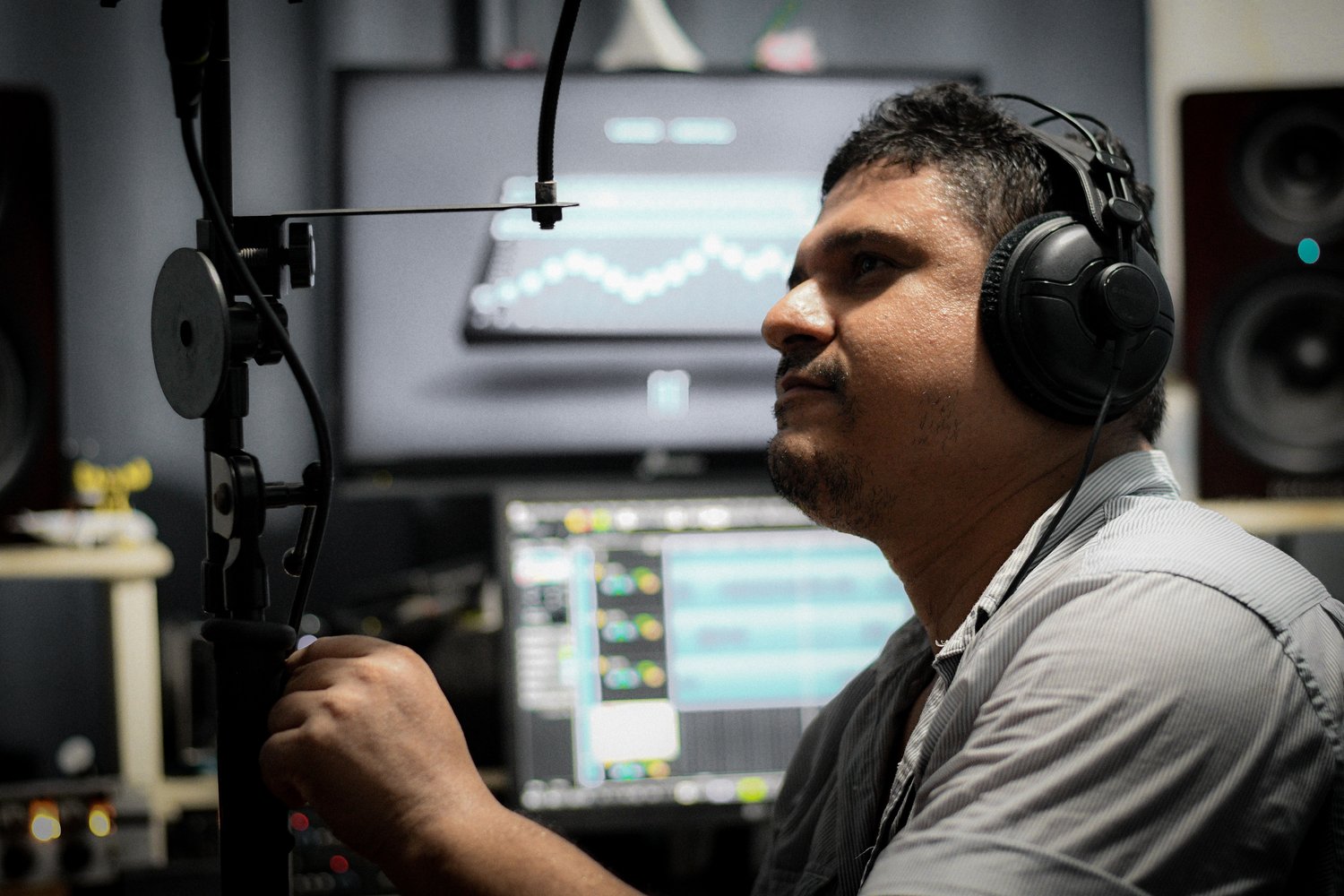
The first few times you add sound design to a property video, every effect feels like a separate search.
You need a front door.
Then footsteps.
Then a soft room ambience.
Then water for the pool.
Then birds outside.
Then an impact for the title.
Then one clean construction sound for the builder sequence.
You open a library, search, audition fifteen files, download three, rename one, forget where you saved it, and repeat the same process on the next property.
After enough projects, that should stop.
A working real estate videographer gradually develops a set of sounds that fit the environments we actually film:
Doors.
Footsteps.
Cabinet movement.
Kitchen details.
Water.
Wind.
Trees.
Neighborhood ambience.
Construction.
Fireplaces.
Pools.
Garage doors.
Birds.
Room tone.
Soft transitions.
The library becomes valuable because you already know what is inside it.
You know which door close feels natural.
You know which suburban morning ambience stays out of the way.
You know where the subtle pool water loop lives.
You know which sounds were recorded by your company, which came from a licensed service, and which require attribution.
That changes sound design from a scavenger hunt into a production system.
A good sound library also changes how you shoot.
You begin noticing sound while you are on location.
The heavy front door has character.
The waterfall feature is running.
The builder is cutting lumber in the next room.
Wind is moving through mature trees.
The fireplace has a quiet gas ignition.
The pantry door has a soft latch.
Those sounds belong to the property story just as much as the visual details do.
Some should stay specific to that house.
Others are clean enough to enter a reusable company library.
This chapter explains how to build that system without turning a real estate media company into a full-time sound-effects studio.
Table of Contents
Why a Sound Library Changes the Editing Workflow
Separate Property Audio From Reusable Library Audio
The Four Types of Audio You Should Maintain
Start With the Sounds Real Estate Videos Actually Need
Record Room Tone on Every Serious Video Job
Capture Exterior Ambience
Capture Doors and Entry Sounds
Record Kitchen and Cabinet Details
Record Water
Record Fireplaces and Mechanical Features
Record Construction and Builder Sounds
Capture Footsteps Carefully
Record Several Variations
Record More Tail Than You Think You Need
Monitor While You Record
Wind Protection Matters
Stereo vs. Mono
24-Bit and 32-Bit Float Recording
Clean Capture Before Noise Reduction
Build a Dedicated Field-Recording Routine
Property-Authentic Sound vs. Foley
When Foley Is Better
Do Not Fake Important Property Facts
Organize the Library by Function
Build a Naming Convention
Metadata Matters More as the Library Grows
The Universal Category System
Add Searchable Descriptions
Keep Variations Together
Rate Your Best Sounds
Separate Raw Recordings From Finished Effects
Create a Master Library and Working Favorites
Build Location-Specific Ambience Collections
Licensed Stock Sound Effects
YouTube Audio Library
Freesound and Creative Commons
Commercial Subscription Libraries
AI-Generated Sound Effects
Keep Licensing Records
Music Belongs in a Separate Licensing System
Back Up the Library
Build a Premiere or NLE Favorites Workflow
Sound Library Structure for a Multi-Editor Team
Quality Control
A 30-Day Library-Building Plan
Common Sound-Library Mistakes
Frequently Asked Questions
Why a Sound Library Changes the Editing Workflow
The benefit is speed, but the deeper benefit is consistency.
Imagine two editors creating videos for the same builder.
Editor A uses:
A soft natural door.
Light suburban ambience.
Restrained transitions.
Realistic kitchen detail.
Editor B uses:
A huge cinematic door slam.
Forest birds.
Heavy whooshes.
A cartoonish faucet sound.
Both editors technically added sound design.
The brand no longer sounds consistent.
A curated library gives the company an audio vocabulary.
That vocabulary can be:
Quiet.
Natural.
Warm.
Architectural.
Clean.
Restrained.
Or more energetic when the client calls for it.
The point is that the decision becomes intentional.
Separate Property Audio From Reusable Library Audio
The first organizational decision is important.
Every sound you record on a property should not automatically become a reusable sound effect.
Suppose you record the pool at 4821 Oak Trail.
That clip may contain:
The exact waterfall.
A neighboring dog.
A distant homeowner conversation.
Road noise.
A distinctive mechanical sound.
It belongs first with the property project.
After delivery, you may discover that thirty seconds in the middle is a beautiful clean water recording with no identifying content.
Make a separate library copy.
Rename it.
Add metadata.
Now it becomes reusable.
That separation protects the integrity of the original project while allowing the company to preserve its best recordings.
The Four Types of Audio You Should Maintain
I separate real estate video audio into four broad groups.
1. Property-Specific Production Audio
Audio that belongs to the exact project:
Agent dialogue.
Builder interview.
The actual pool.
The actual fireplace.
The actual front door when authenticity matters.
The actual neighborhood.
Keep this with the job.
2. Original Reusable Sound Effects
Sounds your company recorded and intentionally added to the library:
Generic wood door closes.
Cabinet movement.
Footsteps.
Neutral suburban ambience.
Pool water.
Construction impacts.
Wind through trees.
You control these recordings and can reuse them according to your own company policies.
3. Licensed or Generated Sound Effects
Audio obtained from:
Commercial libraries.
Creative Commons collections.
YouTube Audio Library.
Adobe Firefly.
Other properly licensed sources.
These need license records.
4. Music
Treat music separately.
Music licensing, composition rights, recording rights, client use, social-platform clearance, advertising rights, and subscription terms can become more complicated than normal sound effects.
The U.S. Copyright Office notes that copyright in a sound recording and copyright in the underlying musical composition can be separate rights.
U.S. Copyright Office
Keep the music system clean.
Start With the Sounds Real Estate Videos Actually Need
Do not begin by downloading 80,000 effects.
A small useful library beats a massive library you cannot search.
For real estate video, I would begin with approximately 50–100 carefully chosen effects.
Focus on recurring categories:
Exterior ambience.
Interior room tone.
Doors.
Footsteps.
Cabinets.
Drawers.
Water.
Fireplaces.
Construction.
Light impacts.
Soft transitions.
A few neighborhood environments.
A few architectural-detail sounds.
Then let real projects tell you what is missing.
If you search for:
quiet wood cabinet close
three times in one month, that belongs in your library.
Record Room Tone on Every Serious Video Job
Room tone is the quiet sound of an environment when nobody is talking.
It may contain:
HVAC.
Distant road noise.
Subtle appliance hum.
Wind outside.
Natural acoustic character.
For interviews, room tone helps repair dialogue edits.
For property videos, it can also create believable interior space underneath very quiet sequences.
After finishing an interview or important interior sequence, let the room settle.
Nobody talks.
Nobody moves.
Record thirty seconds.
Sixty seconds is even better.
Name it with the project and room.
That habit takes almost no time.
Capture Exterior Ambience
Real estate video relies heavily on exterior establishing shots.
Capture the actual soundscape when it is useful.
Examples:
Quiet suburban morning.
Wind through oak trees.
Birds around acreage.
Pool environment.
Downtown traffic.
Golf-course ambience.
Rural evening insects.
Light neighborhood activity.
Do not assume every property needs birds.
A downtown condo with a forest sound bed feels wrong even if the audience cannot immediately explain why.
Sound should support location.
Capture Doors and Entry Sounds
Doors are extremely useful because they connect directly to visual movement.
Record:
Front-door open.
Front-door close.
Interior wood door.
Heavy exterior door.
Sliding glass door.
Barn door.
Cabinet door.
Garage door.
Pocket door.
Get close enough for useful detail.
Then record several performances.
A slow close.
Normal close.
Firm close.
Latch.
Handle.
You may end up using only one.
The variations make the library far more useful later.
Record Kitchen and Cabinet Details
Kitchen videos frequently include short tactile shots:
Drawer opening.
Cabinet closing.
Range controls.
Faucet.
Ice maker.
Wine refrigerator.
Pantry hardware.
Do not force sounds into every detail shot.
A few carefully placed sounds make the room feel physical.
Ten consecutive exaggerated clicks make it sound like a commercial for cabinet hinges.
Restraint matters.
Record Water
Water is one of the most reusable real estate sounds.
Pool.
Spa.
Fountain.
Waterfall.
Rain.
Faucet.
Shower.
Outdoor water feature.
Record several perspectives.
Close water sounds detailed and powerful.
A farther recording provides ambience.
You often need both.
Record Fireplaces and Mechanical Features
Real estate properties contain features whose sounds can reinforce the visual story:
Gas fireplace ignition.
Fire crackle.
Garage movement.
Outdoor kitchen.
Motorized shades.
Sliding walls.
Retractable screens.
Water features.
These are especially valuable when you are showing a custom feature the builder wants the viewer to notice.
When practical, capture the real mechanism.
That makes the sequence feel specific to the property rather than assembled from a generic sound pack.
Record Construction and Builder Sounds
Builder content gives you a completely different sound library.
Hammering.
Nail gun.
Circular saw.
Impact driver.
Tape measure.
Wood movement.
Concrete work.
Excavation.
Framing.
Footsteps on subfloor.
Toolbox movement.
Job-site ambience.
These sounds can turn an ordinary construction montage into a much stronger builder film.
Record safely.
Stay out of active work areas where your presence creates a hazard.
A recording is never worth interfering with the crew.
Capture Footsteps Carefully
Footsteps are easy to overuse and surprisingly difficult to fake convincingly.
The sound depends on:
Shoes.
Surface.
Room.
Walking speed.
Person.
Perspective.
Tile footsteps should not sound like wood.
Boots on framing should not sound like dress shoes on polished concrete.
Record several common surfaces when you have a controlled opportunity.
If the actual property movement matters, capture it on location.
Record Several Variations
Never record one door close and assume you are finished.
Record five.
Small timing and force differences are extremely useful in an edit.
The same applies to:
Cabinets.
Footsteps.
Switches.
Impacts.
Tool sounds.
Handles.
Drawers.
A library effect becomes much less convincing when the exact same waveform repeats four times.
Variation solves that.
Record More Tail Than You Think You Need
Let the recording run after the event.
Door closes.
Do not stop immediately.
Water splash ends.
Keep recording.
Impact occurs.
Leave the microphone rolling.
The decay and room response help the sound feel natural.
Editors can trim silence easily.
They cannot reconstruct a natural decay that was never recorded.
Professional Tip
After recording the obvious action, keep the microphone still for several seconds. The clean tail gives you room for fades, noise prints, ambience matching, and more natural transitions.
Monitor While You Record
Wear headphones when the recording matters.
Your eyes cannot tell you about:
HVAC rumble.
Handling noise.
Radio interference.
Wind.
Cable movement.
Clothing noise.
Neighboring equipment.
Microphone clipping.
A sound may appear quiet on location and become extremely obvious once the editor raises the level.
Monitoring lets you fix the problem while the property is still in front of you.
Wind Protection Matters
Outdoor audio becomes unusable quickly when wind hits a microphone directly.
Carry appropriate wind protection.
A basic foam cover may be enough indoors.
Outdoor ambience often needs stronger protection.
The goal is not fancy equipment.
The goal is a recording that survives editing.
If the wind is overwhelming the microphone, another thirty seconds of recording will not improve it.
Change the position or protection.
Stereo vs. Mono
Use both intentionally.
Stereo
Useful for:
Exterior ambience.
Large rooms.
Nature.
Construction environments.
Pools.
Neighborhood beds.
Stereo provides width and environmental information.
Mono
Useful for:
Door close.
Cabinet movement.
Impact.
Switch.
Footstep.
Single localized feature.
Mono effects are easy to position within the final mix.
You do not need to turn this into an audio-engineering exam.
Ask whether the sound represents:
an environment
or:
one object.
That usually points you in the right direction.
24-Bit and 32-Bit Float Recording
Modern portable recorders can give you substantial recording headroom.
Twenty-four-bit WAV remains more than adequate for high-quality professional sound work.
Thirty-two-bit float recorders can make level management more forgiving, especially when sound intensity changes unexpectedly.
Some modern field recorders specifically support 32-bit float recording for dialogue, effects, and ambience.
That still does not solve:
Bad microphone placement.
Wind.
Handling noise.
Clothing noise.
An HVAC compressor six inches away.
Good capture habits remain useful regardless of bit depth.
Clean Capture Before Noise Reduction
Noise-reduction software is excellent.
Record cleaner sound first.
Move away from the refrigerator.
Wait for the truck.
Turn off an unnecessary fan when permitted.
Move the microphone closer.
Record another variation.
Modern post tools can remove remarkable amounts of noise and reverb.
The cleaner recording still gives them more useful information.
Build a Dedicated Field-Recording Routine
A real estate videographer rarely has an extra hour to wander around recording sound.
So make the process small.
At the end of an important video shoot, spend five minutes.
Capture:
One ambience.
One door.
One useful architectural feature.
One texture.
Maybe one wildcard sound.
Five minutes per shoot becomes a substantial library over a year.
Fifty projects can easily give you more usable, relevant property audio than an afternoon spent downloading random effects.
Property-Authentic Sound vs. Foley
Foley is sound performed or recreated to match the picture.
Maybe the shot shows a cabinet closing, but the original camera audio is unusable.
You record another cabinet later.
Synchronize it.
That is Foley.
For real estate media, Foley is useful when:
The original sound was missed.
Camera handling ruined the track.
The action needs more clarity.
The sequence was filmed silently.
The recorded sound is unpleasant.
The replacement should still feel physically plausible.
When Foley Is Better
Some production sounds are objectively ugly.
Autofocus motors.
Gimbal movement.
Camera operator footsteps.
Handling noise.
Crew conversation.
The visual action may be excellent.
Foley lets you create the clean version of the sound the viewer expects.
Record a clean door separately.
Record footsteps after the shot.
Record the faucet without the crew talking.
The final scene feels more natural even though the synchronized sound was recorded at another time.
Do Not Fake Important Property Facts
Sound can misrepresent a property too.
Suppose the video shows a quiet acreage property.
Adding dense forest birds and a flowing creek suggests an environment the property may not have.
Adding fireplace crackle beneath an electric decorative fireplace can imply something different from the actual feature.
Adding ocean surf to a distant water view changes how the location feels.
Sound design allows interpretation.
Keep it grounded.
The viewer should experience a richer version of the real property, not a fictional location.
Organize the Library by Function
A small library can begin with folders such as:
AMB — Ambience
ARCH — Architectural
DOOR
FOOT — Footsteps
KITCHEN
WATER
FIRE
CONSTRUCTION
MECHANICAL
TRANSITIONS
IMPACTS
NATURE
You can expand later.
Do not create seventy-five folders because you imagine they may someday be useful.
Create categories when the files justify them.
Build a Naming Convention
A filename should answer the question:
What is this without opening it?
A useful REPT-style structure might look like:
Door_WoodHeavy_Close_Soft_Interior_01.wav
Water_Pool_SmallCascade_Close_Stereo_02.wav
Ambience_SuburbanMorning_LightBirds_DistantTraffic_01.wav
Construction_ImpactDriver_Interior_Medium_03.wav
Footsteps_Wood_Boots_Slow_02.wav
Keep names descriptive.
Avoid:
Audio001.wav
GoodDoor.wav
FinalSound2.wav
Those names become useless six months later.
Metadata Matters More as the Library Grows
A filename can only contain so much information.
Metadata can hold:
Description.
Category.
Subcategory.
Location.
Microphone.
Recorder.
Creator.
Keywords.
Perspective.
License.
Project source.
Rating.
Recording date.
You may not need every field.
But description, keywords, source, and license become extremely useful once the library moves beyond a few hundred files.
The Universal Category System
The professional sound community has already done substantial work on sound-effect categorization.
The Universal Category System, or UCS, is a public-domain initiative designed to create consistent sound-effect categories, filenames, and library organization. The current official site describes it as a framework for maintaining and searching personal and professional sound-effects libraries.
A small real estate company does not need to implement the entire system on day one.
It is worth studying.
If your library becomes large or multiple editors use it, standard naming begins saving real time.
Add Searchable Descriptions
Think like the editor trying to find the sound.
The technical name may be:
Door_WoodHeavy_Close_Interior_01
Useful keywords may include:
front door
luxury
heavy
wood
entry
solid
slow
residential
warm
Now an editor searching “luxury entry door” has a chance of finding it.
Search behavior matters more than perfect taxonomy.
Keep Variations Together
If you have six versions of the same door, keep them in the same family.
For example:
Door_WoodHeavy_Close_01.wav
Door_WoodHeavy_Close_02.wav
Door_WoodHeavy_Close_03.wav
Door_WoodHeavy_Latch_01.wav
Door_WoodHeavy_Open_01.wav
Now the editor can audition the family quickly.
Rate Your Best Sounds
Your library will eventually contain:
Excellent sound.
Good sound.
Usable sound.
Why should the editor audition all of them every time?
Create a favorites or rating system.
Mark:
Best suburban ambience.
Best pool water.
Best heavy entry door.
Best light cabinet.
Best construction bed.
The library remains broad.
Your daily edit starts from the curated layer.
Separate Raw Recordings From Finished Effects
Keep the original recording.
Then create an edited library version.
For example:
Raw
Three minutes of pool recording.
Library
Twenty-second clean loop.
Fade-ready.
Noise checked.
Normalized appropriately.
Named.
Tagged.
The master gives you flexibility.
The finished asset gives you speed.
Create a Master Library and Working Favorites
I like two levels.
Master Library
Everything approved for reuse.
Potentially thousands of files.
REPT Working Favorites
A small group of effects that repeatedly work for property video.
Maybe:
150 effects.
This folder can sit close to the editor.
The full library exists when something unusual is needed.
Most projects remain fast.
Build Location-Specific Ambience Collections
Real estate properties sound different because locations sound different.
Create ambience families such as:
Quiet suburban morning.
Suburban evening.
Rural Texas morning.
Ranch wind.
Downtown street.
Neighborhood afternoon.
Construction community.
Pool courtyard.
Golf-course morning.
Wooded acreage.
These become far more convincing than one generic “outdoor ambience.”
When possible, record them yourself.
Licensed Stock Sound Effects
Original recording should not become a religion.
Sometimes you need:
Elevator bell.
Ocean ambience.
Specific construction machine.
Clean transition.
Architectural impact.
Sound you cannot safely or practically capture.
Use a licensed library.
Then document the license.
“Royalty-free” does not automatically mean “copyright-free.”
It describes the licensing arrangement offered by the source.
The exact rights still come from the license.
YouTube Audio Library
YouTube Studio provides royalty-free production music and sound effects through its Audio Library.
YouTube currently says those assets are copyright-safe for YouTube, and tracks that require Creative Commons attribution are specifically labeled with attribution text that must be included. YouTube also warns that it cannot provide assurances about third-party “royalty-free” libraries or give legal guidance for how music may behave outside YouTube.
That makes the Audio Library useful for YouTube projects.
For a real estate media company delivering the same video to:
Instagram.
Facebook.
MLS.
Builder website.
Paid advertising.
client-owned channels.
verify that the license and intended distribution actually fit the project.
Do not build a cross-platform commercial workflow around an assumption.
Freesound and Creative Commons
Freesound can be extremely useful for unusual effects.
It also requires attention.
Freesound currently hosts sounds under several Creative Commons options, including:
CC0
Broad reuse with very few restrictions.
CC BY
Reuse with attribution requirements.
CC BY-NC
Noncommercial use only.
Freesound explicitly warns that some files cannot be used commercially and that attribution requirements depend on the individual sound’s license.
A paid real estate video is commercial work.
A noncommercial license should not quietly enter the company library and then get reused in client projects.
Save the license with the file.
Commercial Subscription Libraries
Commercial SFX subscriptions can be efficient because the licensing structure is designed around production use.
Still read the plan.
Different tiers may cover:
Personal social channels.
Client work.
Paid advertisements.
Broadcast.
Apps.
Teams.
Enterprise use.
Those rights are not interchangeable.
For example, Artlist’s current documentation says its Social license is intended for personal creators and does not cover commercial client or brand work; client projects require an appropriate higher-tier license.
Artlist
That is exactly why the license record belongs beside the asset.
A video may remain online years after the editor who downloaded the sound has left the company.
AI-Generated Sound Effects
Generated audio has become much more practical.
Adobe made Firefly’s Generate Sound Effects generally available in August 2026 and says the system can create custom effects based on the action, timing, and energy requested by the user. Adobe describes its Firefly audio outputs as commercially safe for production workflows.
This can be useful when you need something unusually specific.
For example:
Soft modern wood pivot door close in a large luxury foyer.
Subtle stone footsteps in a quiet entry.
Gentle water movement from a small architectural fountain.
A generated sound can fill a gap much faster than searching hundreds of generic effects.
I would still keep two standards.
First, save enough information to identify where and how the effect was generated.
Second, keep the result physically believable for the property.
Synthetic audio should serve the scene.
Keep Licensing Records
Every external sound should answer:
Where did this come from?
Which license covered it?
When was it downloaded?
Does attribution apply?
Can it be used for client work?
Can it be used in paid advertising?
Does the license survive after the subscription ends?
You can store that information in:
Metadata.
A spreadsheet.
A PDF license receipt.
Library-management software.
A text file beside the source pack.
The specific system matters less than being able to prove the rights later.
Music Belongs in a Separate Licensing System
Keep music organized separately from effects.
For each music track, record:
Track title.
Artist.
Source.
License.
Download date.
Client/project.
Invoice or subscription evidence.
Content ID / clearance information where relevant.
Expiration or subscription rules.
A door sound rarely becomes the legal headache in a property video.
Music can.
Back Up the Library
A sound library becomes intellectual capital.
If you spent three years recording:
Properties.
Construction sites.
Pools.
Neighborhoods.
Doors.
Interiors.
and the only copy lives on an editor’s external SSD, you do not really have a company library.
Use the same backup discipline you use for important media assets.
Maintain:
Working copy.
Backup copy.
Protected secondary copy.
Do not assume the subscription library can always be re-downloaded in exactly the same form later.
Your original recordings are irreplaceable.
Build a Premiere or NLE Favorites Workflow
Do not make the editor open Finder every time.
Bring the curated library into the environment where editing happens.
That may involve:
Premiere bins.
Productions.
Library panels.
Search software.
Favorites collections.
A dedicated sound-effects application.
The right system depends on team size.
The objective is consistent:
Search → audition → place
in seconds.
Sound Library Structure for a Multi-Editor Team
Once several editors work for the company, centralization matters.
One editor should not have:
GreatDoor.wav
while another has:
DoorNewFINAL.wav
and another downloads the same commercial effect again.
Use one approved master.
Define:
Folder structure.
Naming.
License documentation.
Who can add sounds.
Who approves sounds.
Where favorites live.
How updates sync.
A little governance keeps the library useful.
Quality Control
Before promoting a recording into the master library, listen on:
Good headphones.
Speakers.
Preferably both.
Check for:
Clipping.
Wind.
Handling noise.
Voices.
Identifying information.
Digital noise.
Hum.
Unwanted room reflections.
Abrupt edit points.
Bad loops.
Excessive processing.
Then ask a more subjective question:
Would I actually use this?
A library full of mediocre recordings creates work.
Curate aggressively.
A 30-Day Library-Building Plan
You do not need to build the entire library this weekend.
During the first week, create the folder structure, naming standard, license log, favorites folder, and backup location.
During the second week, gather the useful sounds you already own. Remove duplicates and poorly documented files. Identify any commercial assets whose licenses need to be verified.
During the third week, deliberately record the most common missing sounds: doors, cabinets, footsteps, water, two or three useful outdoor ambiences, and a few construction effects.
During the fourth week, edit the raw recordings into finished assets, add descriptions, mark favorites, and place the curated library into the NLE workflow.
Then continue adding sounds naturally as properties create opportunities.
The library should grow with the work.
Common Sound-Library Mistakes
Downloading Thousands of Effects Before Building a Search System
The files become another pile of media.
Keeping Camera Audio as the Only Copy
Camera scratch audio may include handling noise and low-quality microphones.
Recording Only One Variation
Repeated effects become obvious.
Stopping Immediately After the Sound
The natural decay disappears.
No Headphones
Wind and background noise are discovered in the edit.
Naming Files Audio001
Search becomes impossible.
Recording Everything in Stereo
Small localized effects can become awkward to place.
Recording Everything in Mono
Environmental ambience loses useful width.
Reusing Property-Specific Audio Without Review
Private or identifying content can enter the general library.
Using Forest Ambience on Every Property
The soundscape no longer matches the place.
Overusing Foley
Every door, step, drawer, and faucet begins demanding attention.
Making Effects Too Loud
Sound design becomes more noticeable than the property.
Using the Same Door Sound Repeatedly
The edit begins to feel artificial.
No License Record
Nobody remembers where the file came from six months later.
Assuming “Free” Means Commercially Licensed
Many free libraries contain several license types.
Putting Noncommercial Creative Commons Files Into the Client Library
The problem may not appear until the sound has been used in several paid projects.
Using a Personal Social-Media Subscription for Client Work
Some library plans explicitly separate those uses.
Treating AI-Generated Sound as Automatically Authentic
A convincing effect may still suggest a feature or environment the property does not have.
No Backup
Years of original recordings disappear with one drive.
Keeping Every Recording
A massive mediocre library is slower than a small strong one.
Common Mistake
A sound library becomes useful when editors trust it. If every search returns fifty badly named files, unclear licenses, and recordings with unpredictable quality, the team goes back to downloading something new for every project.
Frequently Asked Questions
Do real estate videos need sound effects?
No individual effect is mandatory, but thoughtful sound design can make movement, materials, features, and transitions feel more physical and believable.
What sounds should I record for real estate video?
Start with recurring property sounds such as ambience, doors, footsteps, cabinets, water, fireplaces, construction, and mechanical features.
Should I record sound at every property?
For normal photography-only work, no. For serious video production, capturing useful ambience and a few distinctive property sounds can be valuable.
How long should I record ambience?
Thirty to sixty seconds is a useful starting point. Longer recordings can help when the environment changes naturally.
Should room tone be recorded for interviews?
Yes. Clean room tone gives the editor material for dialogue repair and natural gaps.
Should I use the camera microphone?
Camera audio is useful as reference and sometimes adequate for ambience. A dedicated recorder or microphone gives you more control when the sound matters.
Do I need 32-bit float?
No. High-quality 24-bit WAV is fully capable of professional work. Thirty-two-bit float can make changing sound levels easier to manage on compatible recorders.
Does 32-bit float fix bad audio?
It helps with level headroom. It does not fix wind, poor microphone placement, handling noise, room echo, or an unwanted sound source.
Should ambience be stereo?
Often yes. Stereo can capture useful environmental width.
Should door sounds be mono?
Often yes. A single localized object is easy to place from a mono recording.
Should I record sound effects close or far away?
Both can be useful. A close recording gives detail. A farther recording contains more of the environment.
Why record several versions of the same effect?
Variation prevents repetition and gives the editor choices that better match timing and energy.
What is Foley?
Foley is sound performed or recorded separately to accompany an action on screen.
Can I replace bad camera audio with Foley?
Yes. This is a standard sound-design technique when the replacement remains appropriate to the action.
Should I use Foley for every visible action?
Usually no. Selective sound design feels stronger because the important sounds have room.
Can sound effects misrepresent a property?
Yes. Adding environmental or feature sounds that imply conditions the property does not actually have can change the viewer’s perception.
How loud should sound effects be?
Loud enough to be perceived in context without pulling unnecessary attention away from the visual or music.
Should sound effects be louder than the music?
There is no universal rule. The mix should support the moment. A feature effect may briefly rise above the music, while ambience often sits much lower.
How should I organize a sound-effects library?
Begin with useful categories, descriptive filenames, searchable metadata, a master library, and a smaller favorites collection.
What should I put in a sound-effect filename?
Useful information can include category, source, action, material, perspective, intensity, and variation number.
What is the Universal Category System?
The Universal Category System is a public-domain framework created by sound professionals to standardize sound-effect categories, filenames, and library organization.
Do I have to use UCS?
No. A small company can use a simpler system. UCS becomes especially valuable when libraries grow or several editors need consistent categorization.
How many sounds should I have?
There is no target number.
A curated library of 100 effects you regularly use can be more valuable than 20,000 poorly organized sounds.
Should I keep raw field recordings?
Yes. Keep the original master and create cleaned library derivatives when useful.
What metadata should I save?
At minimum, I would preserve a useful description, keywords, source, and license. Location, microphone, date, creator, and perspective can also become useful.
Should I save the recording location?
For your own original effects, location can provide valuable context. Avoid storing unnecessary sensitive property information in the reusable filename or metadata.
Can I use YouTube Audio Library sound effects for real estate video?
YouTube says music and sound effects from its Audio Library are copyright-safe for YouTube when used according to the applicable license and attribution requirements. For client videos distributed elsewhere, verify that the rights fit the intended use rather than assuming YouTube’s platform guidance answers every off-platform licensing question.
Can I use Freesound in commercial real estate videos?
It depends on the individual sound.
Freesound currently includes CC0, CC BY, and CC BY-NC material. CC BY-NC files are not for commercial use, while CC BY requires attribution.
Is CC0 safe for commercial use?
CC0 is designed to place material as fully as possible into the public domain or waive applicable rights, but you should still review the exact source and any third-party rights associated with the recording.
What does CC BY mean?
Creative Commons Attribution requires appropriate credit under the license terms.
What does CC BY-NC mean?
The NonCommercial condition restricts use to noncommercial purposes.
Paid client real estate work should not rely on a noncommercial license without separate permission.
Is royalty-free the same as copyright-free?
No. Royalty-free content can still be copyrighted. Your rights come from the license you receive.
Can I use an Artlist Social plan for client videos?
Artlist’s current help documentation says its Social license is for personal creators and does not cover commercial client or brand work. Use the plan whose license actually covers the project.
Artlist
Should I save licenses after downloading sounds?
Yes.
Save enough information to prove where the asset came from and what rights covered the project.
Can I use AI-generated sound effects?
Yes when the tool’s license allows the intended commercial use and the effect is appropriate to the property.
Can Adobe Firefly generate sound effects?
Yes. Adobe made Generate Sound Effects generally available in August 2026 and says the Firefly Audio Model can create effects based on text instructions and the timing or energy of the requested action.
Are Adobe Firefly sound effects commercially usable?
Adobe currently describes Firefly’s generated audio as commercially safe for creative production. Verify current Adobe terms when incorporating the workflow into client production.
Should AI replace field recording?
Generated effects are useful for gaps.
Original field recordings give you something different: the sound of the actual environments your company films.
Both can belong in the system.
Can I sell my sound library later?
For recordings you own, potentially, subject to any rights associated with what you recorded. Externally licensed sounds usually cannot simply be repackaged and resold as your own sound library.
Should I record private conversations as ambience?
No. Keep private client or occupant conversations out of the reusable library and follow applicable consent and recording laws.
Should I record a recognizable client’s voice for the library?
Only with appropriate permission and a clear business reason. Generic reusable effects rarely need identifiable voices.
How should a multi-editor company share the library?
Maintain one approved master, consistent filenames and metadata, licensing records, a synchronization or server strategy, and a smaller curated favorites collection.
Can every editor add sounds?
They can, but I would use an approval process before a new external or recorded sound enters the master library.
That keeps quality and licensing consistent.
How do I prevent duplicate effects?
Use consistent naming, metadata, one master location, and library-search software as the collection grows.
What should I back up?
Back up original recordings, processed library files, metadata, licensing documents, and any databases used to organize the collection.
What is the best first sound to record?
Record the environments you actually work in.
For many real estate videographers, a strong suburban exterior ambience, a clean front door, and useful pool water will get used more often than an exotic cinematic sound pack.
Recommended REPT Course Lessons
Episode 2 — Required Equipment and Software
Sound-library work becomes easier when the field kit includes a dependable recorder, appropriate microphone, headphones, storage, wind protection, and a predictable ingest workflow.
Video 09 — Audio Production for Real Estate Video
Build the capture foundation first: microphone placement, dialogue, room tone, recording levels, environment, and field technique.
Video 11 — Real Estate Video Sound Design and Music Editing
The sound library becomes most valuable inside the edit, where ambience, effects, transitions, dialogue, and music need to support one another without competing.
Video 12 — Interview Lighting and Portrait Composition for Real Estate Media
Interview production produces useful room tone, architectural ambience, movement, and location sounds that can be captured while the production setup is already active.
Explore the complete REPT training path:
Real Estate Photography Training Course & Products
Continue Your REPT Training
A strong sound library grows out of repeated real projects.
You do not need hundreds of effects before the next listing.
Start by listening differently.
The front door.
The neighborhood.
The pool.
The quiet room.
The construction work.
Capture what is worth preserving and organize it well enough that another editor can find it later.
Free REPT First Listing Starter Kit
If you are preparing for one of your first listing assignments, sound-library management can wait until the core field workflow is dependable.
The Free REPT First Listing Starter Kit is the best next step for that stage:
Free REPT First Listing Starter Kit
Complete Real Estate Photography Training
For deeper training in photography, video, audio, editing, client workflow, and building a professional real estate media business:
Real Estate Photography Training Course & Products
Explore the REPT Knowledge Base
Continue through the connected photography, video, sound, editing, business, and client-service chapters:
Visit Real Estate Photography Training
Explore current REPT training resources and industry analysis:
Real Estate Photography Training
Follow Malachi on Instagram
See current real estate photography, video work, sound-design examples, software observations, and field notes:
Malachi Gobart — Real Estate Photography
Related Articles
Continue through the REPT Knowledge Base for connected chapters covering:
Audio Production for Real Estate Video
Real Estate Video Sound Design and Music Editing
Voiceover and On-Camera Presentation for Real Estate Video
Interview Lighting and Portrait Composition for Real Estate Media
Real Estate Video Tours and Short-Form Content Creation
Video Editing for Real Estate Media
Data Security and Client Privacy for Real Estate Media Companies
Building Operational Systems for a Growing Real Estate Media Company
Explore the REPT Knowledge Base
Final Takeaway
The easiest way to understand a sound library is to compare it with photography presets.
A good preset does not take the picture for you.
It saves a group of decisions you have already made enough times to trust.
A good sound library works the same way.
You still decide what the property needs.
The library removes the repeated search.
You already have a clean door.
You already have several useful pool recordings.
You already have the construction ambience.
You know where they came from.
You know whether they are licensed.
You know which ones match the sound of your work.
That matters more as volume increases.
One editor can improvise.
Five editors improvising independently can create five different brands.
The library gives everyone a common starting point.
I would also resist the temptation to build it entirely from downloads.
Real estate media gives us access to sound environments other filmmakers may spend money trying to find.
We enter:
Custom homes.
Construction sites.
Pools.
Ranches.
High-rises.
Luxury kitchens.
Workshops.
Neighborhoods.
Outdoor living spaces.
Every video project contains opportunities to record useful audio.
After a year of paying attention, your original library may become one of the more distinctive assets in the company.
The strongest sounds often will not be dramatic.
A clean sliding door.
Light footsteps on hardwood.
Quiet morning birds in a South Texas neighborhood.
A subtle pool spillway.
A distant construction bed.
A heavy custom entry door.
Those sounds sit underneath the picture and give it weight.
The viewer may never consciously notice them.
That is usually a good sign.
A strong sound library helps the property feel more real while making the editor faster.
Build it gradually.
Name everything well.
Protect the licenses.
Keep the recordings that actually earn their place.
And keep listening while you are on location.
Sources
Adobe — “Adobe Firefly Expands Its Creative AI Studio: Generate Music, Speech, and Sound Effects in One Place”
Published August 20, 2026. Adobe’s announcement covering generally available Generate Sound Effects, the Firefly Audio Model, generated music and speech, and Adobe’s current commercial-use positioning for Firefly audio.
Freesound — “Frequently Asked Questions: Licenses”
Current documentation accessed October 1, 2026. Explains Freesound’s use of CC0, CC BY, and CC BY-NC licenses, including attribution and noncommercial restrictions.
YouTube Help — “Use Music and Sound Effects From the Audio Library”
Current documentation accessed October 1, 2026. Covers YouTube Audio Library music and sound effects, attribution requirements, YouTube Content ID treatment, and platform-specific licensing guidance.
Universal Category System — “About the Universal Category System”
Current resource accessed October 1, 2026. Describes the public-domain UCS framework for sound-effect categories, naming, and professional library organization.
U.S. Copyright Office — “Sound Recordings” / “Choosing the Appropriate Registration”
Current guidance accessed October 1, 2026. Explains copyright protection for sound recordings and the distinction between a recording and its underlying musical or literary work.
U.S. Copyright Office
U.S. Copyright Office — Sound Recordings
Artlist — “Understanding Artlist’s License” and “Music and SFX Plans Explained”
Current 2026 licensing documentation. Explains the distinction between personal Social licensing and plans that cover commercial client and brand work.
Artlist
Comments ()