

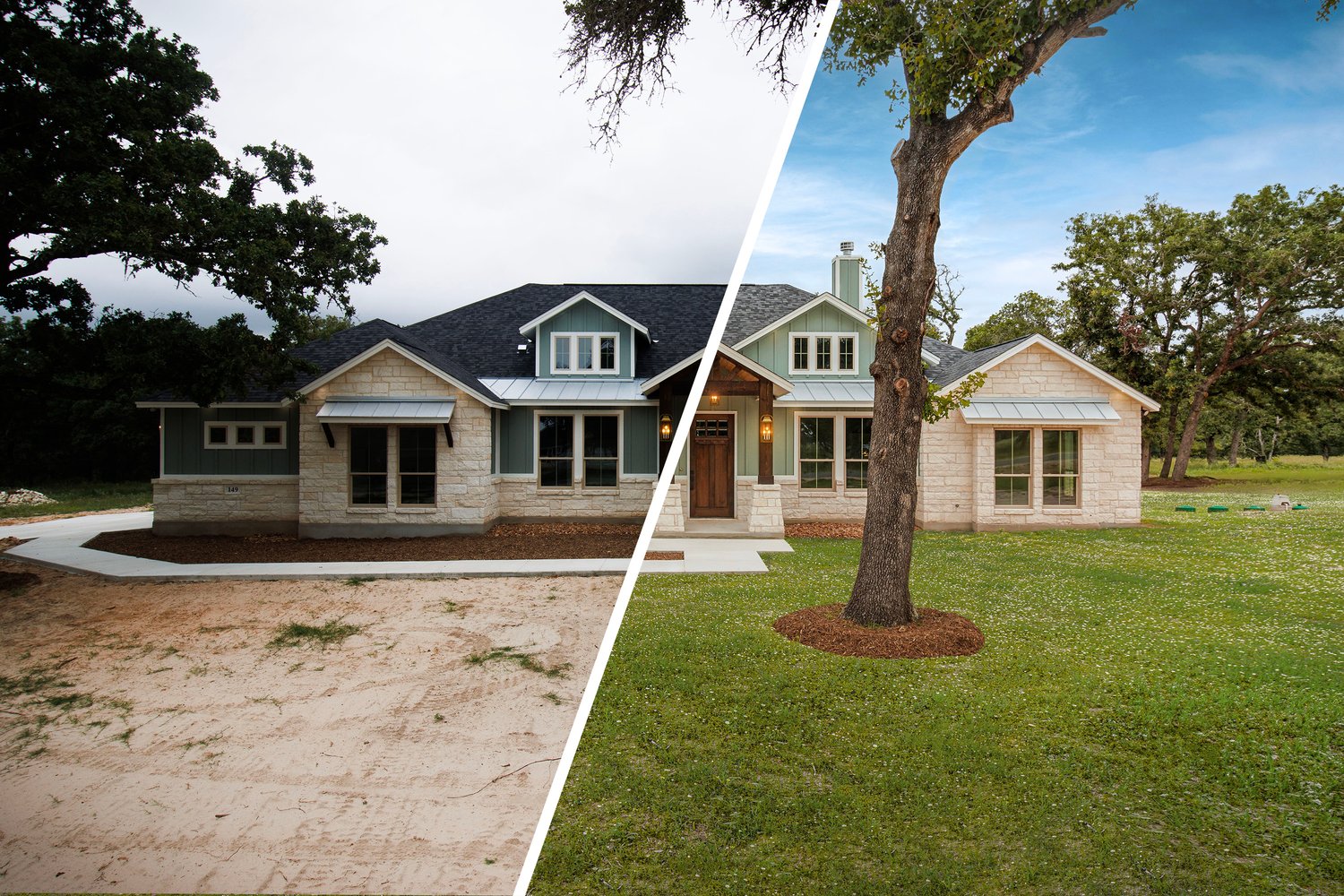
Table of Contents
- What Is HDR Photography?
- Why HDR Has a Bad Reputation
- When HDR Works Best
- Capturing Images for HDR
- Building Natural-Looking HDR Images
- HDR vs. Flambient
- Common HDR Mistakes
- Frequently Asked Questions
- Continue Learning
Introduction
Few subjects in real estate photography create more debate than HDR.
Some photographers swear by it.
Others avoid it entirely.
The truth lies somewhere in the middle.
HDR is not inherently good or bad.
Poor HDR editing is bad.
When executed properly, HDR can create beautiful, natural, and highly efficient real estate images.
When executed poorly, it creates:
- Gray shadows
- Glowing edges
- Radioactive grass
- Unreal colors
- Artificial interiors
HDR is simply a tool.
Like any tool, the result depends entirely upon how it is used.
What Is HDR Photography?
HDR stands for:
High Dynamic Range
HDR combines multiple exposures into a single image that contains significantly more information than a single photograph.
Typically:
- One image captures highlights.
- One image captures midtones.
- One image captures shadows.
The final result preserves detail throughout the entire scene.
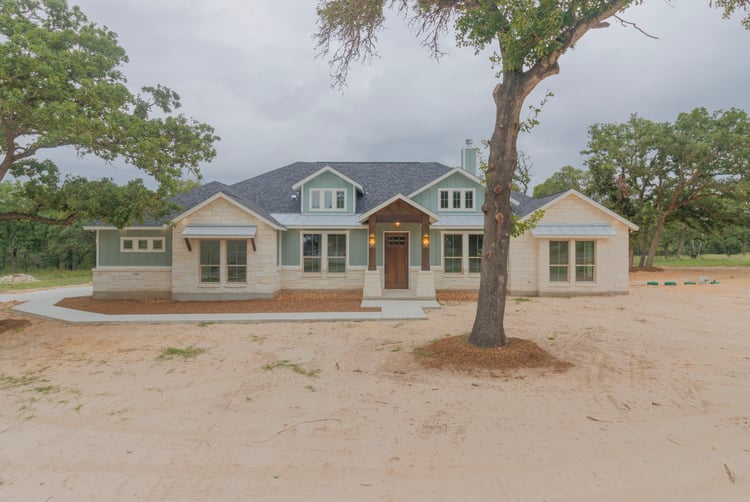
HDR editing became popular because homes often contain lighting conditions that exceed the capabilities of a single exposure.
This is especially true in real estate photography.
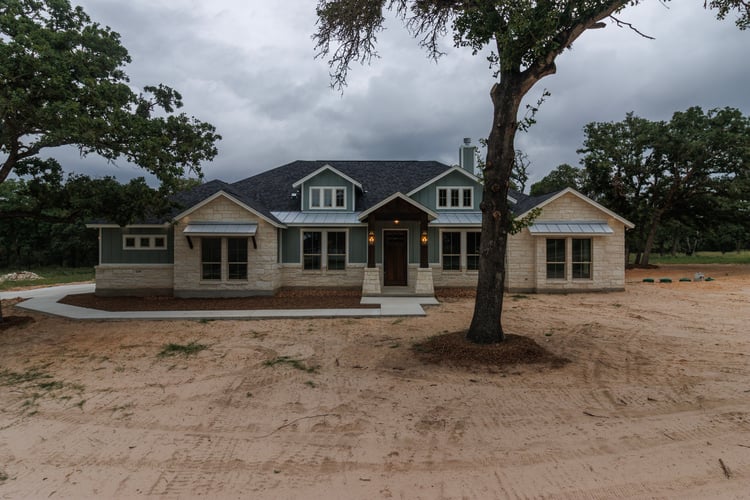
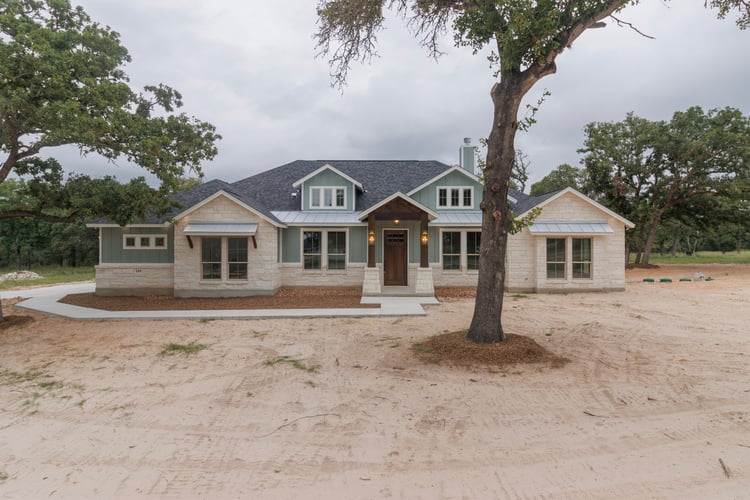
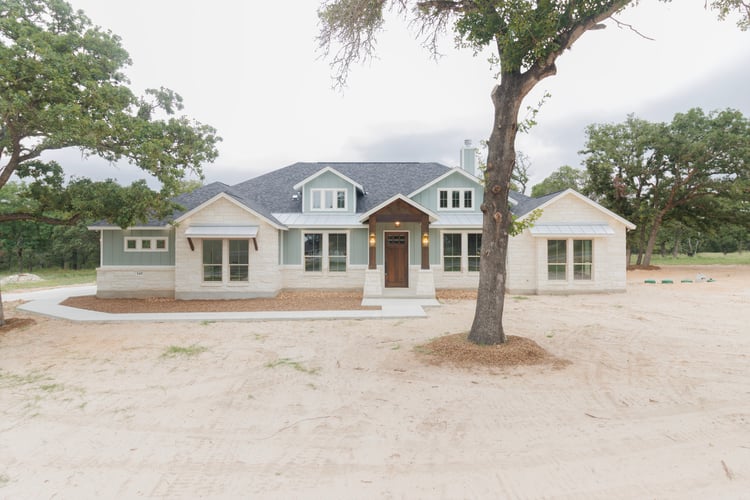
Why HDR Became Popular in Real Estate Photography
HDR offers several significant advantages.
Faster Shooting
No flashes.
No light stands.
No additional equipment.
Lower Cost
HDR requires minimal gear.
A tripod and camera are often enough.
Consistent Workflow
Many photographers can move rapidly from room to room.
Excellent Exterior Performance
HDR works exceptionally well outdoors.
Particularly in:
- Overcast conditions
- Bright skies
- Covered porches
- Dusk photography
For many photographers, HDR remains one of the most efficient approaches available.
The REPT workflow frequently uses bracketed HDR techniques for exterior photography.
Why HDR Has a Bad Reputation
Because many photographers push it far too far.
Most buyers have seen poor HDR examples:
- Neon green lawns
- Dark gray windows
- Haloing around roofs
- Flat, lifeless shadows
- Excessive sharpening
- Unnatural colors
This created the perception that:
"HDR always looks fake."
It doesn't.
Bad HDR looks fake.
Good HDR often goes completely unnoticed.
Professional Tip
If someone immediately notices your editing style, you've probably gone too far.
What Natural HDR Actually Looks Like
Natural HDR should preserve:
Contrast
Homes should still have shadows.
Depth
Images should not feel flat.
Color Accuracy
White walls should remain white.
Realistic Windows
Exterior views should feel believable.
Natural Brightness
Rooms should feel inviting—but not artificially illuminated.
The goal is not maximum brightness.
The goal is realism.
When HDR Works Best
HDR excels in several situations.
Exterior Photography
HDR is often ideal outdoors.
Exterior lighting tends to be easier to blend naturally.
The REPT workflow uses bracketed HDR extensively for exterior work.
Vacation Rentals
Fast turnaround frequently favors HDR.
Smaller Homes
Efficiency often outweighs additional lighting complexity.
Naturally Lit Interiors
Some homes possess beautiful ambient lighting that works wonderfully with HDR.
Budget-Friendly Services
HDR often allows photographers to offer lower-priced packages.
When HDR Struggles
HDR is not perfect.
It can struggle with:
Mixed Color Temperatures
Large Luxury Homes
Deep Porches
Extreme Window Brightness
Color Cast Issues
These situations often benefit from flash supplementation or full flambient workflows.
Capturing Images for HDR
Good HDR begins on location.
Bad captures create bad edits.
Use a Tripod
Essential.
Shoot RAW
Always.
RAW files preserve dramatically more information.
Use Auto Exposure Bracketing
AEB dramatically improves efficiency.
Preserve Information
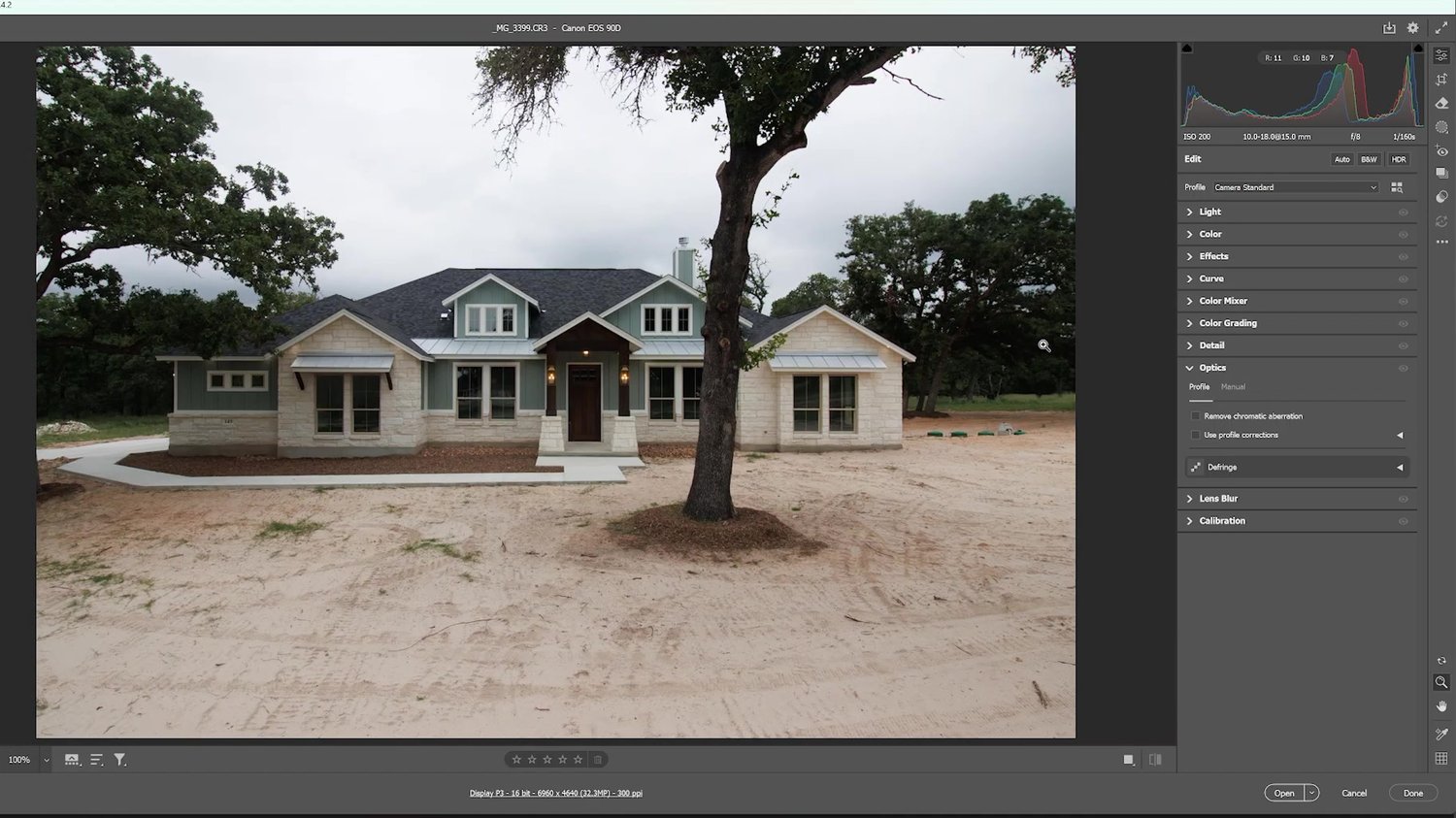
Review your histogram.
Ensure:
- Highlights are not clipped.
- Shadows are not clipped.
The entire purpose of HDR is information preservation.
Three Brackets or Seven?
This depends entirely on the scene.
Three Brackets
Excellent for:
- Cloudy conditions
- Mild dynamic range
Five Brackets
Ideal for:
- Most homes
- Moderate sunlight
Seven Brackets
Gives More Flexibility and Useful for:
- Bright Texas sunlight
- Large windows
- Luxury properties
The REPT workflow commonly utilizes seven exposures separated by approximately one stop of light.
Building Natural HDR Images
One of the biggest misconceptions about HDR:
More editing does not equal better results.
Natural HDR generally requires:
✓ Controlled contrast
✓ Moderate shadow lifting
✓ Realistic highlights
✓ Limited saturation
✓ Careful sharpening
Subtle edits almost always win.
Avoiding the "HDR Look"
There are several warning signs.
Shadows Are Gray
Increase contrast.
Grass Is Glowing
Reduce saturation.
White Cabinets Turn Yellow
Reassess white balance.
Windows Appear Dark
Raise brightness slightly.
Rooflines Have Halos
Reduce aggressive local contrast adjustments.
Common Mistake
Beginners often attempt to remove every shadow in an image.
Shadows create depth.
Depth creates realism.
HDR vs. Flambient
This debate will likely continue forever.
The reality:
Both methods work.
HDR Advantages
- Faster
- Simpler
- Lower cost
- Excellent exteriors
Flambient Advantages
- Better color accuracy
- Cleaner shadows
- Superior window control
- Reduced color cast
Many professionals eventually adopt a hybrid workflow.
The best photographers understand both techniques and apply them appropriately.
The REPT curriculum intentionally teaches both HDR and flambient workflows.
Editing Philosophy
One of the biggest lessons photographers eventually learn:
Buyers are shopping for homes.
Not photography.
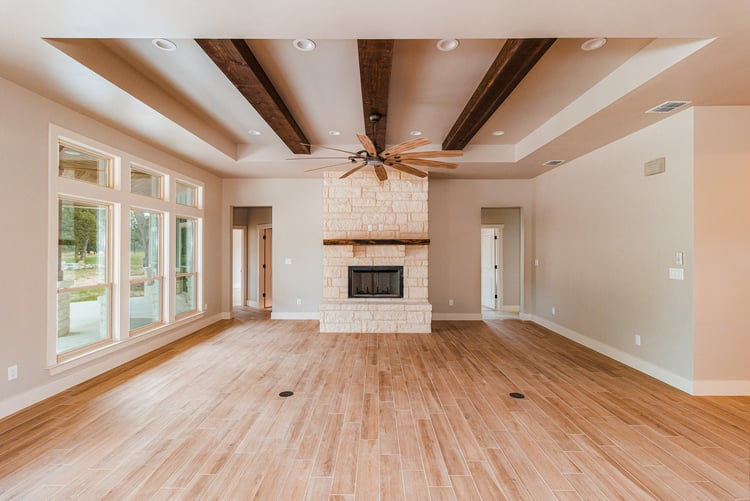
Your editing should support the architecture.
It should never become the subject itself.
The best compliment a real estate photographer can receive is:
"These images feel beautiful and natural."
Frequently Asked Questions
Is HDR considered professional?
Absolutely.
Many full-time professionals rely heavily on HDR workflows.
Does HDR always look fake?
No.
Only poor HDR editing looks fake.
Should I use HDR or flambient?
Learn both.
Use whichever best suits the property.
Is HDR enough for luxury homes?
Sometimes.
Many luxury photographers supplement HDR with flash techniques.
Should interiors always be brighter?
No.
Brightness should feel believable.
Recommended Course Lessons
The REPT course explores HDR throughout several lessons:
Episode 3 – On Location: Exterior Workflow
- Exposure bracketing
- Histogram evaluation
- Porch flash supplementation
Episode 5 – Exterior Workflow: Rough Edits
- RAW preparation
- Alignment
- HDR compositing techniques
Episode 6 – Exterior Workflow: Final Touches
- Color balancing
- Perspective correction
- Final export workflow
Continue Your Training
Website
Explore additional tutorials, workflows, and educational resources:
Real Estate Photography Training
Complete Course
Master both HDR and flambient workflows from capture through delivery:
Real Estate Photography Training Course
Follow Along
Behind-the-scenes shoots, editing demonstrations, and photography tips:
Instagram – @malachikg_rephoto
Related Articles
📖 Exposure Bracketing for Real Estate Photography
📖 Flambient Photography Explained
📖 Adobe Camera Raw Workflow for Real Estate Photography
📖 Real Estate Photography Editing Checklist
📖 Understanding Dynamic Range
📖 How to Photograph Exterior Spaces Like a Professional
📖 Perspective Correction in Photoshop
Comments ()