

Introduction
Every photographer eventually experiences it.
A hard drive fails.
A client requests images from two years ago.
An entire folder accidentally gets deleted.
Or worse:
A luxury builder calls and asks for photographs from a home you can no longer locate.
Photography businesses do not fail because of poor images.
They often struggle because of poor systems.
As your portfolio grows, organization becomes increasingly important.
A photographer shooting:
- 100 homes per year
- 30 photographs per property
will accumulate:
3,000+ final images annually.
Add:
- RAW files
- Drone images
- Video clips
- Social exports
- Photoshop files
And suddenly, file management becomes essential.
Professional photographers treat data protection with the same seriousness as photography itself.
Continue Reading First
This article naturally builds upon:
- Real Estate Photography Editing Checklist
- Photoshop Actions and Presets for Real Estate Photography
- How to Deliver Real Estate Photos Professionally
- HDR Photography Explained
- Adobe Camera Raw Workflow for Real Estate Photography
Explore the complete REPT educational roadmap here:
Table of Contents
- Why File Management Matters
- Folder Organization Systems
- Naming Conventions
- Backup Strategies
- Cloud Storage Options
- Long-Term Archiving
- Storage Recommendations
- Frequently Asked Questions
Why File Management Matters
The larger your business becomes, the more valuable your image library becomes.
Your archives are assets.
They can provide:
- Builder marketing material
- Social media content
- Portfolio updates
- Anniversary posts
- Re-listing photography
- Referral opportunities
A properly organized library continues generating value for years.
A poorly organized library creates frustration and risk.
Professional Tip
Every photograph you create should be retrievable within two minutes.
Build a Consistent Folder Structure
The exact structure matters less than consistency.
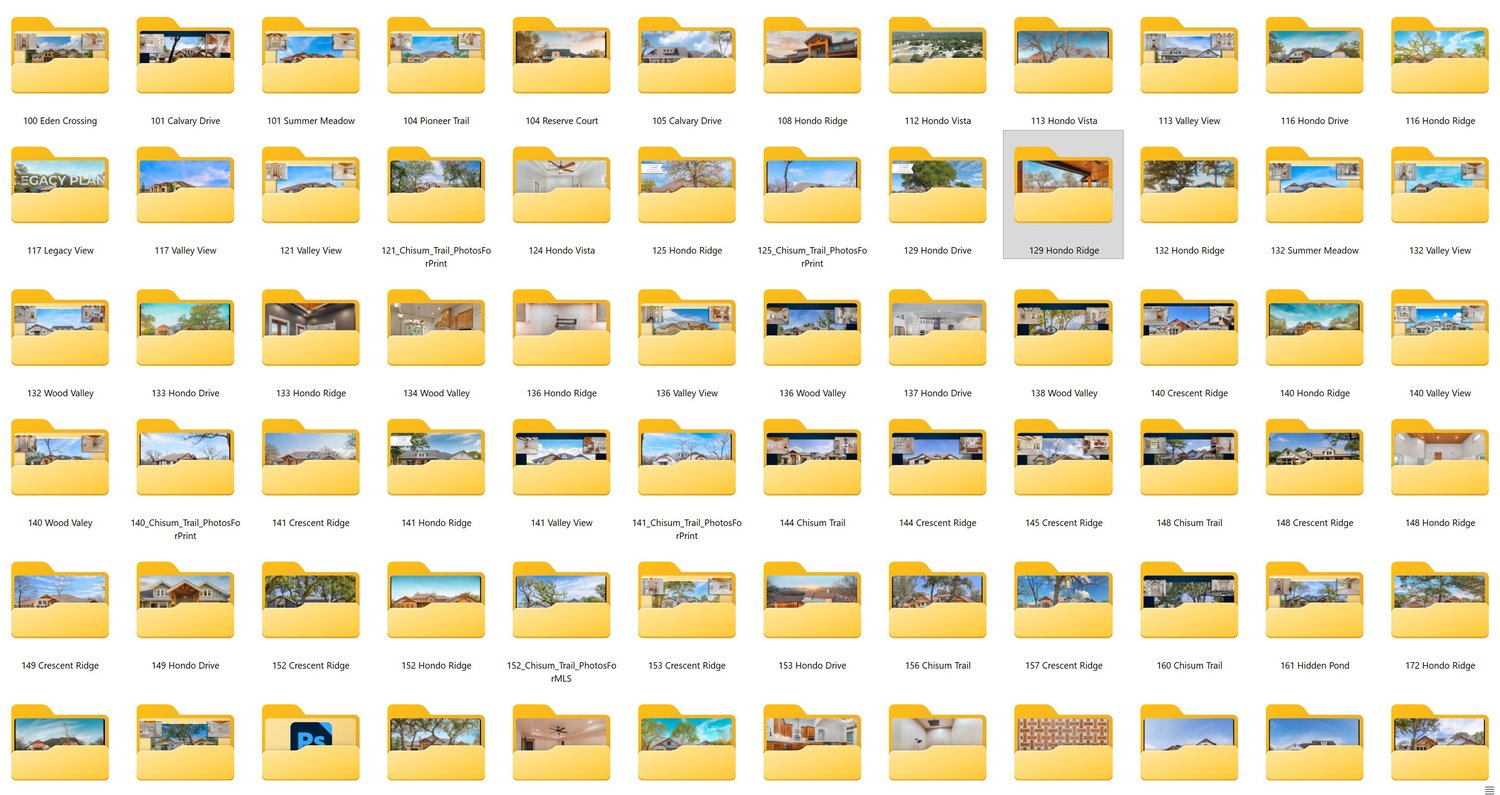
A professional workflow may look like:
Photography
2026
Residential
123 Main Street
RAW
PSD
FINAL
DRONE
VIDEO
SOCIAL
456 Oak Ridge
RAW
FINAL
DRONE
Avoid reinventing your system every few months.
Simple systems scale best.
Organize by Year First
Many photographers organize only by address.
This becomes difficult over time.
Instead:
Photography
→ Year
→ Client Type
→ Property
This dramatically simplifies searching.
Naming Files Professionally
Camera filenames become useless surprisingly quickly.
Avoid:
IMG_7845.CR3
Instead:
2026-07-19_123-Main-Street_Living-01.CR3
Or:
123-Main-Living-01.jpg
Good naming conventions improve:
- Searchability
- Client communication
- Re-delivery speed
- Portfolio creation
Include Client Names
Particularly for builders.
Example:
MG Legacy - 168 Hondo Ridge
Years later, clients often remember names rather than addresses.
Keep RAW Files
Many photographers delete RAW files too quickly.
That is usually a mistake.
RAW files allow:
- Future re-edits
- New portfolio styles
- Better software improvements
- Additional deliverables
Storage has become relatively inexpensive.
Reshoots are not.
The REPT workflow relies heavily on RAW flexibility throughout editing and compositing processes. Shooting RAW remains one of the most important recommendations throughout the course curriculum.
How Long Should You Keep Files?
At minimum:
12 months.
Recommended:
3–5 years.
Luxury builders and custom home projects often justify permanent archives.
Many photographers have generated additional revenue years later simply because they retained old files.
The 3-2-1 Backup Rule
This is one of the most widely accepted backup principles.
Maintain:
3 Copies
2 Different Storage Types
1 Off-Site Backup
Example:
- Working computer
- External drive
- Cloud storage
If one system fails:
You remain protected.
External Hard Drives
Every professional photographer should own at least one.
Preferably two.
Good uses include:
- Immediate backups
- Long-term archives
- Portable storage
Solid State Drives (SSD) are increasingly preferred because they offer:
- Faster speeds
- Better durability
- Silent operation
Traditional HDD drives remain economical for larger archives.
Cloud Storage Solutions
Cloud storage should never replace local backups.
It should supplement them.
Popular options include:
Google Drive
Simple and affordable.
Dropbox
Widely used and client friendly.
Backblaze
Excellent automated backup solution.
OneDrive
Useful within Microsoft ecosystems.
NAS + Cloud Hybrid Systems
Ideal for larger operations.
Organizing Drone and Video Files
These assets often become mixed together.
Avoid this.
Separate folders help tremendously.
Example:
123 Main Street
RAW
FINAL
DRONE
VIDEO
SOCIAL
Modern photographers increasingly deliver multiple services.
Your organization should reflect that.
Archive Completed Projects
After delivery:
Move projects into:
Completed Projects
or:
2026 Archives
This keeps active jobs clean and organized.
Portfolio Folder
Create a separate folder specifically for:
Best Images
This folder becomes invaluable later.
When building:
- Websites
- Social media posts
- Marketing campaigns
- YouTube thumbnails
- Course materials
You will immediately have access to your strongest work.
Professional Tip
Curating your portfolio as you shoot is dramatically easier than rebuilding it years later.
Metadata and Keywords
As your library grows, keywords become increasingly useful.
Examples:
- Luxury Home
- Modern Farmhouse
- White Kitchen
- Pool
- Twilight
- Drone
These tags can save enormous time later.
Common File Management Mistakes
Using Multiple Naming Systems
Creates confusion.
Storing Everything on One Drive
Eventually this becomes dangerous.
Never Testing Backups
Backups are useless if they fail.
Deleting RAW Files Too Quickly
Storage is cheaper than reshoots.
Poor Portfolio Organization
Many photographers lose track of their best work.
Common Mistake
Most photographers do not realize the importance of organization until they lose something important.
Frequently Asked Questions
Should I keep every image?
No.
Cull aggressively.
Keep:
- Final exports
- RAW files
- Important alternates
Are SSDs worth the cost?
Generally yes.
Particularly for active editing workflows.
Should I use cloud storage?
Absolutely.
But not as your only backup.
Should I keep Photoshop files?
Usually yes.
Particularly for luxury projects.
How often should backups occur?
Ideally:
Immediately after every shoot.
Recommended Storage Workflow
Stage 1
Import images.
Stage 2
Backup to external drive.
Stage 3
Backup to cloud.
Stage 4
Edit and export.
Stage 5
Archive completed project.
Simple.
Reliable.
Scalable.
Recommended Course Lessons
The concepts discussed here naturally support the entire REPT workflow.
Episode 2 – Equipment and Software
- RAW workflows
- Editing infrastructure
Episode 5 – Exterior Editing
- Consistent file sizing
- Workflow preparation
Episode 6 – Final Export Workflow
- Color space conversion
- Export consistency
Episode 8 – Final Delivery Process
- Final exports
- Long-term workflow refinement
Continue Your Training
Explore More Tutorials
Real Estate Photography Knowledge Base
Complete Course
Master the entire workflow from capture through delivery:
Real Estate Photography Training Course
Follow Along
Behind-the-scenes shoots, editing demonstrations, and photography tips:
Instagram – @malachikg_rephoto
Related Articles
📖 Real Estate Photography Editing Checklist
📖 Photoshop Actions and Presets for Real Estate Photography
📖 How to Deliver Real Estate Photos Professionally
📖 Adobe Camera Raw Workflow for Real Estate Photography
📖 HDR Photography Explained
📖 Exposure Bracketing for Real Estate Photography
📖 Building a Real Estate Photography Portfolio
Comments ()