

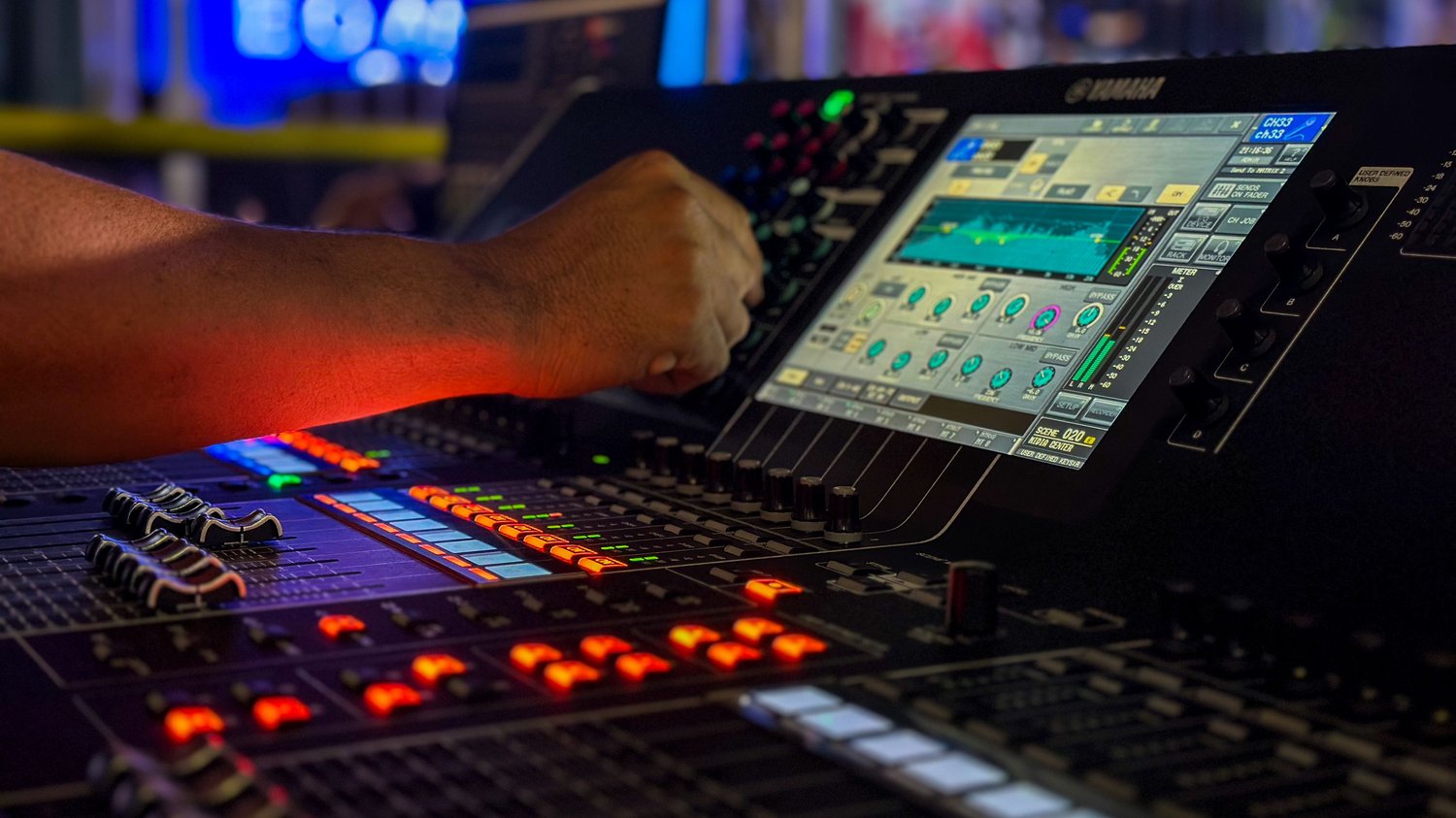
Take the soundtrack away from a polished property film and you quickly notice how much of the experience was coming from sound.
The camera glides through the front door.
Without audio, it is simply movement.
Add the quiet weight of the door opening, the room ambience underneath it, and music beginning to build as the living room appears, and the same shot suddenly has shape.
A pool sequence feels different when you can hear water.
A fireplace feels different when the room carries a little natural texture.
An exterior feels more believable when there is wind in the trees instead of complete digital silence.
A builder interview feels more professional when the music moves out of the way of the voice and returns naturally afterward.
This is sound design.
For most real estate work, it does not require a large sound department or hundreds of audio tracks. It requires an editor who notices what the audience should hear, understands how music creates structure, and knows when to leave the soundtrack alone.
The strongest property films usually have several audio layers working together:
Dialogue or voiceover
Music
Natural production sound
Ambience
Selected sound effects
Each layer has a different job.
Music creates emotional direction and pacing.
Dialogue carries information and personality.
Natural sound keeps the property grounded in the real environment.
Sound effects emphasize actions and transitions.
Ambience fills the spaces between everything else.
Once those layers begin working together, real estate video stops feeling like silent gimbal footage with a song underneath it.
It begins to feel finished.
Table of Contents
• Why Sound Matters in Real Estate Video
• Think in Audio Layers
• Layer 1: Dialogue and Voiceover
• Layer 2: Music
• Layer 3: Natural Sound
• Layer 4: Ambience
• Layer 5: Sound Effects
• Start With the Story Before Choosing Music
• Choose Music for the Property
• Choose Music for the Client
• Choose Music for the Platform
• Energy Matters More Than Genre
• Understand Song Structure
• Edit to Musical Phrases
• Stop Cutting Every Shot on the Beat
• Use Beat Changes Intentionally
• Let Music Create Sections
• Music-First vs. Picture-First Editing
• Build an Energy Map
• Cut Music Instead of Forcing the Video
• Adobe Premiere Remix
• Manual Music Editing
• Transitions Between Music Sections
• Record Natural Sound at the Property
• Build a Property Sound Checklist
• Room Tone
• Doors and Movement
• Water
• Fire
• Exterior Ambience
• Footsteps
• Appliance and Feature Sounds
• Avoid Recording Copyrighted Background Music
• Add Foley When Production Sound Is Missing
• Keep Sound Effects Believable
• Transition Sound Effects
• Risers, Hits, and Whooshes
• Avoid Overdesigning the Soundtrack
• AI-Generated Sound Effects
• Dialogue Always Gets Priority
• Mixing Music Under Speech
• Manual Ducking
• Automatic Ducking in Premiere
• Automatic Ducking in DaVinci Resolve
• EQ and Frequency Separation
• Compression and Dialogue Consistency
• Use Headphones and Speakers
• Check the Mix on a Phone
• Mix for the Actual Delivery Platform
• Music Licensing Basics
• A Song Contains More Than One Copyright
• “Royalty-Free” Does Not Mean “Use Anywhere”
• Client Work Changes the Licensing Question
• Instagram and Facebook Music
• TikTok Commercial Music
• YouTube Audio Library
• YouTube Creator Music
• One Video Across Several Platforms
• The Music-Free Master Workflow
• Keep License Records
• Content ID and Claims
• Sound Design for Listing Videos
• Sound Design for Luxury Property Films
• Sound Design for Builder Videos
• Sound Design for Agent Reels
• Sound Design for Community Videos
• Sound Design for Drone Sequences
• Sound Design for Twilight
• Build Reusable Audio Templates
• A Practical Sound-Design Workflow
• Common Sound Design Mistakes
• Frequently Asked Questions
Why Sound Matters in Real Estate Video
Visual quality gets most of the attention in real estate media because the work is obviously visual.
We talk about:
Cameras.
Lenses.
Dynamic range.
Gimbals.
Drone movement.
Color.
Then an editor spends hours making those pictures beautiful and drops one music track underneath the entire video at the same volume.
The film works.
It rarely feels as polished as it could.
Sound creates continuity between shots.
It can connect a wide exterior, a kitchen detail, an agent introduction, and a pool sequence even though those clips were recorded minutes apart with completely different camera movements.
Sound also controls perceived pace.
The same visual edit can feel:
Calm.
Expensive.
Energetic.
Warm.
Architectural.
Fast.
Playful.
depending on the soundtrack.
That makes audio part of the storytelling system rather than a finishing accessory.
Think in Audio Layers
A simple real estate mix can be organized into five layers.
Layer 1 — Dialogue
Agent.
Builder.
Designer.
Voiceover.
Layer 2 — Music
The main emotional structure.
Layer 3 — Natural Sound
Sounds actually recorded at the property.
Layer 4 — Ambience
Continuous environmental texture.
Layer 5 — Effects
Individual designed sounds added in post.
You may not need every layer in every video.
A thirty-second listing Reel may use only:
Music.
One door sound.
Pool ambience.
A cinematic builder film may use all five.
Layer 1: Dialogue and Voiceover
When somebody is speaking, their voice becomes the most important part of the soundtrack.
Viewers should not have to struggle to understand:
The agent.
Builder.
Architect.
Designer.
Narrator.
The previous REPT chapter covered recording and presenting spoken material in detail. In the mix, your responsibility is simpler.
Make the words easy to understand.
That means music and effects must move around the dialogue rather than compete with it.
Layer 2: Music
Music provides structure.
It tells the viewer that:
A sequence is beginning.
Energy is rising.
A reveal is coming.
The film is slowing down.
A section is ending.
A new environment is opening.
The song can become the invisible timeline underneath the edit.
The editor should understand that timeline before cutting randomly against it.
Layer 3: Natural Sound
Natural sound is recorded from the real environment.
Examples include:
A door opening.
Water in the pool.
A fountain.
Footsteps.
Wind in trees.
A fireplace.
A drawer closing.
A gate.
Natural sound is valuable because it gives visual movement physical weight.
A silent door looks like a picture moving.
A door with a believable latch sounds like an object in a room.
Layer 4: Ambience
Ambience is longer and more continuous.
Examples:
Outdoor birds.
Distant traffic.
Wind.
Interior room tone.
Pool environment.
Patio ambience.
Ambience can sit quietly beneath an entire sequence.
Most viewers never consciously notice it.
They notice the emptiness when it disappears.
Layer 5: Sound Effects
Sound effects are added intentionally to support an action or edit.
Examples include:
Whoosh.
Impact.
Low transition hit.
Rise.
Door.
Footstep.
Water.
Subtle movement texture.
The important word is:
support.
The effect should strengthen the visual.
It should rarely become the reason the viewer notices the edit.
Start With the Story Before Choosing Music
Music selection gets easier when you know what the video should feel like.
Before opening a music library, write three words.
For example:
Warm
Refined
Architectural
Or:
Fast
Urban
Modern
Or:
Natural
Quiet
Crafted
Now search for music that supports those qualities.
Starting with:
I need a real estate song
usually produces generic results.
Start with the property and the client.
Choose Music for the Property
A contemporary glass home may work with:
Minimal electronics.
Clean percussion.
Atmospheric texture.
A ranch property may work better with:
Organic percussion.
Guitar texture.
Warm acoustic instrumentation.
A luxury traditional home may suit:
Piano.
Strings.
Restrained cinematic rhythm.
These are starting points.
Avoid reducing every architectural style to one musical stereotype.
Look at:
Materials.
Light.
Movement.
Location.
Architecture.
Editing pace.
Then listen.
Choose Music for the Client
The property matters.
The brand matters too.
A builder producing fifty videos per year may benefit from a recognizable musical direction.
Maybe their videos generally feel:
Warm.
Architectural.
Confident.
Clean.
That does not require using the same track repeatedly.
Build a family of sound.
A client should begin developing an audio identity the same way they develop:
Color.
Typography.
Photography.
Editing style.
Choose Music for the Platform
A two-minute YouTube property film and a twelve-second Reel do not need the same musical structure.
Short-form content often needs immediate energy.
There may be no time for a thirty-second musical introduction.
A longer property film can breathe.
A builder story may begin quietly and develop over several minutes.
Choose the track around the duration you actually need.
Energy Matters More Than Genre
I care about energy before genre.
Ask:
How quickly does the song begin?
How dense is it?
When does it build?
Where does it relax?
Does it provide useful edit points?
Can dialogue sit above it?
Does the track have too many vocals?
Does the track demand more attention than the house?
A relatively simple song with good structure often edits better than a spectacular song with nowhere to cut.
Understand Song Structure
You do not need formal music training.
Listen for sections.
A typical production track may contain:
Intro.
Build.
Main section.
Break.
Second build.
Final section.
Outro.
Place markers on those changes.
Now you have an audio roadmap.
A major property reveal can happen when the track opens.
The kitchen may begin when percussion arrives.
The primary suite may use the quieter middle section.
The pool may arrive as the track builds again.
The music begins helping you organize the property.
Edit to Musical Phrases
One of the most important improvements an editor can make is learning to hear phrases instead of isolated beats.
Music often moves in groups.
You feel:
Beginning.
Development.
Completion.
Then another idea begins.
Try placing major visual changes on those larger boundaries.
For example:
Exterior sequence.
Musical phrase ends.
Cut inside.
Now the transition feels intentional even if every individual clip does not land on a drum hit.
Stop Cutting Every Shot on the Beat
Beat cutting is useful.
Constant beat cutting becomes predictable.
Kick.
Cut.
Snare.
Cut.
Kick.
Cut.
After twenty seconds, the viewer can feel the editor.
Use beats selectively.
A strong beat may justify:
A hero exterior.
A room transition.
A detail.
A drone reveal.
Other shots can cross the beat.
That variation creates a more natural rhythm.
Use Beat Changes Intentionally
Suppose the music adds percussion after twelve seconds.
That is a meaningful transition.
Use it.
Maybe the first twelve seconds show:
Exterior.
Entry.
Architectural detail.
Then percussion begins.
Now the video enters:
Kitchen.
Living room.
Dining.
The soundtrack is helping the audience feel the progression.
Let Music Create Sections
A strong property video often has chapters even when no chapter titles appear.
For example:
Arrival
Exterior.
Entry.
Main Living
Kitchen.
Dining.
Living.
Private Spaces
Primary.
Bath.
Office.
Outdoor
Pool.
Patio.
Land.
Close
Twilight.
Drone pull-away.
Music can make those sections feel distinct without changing songs.
Music-First vs. Picture-First Editing
There are two strong workflows.
Music-First
Choose the track before editing.
Mark:
Phrases.
Builds.
Breaks.
Ending.
Then place footage.
This works especially well for:
Listing films.
Luxury montage.
Short social video.
Picture-First
Build the story visually first.
Then choose music that supports the existing structure.
This is often stronger for:
Builder interviews.
Testimonials.
Narrated property films.
Community videos.
The spoken story determines the timing.
Music supports it afterward.
Build an Energy Map
Before editing a longer film, sketch the energy.
For example:
Low
Exterior introduction.
↓
Medium
Interior arrival.
↓
High
Main living reveal.
↓
Low
Primary suite.
↓
Build
Outdoor living.
↓
High
Pool / twilight.
↓
Resolve
Closing exterior.
Now choose music that can support that arc.
This reduces the temptation to keep the entire film at one emotional level.
Cut Music Instead of Forcing the Video
A three-minute song does not require a three-minute video.
If the finished property film should be ninety seconds, make the music fit ninety seconds.
Cut:
Verses.
Repeats.
Breaks.
Builds.
Create the musical structure your visual edit needs.
The audience does not know how the original track was arranged.
They only hear the version inside your film.
Adobe Premiere Remix
Adobe Premiere currently includes Remix, which analyzes a music track and automatically rearranges portions of the song to match a target duration while preserving the track’s beginning and ending and creating automatic transitions between selected sections. Adobe says the system analyzes musical structure and beat characteristics to find suitable edit points.
This can be extremely useful for real estate video.
Suppose you have:
2:47 song.
1:18 film.
Instead of manually finding several compatible cuts, Remix can create a first pass.
Listen carefully afterward.
AI can make a technically clean edit that still places the emotional climax somewhere you do not want it.
Use the tool.
Then direct the result.
Manual Music Editing
Manual music editing is still worth learning.
Look for:
Repeated sections.
Matching chord patterns.
Similar percussion.
Refrains.
Instrumental breaks.
Cut between compatible musical moments.
Use short crossfades where necessary.
The edit should feel like the song was always that length.
If the viewer hears your music cut, try again.
Transitions Between Music Sections
When moving between two different tracks, avoid simply fading one down and fading the next up unless the style supports it.
Try:
Ending one track at a natural phrase.
Brief natural sound.
Then begin the next.
Or:
Use a transitional effect.
Or:
Carry ambience across both sections.
For example:
Music resolves.
Pool sound remains.
Second track enters.
That can make the transition feel much more deliberate.
Record Natural Sound at the Property
Natural sound is inexpensive to collect.
You are already there.
Before leaving, record a few short audio moments.
You may use:
The camera microphone.
Wireless mic.
Shotgun mic.
Portable recorder.
Perfect studio fidelity is unnecessary for every effect.
You need believable texture.
Professional Tip
After you finish the visual coverage, spend two minutes listening to the property. Record anything with movement, water, mechanical character, or environmental texture. Those two minutes can give the editor audio that would otherwise require searching or rebuilding later.
Build a Property Sound Checklist
A simple field checklist might include:
Interior room tone
Front door
Interior door
Footsteps
Pool
Fountain
Fireplace
Outdoor ambience
Patio
Gate
Drawer / cabinet
Feature-specific sound
Do not record everything on every house.
Capture the sounds that belong to the story you are shooting.
Room Tone
Room tone is the quiet sound of the space.
Every room has one.
HVAC.
Distant exterior noise.
Electrical hum.
Air movement.
Record ten or twenty seconds when useful.
Room tone becomes especially valuable in:
Interviews.
Agent dialogue.
Voiceover edits recorded on location.
If you cut two sentences together and the background suddenly changes, room tone can fill the gap.
Doors and Movement
Doors are excellent sound-design opportunities.
Front door.
Pivot door.
Sliding glass wall.
Barn door.
Cabinet.
Drawer.
Gate.
Capture the real sound when possible.
A large wood pivot door should feel physically different from a lightweight interior door.
That detail helps sell scale.
Water
Pools are visually strong and naturally suited to sound.
Record:
Waterfall.
Spa overflow.
Fountain.
Pool edge.
Rain feature.
Then use the sound quietly.
A small amount of water ambience can make the exterior feel much more immersive.
Fire
If the fireplace is operating, capture it.
A subtle fire layer under a detail sequence can add warmth.
Do not exaggerate.
A gas fireplace in a quiet luxury living room does not need to sound like a campfire.
Exterior Ambience
Exterior sound can include:
Wind.
Birds.
Leaves.
Distant environment.
Water.
Avoid relying entirely on generic stock birds.
A South Texas property, downtown condo, mountain cabin, and oceanfront home should not all have identical ambience.
Location-specific sound improves authenticity.
Footsteps
Footsteps can help:
Agent walk-and-talks.
Detail sequences.
Stair movement.
Transitions between rooms.
They become distracting quickly.
Use selectively.
A viewer should rarely be thinking:
Great footstep effect.
Appliance and Feature Sounds
Some properties have unusual features worth recording.
Wine-room door.
Motorized shades.
Retractable wall.
Outdoor grill ignition.
Water feature.
Hidden pantry.
Elevator.
Automatic gate.
These sounds can communicate functionality that a silent image cannot.
Avoid Recording Copyrighted Background Music
Be careful when the property already has music playing.
A television.
Smart speaker.
Radio.
Restaurant.
Model home.
Music captured accidentally can create copyright problems.
Instagram’s own copyright guidance warns that someone can infringe copyright even when they personally recorded a song playing in the background.
Ask for music to be turned off before recording important audio.
This also makes your dialogue and natural sound cleaner.
Add Foley When Production Sound Is Missing
Foley is reconstructed sound synchronized to visible action.
Film productions have used it for decades.
Real estate editors can use the same idea on a smaller scale.
You may add:
Door.
Footstep.
Cloth movement.
Drawer.
Light switch.
Object movement.
DaVinci Resolve’s current Fairlight environment includes an integrated sound library workflow and dedicated Foley tools for adding or performing effects against picture.
You do not need to recreate every physical action.
Choose the sounds that make the visual feel more present.
Keep Sound Effects Believable
Sound effects can make property footage feel expensive.
They can also make it feel cheap.
The difference is usually restraint.
A slow architectural camera move may need:
Nothing.
Or:
A very soft tonal transition.
It probably does not need:
A giant cinematic whoosh.
Think about the scale of the visual.
Match the scale of the sound.
Transition Sound Effects
Transition effects can help connect:
Interior to exterior.
Day to twilight.
Drone to ground.
Room to room.
Speaker to B-roll.
Useful categories include:
Air movement.
Soft whoosh.
Reverse texture.
Low hit.
Tonal rise.
Keep several strengths in your library.
Not every transition needs the same dramatic effect.
Risers, Hits, and Whooshes
These are useful tools when treated as punctuation.
A riser can lead into:
Exterior reveal.
Pool.
Twilight.
Hero kitchen.
A low impact can reinforce:
Music drop.
Drone reveal.
Logo.
A whoosh can support fast movement.
Use them where the edit already suggests energy.
Sound should reinforce movement rather than manufacture excitement that the picture does not contain.
Avoid Overdesigning the Soundtrack
A common progression for an editor learning sound design is:
First video:
Almost no effects.
Then they discover sound effects.
Next video:
Everything makes noise.
Eventually the editor learns restraint.
A high-end property film often becomes more sophisticated when several obvious sound effects are removed.
Leave room.
Silence is also part of the soundtrack.
AI-Generated Sound Effects
Adobe Premiere 26.5 now allows editors to generate sound effects from text prompts directly inside the timeline. Adobe also supports a voice-guided method in which the editor can make a sound or vocal timing guide and use that input to influence the generated effect.
That can be useful when a small effect is missing.
For example:
Heavy wood pivot door opening slowly in a quiet modern interior.
or:
Subtle infinity-pool water ambience, calm exterior, no music.
Listen carefully.
Generated audio should fit the property.
A realistic captured sound is still valuable when you have it.
Dialogue Always Gets Priority
When an agent or builder begins speaking, the soundtrack should make room.
Do not make the viewer choose between:
Lyrics.
Percussion.
Voice.
Sound effects.
If dialogue is important, protect intelligibility.
One of the simplest professional improvements is reducing the music enough that the viewer stops noticing the effort required to understand the person.
Mixing Music Under Speech
There is no universal volume number that works for every song and every voice.
A dense track with vocals may need much more reduction than a simple pad.
As a practical starting point, I often want spoken peaks comfortably clear with healthy headroom, then lower the music substantially underneath the voice until every word is effortless to understand.
The test is simple.
Close your eyes.
Can you understand every sentence without concentrating?
If not, reduce competition.
Manual Ducking
Manual ducking gives you the most control.
Add volume keyframes.
Before dialogue:
Reduce music smoothly.
During dialogue:
Hold lower level.
After dialogue:
Return gradually.
Do not make the music jump abruptly every time someone talks.
The listener should feel the movement more than hear the automation.
Automatic Ducking in Premiere
Premiere’s Essential Sound tools can automatically reduce music or ambience in response to clips tagged as dialogue or other driving audio. Adobe says its Auto Ducking system creates editable gain keyframes, allowing the editor to change or remove the generated automation afterward.
That makes it a useful starting point.
Generate the ducking.
Listen.
Then adjust the transitions manually.
The algorithm can identify when speech occurs.
You still decide how the mix should feel.
Automatic Ducking in DaVinci Resolve
DaVinci Resolve’s current Fairlight toolset also includes automatic ducking. Blackmagic describes a Ducker effect that uses one or more dialogue tracks to control volume reduction on a target track such as music, with controls for duck amount and recovery behavior.
Again, automation should speed up the first pass.
Final judgment remains an editing decision.
EQ and Frequency Separation
Volume is only one reason music can compete with dialogue.
Frequency matters too.
Human speech occupies many of the same frequencies as:
Piano.
Guitar.
Synth.
Vocals.
Dense midrange music can mask a speaker even at relatively low volume.
A small amount of EQ reduction in the music’s speech-heavy frequencies can sometimes make dialogue clearer without lowering the entire song dramatically.
Use subtle moves.
If the music suddenly sounds hollow whenever the person speaks, you went too far.
Compression and Dialogue Consistency
Dialogue often varies.
The speaker leans closer.
Then back.
Then laughs.
Then lowers their voice.
Light compression can reduce those differences and make the voice easier to place consistently above music.
Do not crush the performance.
A builder should still sound like a human being in a room.
The objective is control.
Use Headphones and Speakers
Mix on more than one playback system.
Headphones reveal:
Noise.
Clicks.
Poor edits.
Stereo detail.
Speakers reveal:
Overall balance.
Low-end buildup.
How naturally the mix fills a room.
Then use one more test.
Check the Mix on a Phone
A large percentage of real estate social video will be watched through a phone.
Play the final mix on one.
Can you understand the agent?
Can you hear the important effects?
Does the music disappear?
Is the bass doing all the work?
A mix that sounds dramatic on studio monitors may become nearly empty through a phone speaker.
Check.
Mix for the Actual Delivery Platform
Most real estate deliverables only need a strong stereo mix.
Avoid spending time building an elaborate theatrical surround mix for a Reel.
At the same time, avoid chasing one mythical volume value for every platform.
Platforms process audio differently and policies change.
Use loudness metering.
Avoid clipping.
Keep dialogue consistent.
Listen on realistic devices.
Build a dependable house standard.
DaVinci Resolve’s Fairlight environment currently includes loudness monitoring and offline loudness analysis, while Premiere provides visual waveform and level tools for monitoring mix changes.
Music Licensing Basics
Music is one of the easiest ways to create a professional property video.
It is also one of the easiest ways to create an avoidable copyright problem.
Buying a song from a digital music store does not automatically give you permission to place that song under a commercial property video.
Finding a song on Instagram does not automatically give you permission to bake it into a video that you deliver to a builder for use everywhere.
Finding something labeled “royalty-free” does not automatically tell you:
Who can use it.
Where.
For how long.
For which client.
In paid advertising.
Across which platforms.
Read the license.
A Song Contains More Than One Copyright
The U.S. Copyright Office explains that a musical composition and a particular sound recording of that composition are separate copyright-protected works and may be owned and licensed separately.
That is one reason music licensing can become confusing.
You may need rights associated with:
The composition.
The recording.
The specific way the music is being used.
For real estate media companies, the easiest operating approach is usually obtaining production music from a service whose license explicitly covers the commercial client use you need.
“Royalty-Free” Does Not Mean “Use Anywhere”
The phrase is widely misunderstood.
A library may give you permission for:
YouTube.
but not:
Advertising.
Or:
Your own business.
but not:
Client projects.
Or:
Organic social.
but not:
Paid promotion.
Or:
One channel.
but not:
Every client account.
Read the exact license.
The subscription price is far less important than whether the license matches the deliverable you sell.
Client Work Changes the Licensing Question
A photographer creating a personal Reel and a media company delivering a campaign to a national builder are different use cases.
Before using a music service for paid client work, verify whether the license covers:
Commercial use
Commissioned client work
Multiple client accounts
Organic social
Paid advertising
Websites
YouTube
Instagram / Facebook
TikTok
Content published after the subscription ends
The answers vary by provider and plan.
Save the terms that applied when you licensed the track.
Instagram and Facebook Music
Meta’s current Instagram guidance says the music in its general licensed music library is intended for personal, non-commercial use. Certain business accounts and post types therefore receive restricted access to that library. Meta directs users without appropriate licensed-music access toward Sound Collection, which it describes as a royalty-free library that can be used commercially in Reels, Stories, and ads.
This matters for real estate media.
The fact that an agent can find a popular song inside Instagram does not automatically make that track appropriate for a paid listing video exported by your company and distributed elsewhere.
TikTok Commercial Music
TikTok’s current business guidance is similarly direct.
TikTok says businesses should use its Commercial Music Library for commercial TikTok activity, including organic business content, ads, and branded content. TikTok says its general music library should not be used by businesses for commercial activity unless the necessary rights have been obtained separately.
That creates a practical choice for a media company.
Either:
Use licensed production music that covers the intended cross-platform commercial campaign.
Or:
Deliver a clean edit designed for the client to add platform-cleared music inside TikTok.
Both workflows can work.
Know which one you are selling.
YouTube Audio Library
YouTube’s Audio Library provides production music and sound effects that YouTube identifies as copyright-safe for use on YouTube. Some tracks require attribution; others do not. YouTube also says eligible creators can monetize videos using Audio Library music and sound effects without Content ID claims from rights holders.
There is an important limit.
YouTube explicitly says it cannot provide legal guidance about music issues that occur off the platform.
For a client video going to:
YouTube.
Instagram.
Facebook.
TikTok.
Website.
Paid ads.
I would prefer a license written for that entire commercial use rather than assuming a YouTube-specific resource solves every destination.
YouTube Creator Music
Creator Music is another YouTube program, but it should not automatically be treated as a music source for commissioned real estate marketing.
YouTube’s current eligibility documentation says Creator Music is available to eligible U.S. creators in the YouTube Partner Program and restricts use in videos where a creator has been paid by a brand or service to make content primarily promoting that brand or service.
A listing video created for a paying agent, builder, or brokerage may fall into commercial circumstances that require a different license.
Check the specific use before relying on the program.
One Video Across Several Platforms
This is where media-company workflows often become messy.
The agent wants:
One property video.
Then they want it on:
Instagram.
Facebook.
YouTube.
TikTok.
Website.
Paid campaign.
There are two clean approaches.
Cross-Platform Licensed Master
Use production music whose license explicitly covers the required commercial platforms and client use.
Deliver the finished master with music.
Platform-Specific Music Workflow
Deliver:
Finished video without copyrighted music.
Then add approved music independently inside the destination platform.
This can work particularly well for short-form social.
The Music-Free Master Workflow
I recommend keeping a music-free master for significant projects.
Export:
MASTER — FULL MIX
and:
MASTER — NO MUSIC
The second version can contain:
Dialogue.
Natural sound.
Effects.
Ambience.
Now the client can add:
Instagram-approved music.
TikTok Commercial Music Library track.
Another properly licensed track.
without having to rebuild the entire edit.
That small export can make the deliverable much more flexible.
Keep License Records
Create a folder or database entry for music.
Store:
Track title.
Artist.
Library.
License.
Download date.
Client.
Project.
Invoice or subscription proof when relevant.
If a platform issues a claim twelve months later, you do not want to rely on:
I think we had permission.
Keep evidence.
Content ID and Claims
YouTube operates Content ID systems that rights holders use to identify copyrighted audio and video. YouTube’s own guidance requires creators to clear third-party rights where needed and distinguishes properly licensed material from unlicensed content.
A claim does not automatically prove you lacked permission.
Licensing services may have:
Channel-clearance systems.
Claim-release procedures.
Whitelisting.
Dispute documentation.
Know the process before your client’s video gets flagged.
Sound Design for Listing Videos
For a standard listing film, keep the audio relatively simple.
I might use:
One strong music track.
Natural entry sound.
One or two subtle movement effects.
Pool ambience.
Exterior ambience.
Music fade.
That may be enough.
The property is still the subject.
Sound Design for Luxury Property Films
Luxury work can justify more detail.
You may use:
Multiple music sections.
Location ambience.
Architectural movement.
Doors.
Water.
Fire.
Footsteps.
Low transitions.
Detailed room tone.
The soundtrack can become more cinematic because the production itself supports it.
Keep refinement ahead of spectacle.
Sound Design for Builder Videos
Builder work is one of the best places to use layered sound.
You may have:
Interview.
Voiceover.
Construction ambience.
Tool sounds.
Door details.
Materials.
Finished-home natural sound.
Music.
A builder discussing craftsmanship becomes more interesting when the audience can hear some of the work they are describing.
Sound Design for Agent Reels
Keep the hierarchy obvious.
Agent voice.
Music.
A few supporting effects.
Short-form editing frequently becomes too dense because every transition has:
Text animation.
Whoosh.
Impact.
Music beat.
Voice.
Choose what needs attention.
If the agent is saying something useful, let them have the moment.
Sound Design for Community Videos
Community films benefit from environmental audio.
Examples:
Water feature.
Walking trail.
Street ambience.
Pool.
Playground activity where appropriate and permission is available.
Clubhouse.
Nature.
These layers can make several locations feel connected.
Be careful about privacy and incidental conversations in public or semi-private spaces.
Sound Design for Drone Sequences
Drone footage naturally feels detached from ground-level sound because the audience knows the camera is in the air.
You rarely need literal drone audio.
Use:
Music.
Wind texture.
Environmental ambience.
Low movement effects.
Avoid loud turbine-style sounds unless the creative style clearly calls for them.
Sound Design for Twilight
Twilight supports quieter sound.
Crickets.
Soft exterior ambience.
Pool.
Fire.
Low music.
A twilight film often feels more expensive when the soundtrack relaxes rather than becoming more dramatic.
Let the atmosphere work.
Build Reusable Audio Templates
A growing media company benefits from a standard audio layout.
For example:
A1–A2
Dialogue.
A3–A4
Natural sound.
A5–A6
Sound effects.
A7–A8
Ambience.
A9–A10
Music.
Then save:
EQ presets.
Dialogue processing.
Bus routing.
Basic ducking.
Export settings.
This does not make every film sound identical.
It removes setup work.
A Practical Sound-Design Workflow
Step 1 — Organize
Separate:
Dialogue.
Natural sound.
Music.
Effects.
Step 2 — Finish the Story
Do not spend an hour designing sound for a visual sequence you may delete.
Lock the basic edit first.
Step 3 — Choose Music
Find a track that supports:
Property.
Client.
Duration.
Platform.
Licensing requirements.
Step 4 — Shape the Music
Use:
Manual edits.
Premiere Remix.
Fades.
Section changes.
Fit the song to the film.
Step 5 — Add Natural Sound
Place the real recorded sounds first.
Step 6 — Add Missing Effects
Use your library or generated effects where appropriate.
Step 7 — Mix Dialogue
Make speech effortless to understand.
Step 8 — Duck Music
Manual or automated.
Then refine.
Step 9 — Build Ambience
Fill unnatural gaps.
Step 10 — Remove Effects
Yes, remove them.
Listen again.
Several will probably be unnecessary.
Step 11 — Check Multiple Devices
Studio headphones.
Speakers.
Phone.
Step 12 — Verify Music Rights
Before client delivery.
Step 13 — Export a Music-Free Master
Especially for reusable client social content.
That workflow is fast enough for commercial production and detailed enough to produce professional results.
Common Sound Design Mistakes
Choosing Music Before Understanding the Property
The song pushes the film in the wrong direction.
Using the Same Cinematic Track Style on Every House
Different properties begin feeling like one template.
Cutting Every Shot on a Beat
The edit becomes mechanical.
Ignoring Musical Phrases
Major visual changes happen in awkward places.
Forcing the Video to Match the Full Song
The property video becomes longer than it needs to be.
Music Too Loud Under Dialogue
The viewer works to understand the speaker.
Automatic Ducking With No Review
The software creates technically correct keyframes that still sound unnatural.
No Natural Sound
Every room feels disconnected from the physical property.
Effects on Every Camera Move
The soundtrack becomes noisy.
Giant Whooshes in Quiet Luxury Interiors
The sound style fights the visual style.
Generic Pool Audio Everywhere
The effect does not match the property.
Recording a Television or Music Speaker in the Background
The production captures copyrighted music that later complicates delivery.
Using In-App Music as Though It Were a Universal License
Platform music rights may apply only within a particular platform or use case.
Giving Commercial Clients Music Intended for Personal Use
Business and advertising rights can differ substantially.
Assuming “Royalty-Free” Means “Copyright-Free”
The track still has a license with conditions.
No License Records
A future copyright claim becomes difficult to resolve.
No Music-Free Master
The client cannot easily adapt the edit for another platform.
Mixing Only on Expensive Headphones
The final Reel fails on a phone speaker.
Too Much Bass
The cinematic mix disappears when played through small devices.
Sound Effects More Noticeable Than the Property
The edit begins showcasing editing rather than the home.
Common Mistake
A videographer spends thousands of dollars on cameras, gimbals, lenses, and drones, then treats the soundtrack as one music file placed beneath the edit at a fixed volume. A few minutes spent recording natural sound, shaping the music, and making room for dialogue can create a larger perceived improvement than another piece of camera equipment.
Frequently Asked Questions
Does sound design really matter in real estate video?
Yes. Sound controls pacing, continuity, atmosphere, dialogue clarity, and the perceived physical weight of camera movement and property features.
What audio layers should a property video have?
A sophisticated edit may include dialogue, music, natural sound, ambience, and individual sound effects. Simpler projects may use only two or three of those layers.
What is natural sound?
Audio captured from the real property or environment, such as doors, pool water, footsteps, wind, fireplaces, fountains, or room tone.
What is ambience?
Longer environmental sound that creates a sense of place, such as outdoor atmosphere, wind, room tone, or water.
What is Foley?
Foley is sound recreated or added in post to match visible physical actions such as footsteps, doors, clothing, or object movement.
Should I record sound at every real estate shoot?
For video work, I recommend recording useful property-specific sound when the scene contains something worth hearing.
What natural sounds should I record?
Common examples include doors, water, outdoor ambience, fireplaces, footsteps, gates, motorized features, and room tone.
How long should I record room tone?
Ten to twenty seconds can be useful for ordinary property work. Longer recordings may help interviews or complex dialogue editing.
Should I use the camera microphone?
It can be sufficient for some natural-sound effects. Important dialogue deserves a dedicated microphone setup.
Should I use sound effects on every transition?
No. Selective effects are much more effective than constant effects.
How loud should music be under dialogue?
There is no universal number. Reduce it until every spoken word is effortless to understand, then listen on both headphones and a phone.
Should dialogue be louder than music?
When the dialogue carries information, it should be perceptually dominant.
What is ducking?
Ducking automatically or manually lowers music when dialogue occurs and raises it again when the person stops speaking.
Can Premiere automatically duck music?
Yes. Premiere’s Essential Sound tools can generate ducking keyframes for music and ambience based on dialogue or other selected audio types.
Can DaVinci Resolve automatically duck music?
Yes. Blackmagic currently provides a Ducker effect in Fairlight that can use dialogue tracks to control music level automatically.
What is Premiere Remix?
Premiere Remix analyzes a music track and rearranges sections so the song better fits a specified video duration.
Is Premiere Remix good for real estate video?
Yes. It can be very useful when a strong track is substantially longer than the property film.
Should I still learn to edit music manually?
Yes. Manual editing gives you complete control over where musical sections begin, build, and resolve.
Should every video cut on the beat?
No. Mix beat cuts with cuts based on motion, composition, dialogue, and larger musical phrases.
What is a musical phrase?
A phrase is a larger musical idea that has a beginning and ending. Major visual changes often feel natural when placed near phrase boundaries.
How do I choose music for a property video?
Consider architecture, client brand, editing pace, property character, video length, dialogue requirements, and licensing.
What music works for luxury real estate?
There is no single luxury genre. Restrained tracks with good structure, space, and controlled dynamics often work better than music that tries too aggressively to sound expensive.
Should real estate video use songs with lyrics?
Sometimes. Lyrics can compete with dialogue and can draw attention away from the property, so instrumental tracks are often easier to use.
Can I use a popular song from Spotify in a client listing video?
Purchasing or streaming access does not normally give you the rights needed to synchronize that recording into a commercial video. Music and sound recordings are protected works with separate rights and licenses.
Can I use music I bought from iTunes?
Buying a personal copy of a recording does not itself provide commercial synchronization rights.
What does royalty-free music mean?
It generally means the track is provided under a license that does not require traditional per-use royalty payments after the permitted use is licensed. The exact rights still depend on the provider’s license.
Is royalty-free music copyright-free?
No. A royalty-free track can remain fully protected by copyright.
Does a song contain more than one copyright?
Yes. The U.S. Copyright Office explains that the musical composition and a particular sound recording are separate protected works.
Can I use Instagram music in a real estate video?
Meta says Instagram’s general licensed music library is intended for personal, non-commercial use, and some business accounts have restricted access. Meta offers Sound Collection as a royalty-free option for commercial uses such as ads, Reels, and Stories.
Can a real estate agent use Instagram Sound Collection commercially?
Meta describes Sound Collection as royalty-free and suitable for commercial use, including ads.
Can a business use normal TikTok music?
TikTok says businesses should use its Commercial Music Library for commercial activity unless they have separately obtained the required rights.
What is TikTok’s Commercial Music Library?
TikTok describes it as a pre-cleared global library for business content, including organic commercial content, advertising, and branded content.
Can I use YouTube Audio Library music?
YouTube provides royalty-free production music and sound effects in its Audio Library and identifies those assets as copyright-safe for YouTube use. Some tracks require attribution.
Can I use YouTube Audio Library music on every platform?
YouTube explicitly says it cannot provide legal guidance about music issues off YouTube. Check the specific license before treating a YouTube resource as a universal cross-platform commercial license.
Can I use YouTube Creator Music for paid listing videos?
Be careful. YouTube’s current Creator Music restrictions prohibit certain uses where the creator is paid by a brand or service to create content primarily promoting that brand or service.
What music should I use when a video will go to several platforms?
Use a production-music license that explicitly covers the required client and commercial platforms, or deliver a music-free master and add platform-specific licensed music separately.
Should I export a version without music?
Yes, especially for social-media clients. A music-free master makes later platform-specific music placement much easier.
What should the no-music master contain?
It can still include dialogue, voiceover, natural sound, sound effects, and ambience.
Should I save proof of every music license?
Yes. Keep the track title, provider, license, download date, project, client, and relevant purchase or subscription records.
What is YouTube Content ID?
Content ID is YouTube’s rights-management matching system used by eligible rights holders to identify copyrighted audio and visual material.
Can licensed music still produce a Content ID claim?
It can, depending on the licensing provider and rights-management setup. Keep documentation and understand the provider’s channel-clearance or dispute process.
Can AI generate sound effects for real estate video?
Yes. Adobe Premiere 26.5 currently supports prompt-based generated sound effects and voice-guided timing within its Generative Media workflow.
Should I replace all stock sound libraries with AI?
I would use both. Recorded natural sound provides authenticity, established libraries provide predictable assets, and generative sound can efficiently fill specific gaps.
Is generated sound risky for listing accuracy?
Generally less than generated property imagery, but the sound should still correspond reasonably to what the viewer sees.
Should I add fireplace sounds when the fireplace was not operating?
I would avoid using audio that creates a materially different impression of the feature. Use sound to reinforce what occurred rather than invent unnecessary property behavior.
Should I add water sound to a pool shot?
Yes when it matches the scene. Keep it subtle and believable.
Should drone footage have drone sound?
Usually no. Music, ambience, or designed movement audio tends to work better than literal propeller noise.
What should twilight sound like?
Often quieter. Exterior ambience, pool water, restrained music, and subtle effects can work well.
How should I mix agent Reels?
Keep speech clear, use music as support, limit transition effects, and test the finished mix through a phone speaker.
How should I mix builder interviews?
Dialogue first. Use music underneath, natural construction or property sound where useful, and B-roll to support the story.
Should I use headphones when editing?
Yes, but also check speakers and a phone. Every playback environment reveals different problems.
Should I use loudness meters?
Yes. Consistent loudness monitoring helps maintain predictable delivery across several projects and editors.
Is one universal LUFS target required for every social platform?
I would avoid treating one number as universal. Platform processing changes, and different deliverables behave differently. Build a consistent internal standard, avoid clipping, and test on realistic playback devices.
What should I learn first: sound effects or music editing?
Music editing. A well-shaped track and clear dialogue will improve more projects than a large collection of transition effects.
Recommended REPT Course Lessons
Episode 2 — Required Equipment and Software
Real estate video audio extends beyond microphones. Headphones, recording tools, editing software, licensed music, storage, and monitoring all become part of the production system.
Episode 3 — Exterior Photography Workflow
Exterior conditions influence sound as much as imagery. Wind, water, traffic, wildlife, construction activity, and property features can all become part of the finished soundtrack.
Episode 4 — Interior Photography Workflow
Strong interior coverage gives the editor visual opportunities that work naturally with doors, footsteps, room ambience, and architectural movement.
Episodes 5–8 — Editing Workflow
Sound design belongs inside the edit. Music structure, timing, automation, transitions, dialogue processing, and delivery should develop alongside picture editing rather than being added as an afterthought.
Explore the deeper REPT training path:
Real Estate Photography Training Course & Products
Continue Your REPT Training
A strong soundtrack cannot compensate for weak property coverage.
Capture the house carefully.
Give yourself enough visual options.
Record useful natural sound while you are there.
Then let the soundtrack strengthen the footage that already works.
Free REPT First Listing Starter Kit
If you are preparing for an early listing assignment, focus first on building a repeatable property workflow.
The Free REPT First Listing Starter Kit is the best next step for that stage:
Free REPT First Listing Starter Kit
Complete Real Estate Photography Training
For the deeper path through equipment, capture, interiors, exteriors, editing, video, client production, and building a professional real estate media business:
Real Estate Photography Training Course & Products
Explore the REPT Knowledge Base
REPT Knowledge Base
Visit Real Estate Photography Training
Explore current REPT training resources and industry analysis:
Real Estate Photography Training
Related Articles
Continue through the REPT Knowledge Base for the connected chapters covering:
• Voiceover and On-Camera Presentation for Real Estate Video
• Audio Production for Real Estate Video
• Real Estate Video Tours and Short-Form Content Creation
• Video Editing for Real Estate Media
• Music Licensing for Real Estate Video
• Creating Social Media Content for Real Estate Agents
• Client Reporting and Media ROI
• AI Editing and Ethical Property Representation
Explore the REPT Knowledge Base
Build a Soundtrack That Serves the Property
A lot of real estate video begins the same way.
Shoot the property.
Build the visual edit.
Find a song.
Lower it under the agent.
Export.
That workflow can produce perfectly usable work.
The next level comes from paying attention to the moments between the pictures.
The front door opens.
Let us hear it.
The pool appears.
Maybe there is water underneath the music.
The builder begins explaining why a material was selected.
The music moves back.
They stop speaking.
The music returns.
The camera reaches the patio at twilight.
Maybe the soundtrack becomes quieter instead of louder.
Small choices accumulate.
The viewer rarely identifies those choices individually.
They simply feel that the video is more finished.
Music remains the largest part of the process for most property films, and I would spend more time choosing and shaping the track before building an enormous effects library.
A song with the right energy and useful structure can organize an entire edit.
Learn where the phrases change.
Learn when the arrangement opens.
Learn when percussion arrives.
Learn where the song wants to end.
Then use those moments intentionally.
Natural sound is the next layer I would add.
It costs almost nothing.
You are already standing inside the house.
Record the door.
Record the pool.
Record the wind outside.
Record the fireplace if it is running.
Record ten seconds of the room before everyone starts talking again.
Those files can give the edit something a stock library cannot always reproduce: the actual property.
Sound effects come after that.
Use them where the picture asks for help.
A subtle movement effect can make a transition feel controlled.
A low impact can reinforce a reveal.
A missing door sound can make the physical action believable again.
There is rarely a reason for every shot to make noise.
Music licensing deserves the same discipline.
Real estate media is commercial work.
An agent may publish the same video to five different platforms, turn it into an ad two months later, send it to the brokerage, and place it on a listing website.
Choose music whose license supports the work you are actually selling.
Keep proof.
Keep a music-free master.
Understand that Instagram, TikTok, YouTube, and a commercial production-music library may all provide different rights.
The creative part and the business part meet in the soundtrack.
You want a video that feels good when someone watches it.
You also want a video the client can actually use.
Do both.
Sources
• U.S. Copyright Office — Copyright for Musicians
• Instagram Help Center — Licensed Music and Sound Collection
• Meta for Business — Reels Ads and Audio
• TikTok for Business — Commercial Music Library
• YouTube Help — Audio Library
• YouTube Help — Creator Music Eligibility and Restrictions
• Adobe — Remix Music in Premiere
• Adobe — Automatic Audio Ducking in Premiere
Comments ()