

Mastering Notion for Beginners (2026): Complete Step-by-Step Guide to Pages, Databases, Board Views & Collaboration
This beginner-friendly roadmap teaches you how to use Notion properly from day one — so you can organise your tasks, projects, notes, and workflows like a pro.
Instead of random tutorials, this guide gives you a clear, structured system that covers everything from pages and blocks to inline databases and real-time collaboration.
Whether you’re a student, freelancer, business owner, or productivity enthusiast — this guide will help you turn Notion into your personal operating system.
🚀 What You’ll Learn Inside
✅ The Foundation: Pages & Blocks
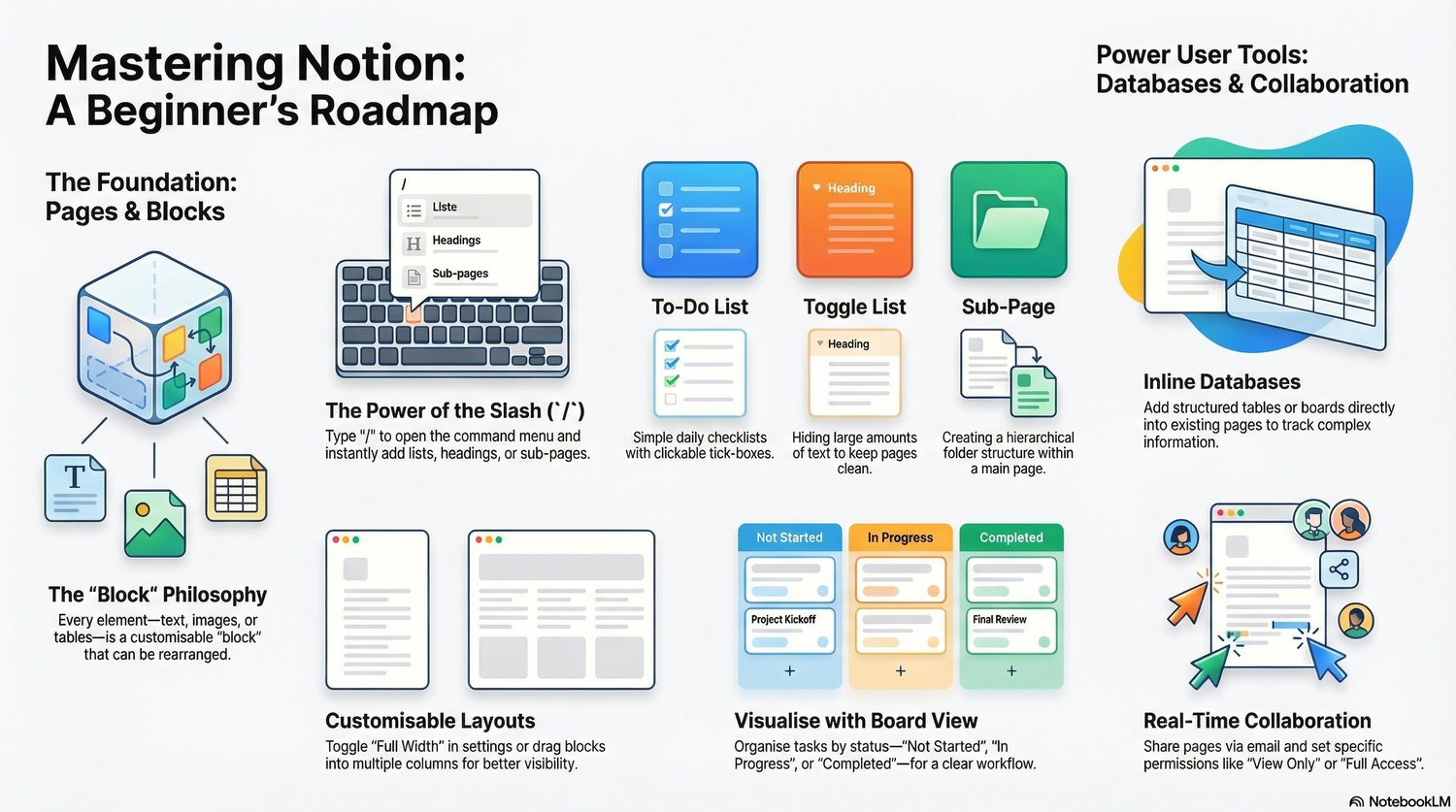
- Understand Notion’s “Block” philosophy
- Create structured pages with headings & sub-pages
- Use the powerful “/” slash command effectively
✅ Essential Productivity Tools
- Create To-Do lists with checkboxes
- Use Toggle lists to keep pages clean
- Build hierarchical page structures
✅ Custom Layouts & Organisation
- Use multi-column layouts
- Enable full-width view for better visibility
- Design clean, distraction-free pages
✅ Databases & Board Views
- Create inline databases
- Track projects using board view (Kanban style)
- Organise tasks by status (Not Started / In Progress / Completed)
✅ Real-Time Collaboration
- Share pages with team members
- Set permission levels (View / Comment / Full Access)
- Build collaborative workspaces
🎯 Perfect For
✔️ Notion beginners
✔️ Students & productivity lovers
✔️ Freelancers & remote teams
✔️ Startup founders
✔️ Anyone building a second brain system
⭐ Why This Guide Is Different
Most Notion tutorials are confusing.
This guide breaks everything into a clear roadmap so you can go from beginner → confident Notion user in a few hours.