



Rename All Layer – One Click Photoshop Script
Rename All Layer – One Click Photoshop Script (2 Versions Included)
Rename all selected Photoshop layers instantly with a single click.
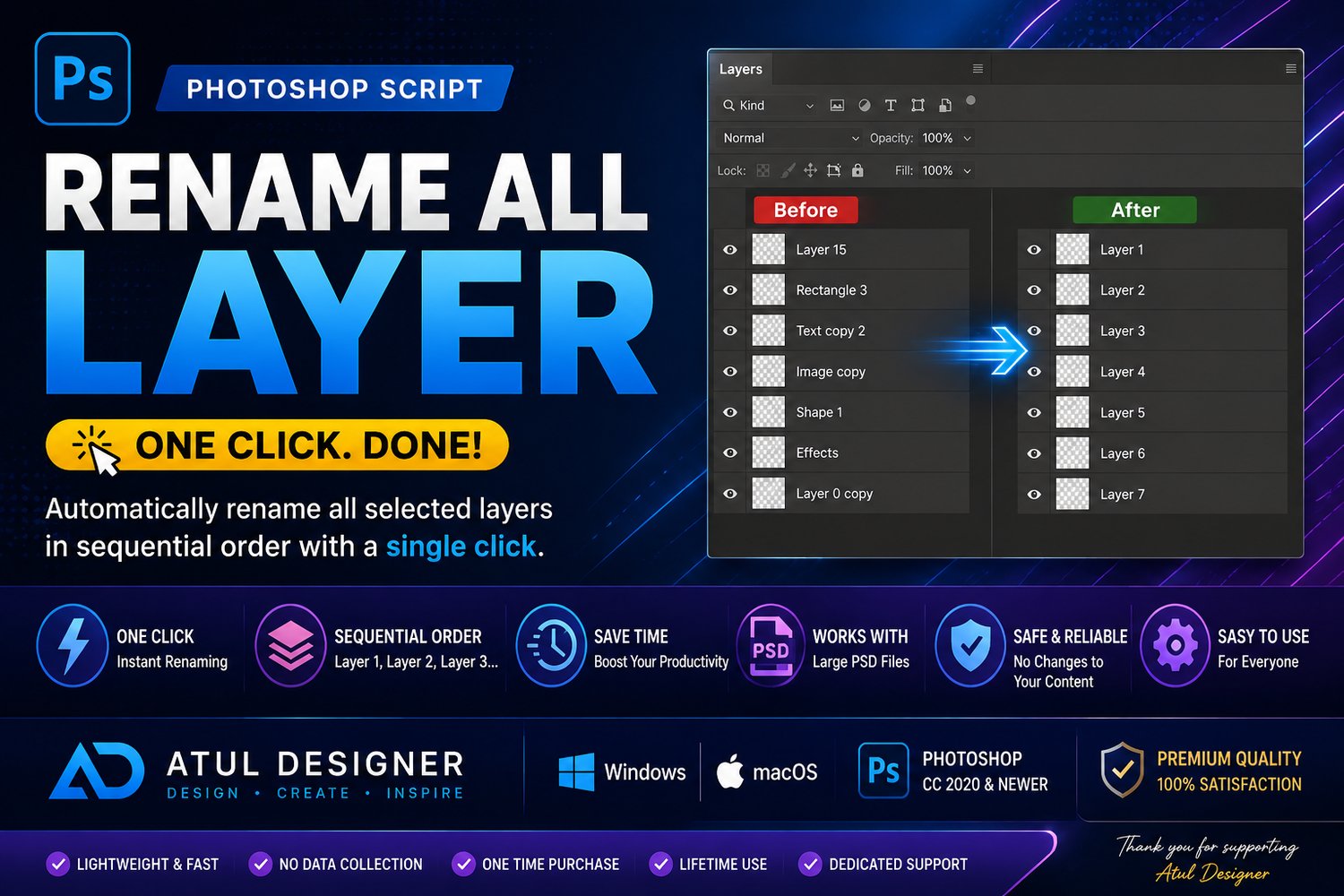
Rename All Layer is a lightweight yet powerful Photoshop script that automatically renames all selected layers, helping you save time and keep your PSD files organized.
This package now includes 2 versions:
1. Classic Version
Automatically renames selected layers as:
- Layer 1
- Layer 2
- Layer 3
- …and so on.
2. Custom Rename Version
Enter your own base name in a popup, and the script will rename layers like:
- Photo 1
- Photo 2
- Photo 3
- …or any custom name you choose.
Perfect for wedding album designers, graphic designers, photographers, retouchers, and Photoshop professionals working with complex PSD files.
✨ Features
✔ Rename all selected layers instantly
✔ Includes Classic & Custom Rename versions
✔ Custom popup for entering layer names
✔ One-click Photoshop automation
✔ Clean and organized PSD workflow
✔ Saves valuable editing time
✔ Works with large Photoshop projects
✔ Compatible with Windows & macOS
✔ Includes Installation Guide & License PDF
📦 What’s Included
• Rename All Layer (Classic).jsxbin
• Rename All Layer (Custom Popup).jsxbin
• Installation Guide & License.pdf
🖥 Compatibility
• Adobe Photoshop (JSX / ExtendScript Support)
• Windows
• macOS
⭐ Looking for more Photoshop automation tools?
Follow Atul Designer for upcoming Photoshop scripts, templates, workflow tools, and exclusive updates.