Remote Printer & PDF Scanner - Live iOS App
DOWNLOAD APP: https://apps.apple.com/us/app/remote-printer-scan-pdf-doc/id6788688829
Disclaimer:
The app was built properly, with a clean and organized structure that makes it much easier to maintain, improve, and scale in the future. Everything was developed manually by a professional iOS developer with real attention to quality, usability, and long-term stability. This is not an AI-generated app and not a messy codebase put together quickly. It is a real product built with care, with polished user experience and code
Remote Printer: Scan PDF & DOCs iOS App
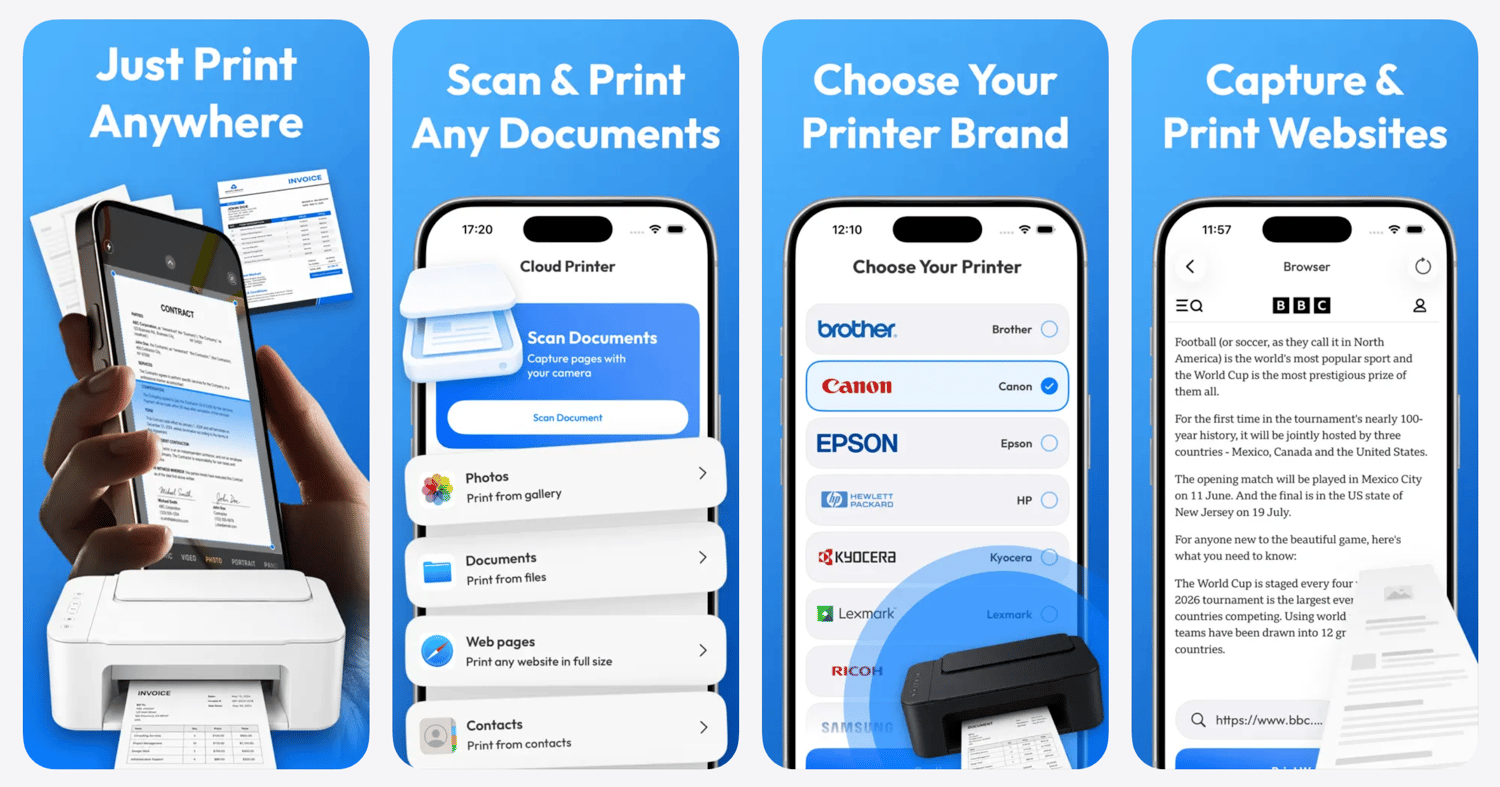
Remote Printer is a modern iOS utility application designed to help users scan documents, manage files, and print PDFs, DOCs, photos, web pages, email attachments, contacts, and text directly from their iPhone.
The app combines document scanning, file storage, print preview, printer selection, web page printing, photo printing, and document management into one simple mobile printing workspace. It is built for users who need a fast and convenient way to handle everyday printing tasks without switching between multiple apps.
The app is live on the App Store and ready for transfer.
Why This App Is Valuable
Mobile printing and document management remain practical, evergreen utility categories on the App Store. Users regularly need to print invoices, contracts, receipts, tickets, school papers, work documents, photos, web pages, and email attachments directly from their phones.
Remote Printer addresses this need with a clean iOS-first product focused on convenience, speed, and simple document workflows.
The app combines several useful features in one product:
• Document scanning
• PDF and DOC printing
• Photo printing
• Web page printing
• Email document import flow
• File storage and document management
• Printer brand selection
• Print preview and print options
This creates a clear utility usage loop:
Import or Scan → Preview → Save → Print → Return When Needed
With built-in subscriptions and a practical daily-use category, the app supports recurring monetization.
Key Features
Document Scanner
Users can scan physical documents using their iPhone camera and prepare them for saving or printing.
PDF & DOC Printing
The app allows users to work with common document types such as PDFs and DOC files, making it suitable for business, study, travel, and personal paperwork.
Photo Printing
Users can select photos from their gallery and prepare them for printing directly from the app.
Web Page Printing
The app includes a web printing flow that allows users to open web pages and prepare online content for printing.
Email Document Flow
Users can import email attachments or shared documents into the app and prepare them for printing.
File Storage
The app includes a file storage section where users can save, manage, and access previously imported or scanned documents.
Contacts & Text Printing
Users can prepare contact details or copied text for printing, adding more everyday utility to the app.
Printer Selection
The app includes a printer brand selection flow, helping users start the printing process in a simple and familiar way.
Clean and Modern UI
Built with a polished, native iPhone interface that feels simple, professional, and easy to use.
Technology
The app was built using a clean and scalable iOS architecture:
• Native iOS Development
• Swift
• UIKit Interface
• MVVM Architecture
• Modular and maintainable codebase
• Native Apple frameworks for document handling, camera access, file import, preview, and printing
• Subscription-ready product structure
The codebase is professionally handcrafted, well organized, and easy to extend. This is not an AI-generated app or an AI-generated codebase.
Monetization
Remote Printer already includes a subscription-based business model, supporting recurring revenue.
Subscription plans include:
• Weekly subscription
• Monthly subscription
• Annual subscription
Printer, scanner, PDF, and document utility apps can work well with subscriptions because users return whenever they need to scan, save, manage, or print important files.
What’s Included
• Live App on the App Store
• Full Source Code
• Complete iOS Project
• All app assets
• Subscription-ready monetization setup
• Assistance with App Store transfer
Remote Printer is a ready-to-transfer iOS utility app with a practical use case, clean native design, and a subscription-based business model.