

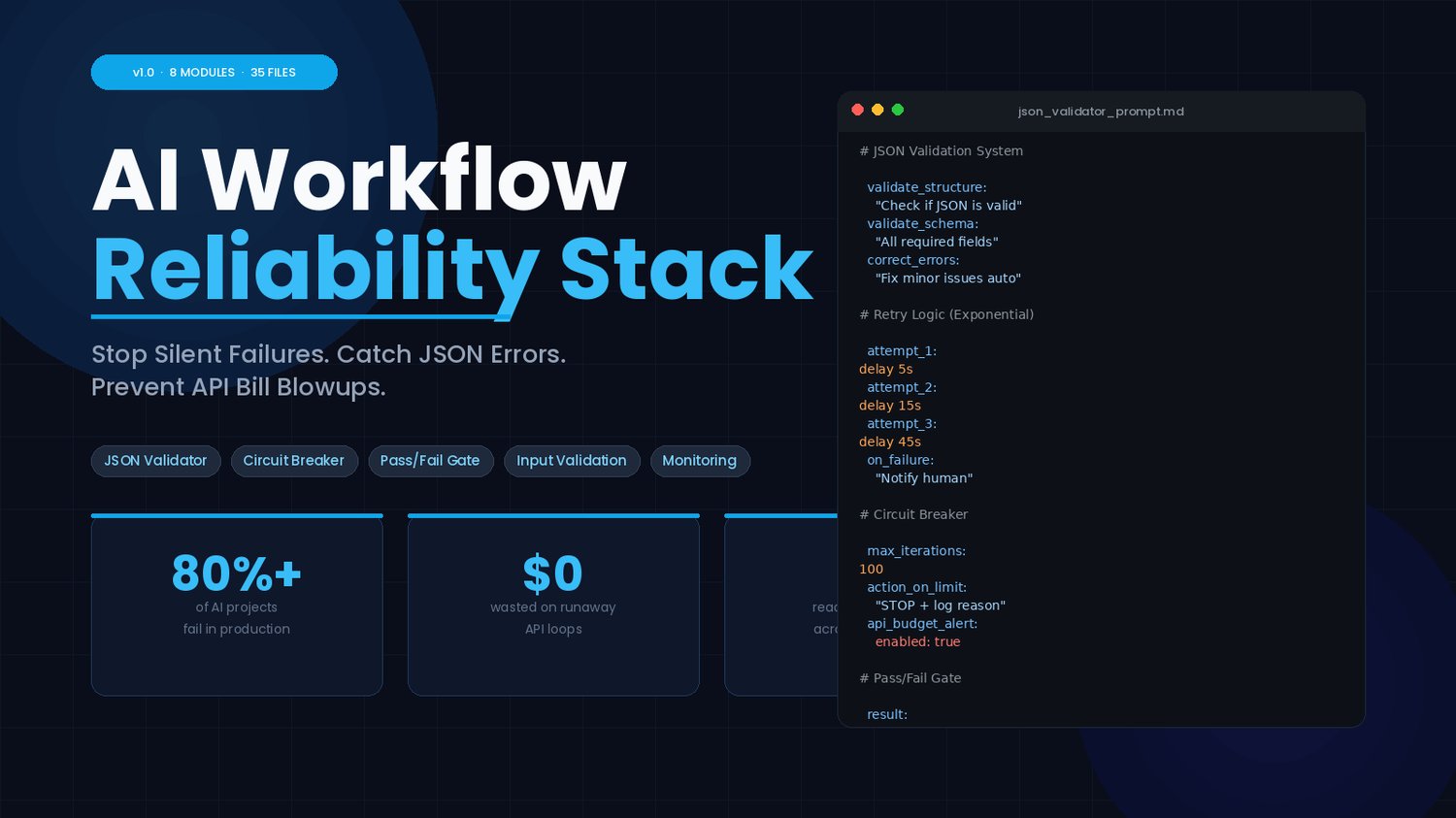


Your AI Workflow Is One Bad JSON Response Away From Melting Down
Stop firefighting silent failures, runaway API bills, and broken automations.
This is the complete reliability stack that makes your AI workflows actually work in production.
You built the workflow. You tested it. It ran beautifully — until it didn't.
Maybe the LLM returned malformed JSON and the whole chain collapsed. Maybe an API loop ran 200 times before you noticed the bill. Maybe a UI element changed overnight and your automation went blind. Maybe you woke up to a Slack alert about an error you've never seen before, with zero context about what went wrong or how to fix it.
This is the hidden cost of AI automation. Not the token price. The failure cost.
The AI Workflow Reliability Stack is the layer of protection most AI builders skip — until something breaks badly enough that they can't ignore it anymore.
Over 80% of AI projects fail in production. Here's exactly why.
When you're building with LLMs, you're building on top of a system that is — by design — unpredictable. That's not a bug. That's the nature of the technology. But it means your workflow is one bad output away from:
- Corrupt JSON that crashes your entire automation chain
- An infinite retry loop that drains hundreds of dollars in API credits overnight
- Outputs that pass no validation and silently corrupt your database
- Broken UI selectors that make your automation go completely blind after a minor UI update
- Zero visibility into what's failing, when it's failing, and why
Most builders patch these problems one at a time, after they've already caused damage. This stack gives you a systematic defense before anything breaks.
The AI Workflow Reliability Stack is a practical, implementation-ready toolkit of prompts, templates, schemas, and guides built for developers, automation engineers, and SaaS founders who are tired of babysitting their AI pipelines.
No fluff. No theory. Ready to drop into Make, Zapier, Replit, or any custom workflow.
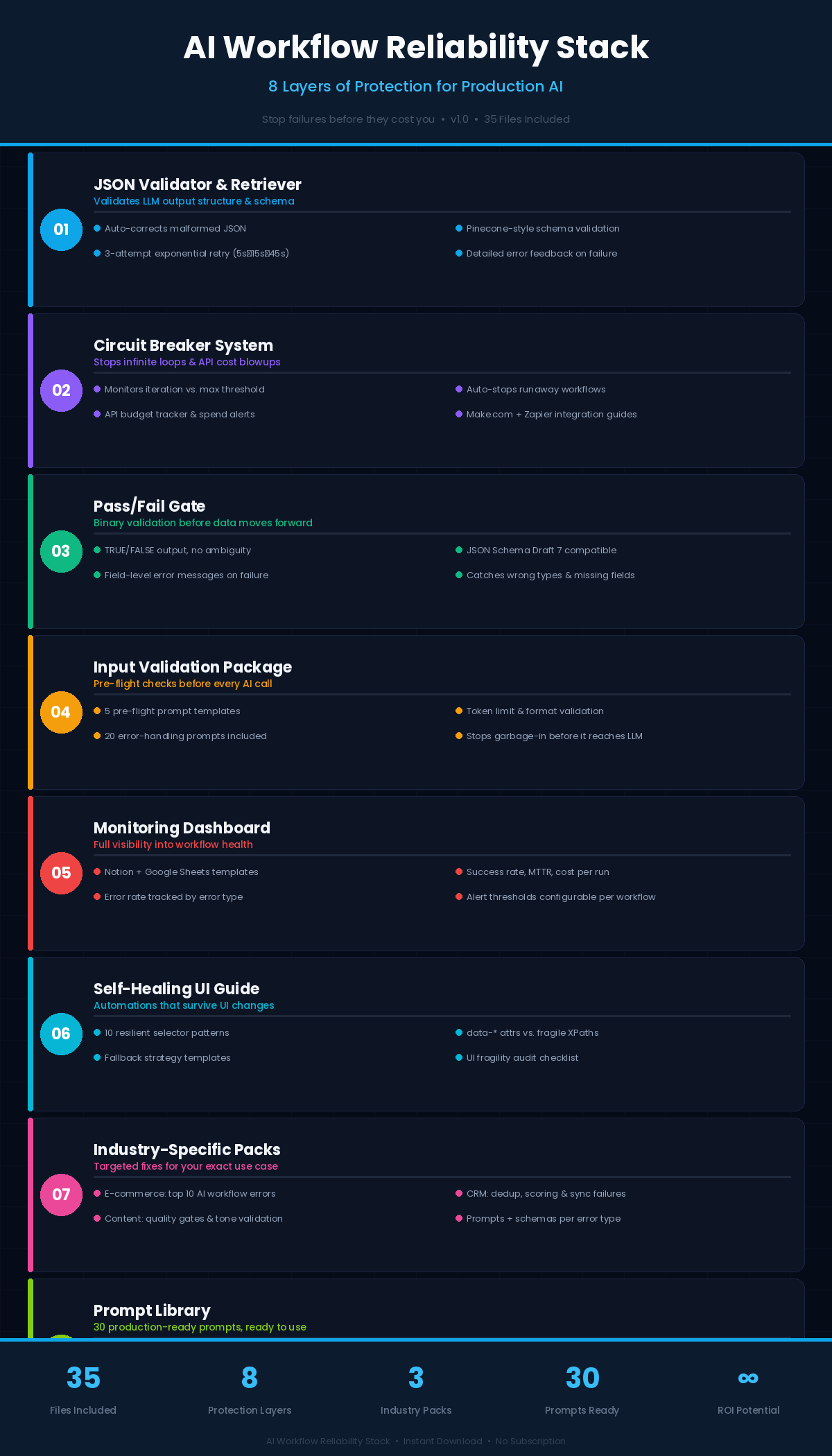
8 modules. 35 files. Everything you need to build AI workflows that don't break.
MODULE 1 — JSON Validator & Retriever
What it fixes: Malformed LLM output that crashes your workflows
LLMs don't always return clean JSON. They add trailing commas, drop required fields, or wrap output in extra text. When that reaches your automation, everything downstream fails — sometimes silently.
This module gives you:
- A prompt template that acts as a dedicated JSON validation and correction system
- Pinecone-style schema validation so you can define exactly what a valid response looks like
- Automatic error correction for minor issues (trailing commas, wrong data types, missing quotes)
- Structured error feedback when correction isn't possible
- A full retry logic template with exponential backoff — 3 automated retry attempts before escalating to human notification (with delays of 5s → 15s → 45s)
- A validation testing guide with malformed input examples to stress-test your setup before going live
Use this in: Make, Zapier, Replit, or any workflow where LLM output feeds into the next step.
MODULE 2 — Circuit Breaker System
What it fixes: Infinite loops and surprise API bill explosions
An AI loop that doesn't know when to stop will run until your API budget hits zero. The Circuit Breaker System detects runaway processes and shuts them down before the damage is done.
This module gives you:
- A circuit breaker prompt that monitors iteration count against a configurable maximum threshold
- Automatic stop signals with logged failure reasons (workflow name, iteration count, threshold exceeded)
- A loop detection template with full integration guides for Make.com (using Data Store modules and Filter logic) and Zapier (using Storage by Zapier or Google Sheets for state tracking)
- An API budget tracker to monitor spend per workflow run and flag anomalies before they become expensive
- An alert setup guide so your team gets notified the moment something goes wrong
This module alone can pay for itself the first time it stops a loop.
MODULE 3 — Pass/Fail Gate
What it fixes: Outputs that look fine but silently fail your requirements
Not every broken output is obviously broken. Sometimes the JSON is valid but the wrong fields are present. Sometimes the data types are off. Sometimes a required field is missing. The Pass/Fail Gate is a binary validation checkpoint that catches all of it.
This module gives you:
- A strict TRUE/FALSE gate prompt that checks every output against a schema before it moves forward
- JSON Schema Draft 7-compatible validation (checks required fields, data types, nested objects, arrays)
- Detailed, actionable error messages on failure — not just "failed," but exactly which field failed and why
- A schema validation template you can customize for your own data structures
- An output checklist for manual review
Real examples of passed and failed outputs so you know what to expect
MODULE 4 — Input Validation Package
What it fixes: Garbage-in, garbage-out before you even make the API call
Most AI errors aren't caused by the LLM. They're caused by bad input that gets sent to the LLM in the first place. This module catches problems before they cost you a single token.
This module gives you:
- 5 pre-flight check prompts that run before every AI call — validating existence, format, token limits, completeness, and security
- A pre-flight checklist for systematic input review
- 20 error handling prompts covering the full spectrum of failure types you'll encounter in production
- Validation examples so you can see exactly what each check catches and why
This is the equivalent of a safety inspection before every launch. Run it before the expensive part.
MODULE 5 — Monitoring Dashboard Templates
What it fixes: Zero visibility into what your workflows are actually doing
You can't fix what you can't see. Most AI builders have no real-time visibility into whether their workflows are healthy, degrading, or already broken.
This module gives you:
- A Notion monitoring template — ready to customize for your workflows
- A Google Sheets monitoring template — for teams already living in Sheets
- A full metrics guide covering the 4 critical KPIs to track:
- Success Rate (ideal: >95%, warning: <90%)
- Mean Time to Recovery (ideal: <30 minutes, warning: >60 minutes)
- API Cost per Run (trend monitoring for budget control)
- Error Rate by Type (malformed JSON, rate limits, timeouts — each tracked separately)
- An alert thresholds guide so you know exactly when to get worried and when to act
Set this up once and stop flying blind.
MODULE 6 — Self-Healing UI Guide
What it fixes: Automation that breaks every time someone updates the interface
UI-based automations are notoriously fragile. A developer deploys a minor update, and overnight your selectors point to elements that no longer exist. The Self-Healing UI Guide teaches you to build automations that survive UI changes.
This module gives you:
- An explanation of what makes selectors fragile (generated IDs, absolute XPaths, hash-based class names, positional selectors) versus what makes them resilient
- 10 resilient selector patterns using data attributes, accessible labels, semantic HTML, and relative selectors — patterns that hold up even when the underlying UI shifts
- A UI fragility checklist to audit your existing automations
- Fallback strategy templates so your automation degrades gracefully instead of crashing
- Real selector examples — both the fragile version and the self-healing alternative, side by side
MODULE 7 — Industry-Specific Error Packs
What it fixes: Generic solutions that don't match your actual use case
General error handling is a start. But e-commerce workflows fail differently than CRM workflows, which fail differently than content pipelines. This module gives you targeted solutions for the most common errors in each vertical.
Three industry packs included:
E-commerce Pack — covers product data extraction failures, pricing errors, inventory sync issues, order processing failures, customer data mismatches, and more. Includes industry-specific prompt suggestions and validation schemas for each error type.
CRM Pack — covers contact deduplication failures, lead scoring errors, pipeline stage misassignments, communication log failures, and integration sync errors. Includes CRM-specific validation logic and recovery prompts.
Content Creation Pack — covers output quality failures, tone/style inconsistencies, factual hallucinations, formatting errors, and content approval workflow breakdowns. Includes content-specific validation checklists and quality gates.
Each pack documents the top 10 errors in that industry with descriptions, impact, prompt suggestions, and validation schemas you can implement immediately.
MODULE 8 — Prompt Library (Production-Ready)
What it fixes: Starting from scratch every time you need a reliable prompt
30 production-tested prompts in structured JSON format — ready to drop into any workflow. Covers core tasks, error recovery, and validation.
Includes prompts for:
summarization
keyword extraction
sentiment analysis
question answering
entity extraction
email drafting
product descriptions
meeting minutes
Ad copy generation
social media posts
FAQ generation
customer support responses
bug report summaries
content rephrasing and more.
Every prompt includes:
the prompt text
expected output format, and validation rules
-so you know exactly how to check that it worked.
WHO THIS IS FOR
This stack is built for:
AI Workflow Builders — developers and engineers who are shipping automated AI processes and need them to survive contact with the real world.
Automation Engineers — professionals on Make, Zapier, or custom stacks who are done manually debugging failed runs.
SaaS Founders — people building AI-powered products who need their backend to be production-grade, not just demo-ready.
If you've ever lost money to a runaway API loop, manually fixed a broken JSON output at 11pm, or shipped an automation only to have it quietly fail for three days before anyone noticed — this is for you.
WHO THIS IS NOT FOR
- Beginners who haven't yet built a working AI automation (you'll get more value once you have something to protect)
- Developers who only need one specific component (though you'll likely find uses for the rest)
WHAT YOU GET AT A GLANCE
✅ JSON Validator & Retriever — 4 files
✅ Circuit Breaker System — 4 files
✅ Pass/Fail Gate — 4 files
✅ Input Validation Package — 4 files (including 20 error handling prompts)
✅ Monitoring Dashboard Templates — 4 files (Notion + Sheets)
✅ Self-Healing UI Guide — 4 files
✅ Industry-Specific Packs — 3 files (E-commerce, CRM, Content)
✅ Prompt Library — 3 JSON files (30 production prompts)
✅ Bonus Support Package — 3 files
Total: 35 files across 8 modules + bonuses
EXPECTED OUTCOMES
After implementing the AI Workflow Reliability Stack, you should expect to:
- Cut API waste — the Circuit Breaker System and Input Validation Package together prevent the runaway loops and bad-input calls that inflate your bills.
- Reduce manual intervention — automated error detection, self-healing selectors, and retry logic handle failures without you having to babysit the pipeline.
- Ship with confidence — Pass/Fail Gates and monitoring dashboards give you the visibility and guardrails to deploy and actually trust what you've built.
- Stop debugging at midnight — because your workflows now catch, log, and handle errors automatically instead of collapsing silently.
OBJECTIONS / FAQ
"I already have error handling in my workflows."
Maybe. But do you have loop detection with automatic API budget tracking? A self-healing UI layer? Industry-specific validation schemas? Input pre-flight checks before every API call? Most workflows have one or two patches — this gives you a complete, systematic layer.
"Is this compatible with my tools?"
Yes. Every component is designed for Make, Zapier, Replit, or any custom workflow. The prompts and schemas are platform-agnostic. The monitoring templates work in Notion and Google Sheets.
"I'm not technical enough for this."
The guides are written to be as actionable as possible. The prompt templates are ready to use as-is. Some components (like custom JSON schemas) will benefit from basic familiarity with automation platforms, but nothing requires engineering experience.
"What if I only need one module?"
You probably think that now. Most buyers start with the JSON Validator and end up using four or five modules within the first week, because the failure patterns this stack addresses tend to cluster together.
Your workflow is only as reliable as its weakest error-handling layer.
The AI Workflow Reliability Stack closes every major gap: malformed outputs, runaway loops, silent failures, invisible monitoring, fragile UI selectors, and industry-specific failure modes — in one systematic toolkit.
Get instant access. Start fixing failures today.
35 files. 8 modules. One complete reliability layer for your AI workflows.
Instant download. No subscription.
Get instant access now- $19.99