

The Wedding Edit Planner — Complete Wedding Planning Spreadsheet
💍 The Wedding Edit Planner — Complete Wedding Planning Spreadsheet
Plan your wedding. Organize every detail. Celebrate with confidence.
💝 LIMITED-TIME OFFER: Get it FREE now. Planned price after the free period: $1.
🤝 Optional Support: Love this planner? You can optionally support the creator to help make more useful digital resources. Support is never required to download or use this product.
💍 Your Wedding, Beautifully Organized
Planning a wedding means juggling countless details — venues, vendors, guests, invitations, payments, seating arrangements, schedules, photos, music, and the honeymoon.
When everything lives in different notebooks, spreadsheets, and messages, it becomes harder to see what is planned, what is paid, and what still needs attention.
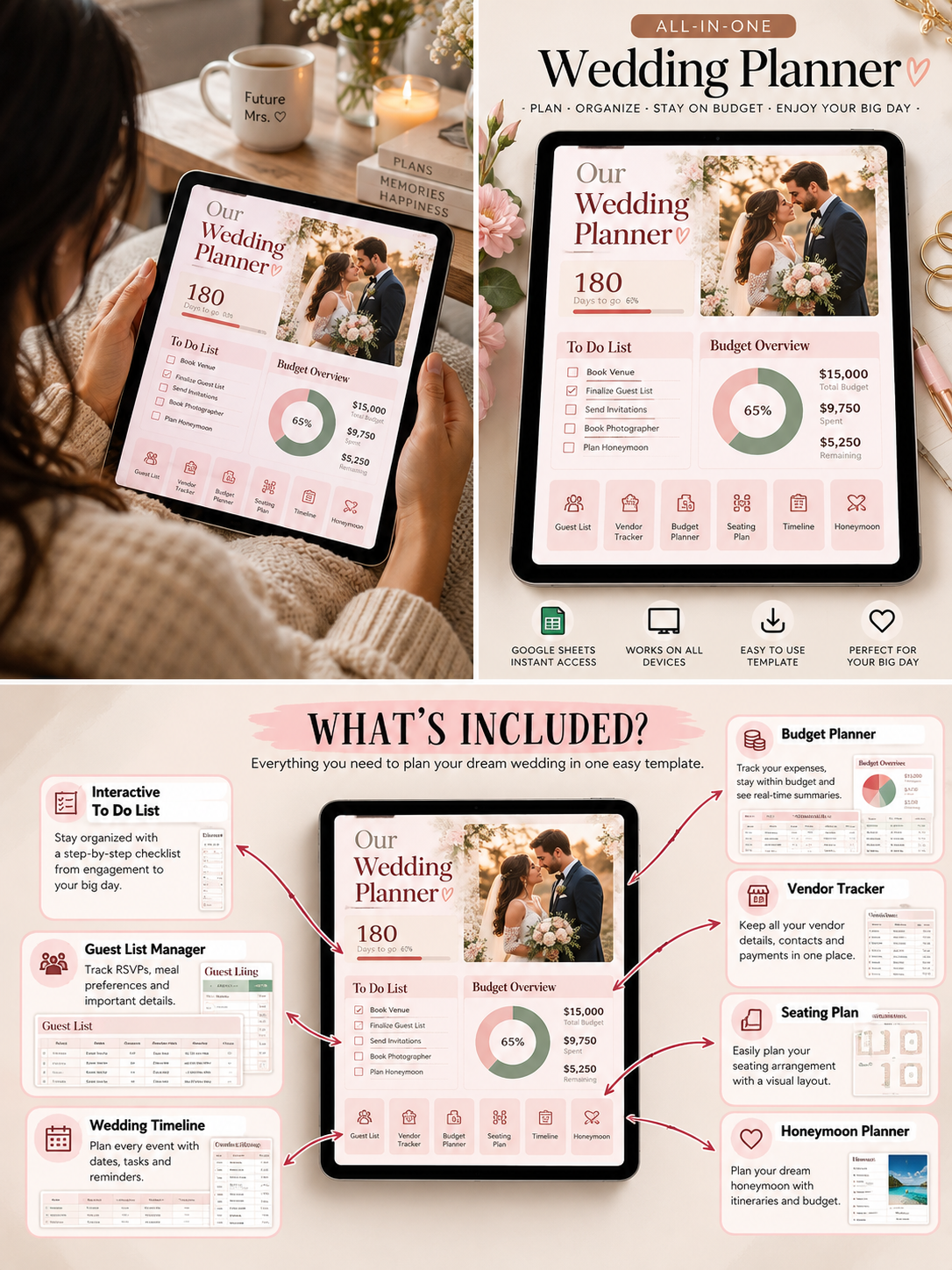
The Wedding Edit Planner brings your wedding planning into one comprehensive Excel workbook.
Organize your budget, compare venues, manage guest lists, track supplier payments, plan your wedding-day schedule, coordinate your wedding party, and prepare your honeymoon — all in one place.
Whether you're planning an intimate celebration or a larger wedding, this reusable spreadsheet gives you a structured place to manage the details while keeping your focus on the moments that matter.
✨ One Workbook. Your Whole Wedding. A Clearer Plan.
✨ What's Inside
01 — Wedding Dashboard
Get a quick overview of your celebration with a live dashboard, including the countdown to your wedding and your remaining cash budget.
02 — Wedding Setup & Save-the-Date
- Enter your names, wedding date, and celebration details.
- Personalize your wedding planning information.
- Explore three editable save-the-date card styles linked to your setup details.
03 — Wedding Style & Inspiration
- Organize your wedding concept and color palette.
- Gather ideas for attire and flowers.
- Compare estimated style-related costs separately from booked supplier costs.
04 — Venue Comparison
Compare up to 10 venue options and organize supplier-linked details, contact information, costs, and practical considerations.
05 — Wedding Calendar & Timeline
- Organize important dates and events in a monthly calendar.
- Track tasks, deadlines, priorities, owners, and completion status.
- Keep wedding planning steps in one structured workflow.
06 — Wedding-Day Schedule
Plan the celebration moment by moment, including the welcome party, wedding day, farewell, and travel days.
The schedule supports up to 250 events, with dates, times, assigned people, and notes.
07 — Packing Checklist
Keep wedding-weekend essentials, honeymoon items, and other travel necessities organized with packing status and notes.
08 — Vendors & Supplier Contacts
- Maintain a supplier shortlist.
- Record contact details and websites.
- Track booking status and contracted costs.
- Keep booked supplier contacts organized.
09 — Wedding Budget, Spending & Payments
Bring financial planning together with dedicated sheets for:
- Planned wedding budget categories
- Expected and booked supplier costs
- Direct spending and refunds
- Supplier deposits and payments
- Paid and unpaid payment tracking
- Remaining budget visibility
Keep supplier commitments separate from direct spending to help avoid counting the same expense twice.
10 — Guest List & Guest Details
- Organize guests and plus-ones.
- Track invitations and RSVPs.
- Record meal selections and guest groups.
- Store addresses and contact details.
- Use guest IDs to connect related planning sheets.
11 — Seating Chart & Table Plan
Assign attending guests to tables and seats. The workbook includes a printable-style table plan with 30 tables and up to 15 places per table.
12 — Wedding Party
Organize bridesmaids, groomsmen, and other wedding-party members, including roles, aisle order, escorts, attire, and readiness status.
13 — Wedding Menu Planner
Compare up to three menu options per course and organize quantities and prices to help review menu costs.
14 — Photography Plan & Photo Gallery
- Plan photo moments, locations, times, and photographers.
- Record participants using guest IDs.
- Organize photo URLs in the gallery.
- Preview six photos per gallery page and choose a hero image for the dashboard.
15 — Wedding Music & Gifts
- Collect song ideas and organize your playlist.
- Track gifts, cash received, and thank-you notes.
- Connect gift records to your guest information.
16 — Honeymoon Planner
Continue planning after the wedding with dedicated sheets for:
- Honeymoon budget and bookings
- Daily trip planning
- Travel spending
- Itinerary and confirmation references
- Packing essentials
17 — Worked Example & Start Guide
Use the fictional example to understand the workflow, then follow the Start sheet and other built-in instructions to set up your own celebration.
💡 Why You'll Love It
Less scattered planning. More clarity. More time to focus on your celebration.
- One organized system: Keep essential wedding information together.
- Budget visibility: Compare plans, supplier costs, and payments.
- Guest organization: Manage invitations, RSVPs, meals, and seating.
- Deadline awareness: Keep important tasks and dates visible.
- Better coordination: Record supplier contacts, responsibilities, and schedules.
- Personalized planning: Adapt the workbook to your celebration.
- Honeymoon included: Continue organizing your plans beyond the wedding day.
📦 What You'll Receive
One Excel workbook (.xlsx) containing 28 worksheets:
- Start
- Dashboard
- Example
- Save the Date
- Style
- Venues
- Calendar
- Timeline
- Day Schedule
- Packing
- Vendors
- Budget
- Spending
- Payments
- Contacts
- Guests
- Guest Details
- Seating
- Table Plan
- Wedding Party
- Menu
- Photo Plan
- Photo Gallery
- Music
- Gifts
- Honeymoon
- Trip Spending
- Trip Itinerary
No separate bonus pack is included. The workbook and its 28 sheets are the complete product.
👰 Who Is This For?
The Wedding Edit Planner is designed for:
- Couples planning their own wedding
- Engaged partners organizing wedding tasks together
- Budget-conscious couples
- DIY wedding planners
- Families helping coordinate a celebration
- Couples comparing venues and suppliers
- Anyone who wants guest, budget, and timeline information in one workbook
- Couples who want to organize their honeymoon alongside their wedding
🚫 Who Shouldn't Get This?
This may not be the right fit if you need:
- A full-service wedding planner who manages arrangements for you
- A cloud-based app with automatic collaboration and syncing
- Automatic bank integration or payment processing
- A booking platform that contacts vendors for you
- A professional graphic-design service for custom invitations
- A fully automated guest messaging system
This is a spreadsheet-based planning tool. You enter and maintain your own information.
⚙️ Important Notes Before You Download
- File format: Excel workbook (.xlsx).
- Software: Use Microsoft Excel or compatible spreadsheet software. Some advanced features may behave differently in other applications.
- Manual updates: Some information, including bookings, guest responses, and payments, requires your input.
- Save-the-date cards: The workbook contains three editable styles; it is not a professional invitation-printing service.
- Photo gallery: Image previews depend on supported image functions and valid image URLs in your spreadsheet software.
- Financial planning: The workbook helps organize wedding-related costs but does not provide professional financial advice.
- Privacy: The workbook may contain personal information. Store and share it carefully.
- Reusable planning: Keep a backup copy before making major changes.
❓ Frequently Asked Questions
Is The Wedding Edit Planner free?
Yes. It is currently available for $0 during the limited-time offer. The planned price after the free period is $1.
Is optional support required?
No. Support is completely optional. You can download and use the planner without supporting the creator.
What will I receive?
One Excel workbook with 28 dedicated worksheets for wedding planning, guests, budgeting, vendors, the wedding day, and honeymoon organization.
Can I track my wedding budget?
Yes. The workbook includes planned budget categories, supplier costs, direct spending, payments, and remaining-budget information.
Can I manage my guest list and seating arrangements?
Yes. Dedicated sheets support guest records, invitations, RSVPs, guest details, seating assignments, and a table plan.
Can I plan my honeymoon too?
Yes. The workbook includes honeymoon planning, trip spending, and itinerary sheets.
Does it book vendors automatically?
No. It helps you organize vendor details and booking status, but you contact and book suppliers yourself.
Does it automatically connect to my bank?
No. Financial entries are maintained manually.
Can I customize it?
You can enter your own information and adapt suitable editable areas. Keep a backup before changing workbook structure or formulas.
Is there a separate bonus?
No. The complete product is the workbook and its included worksheets.
Will it work in every spreadsheet application?
Compatibility can vary. Microsoft Excel is the intended format, and certain image or formula features may behave differently in alternative applications.
🤝 Free Optional Support
Found the planner useful?
If you want to support the creation of more practical digital resources, you can contribute voluntarily.
No pressure. No required payment. Just optional support if you choose.
🎁 Get The Wedding Edit Planner Free
🔥 Current price: $0
Planned future price: $1 after the free period.
Start organizing your wedding with one practical workbook for your plans, people, payments, and special moments.
Download it, personalize it, and make it your own.
Your wedding is a celebration. Your planning system should make the journey clearer.
Get your free copy today.