
LeeChords
LeeChords (VST3, CLAP, AUv2, Max for Live)
LeeChords is a MIDI chord generator that turns single notes into playable chords. Following many requests, the chord-generation engine used in CHORDimist 2 is now available as its own independent device.
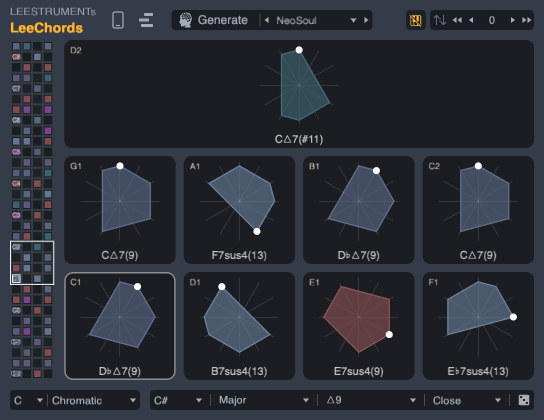
Generate a bank of 128 chords with NeoSoul, Cloud Steps, Three Lights or Bossa Nova, then explore it from your MIDI keyboard. No Black Keys lets you move through chords using the white keys. Each chord follows the velocity of the note you play, ready to drive your favourite instrument.
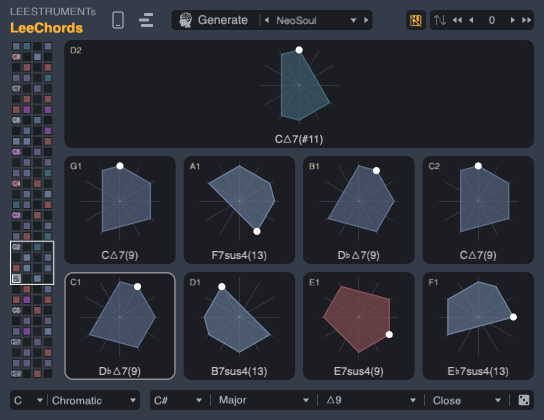
Shape individual pads with root, chord family, tension and voicing controls, or use the dice to regenerate just one chord. Choose a key and scale, transpose the output, and rearrange the bank by dragging pads. When chords share notes, the latest played pad retriggers those notes and takes responsibility for releasing them.
A colour-coded MiniMap keeps the bank within reach. Switch between pitch-class clocks and a piano-roll-style view with chord names, or use the portrait layout for a 9:16 interface. LeeChords is designed for finding voicings, trying harmonic ideas and performing chords with one key at a time.
Highlights:
- The chord-generation engine from CHORDimist 2 as an independent MIDI device
- Four generators: NeoSoul, Cloud Steps, Three Lights and Bossa Nova
- 128-chord banks with No Black Keys mapping
- Per-pad root, chord family, tension, voicing and dice controls
- Key and scale locking, plus transpose from -48 to +48 semitones
- Clock and piano-roll-style chord views with a colour-coded MiniMap
- Desktop and 9:16 portrait layouts
- English and Japanese PDF manuals included
Formats:
VST3 / CLAP: macOS and Windows
AUv2 MIDI FX: macOS
AMXD: Max for Live MIDI effect for Ableton Live
Compatibility:
macOS 14 or later
Windows 11 or later
AMXD requires Ableton Live with Max for Live. VST3 and CLAP require a host that can route MIDI output from a plug-in to an instrument.
LeeChords generates MIDI and needs a separate instrument to make sound. This release contains MIDI effects only; no instrument version or standalone application is included. Changing the generator or pressing Generate creates a new bank and resets pad edits.
For problems, questions, or feature requests:
leestrument@gmail.com