
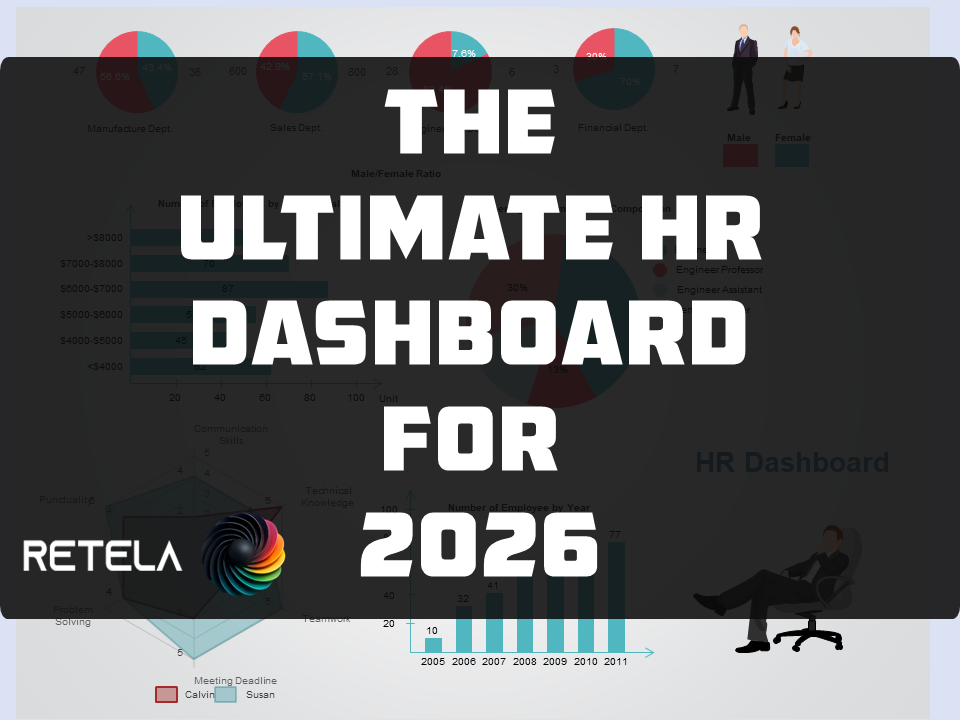
Ultimate HR Master Dashboard – Complete Excel HR Analytics System
Ultimate HR Master Dashboard – Complete Excel HR Analytics System (195 Formulas, 0 Errors, 27 Sheets)
🚀 Stop juggling 15 spreadsheets.
Start seeing your entire HR operation in one dashboard.
You’re an HR leader, a business owner, or an analyst who knows that Excel can do more
but you don’t have months to build it.
I built it for you.
Introducing Ultimate HR Master Dashboard, a complete, production‑ready HR analytics system
built in Microsoft Excel with 195 formulas, zero errors, and 27 professionally
structured sheets.
No more manual consolidation. No more broken links. No more “where did I put that
attrition rate?”
---
✅ What you get – the exact build
Control Panel (Navy)
Navigation hub, macro buttons (Refresh/Import/Protect/Unprotect), dashboard nav table, data source reference, warnings section
User Guide (Teal)
12 sections – metric definitions, benchmarks, troubleshooting, admin guide, version history
12 Data Sheets (Blue)
Formal Excel tables for Employee Master, Turnover, Absence, Recruitment, Training, Performance, Grievance & Discipline, Budget, Staff Movement, HR by Dept, Payroll, Financial Metrics – each with 10–50 sample rows across 3+ depts, 2 regions, 12 months
Calculations (Hidden)
9 metric blocks, 100+ formulas
Dashboard Sheets
Attrition, Compensation, Recruitment, Talent, L&D, Employee Relations, etc – each with KPI cards, charts, section headers, freeze panes, no gridlines
VBA_Module (Hidden)
Full VBA code
---
📊 Key dashboards & advanced features you’ll love
- Gantt payroll schedule – see who gets paid when, avoid late payments
- 9‑box talent matrix – identify your stars, question marks, and high‑potentials
- Succession RAG table – red‑amber‑green risk for each critical role
- L&D metrics – training effectiveness, completion rates, ROI
- Complete HR benchmark reference table – compare your KPIs to industry standards
---
🔧 Technical excellence, built for reliability
- 195 formulas – zero errors (verified)
- 27 sheets – in exact order with correct tab colours
- Structured references – no fragile `A1` ranges
---
⚠️ Important – what you need to do after purchase (2 minutes)
This is a macro‑enabled workbook. To unlock full automation:
- Open the file in Excel (Windows – macros work best)
- Press `Alt+F11` to open VBA editor
- Insert a module named `mod_UltimatHR`
- Copy the VBA code from the `_VBA_Module` sheet (run [Unprotect] first to unhide it)
- Paste, save, close editor
- Go to Control Panel, right‑click each button, and assign the corresponding macro (documentation inside User Guide)
Note: More additions are required by you, that’s by design. This is a foundation system you can extend. The hard part
(structure, formulas, dashboards) is done. You add your own data, custom metrics, or extra sheets as you grow.
WANT TO SEE IT IN ACTION:
VIDEO OF HR DASHBOARD OPERATING
---
💡 Who is this for?
- HR Directors – consolidate data from payroll, recruitment, L&D in one place
- People Analysts – stop rebuilding the same reports every month
- Small business owners – get enterprise‑grade HR metrics without the enterprise price
- Excel power users – a perfect template to study and customise
---
📥 What you’ll download
One .xlsm` file (Excel macro‑enabled workbook) containing all 27 sheets, sample data, and VBA code.
No subscriptions. No cloud fees. No per‑user pricing. One payment. Yours forever.
---
💰 Price $67 USD (one‑time)
Less than one hour of a junior analyst’s time and it will save you hundreds of hours.
📦 Buy now – instant download
[Add to Cart – Ultimate HR Master Dashboard] (Payhip handles secure checkout, instant download, and lifetime updates.)
---
❓ Frequently Asked Questions
Q: Do I need Excel 365?
A: Works with Excel 2016, 2019, 2021, and 365 (Windows). Some features may be
limited on Mac.
Q: I don’t know VBA. Can I still use it?
A: Yes. The dashboards and formulas work without macros. Macros just add one‑click refresh and navigation. Step‑by‑step instructions are in the User Guide.
Q: Can I add my own data?
A: Absolutely. The 12 data tables are ready for your real data – just paste over the sample rows. All formulas and dashboards will update automatically.
Q: Why do I need to assign macros to buttons myself?
A: Excel doesn’t preserve button‑macro assignments across different users’ machines. The code is inside the file; you just point each button to its macro (takes 2 minutes, instructions included).
Q: Will this work on a Mac?
A: Mac Excel supports most formulas but VBA is limited. Dashboards work; macros may not. Windows is recommended for full automation.
---
🧠 Still thinking?
Here’s what one beta user said:
“I spent three weeks trying to build a turnover dashboard. This file had it already, plus recruitment, L&D, and a 9‑box matrix I didn’t even know I needed.”
– L. Nkosi, HR Manager
---
You can keep fighting with broken spreadsheets. Or you can download a system that already works.
[I want the Ultimate HR Master Dashboard – $67]
---
📬 Contact & support
Questions before buying?
Email: gusmuzvidziwa@gmail.com
WhatsApp: +263715026323
Built by Retela Strategic Intelligence – DSIIR methodology for HR operations.
©2026 Retela Business Group. All rights reserved.