





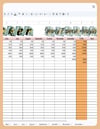
Bill Tracker Spreadsheet | Monthly Bill Organizer, Expense Tracker & Yearly Overview (Google Sheets)
🚀 Never Miss a Bill Again — Stay Fully in Control of Your Payments
✨ LIMITED TIME OFFER ✨
Get 20% OFF your entire order!
Use code: GET at checkout.
Copy and paste the code during payment to apply your discount.
Tired of late fees, forgotten bills, or messy tracking?
This Ultimate Bill Tracker Spreadsheet for Google Sheets gives you a clear, automated system to manage all your bills, due dates, and expenses — in one organized place.
Simple to use. Powerful enough to give you full financial visibility.
💡 WHY THIS BILL TRACKER WORKS
Most people track bills in multiple places… or not at all.
This system fixes that:
✔ All bills organized in one place
✔ Automatic status updates (paid, overdue, upcoming)
✔ Clear monthly + yearly overview
✔ Visual color-coded tracking
👉 No more missed payments. No more guesswork.
✨ WHAT YOU’LL ACHIEVE
✔ Always know what’s due and when
✔ Avoid late fees and missed payments
✔ Track monthly expenses clearly
✔ Understand your yearly spending patterns
✔ Stay consistent with your budgeting
📊 WHAT’S INCLUDED
A complete bill tracking system:
📅 12 Monthly Bill Tracker Sheets
Track every bill from January to December with:
- Due dates & payment tracking
- Amount due vs. paid
- Remaining balance
- Payment method
- Notes & reminders
🎯 Smart Status System (Automatic)
✔ PAID – Fully paid
✔ OVERDUE – Missed or incomplete
✔ UPCOMING – Not due yet
Color-coded for instant visual clarity.
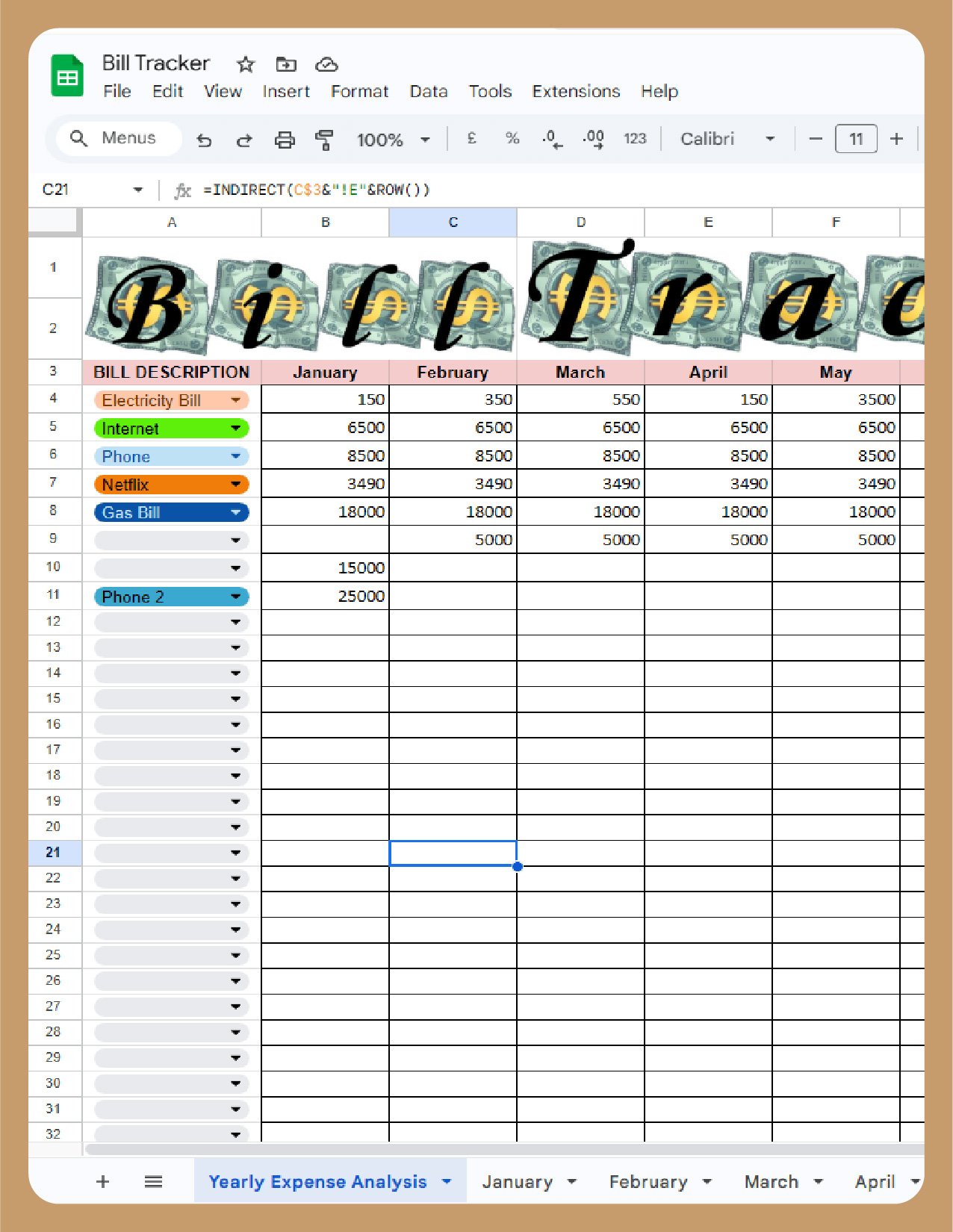
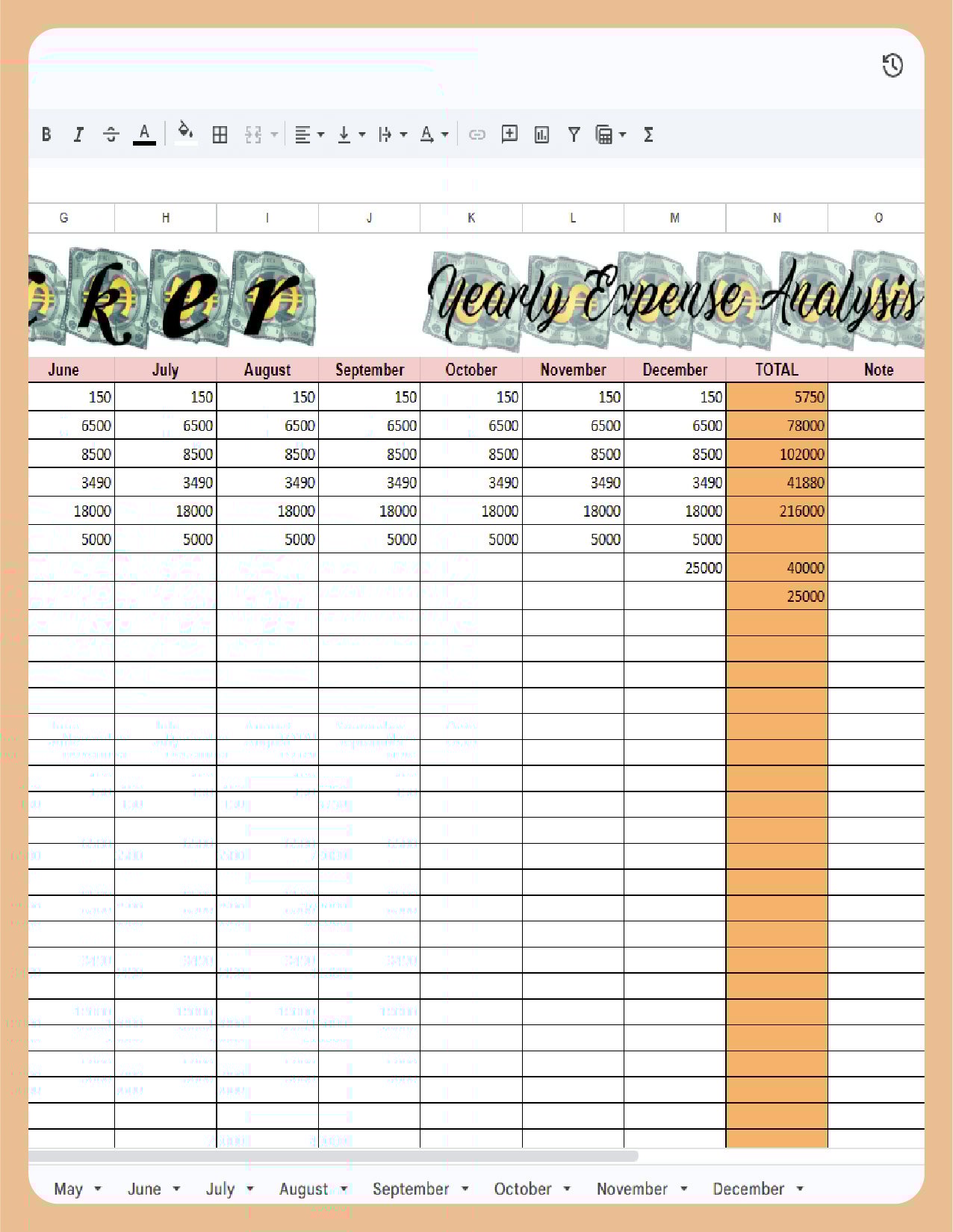
📈 Yearly Expense Overview
See your full financial picture:
✔ Total spending by month
✔ Yearly expense tracking
✔ Identify patterns and improve budgeting
⚡ POWERFUL FEATURES
✔ Automatic calculations (no manual math)
✔ Pre-filled bill examples (fully editable)
✔ Custom categories
✔ Recurring bill tracking
✔ Clean, easy-to-use layout
🧠 DESIGNED FOR REAL LIFE
No spreadsheet skills needed.
✔ Beginner-friendly
✔ Ready to use instantly
✔ Fully customizable
🚀 GET STARTED IN UNDER 1 MINUTE
1️⃣ Open the Google Sheets link
2️⃣ Click “Make a Copy”
3️⃣ Start tracking your bills immediately
📥 WHAT YOU RECEIVE
✔ Google Sheets Bill Tracker Template
✔ Full User Guide
✔ Step-by-step instructions
✔ Instant digital download
🎯 PERFECT FOR
✔ Personal budgeting
✔ Household bill tracking
✔ Subscription management
✔ Monthly expense planning
✔ Anyone who wants financial clarity
🔒 IMPORTANT
• Google Sheets only (not Excel)
• Google account required
• Digital product only (no physical item)
• Personal use only
⚠️ DISCLAIMER
This template is for informational purposes only and does not provide financial, tax, or legal advice.
💬 FINAL THOUGHT
If you want a simple system that keeps all your bills under control…
👉 This is it.
Clear. Automatic. Stress-free.