




The Sunday Reset System: 12 Week Edition
The free Sunday Reset Planner gives you one great week. This gives you 12 weeks of compounding improvement.
One week of planning is a tactic. Twelve weeks of planning with data is a system. And the difference matters more than you think.
After a single week with the free planner, you know the format. So that is my recommendation of where you start before purchasing this system. You've set some defaults, logged some waste, rated your week. It felt better than winging it. But you don't have data yet. You don't know which wastes keep coming back. You don't know if your defaults are actually sticking. You don't know if your weeks are getting better or just feel different.
This system gives you that data.
What's inside:
- Excel workbook
- System Guide (4 pages)
- Week 1 Walkthrough (3 pages)
- 30 Common Defaults (2 pages)
- Waste Patterns Field Guide (2 pages)
- My Defaults Cheat Sheet (1 page, printable)
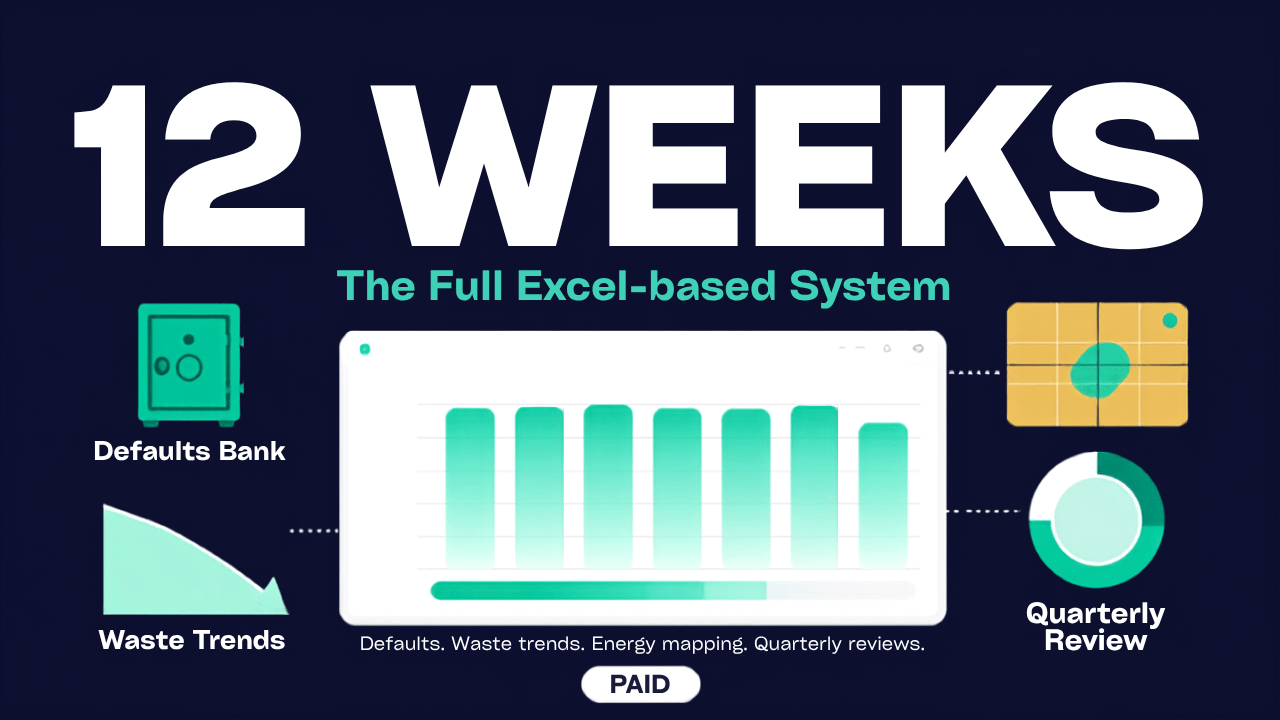
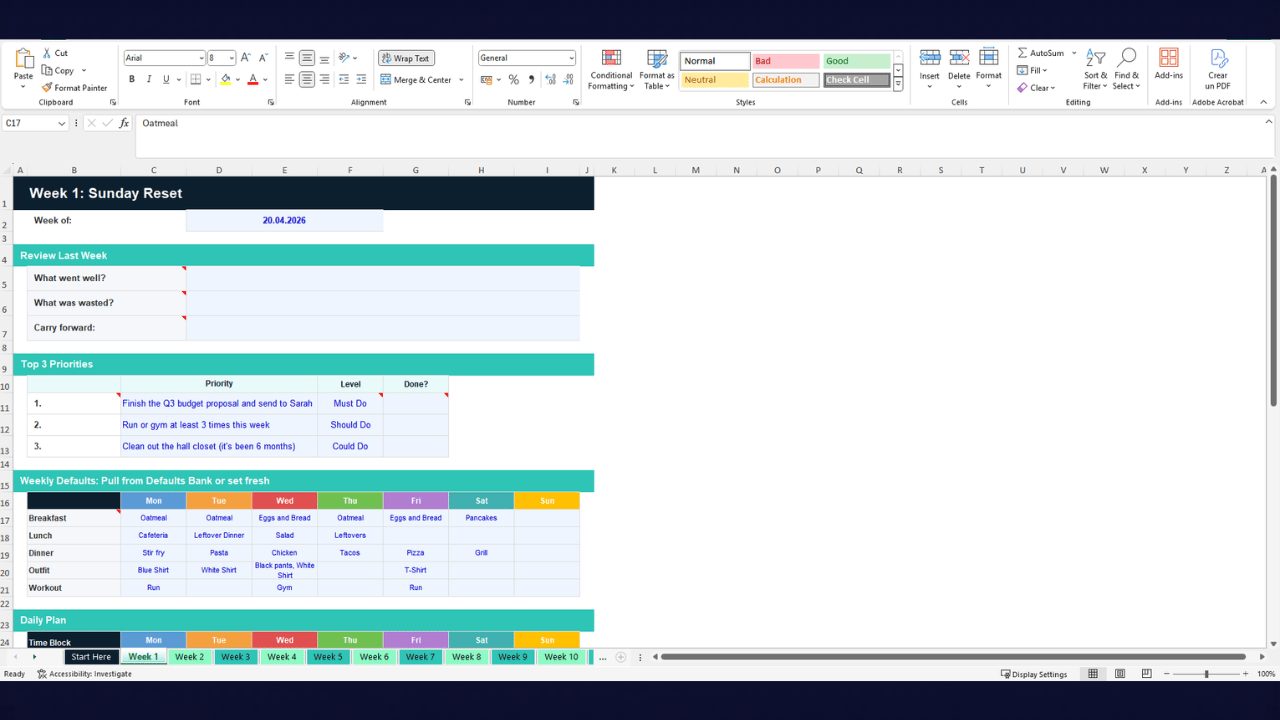
12 weekly tabs. One for each week. Same structure you already know from the free planner: review, priorities (with a "Done?" tracker), defaults grid, daily plan with energy levels, a built-in waste log, and end-of-week scoring. But now each week feeds into the bigger picture.
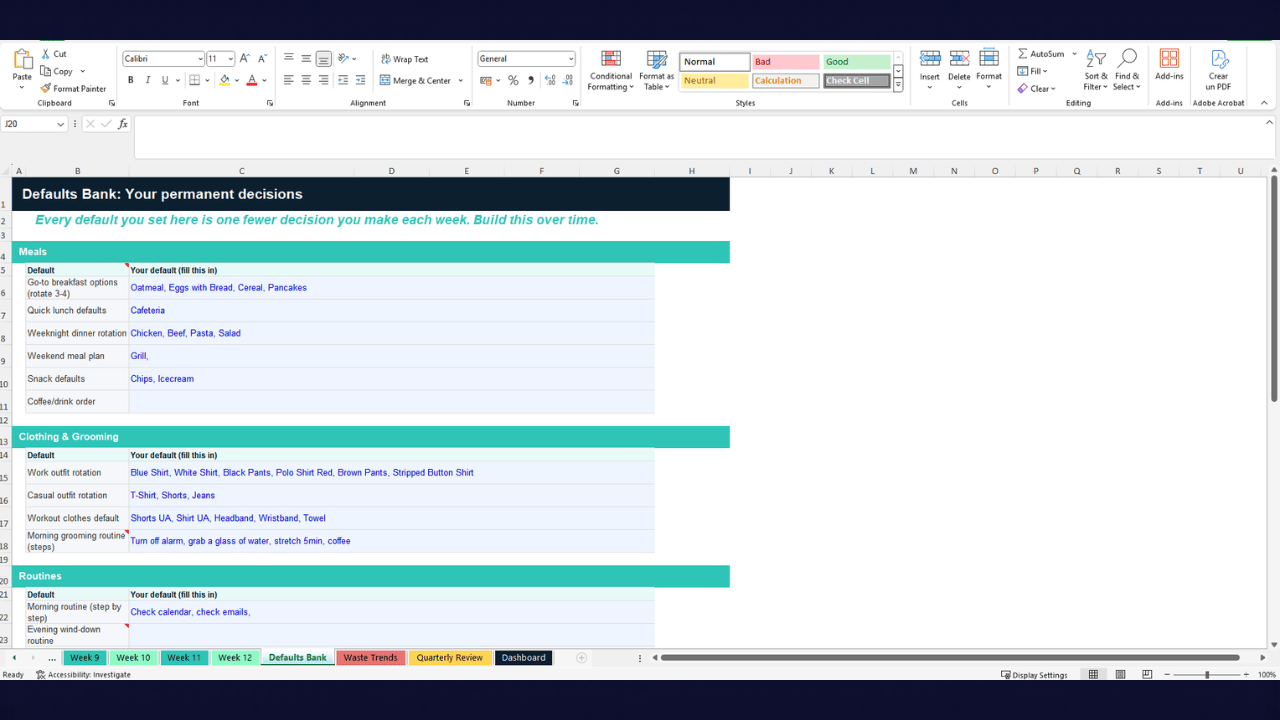
The Defaults Bank. This is the tab you'll use the most after week 3. It's your permanent collection of pre-made decisions across 6 categories: Meals (breakfast, lunch, dinner, snacks), Clothing (work outfits, casual rotation, gym clothes), Routines (morning, evening, workout schedule, cleaning schedule, errand batching), Work (first task default, email schedule, meeting prep, shutdown routine), Communication (response time policy, standard decline message, batch communication time), and Shopping (recurring grocery list, under-€X rule, subscription review schedule).
Every default you add here is a decision you never have to make again. Most people have 15-20 defaults locked in by week 4, and they report a noticeable drop in daily decision fatigue.
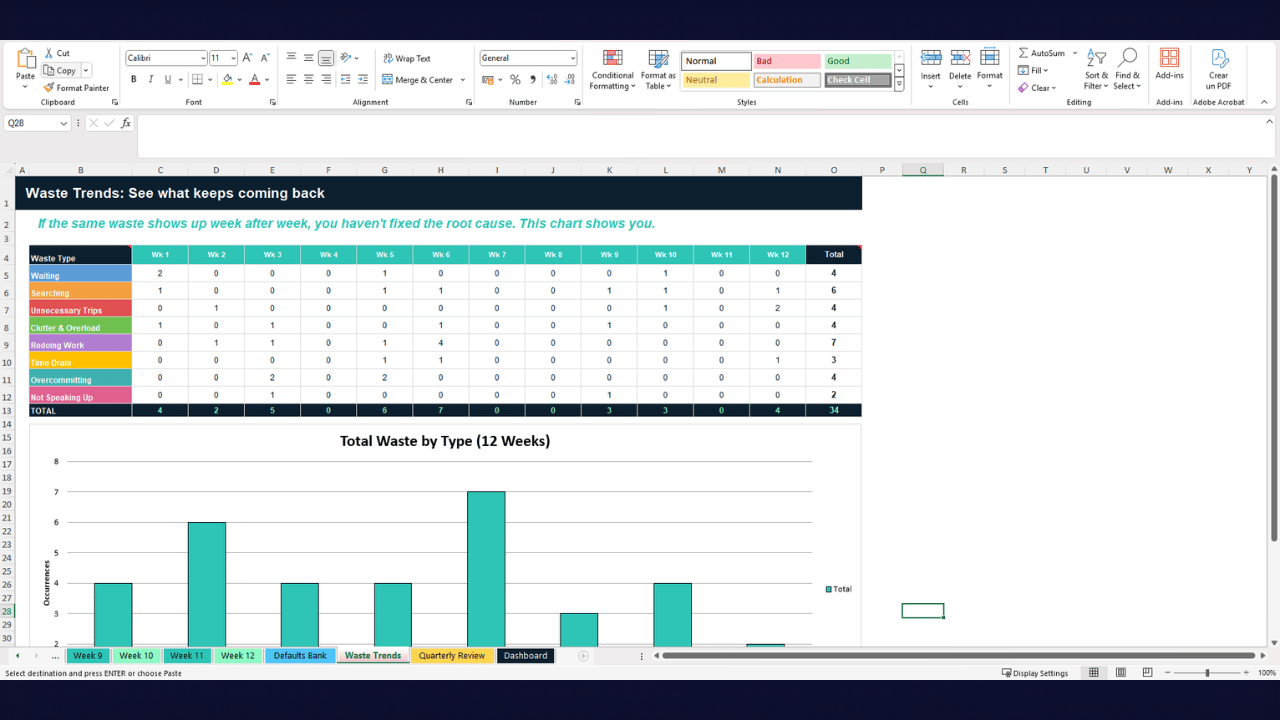
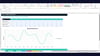
Waste Trends. Auto-calculated from your weekly waste logs. A table showing each waste type's frequency across all 12 weeks, plus a bar chart. If "Time Drain" shows up in 10 of 12 weeks, the chart makes that impossible to ignore. This is where you find the root causes, not just the symptoms.
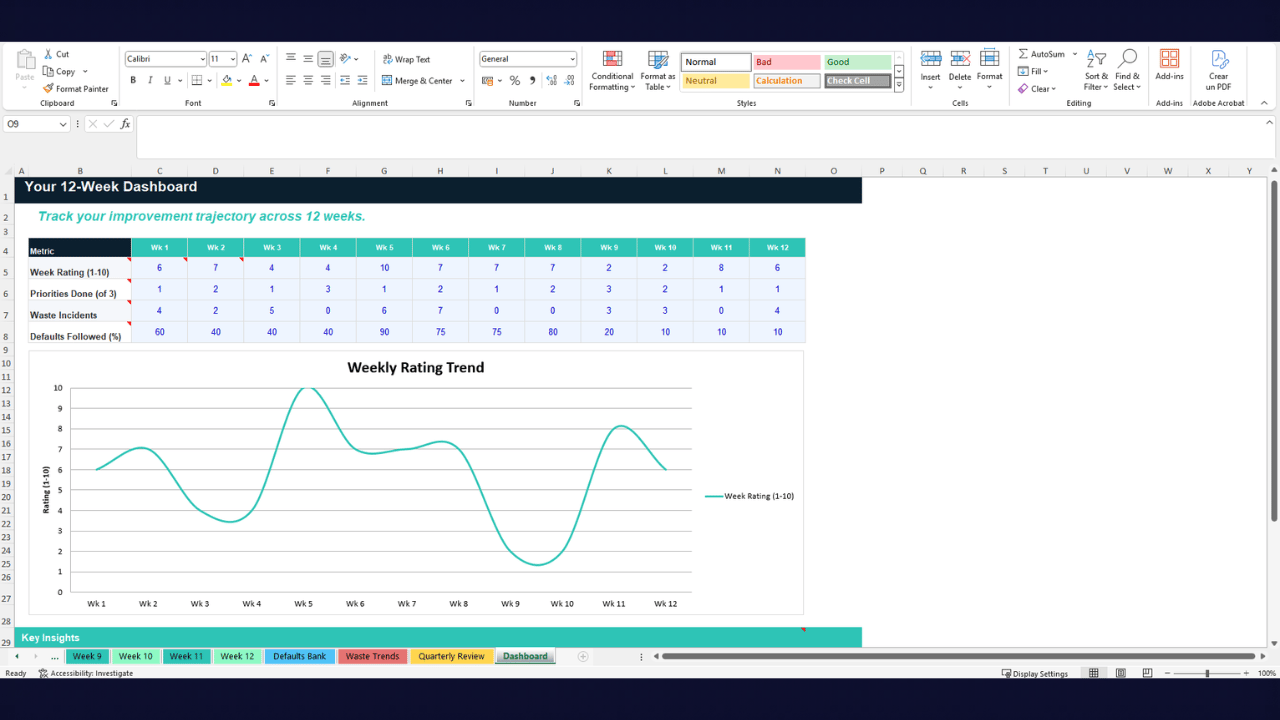
The Dashboard. Your 12-week trajectory in one view. Tracks weekly rating, priorities completed, waste incidents, and defaults followed across all 12 weeks. A line chart shows the trend. Key insights section for your own observations. This is the "before and after" you can actually see.
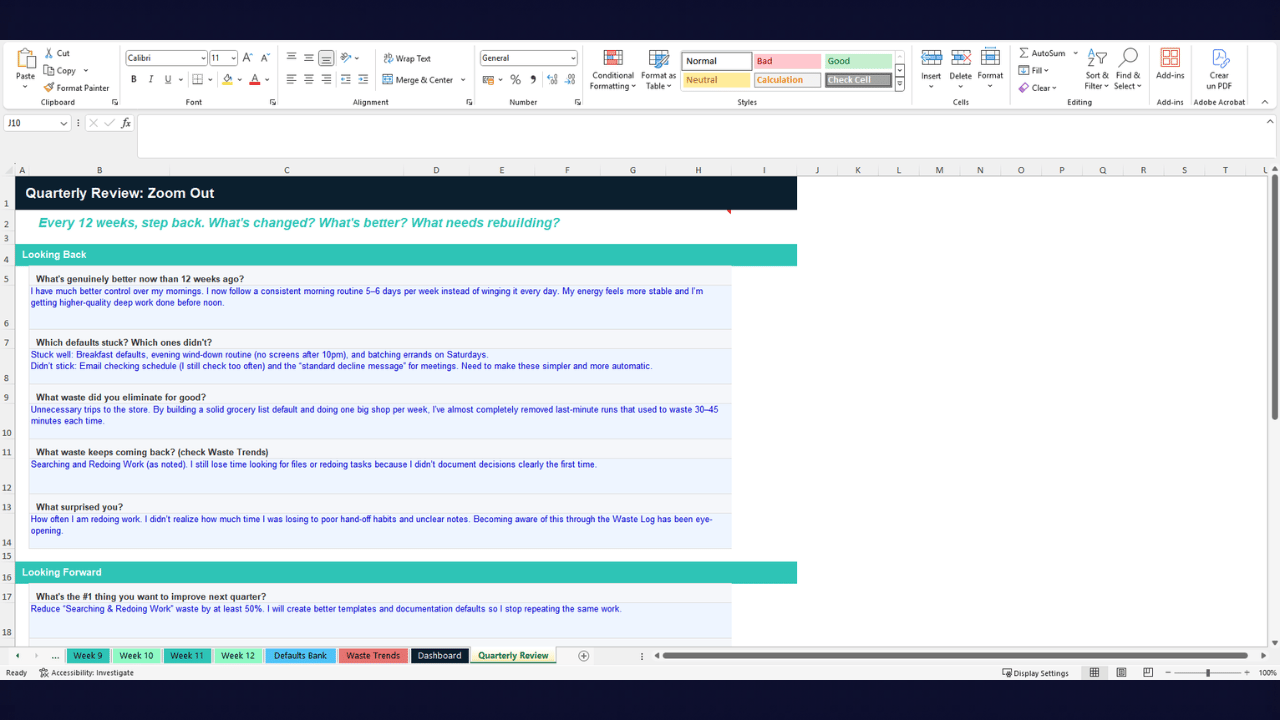
Quarterly Review. Every 12 weeks, you zoom out. Three sections: Looking Back (what improved, which defaults stuck, what waste was eliminated for good), Looking Forward (top priority for next quarter, defaults to commit to, systems to redesign), and The Honest Check-In (are you actually using this, is life less chaotic, what would you tell someone starting today).
129 formulas. Zero errors. 18 tabs. One system.
Why this works when other planners don't:
Most planners are empty boxes you fill in and forget. This is a feedback system. Your waste log tells you what went wrong. Your defaults bank prevents it from happening again. Your dashboard tells you if the system is working. Your quarterly review zooms you out so you don't lose the forest for the trees.
It's not about being "more organized." It's about building a system that reduces waste, protects your energy, and makes each week slightly better than the last. That's continuous improvement. That's Lean thinking applied to your actual life.
Who this is for:
People who tried the free planner and want the full system. People who are serious about reducing decision fatigue and tracking their improvement. People who want a structured but flexible weekly reset that actually compounds. People who want to look back in 12 weeks and see real progress, not just intentions.
This is not for people who want a pretty planner to post on Instagram. This is for people who want their weeks to work.
What you need: Microsoft Excel or Google Sheets (import the .xlsx file). All formulas, dropdowns, and formatting work in both.