Digital Calendar & Math Activities for Google Slides™ & PowerPoint | Distance Learning
Digital Calendar & Math Skills Morning Meeting | Google Slides™ + PowerPoint
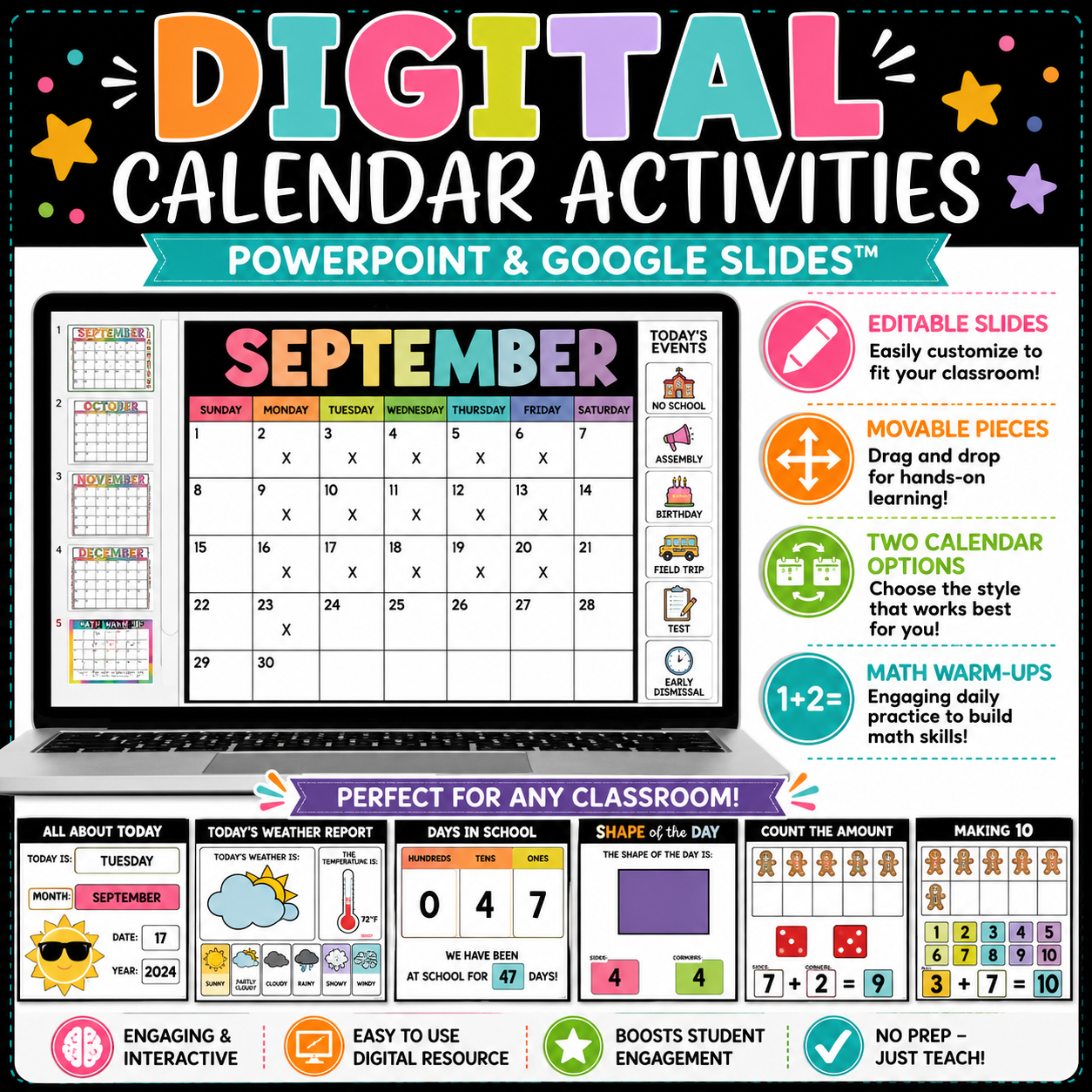
Make your morning meetings interactive, engaging, and educational with this digital calendar and math skills resource — perfect for Google Classroom™ or PowerPoint!
This resource gives students hands-on practice with calendar concepts, number sense, and foundational math skills — all through drag-and-drop, editable, and interactive activities. Designed for in-person, hybrid, or distance learning, it’s a must-have for teachers who love flexible, meaningful digital learning tools.
💻 Perfect For:
- Daily Calendar Routines
- Morning Meeting Activities
- Math Warm-Ups
- Distance or Hybrid Learning
- Independent or Guided Practice
⭐️ Activities Included:
🗓️ Calendar & Date Skills
- Calendar Option 1: Drag & drop dates
- Calendar Option 2: Type/write dates + drag & drop special events/holidays
- All About Today: Today, tomorrow, yesterday
- Months & Seasons: Identify this/last/next month + this/next season
🌤️ Weather & Data
- Weather Report: Temperature, conditions, and how it feels
- Weather Graph: Graph and tally daily weather
🔢 Math Concepts & Skills
- Days in School (2 options):
- Base 10 blocks, number words, standard & expanded form, 1/10 more or less
- Tally the Days: Odd/even identification
- Ten Frame Days: Build ten frames to match the day count
- Shape of the Day: Identify 2D/3D shapes and properties
- Pattern of the Day: Create and extend patterns
- Problem of the Day: Solve and explain your thinking
➕➖ Operations & Number Sense
- Skip Counting (by 2s, 5s, 10s)
- One-to-One Correspondence
- Making 10
- Missing Number
- Counting On/Counting Back
- Find the Sum
- Find the Difference
- Fact Family House
- Comparing Numbers (<, >, =)
💰 Time & Money
- Counting Coins
- Telling Time (digital & analog)
📦 What’s Included:
✅ 46 Interactive Slides
✅ Google Slides™ File (link included)
✅ PowerPoint File
✅ Step-by-step installation and use instructions
🧑🏫 Teacher-Friendly Features:
✔️ Editable slides for easy customization
✔️ Movable pieces for hands-on digital learning
✔️ Differentiation options for varied skill levels
✔️ Works perfectly for both classroom and at-home learners
⚙️ Easy to Use:
➡️ Google Classroom™ Users: Simply download, click the link, and add to your Drive. Assign directly to students — it’s ready to go!
➡️ PowerPoint Users: File included in ZIP download with full instructions.
📋 Licensing Reminder:
Your purchase is for single-classroom use only. Please purchase additional licenses for team or grade-level sharing.
Total Slides: 46
Formats: Google Slides™ & PowerPoint
Grades: K–2 (Easily adaptable for 3rd grade review!)