
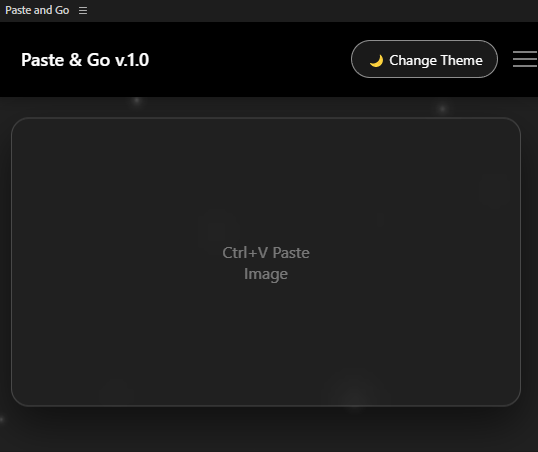
Paste&Go;
Paste and Go – After Effects CEP Panel
Paste and Go is a sleek and time-saving CEP panel for Adobe After Effects designed to eliminate unnecessary steps from your workflow.
The panel works on a beautifully simple principle:
Copy an image from anywhere → Click the panel → Press Ctrl+V / Cmd+V → Done.
No file browsing.
No manual importing.
No interruptions.
Any image copied to your clipboard is instantly pasted into your After Effects project — without needing to load or locate the file.
✨ How It Works
Paste and Go uses your system clipboard.
✔ Copy an image from a browser, design software, screenshots, references, or assets
✔ Click inside the Paste and Go panel
✔ Press Ctrl+V / Cmd+V
✔ The image is automatically imported into After Effects
No saving. No dragging. No extra steps.
✨ Features
✔ Instant clipboard image import
✔ Ultra-fast workflow integration
✔ Clean & minimal interface
✔ Lightweight & responsive
✔ Designed for speed-focused creators
Paste and Go removes friction so you can stay in your creative flow.
Installation Guide – Paste and Go (CEP Panel for After Effects)
Follow these steps to install Paste and Go in Adobe After Effects.
1️⃣ Locate the CEP Extensions Folder
Extract the downloaded ZIP file.
Copy the Paste and Go panel folder into the CEP extensions directory:
Windows
C:\Program Files (x86)\Common Files\Adobe\CEP\extensions
macOS
/Library/Application Support/Adobe/CEP/extensions
If the extensions folder does not exist, simply create it.
2️⃣ Enable CEP Debug Mode (Required)
Adobe blocks unsigned CEP panels by default.
You must enable debug mode.
Windows
Open Command Prompt as Administrator and run:
reg add HKCU\Software\Adobe\CSXS.11 /v PlayerDebugMode /t REG_SZ /d 1 /f
macOS
Open Terminal and run:
defaults write com.adobe.CSXS.11 PlayerDebugMode 1
✅ Important Note
If your After Effects version uses a different CSXS number:
Try:
• CSXS.10
• CSXS.9
• CSXS.8
(Depends on your Adobe version.)
3️⃣ Restart After Effects
Close and reopen Adobe After Effects.
4️⃣ Open the Panel
Inside After Effects:
Window → Extensions → Paste and Go
🚀 Done
Copy any image → Click the panel → Press Ctrl+V / Cmd+V