
MotionKit
On Sale
€5.00
€5.00
MotionKit – Fast Motion Tools for After Effects
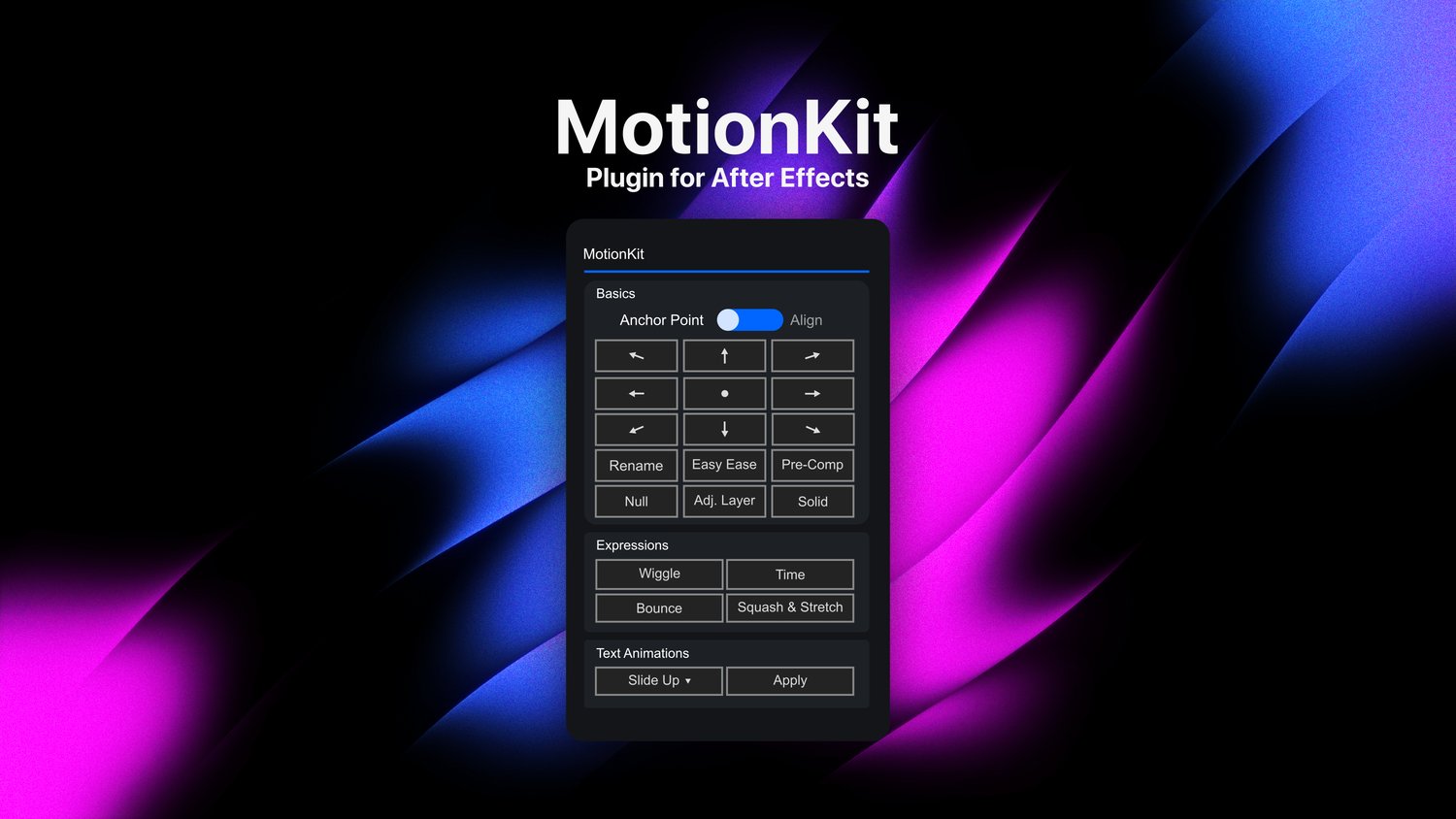
Work faster in After Effects with MotionKit—a compact, dockable panel that puts useful animation, expression, layer and text tools in one place.
MotionKit reduces repetitive clicks and lets you perform common tasks with a single button.
Basics
- Move the anchor point using a 3×3 positioning grid
- Align layers to nine different composition positions
- Quickly rename selected layers
- Apply Easy Ease to selected keyframes
- Pre-compose selected layers
- Create and automatically parent layers to a Null
- Create a composition-sized Adjustment Layer
- Create a composition-sized Solid Layer
Expressions
Quickly apply useful expressions without manually copying and pasting code:
- Wiggle
- Bounce
- Time
- Squash & Stretch
Text Animations
Choose and apply nine ready-made text animations directly from the MotionKit panel:
- Slide Up
- Slide Up 2
- Bounce Right
- Bounce Down
- Bounce Down 2
- Bounce Top Right
- Scale Up
- Bounce Left
- Bounce Up
Why MotionKit?
- Clean and compact interface
- Dockable and resizable panel
- Simple one-click workflow
- Saves time on repetitive editing tasks
- Great for motion designers, editors and content creators
- No third-party plugins required
What You Receive
- MotionKit ScriptUI panel
- Nine text-animation presets
- Installation instructions
Requirements
- Adobe After Effects
- Tested on Windows
Spend less time opening menus and more time creating with MotionKit.