

Cycleclose - Process Tracker — Desktop App (Free for evaluation)
The same planner as an app on your computer — no account anywhere, free to evaluate, complete.
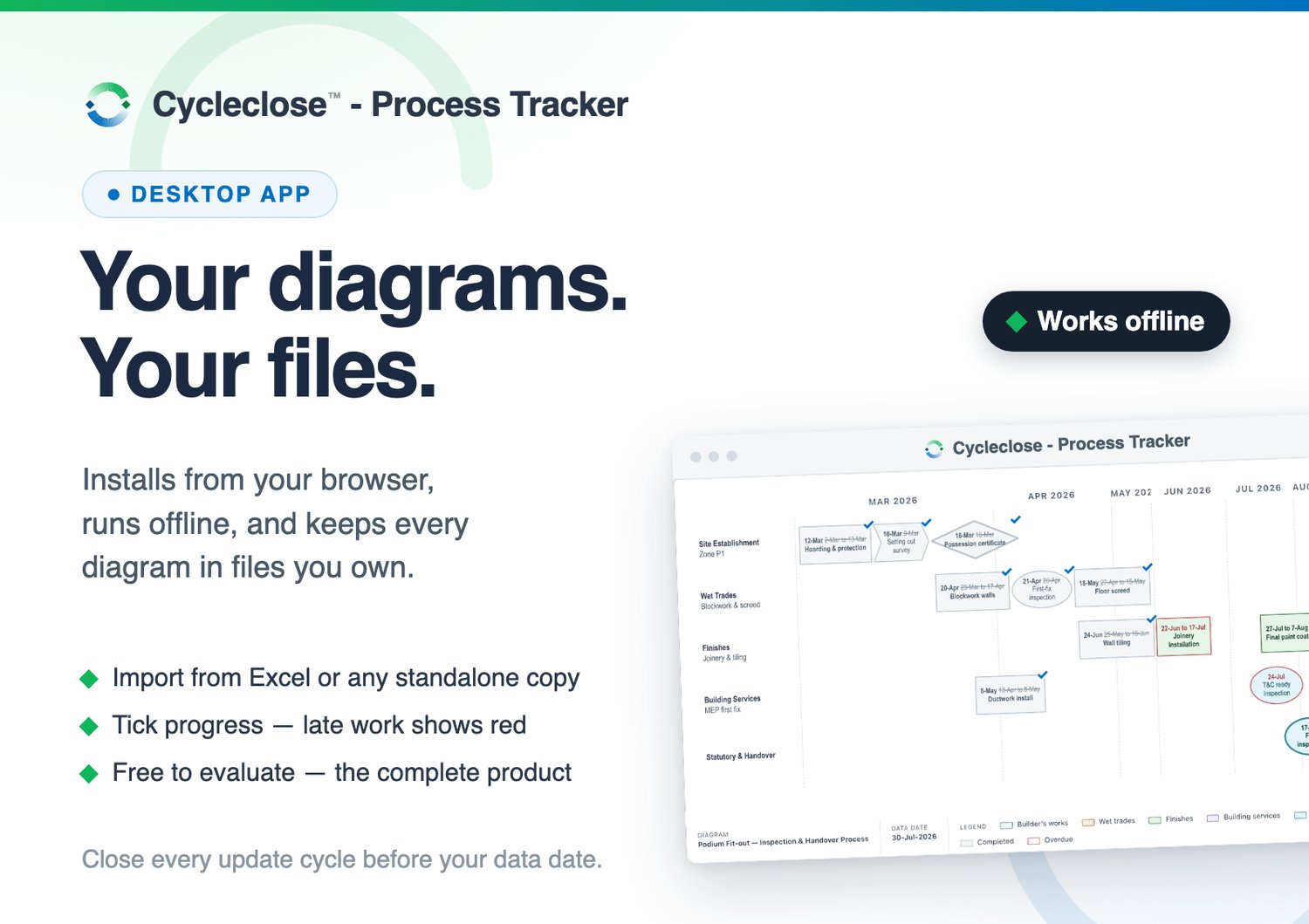
Cycleclose™ - Process Tracker turns a table of activities into a swimlane process diagram: type the activities — or paste them from Excel — and lanes, shapes and a month axis draw themselves from your dates. Tick progress as it happens: done goes grey with its actual date, and anything past the current date shows red, in words as well as colour.
- Installs from your browser. Chrome and Edge offer one-click Install; Safari on a Mac adds it to the Dock (Safari 17 or later). The address is an install page and nothing more — the planner itself runs from its own icon, offline, once installed.
- Works offline. Once installed it needs no internet at all; it checks for updates only when you let it.
- Your diagrams live in files you own. One data file holds a project's diagrams — save it with the project, back it up, hand it over. No account, no server, nothing uploaded.
- Import. Paste activities from Excel or Google Sheets with a checked, previewed column mapping — or import a data file or an offline copy, ticks and dates carried across.
- On the wall. The Current Status view is the meeting's page — today's diagram with its counts (done, overdue, next gate) — for the screen or the printer..
- Issue snapshots. Any diagram exports as one self-contained page to send to a colleague — it opens in any browser, no app needed.
Free means the complete product. Nothing is cut and nothing expires — the only mark is a quiet "For evaluation only" on your own screen. Try everything. Pay when it has earned its place: the Licence on this shop (US$49) switches it to "Licensed to" your name, and the same key also covers the Google Sheet edition.
You need: a browser that can install web apps — Chrome, Edge, or Safari 17 or later on a Mac. Firefox is not supported. (iPhone and iPad work via Share → Add to Home Screen; building diagrams is more comfortable at a desk.)
FAQ
1. What's the catch? There isn't one. The evaluation is the complete product, free for as long as you like. When it has earned its place, the Licence (US$49, one-time) puts your name on it and adds a year of updates and email support.
2. Does it need the internet? Does it send my data anywhere? Only to install and to fetch updates you ask for. Once installed it runs entirely on your machine — no account, no server, and your diagrams stay in files you own.
3. Which browsers does it work with? Chrome and Edge (one-click Install), and Safari 17 or later on a Mac (File → Add to Dock); iPhone and iPad via Share → Add to Home Screen. Firefox is not supported — it cannot install web apps on a computer.
4. We plan as a team in Google Sheets — is that covered? That is the Google Sheet edition on this shop, same planner, live team editing. One licence covers both, and diagrams move between the two with export/import.