

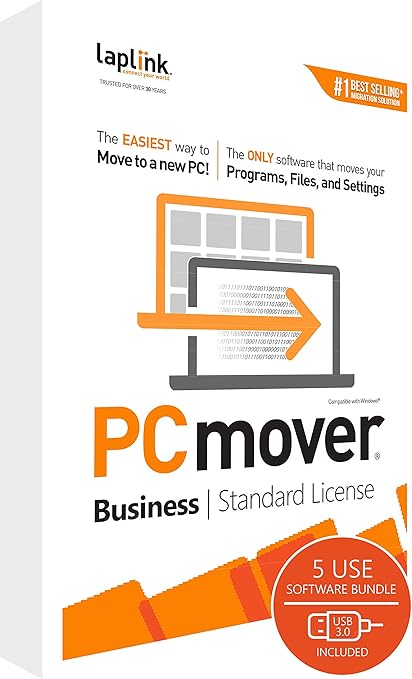
If you've ever had to transfer data from one PC to another, you know how time-consuming, stressful, and error-prone it can be. Whether you're an IT professional managing multiple machines or a small business owner upgrading systems, Laplink PCmover Business might just be your new best friend.
In this review, we dig into why this software is a game-changer for PC migrations — and why we at Day Day Insight recommend it for anyone looking to save time, money, and sanity.
🖥️ What Is Laplink PCmover Business?
Laplink PCmover Business is a powerful tool designed to automatically transfer applications, files, folders, settings, and user profiles from one PC to another. Unlike other migration tools that only move data, PCmover ensures apps and system settings come along for the ride too — meaning you don’t have to reinstall or reconfigure everything from scratch.
🌟 Key Features That Make PCmover Stand Out
✅ Comprehensive Selection Options
PCmover doesn’t force you into a one-size-fits-all approach. You can choose exactly what to transfer — whether it's just user profiles, specific folders, or everything including apps and settings. This level of control is ideal for both individual users and IT teams managing multiple machines.
"Customize your migration down to the last detail — or let it run hands-free. The choice is yours."
💸 Flexible, Pay-Per-Use Licensing
One of the more innovative aspects of PCmover Business is the Technician licensing model. You’re charged only when transfers are executed, making it a cost-effective option for businesses that want to scale without overspending.
Choose from usage tiers of 5, 10, 25, or 50 migrations monthly — tailor-made for SMBs, MSPs, System Integrators, and IT pros.
🔁 Effortless Undo Functionality
Made a mistake during a transfer? No problem. PCmover includes a simple “undo” feature that lets you reverse the process with ease. This peace of mind is invaluable, especially for IT departments managing sensitive or large-scale migrations.
🧠 Hands-Free Transfers
Once you configure your transfer preferences, PCmover takes over. This set-it-and-forget-it functionality is ideal for busy professionals. Walk away and let the software do the heavy lifting — no manual steps required.
💼 Who Is It For?
Laplink PCmover is perfect for:
- Small to medium-sized businesses (SMBs) upgrading employee computers
- Managed service providers (MSPs) handling multiple clients
- System integrators performing regular data migrations
- IT departments looking to streamline onboarding or refresh cycles
🛠️ Real-World Use Case
One of our readers, a systems administrator for a regional healthcare provider, shared how PCmover helped them migrate over 40 machines in a single weekend — without losing a single setting or file. The undo feature alone saved them from a major headache when one user’s customized environment didn’t transfer as expected.
👇 Final Verdict: Is Laplink PCmover Worth It?
Absolutely.
If you value your time, want to avoid costly errors, and need a reliable, scalable, and customizable PC migration solution, Laplink PCmover Business deserves a top spot in your IT toolkit.
⭐ Our Rating: 9.5/10
Best for: IT professionals, businesses, and tech teams needing efficient migrations.
🔗 Ready to Migrate Like a Pro?
👉 Get Laplink PCmover Business Now
Stay tuned to Day Day Insight for more reviews, tech tips, and software solutions tailored for professionals and businesses.