


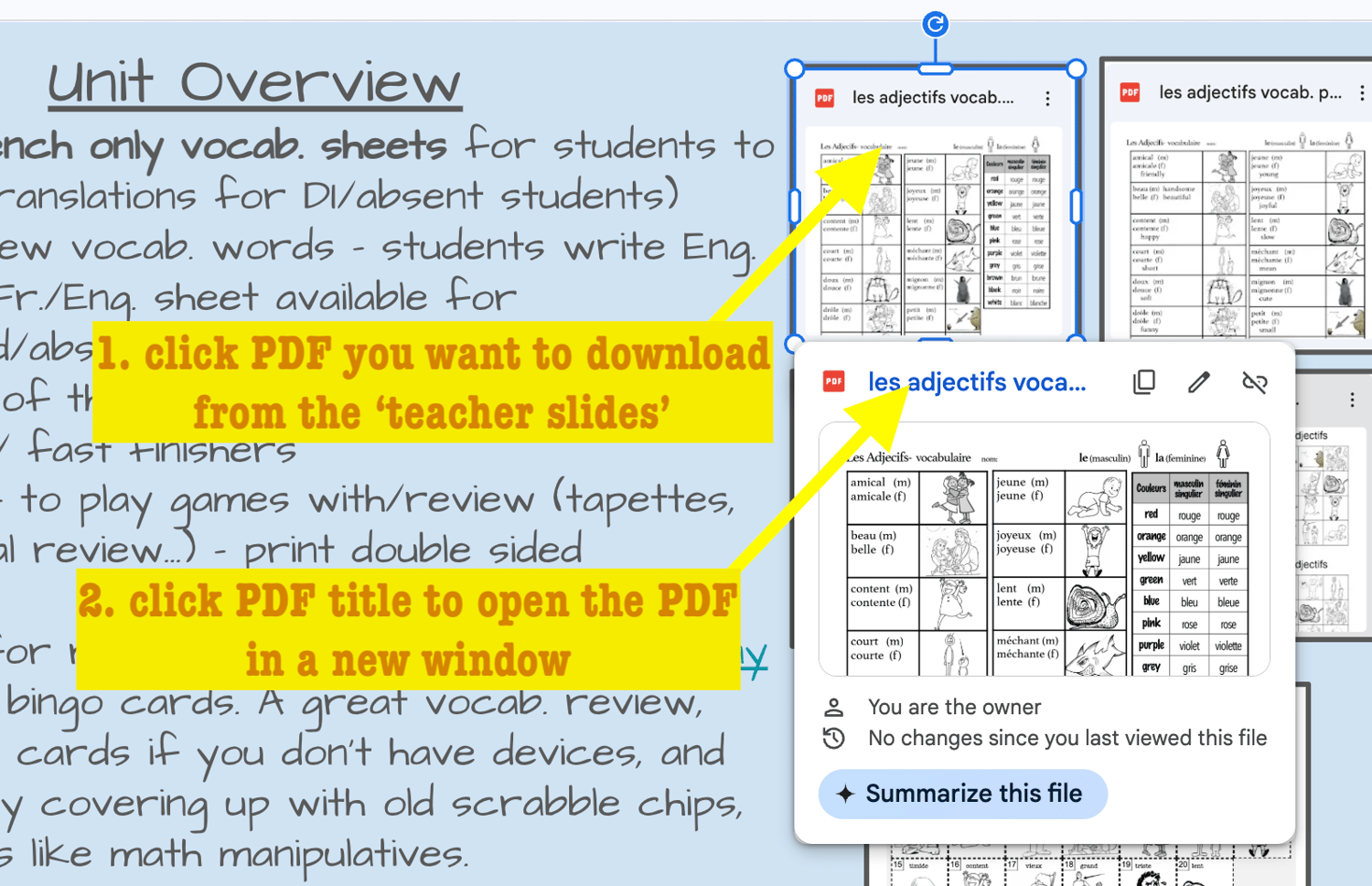
1. Open the PDF
First go to the teacher slides and click on the icon of the PDF you want to download/open/print. Then click on the title of PDF to open it in a new tab on chrome.
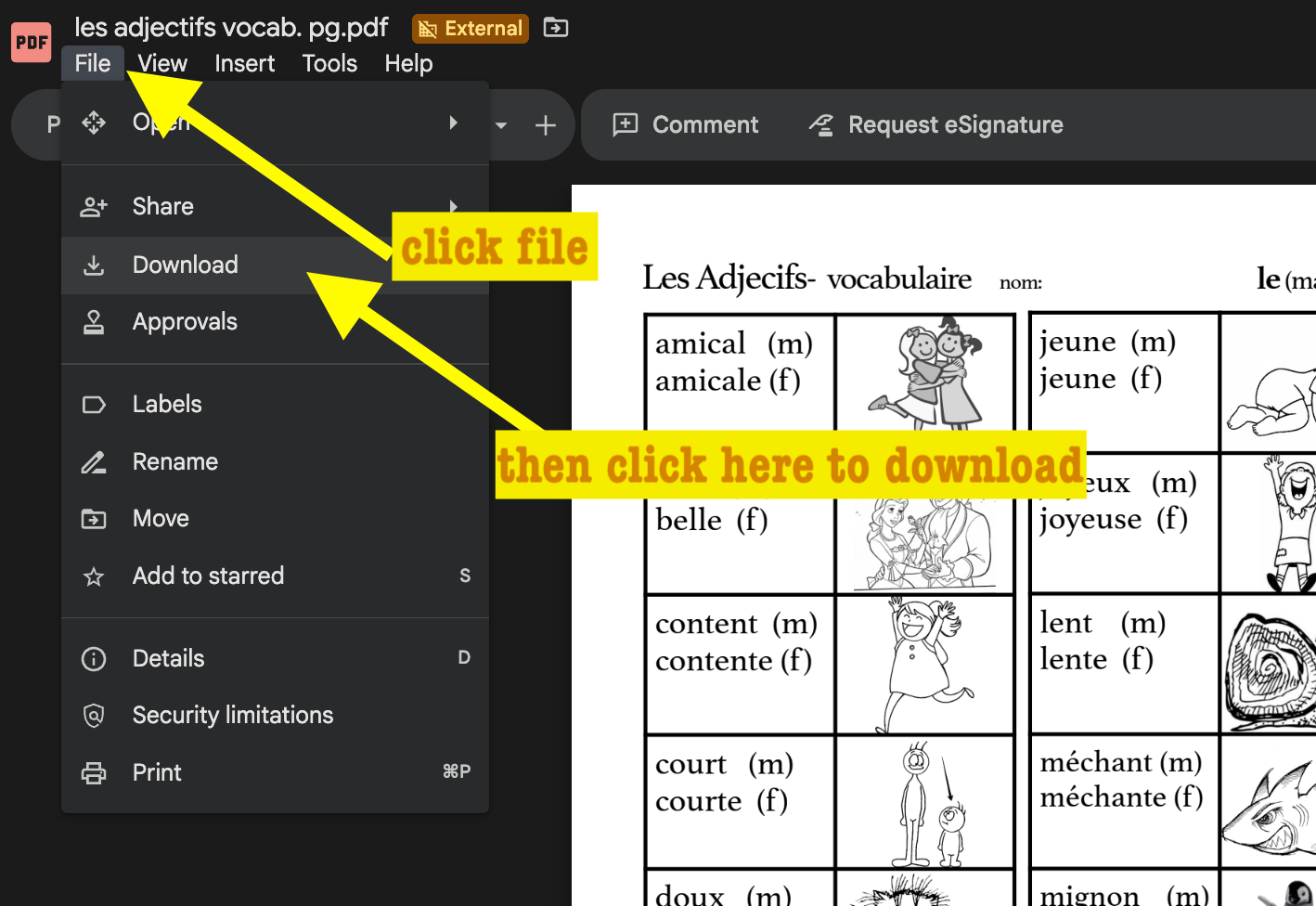
2. Download the PDF
Next click on the download icon, or go to file, download. This will send a copy to your computer's downloads. It will also be under the downloaded icon top right corner of chrome (see next photo)
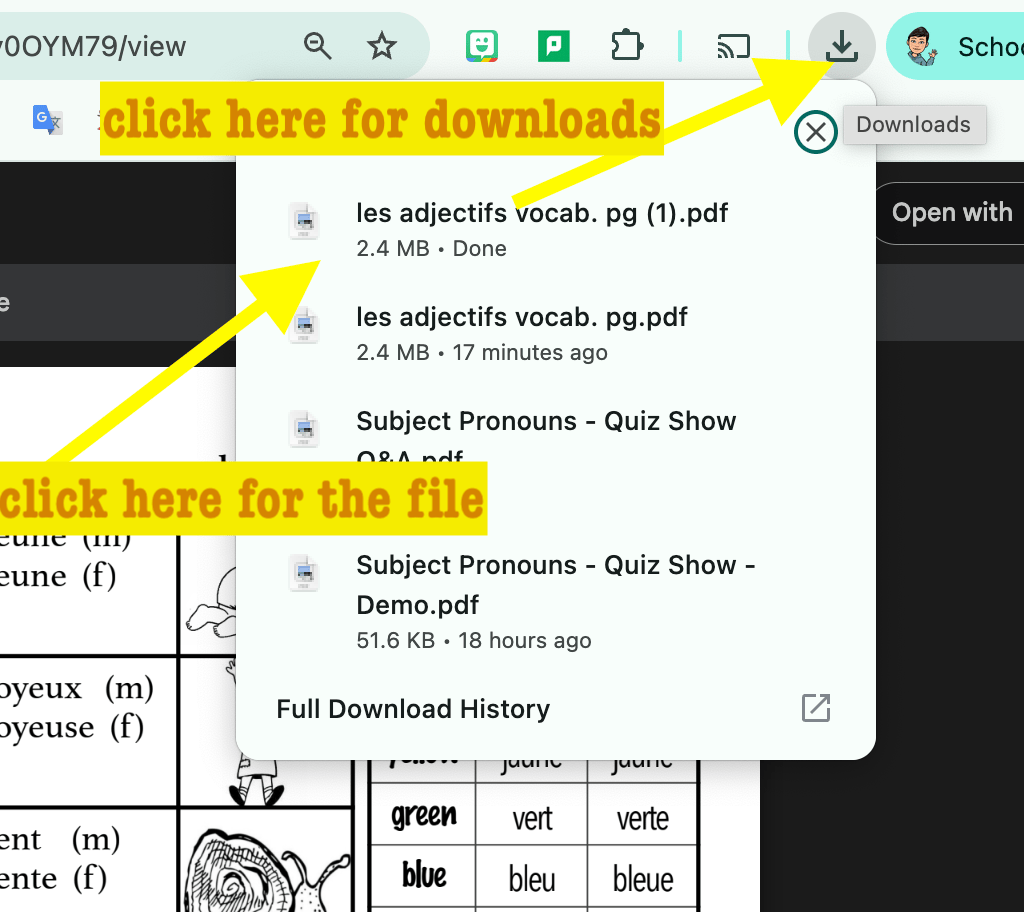
3. Find the downloaded PDF
Next click on the download icon, top right on chrome, then click on the file in the drop down list that you want to save to your google drive.
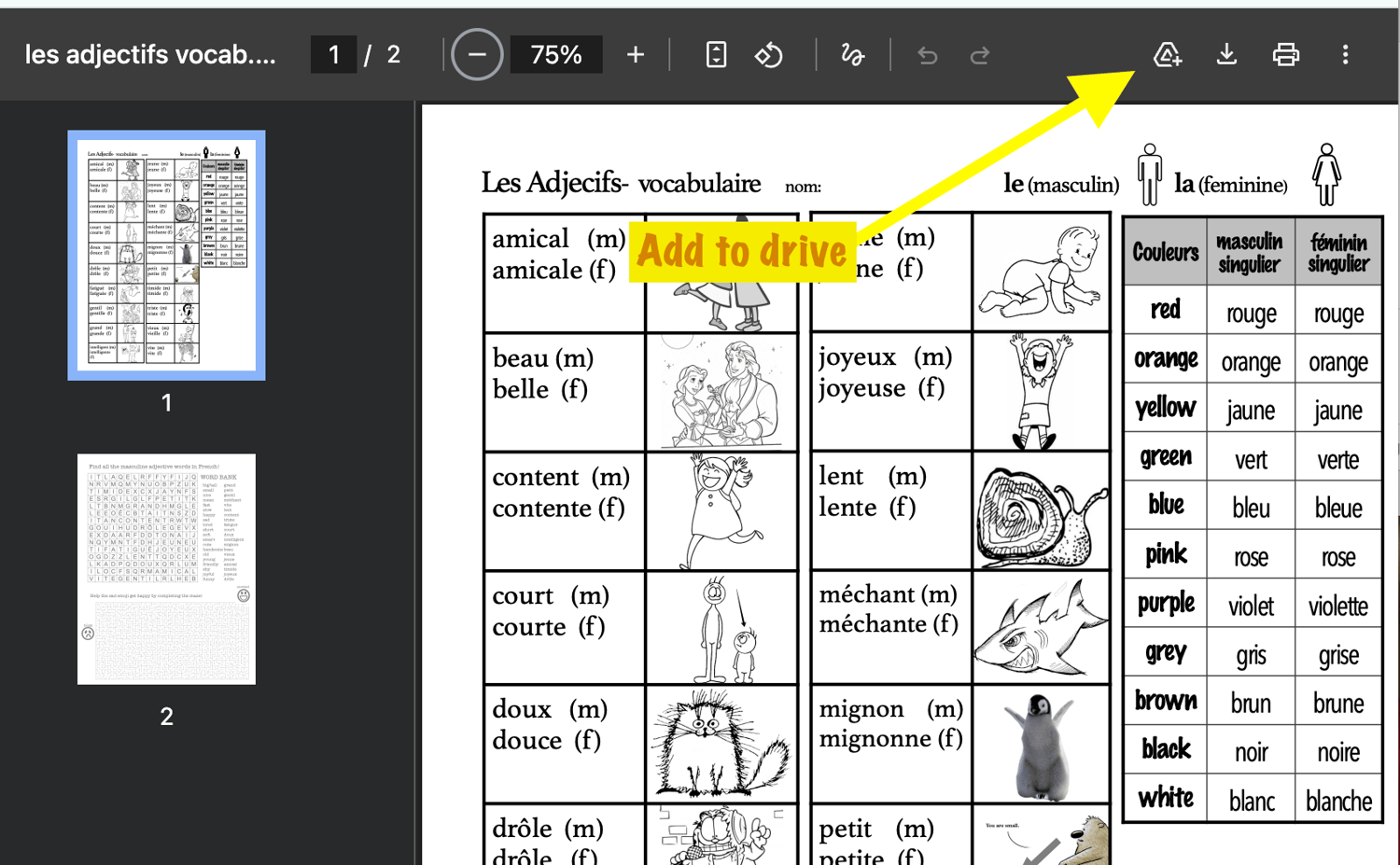
4. Save the PDF to your google drive
Clicking that icon will open another version of the PDF in chrome, with a handy 'add to google drive' icon top right. Then you can organize it into a file on your drive for later.
Also good to note...
At any time, you can go to the original PDF that you were sent after your purchase, and open a NEW copy of the teacher slides, and all updated materials will be here, (I often add more goodies, fix mistakes etc.) Email me if you're having any problems @ amy.holmes@tldsb.on.ca