
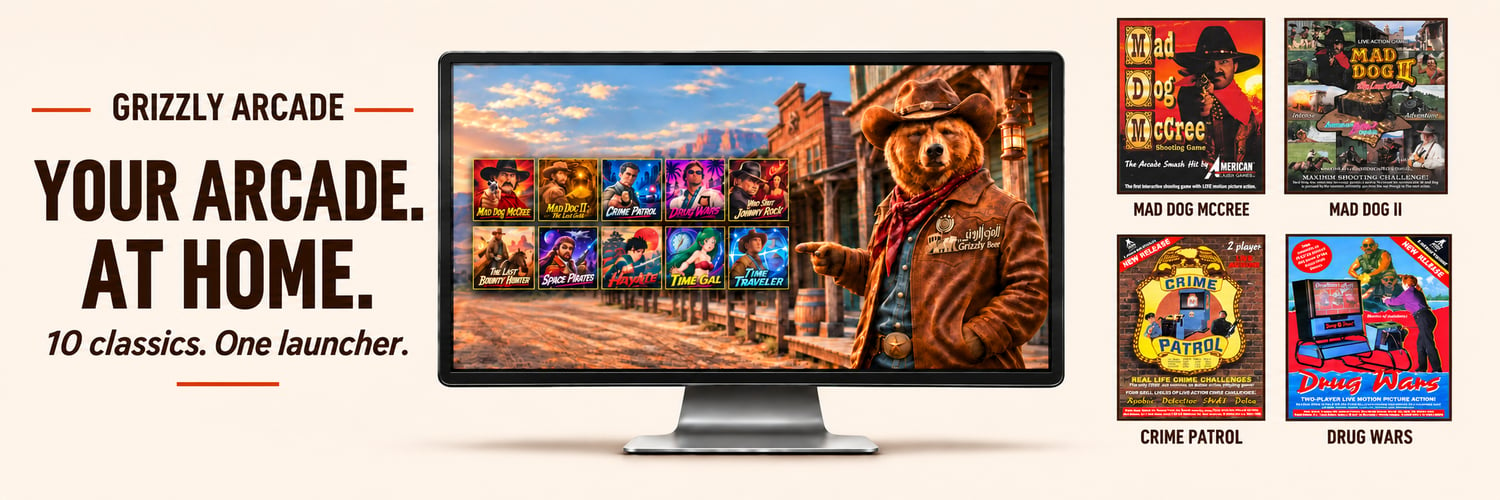
Remember the moment you put a coin in an arcade machine and the screen came alive? The music, the quick reactions, the crowd behind you — and the promise that this would be your best run yet.
At Grizzly Bear Games, we want to bring that feeling home. We have organised our Windows game packages around the Grizzly launcher to make downloading, finding your game and getting started more straightforward.
More time playing. Less time figuring out where to start.
Our approach is simple: choose your adventure, download its package, extract the files and open Grizzly.exe. The launcher gives you a clear starting point, while the product page explains how to download and launch your game.
Keep the supplied files together, follow the instructions included with your purchase and enter your assigned license key if prompted. First-time activation or control setup may be needed, depending on the game and your equipment.
How to download and start playing
• Choose a game from the Grizzly Bear Games store and complete your purchase.
• Open your Payhip download page and download the game ZIP. Keep your assigned license key.
• Extract the entire ZIP into a folder on your Windows PC. Let extraction finish before you start.
• Open Grizzly.exe from the extracted folder and follow any activation instructions.
• Choose your game, check the controls and enjoy your first round.
Always launch from the extracted folder, rather than from inside the ZIP. Keep the game folders, videos and other supplied files in their original locations.
Choose your next arcade memory
Start with the Wild West showdowns of Mad Dog McCree or follow the treasure trail in Mad Dog II: The Lost Gold. Prefer crime-fighting action? Explore Crime Patrol and Crime Patrol 2: Drug Wars.
The store also includes Who Shot Johnny Rock?, The Last Bounty Hunter, Space Pirates, Ninja Hayate, Time Gal and Time Traveler. From live-action shootouts to animated adventures, there is more than one way to revisit the arcade.
Bring your own arcade setup
A Windows PC is the starting point. For supported shooting games, a compatible PC lightgun or a Wii Remote with a sensor bar can add to the arcade atmosphere when configured for suitable pointer input. Connect, map and calibrate your equipment first, then follow the game-specific instructions. Accessories and any required drivers or supporting software are separate.
Check each product page before buying for its download instructions and setup details. Performance depends on your PC, graphics, drivers and video playback support, so compatibility with every computer or controller is not guaranteed.
For the generation that always wanted one more game
Whether these games remind you of weekends at the arcade or you are discovering them for the first time, the invitation is the same: pick a game, learn its rhythm and see how far you can go.
One more coin. One more game. This time, at home.