
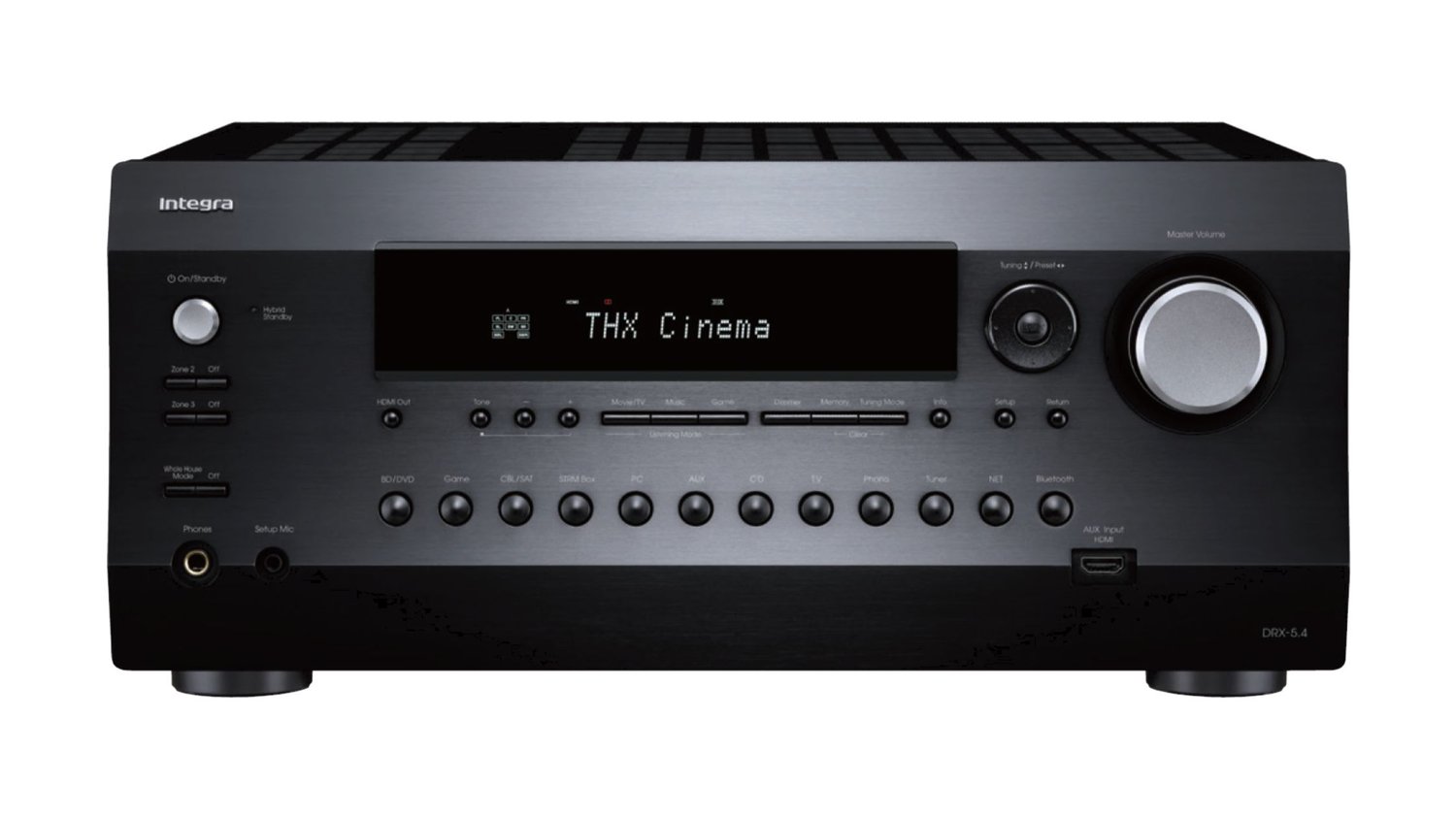
A home audio system can turn everyday listening into an exciting experience. Music sounds fuller. Movies feel more real. Games become more engaging. At the center of this experience is the AV receiver. It controls sound, connects devices, and sends audio to the speakers in the best possible way. When installed correctly, it can deliver clear, balanced, and powerful sound.
Many homeowners invest in good equipment but miss out on great results because of poor setup. Proper planning and correct installation matter just as much as the receiver itself. Whether you are setting up a new system or improving an old one, these tips will help you get the best results from your AV receiver installation in Morton, IL and nearby areas.
Below are 15 clear, easy-to-follow tips that focus on sound quality, safety, and long-term performance.
1. Choose the Right Location for the Receiver
The first step is deciding where the AV receiver will sit. It should be placed on a strong, flat surface. Avoid putting it inside tight cabinets with no airflow. Receivers generate heat, and heat can reduce performance or cause damage over time.
The receiver should also be close enough to your TV and other devices so cables can reach easily without stretching.
2. Allow Proper Ventilation
Ventilation is critical. Leave space around the top and sides of the receiver. This allows heat to escape. If heat builds up, the receiver may shut down or wear out faster.
Never stack other electronics directly on top of the receiver. If you use a cabinet, make sure it has open backs or ventilation slots.
3. Use High-Quality Cables
Cables play a big role in sound clarity. Use good-quality HDMI, speaker, and audio cables. Cheap cables can cause signal loss, noise, or connection problems.
You do not need the most expensive cables, but avoid very thin or poorly made ones. Proper cables help the receiver deliver clean sound to every speaker.
4. Label All Wires and Connections
During installation, many wires are connected at once. Labeling each cable helps you stay organized. It also makes future changes or repairs easier.
Clear labels reduce mistakes and save time when troubleshooting issues later.
5. Match the Receiver to Your Speaker System
Every AV receiver has power limits. Make sure your receiver matches the number and type of speakers you plan to use. Using speakers that require more power than the receiver can handle may cause distortion or damage.
Check the speaker impedance and power ratings before finalizing the setup.
6. Position Speakers Correctly
Speaker placement has a big impact on sound quality. Front speakers should be at ear level when seated. The center speaker should align with the TV. Surround speakers should be placed slightly above ear level.
Correct placement helps sound move smoothly around the room and creates a more realistic audio experience.
7. Measure the Room Carefully
Room size and shape affect sound. Larger rooms may need more powerful speakers or additional subwoofers. Smaller rooms need careful volume control to avoid echo or harsh sound.
Measure your room and adjust speaker distances in the receiver settings. This helps balance sound across the space.
8. Use Built-In Calibration Tools
Most modern receivers include automatic calibration systems. These systems use a microphone to measure sound in the room. They adjust speaker levels, distance, and timing.
Running this calibration improves sound balance and clarity. It is one of the easiest ways to improve performance quickly.
9. Adjust Audio Settings Manually When Needed
Automatic tools are helpful, but manual fine-tuning can make a difference. Adjust bass, treble, and speaker levels to match your listening preferences.
Keep changes small. Large adjustments can cause distortion. Simple tuning often provides the best results.
10. Secure All Connections Firmly
Loose connections can cause sound dropouts or buzzing noises. Make sure all cables are firmly connected. Check speaker wires to ensure no exposed strands are touching each other.
Secure connections help the receiver work efficiently and safely.
11. Update Receiver Firmware
Manufacturers release updates to improve performance and fix issues. Check for firmware updates after installation. Keeping software updated ensures compatibility with new devices and improves reliability.
Updates often improve sound processing and system stability.
12. Protect the Receiver from Power Surges
Power surges can damage sensitive electronics. Use a surge protector or power conditioner. This protects the receiver from electrical spikes.
Protection helps extend the life of your equipment and prevents costly repairs.
13. Organize Cables Neatly
Cable management improves airflow and appearance. Tangled cables can block ventilation and make maintenance difficult.
Use cable ties or channels to keep wires neat. Organized cables also reduce the risk of accidental disconnection.
14. Test Sound from Every Source
After installation, test all devices connected to the receiver. This includes streaming devices, gaming consoles, and cable boxes. Make sure sound plays correctly through all speakers.
Testing helps identify issues early and ensures every connection works as expected.
15. Consider Professional Installation
AV systems can be complex. Professional installers understand room acoustics, wiring, and equipment settings. They ensure everything works together smoothly.
Professional services are especially helpful for multi-room audio or advanced surround sound systems.
Understanding the Value of Professional Installation
While many homeowners attempt DIY setups, professional services offer clear benefits. Experts follow best practices and avoid common mistakes. They also save time and reduce stress.
For those seeking dependable and accurate AV receiver installation in Peoria, IL, working with professionals ensures long-lasting performance and excellent sound quality.
Why Proper Installation Improves Everyday Listening
A well-installed AV receiver improves daily life. Music becomes clearer. Dialogue in movies is easier to hear. Sound effects feel more natural.
Good installation helps your system perform as designed. It also protects your investment by reducing wear and tear.
The Importance of Simplicity in Setup
Complex systems do not need complicated use. A properly installed receiver is easy to control. Simple settings and clear sound make the system enjoyable for everyone, including children.
Clear setup instructions and smart placement create a system that works smoothly every day.
How Home Theatre Concepts Delivers Outstanding Service
Home Theatre Concepts stands out as a trusted provider for delivering AV receiver installation in Peoria, IL. The business focuses on precision, safety, and sound clarity. Every installation is handled with care, ensuring the receiver, speakers, and cables work together perfectly. Their attention to detail and commitment to customer satisfaction make them a reliable choice for homeowners seeking consistent and high-quality audio performance.
Conclusion
An AV receiver is the heart of a home audio system. Its installation plays a major role in sound quality, system safety, and long-term performance. By following these 15 tips, homeowners can enjoy clearer sound, better balance, and a more immersive experience.
From choosing the right location to fine-tuning settings, every step matters. Proper planning and careful setup help the system perform at its best. Whether installed independently or with professional support, a well-installed AV receiver transforms how you hear music, movies, and more.