
Most vision boards get made in a burst of January energy, propped against a wall, and quietly forgotten by February. That's not because vision boards don't work. It's usually because the board was built as decoration instead of as a tool: too many themes, pictures with no clear meaning, and a spot in the house where nobody looks.
This post is about the board itself: how to choose what goes on it, how to mix images and words, where to put it, and how to use it once a month so it stays connected to what you actually do. You can make everything here with a sheet of card, a glue stick and a pen. (If you're looking for the step-by-step method for turning goals into weekly habits and tracking streaks, I covered that in an earlier post. This one focuses on making the board useful.)
Step 1: Decide what the board is for
Before you cut out a single picture, write one sentence at the top of a scrap of paper: "By December 2027, I want..." and finish it in your own words. Not a list, just the overall direction. "...to feel less rushed and more in control of my money." "...to have finished something creative I'm proud of."
That sentence is the filter for everything else. If an image or word doesn't connect to it, it doesn't go on the board, no matter how nice it looks. A board with a clear job is much easier to keep using than a collage of everything you like.
Step 2: Choose 3 to 5 themes, not 12
The most common mistake is trying to cover every part of life. A board with twelve areas has no focus, and your eye slides over it.
Pick three to five themes for the year. A theme is broader than a goal and narrower than "life". Some examples:
- Steady money (fewer surprises, a buffer in the bank)
- A calmer home
- Moving every day
- Making things (writing, drawing, music)
- Closer friendships
To choose, go through the usual life areas (work, money, home, relationships, learning, health and rest, creativity, community) and ask of each one: "Do I want this to be noticeably different by December?" Only the areas where the honest answer is yes become themes. The rest can stay as they are this year, and that's fine.
If you like, add a word of the year that sits above all the themes, for example "simpler", "steady" or "build". It gives the board a centre.
Step 3: Give every theme one concrete goal and one monthly habit
This is what turns a board from inspiration into something you can act on. Under each theme, write two short lines:
- A goal: what "done" looks like by the end of 2027. "Have three months of expenses saved." "Finish the first draft of the novel."
- A monthly habit: one thing you'll do every month that pushes the theme forward. "First Sunday of the month: move money to savings and check the balance." "Write at least four sessions a month."
Monthly is a deliberately loose rhythm for the board. It's easy to see at a glance and easy to check during your monthly review (Step 6). You can break a habit into a weekly or daily version in your tracker; the board only needs the monthly promise.
Step 4: Images or words? Use both, on purpose
Images are good at carrying a feeling. Words are good at carrying a decision. A board that's only pictures tends to become vague ("I like this beach, I think?"), and a board that's only words can feel like a to-do list on the wall.
A practical mix for each theme:
- One or two images that capture how the theme should feel. Choose pictures you'd recognise the meaning of in a second. If you have to stop and remember why you chose it, swap it for something clearer.
- The goal and monthly habit, written by hand or printed in large, readable text.
- Optionally, one short phrase or cut-out word.
Some tips for picking images:
- Prefer scenes over objects. A photo of a tidy kitchen table with morning light says more about "a calmer home" than a picture of an expensive sofa.
- Use your own photos where you can: a place you want to return to, a trail you want to walk again, a project you started.
- Leave white space. A crowded board is hard to read. It's better to have fewer, bigger images, each clearly grouped under its theme.
Keep each theme in its own area of the board, with its name as a heading. When you look at it, you should be able to read the whole year in about ten seconds: themes, goals, habits.
Step 5: Put it where you'll see it at the right moment
Where the board lives matters more than how it looks. A beautiful board in a drawer does nothing.
Good places are spots you pass when you're about to make a decision or plan your time:
- Next to your desk or above your monitor
- Inside a wardrobe door you open every morning
- Near the fridge or the place where you keep your calendar
- As the lock screen or desktop background on your phone or laptop (a photo of the physical board works well)
A small, readable board in a high-traffic spot beats a large board in a room you rarely use. If you make a digital version, set a monthly reminder to actually open it.
Pairing the board with a wall or desk calendar helps too. The board shows where the year is going, and the calendar shows when the monthly habits happen. Pencil in your monthly review date on all twelve months right away.
Step 6: Review the board once a month
A vision board isn't finished when the glue dries. Pick a fixed date, for example the first Sunday of every month, and give it 15 to 20 minutes:
- Read the board out loud, theme by theme. It forces you to actually look.
- For each theme, ask: did I do the monthly habit? Yes, partly or no.
- Ask whether the goal still fits your life. If not, change it on the board. Cross out, rewrite, add a sticky note. A board that's been edited is a board that's being used.
- Choose one theme to focus on next month. Not all of them, just one.
If a theme has been a "no" for three months running, that's useful information, not failure. Either the habit is too big (shrink it), the timing is wrong (move it to later in the year), or the theme isn't a priority right now (take it off and make room).
A quick checklist
- One sentence for what you want by December 2027
- 3 to 5 themes, plus an optional word of the year
- One goal and one monthly habit per theme
- One or two clear images per theme, plus the words
- A spot you pass every day
- A monthly review date in your calendar
If you'd like templates
Everything above works with paper and a pen. If you'd rather have the structure ready-made, here's what I make:
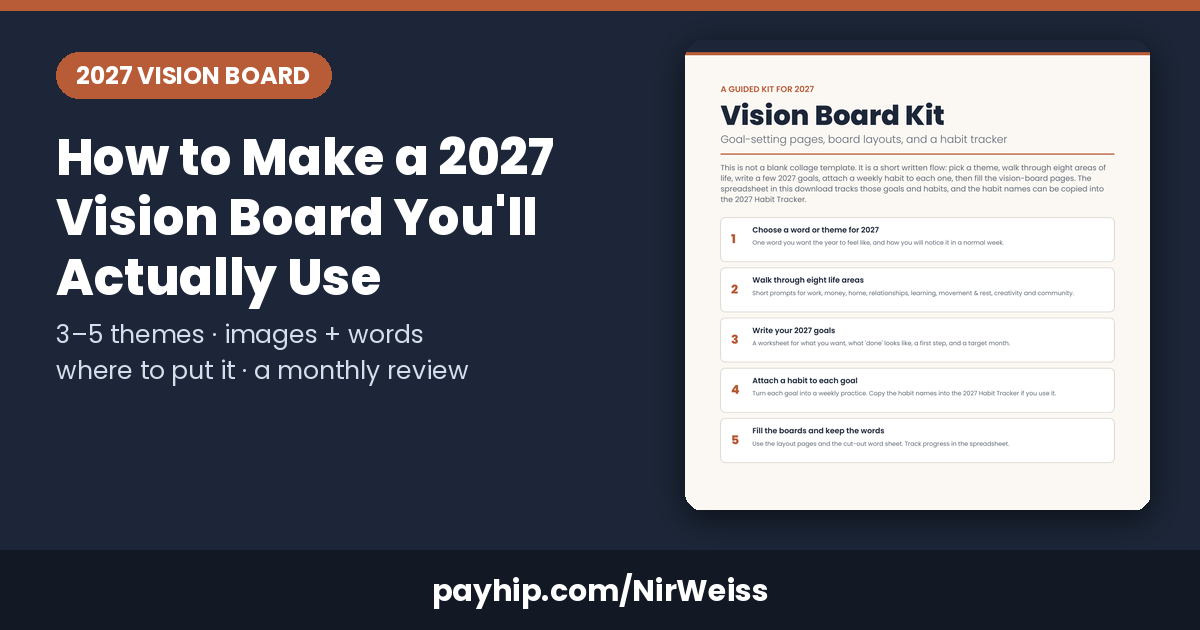
The 2027 Vision Board Kit ($6) has a guided writing flow (word of the year, eight life-area prompts, a goals worksheet), board layouts in US Letter and A4, a cut-out word sheet, and an Excel / Google Sheets goal tracker where each habit links to a goal: https://payhip.com/b/N2J3F
To track the monthly habits from your board, the free Habit Tracker Lite covers January to March 2027 with up to 5 habits, streaks and monthly completion rates: https://payhip.com/b/PZgIQ. The full 2027 Habit Tracker ($8) covers the whole year: https://payhip.com/b/KnUg1
For your review dates, the 2027 Calendar Printable ($4) has a year-at-a-glance page and 12 monthly pages, with Sunday or Monday start: https://payhip.com/b/jTKP2
More 2027 planners: https://payhip.com/NirWeiss
I make and sell planners (NW Planners); this post was written with AI assistance.