

The following Python code:
- Converts the Python report into JSON.
- Formats the output with four-space indentation.
- Preserves special and international characters.
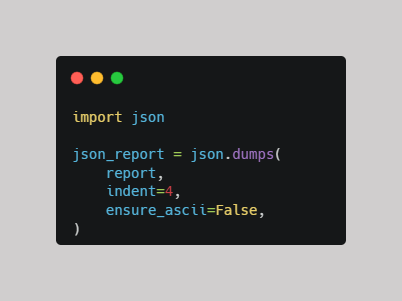
It uses Python's built-in json module to transform Python data into JSON format.
Understanding each parameter
1. json.dumps()
- Converts a Python object (such as a dictionary or list) into a JSON-formatted string.
- The s in dumps stands for string.
2. report
- The Python object you want to convert.
- It could contain dictionaries, lists, numbers, strings, or Boolean values.
3. indent=4
- Adds indentation of four spaces.
- Makes the JSON output more readable by organizing nested data.
4. ensure_ascii=False
- Preserves non-English characters.
- Useful when working with accented characters and languages such as Greek, French, or Spanish.
5. json_report
- The formatted JSON output is stored in the json_report variable so it can be accessed and used later in the program.
Example output:
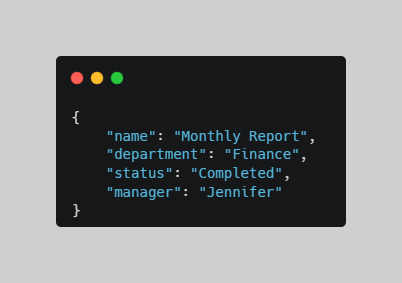
Why is formatted JSON useful?
- Readability: Makes complex reports easier to inspect.
- Data exchange: Allows information to be shared between different applications.
- Compatibility: JSON is widely supported by APIs and web applications.
- Character preservation: Keeps international characters readable.
Comments ()