

This Python code creates a new filename for a report using the name of an uploaded file. It automatically removes the original file extension and adds _report.json to the filename.
1. The Code
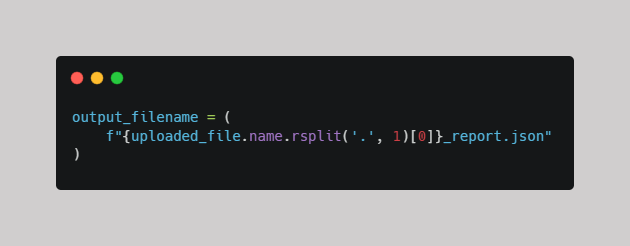
2. Understanding Each Part
a. uploaded_file.name
The name property provides access to the original name of the uploaded file.
b. .rsplit('.', 1)
Separates the filename from its extension.
- rsplit() – splits a string from right to left. Python starts looking from the right-hand side of the string and finds the first period it encounters.
- '.' – tells Python to use the period as the separator.
- 1 – tells Python to perform only one split.
For example, Python looks at the filename data.pdf and splits it at the last period.
The period separates two things:
- data – the filename
- pdf – the file extension
If you run this code:
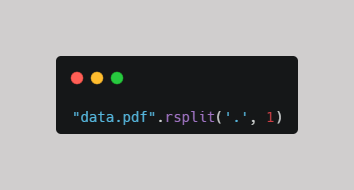
The result is:
['data', 'pdf']
c. [0]
Selects the first element of the resulting list, which contains the filename without its extension.
Output:
data
d. f"..._report.json"
An f-string allows us to insert the extracted filename into a new string.
The _report.json suffix is added to create the final report filename.
e. output_filename
Stores the generated filename in the output_filename variable so it can be used later in the program.
Example in Action
Suppose a user uploads a file named:
data.pdf
The code processes the filename as follows:
- Original filename: data.pdf
- Remove extension: data
- Add suffix: _report.json
- Final filename: data_report.json
This approach is useful because it:
- Automates naming: No need to manually create report filenames.
- Preserves context: The report keeps the original uploaded file's name.
- Removes the original extension: Prevents filenames such as monthly_sales.csv_report.json.
The main purpose of this code is to dynamically generate a JSON report filename based on the original uploaded file.
- Uploaded file: data.pdf
- Generated file: data_report.json
Comments ()