

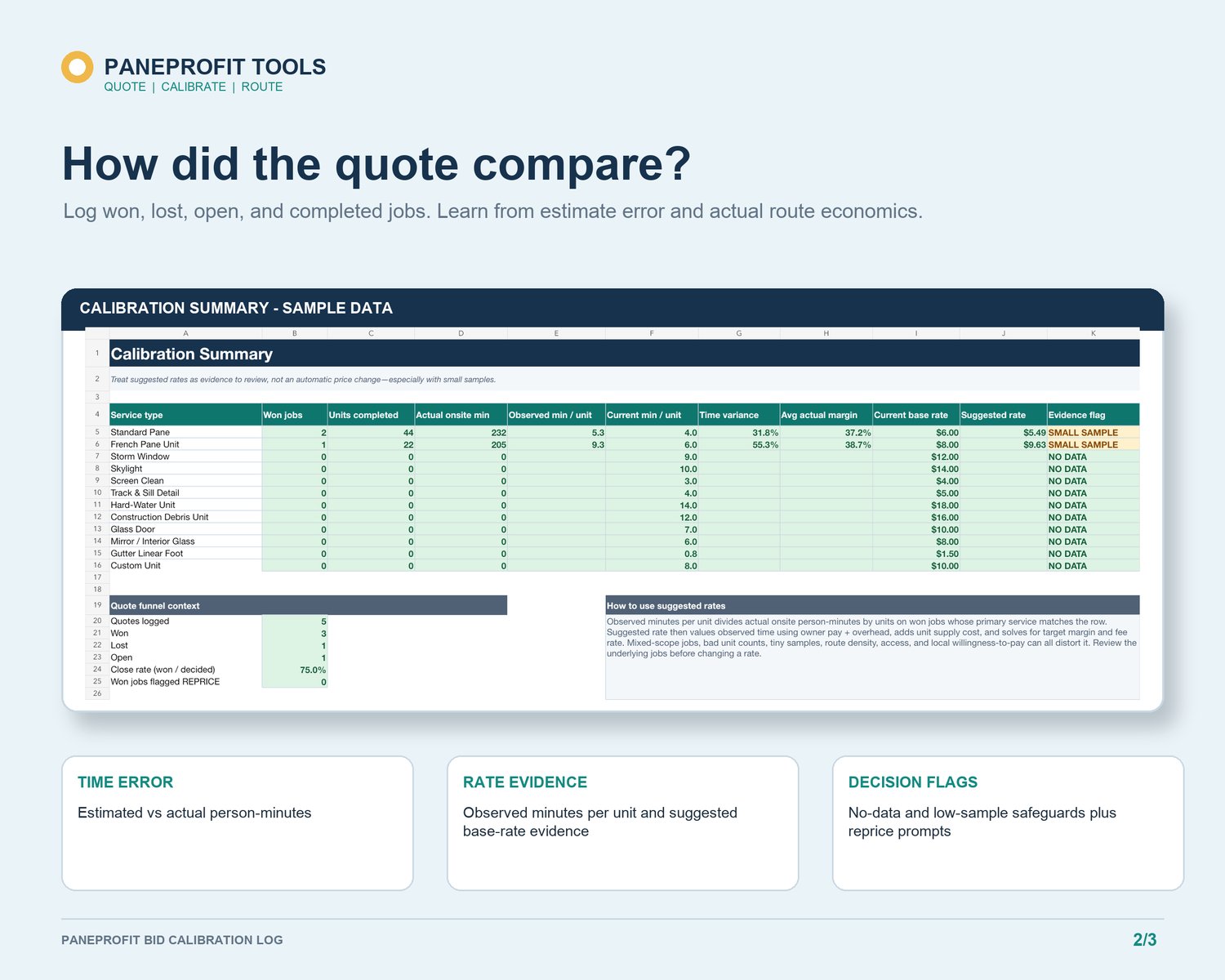
A completed window cleaning job contains more useful pricing information than a vague memory that the day felt good or ran long. An estimated-versus-actual review turns that experience into a record you can examine before the next similar quote.
The purpose is not to label one quote right or wrong from a single outcome. Weather, access, glass condition, customer changes, equipment problems, and travel can make one job unusual. The purpose is to preserve what you expected, what happened, and why the difference may matter.
Record the estimate before it disappears
Save the quoted revenue, estimated service minutes, expected drive time, service counts, and any direct-cost assumptions that influenced the quote. Use an internal job ID instead of sensitive customer or payment information. Mark the opportunity as open, won, lost, completed, or another consistent status that fits your workflow.
If the quote is lost, the record still provides context. It shows the amount and scope you offered without pretending you know the customer's reason. If the job is completed, the estimate becomes the baseline for the actual review.
Add actuals that you can support
After the job, enter actual service time and drive time as soon as practical. Record known direct costs such as supplies, a specific equipment charge, parking, or payment fees when they apply. Keep unknown figures blank or label them as estimates rather than manufacturing precision.
Add one short note that explains the work. Useful notes describe conditions: unusually dirty tracks, difficult screen removal, blocked access, extra setup, a customer-approved scope change, a long parking walk, or a route delay. Avoid private customer details. The note should help you interpret the numbers months later.
Read time variance before changing a rate
Time variance is the difference between estimated and actual time. A job that took longer deserves review, but not every variance means the price book is wrong.
Start by separating service variance from drive variance. A service overrun may point to condition, access, scope, or an unrealistic minutes-per-unit assumption. A drive overrun may point to route planning, traffic, parking, or an appointment gap. Setup variance may reveal that a small job carries a repeated fixed-time burden.
Also review jobs that finished faster than expected. The estimate may have been conservative, the access unusually easy, or your method more efficient. Keep the explanatory note so one favorable job does not become an unsupported new standard.
Compare like jobs with like jobs
A useful calibration history groups comparable work. Residential inside-and-out work should not be blended casually with exterior-only storefront service. First cleans, maintenance cleans, construction debris, hard-water work, and specialty access can create different time patterns.
After several comparable entries, review observed minutes per unit, average time variance, direct costs, and realized route-time indicators. Treat those summaries as prompts for investigation. A small sample can reveal a question, but it does not establish a universal rate.
Change one assumption at a time
When the same pattern appears across comparable jobs, choose one bounded adjustment. You might revise expected track-cleaning minutes, increase setup time for a job type, update a direct-cost allowance, or improve a walkthrough question. Record the old assumption, the new assumption, the evidence count, and the date.
Then leave the other inputs unchanged long enough to see whether the adjustment improves future estimates. Editing multiple rates and time assumptions at once makes it difficult to learn which change helped.
A compact post-job routine
1. Preserve the original estimate and quote outcome.
2. Add actual service time, drive time, revenue, and known direct costs.
3. Write one condition or scope note.
4. Separate service, setup, and drive variance.
5. Compare only with genuinely similar jobs.
6. Change one documented assumption after a repeated pattern, not one unusual day.
PaneProfit Bid Calibration Log provides an offline Excel record for quote status, estimates, actuals, time variance, and review notes:
https://payhip.com/b/WO7HB
For the full quote-to-actual-to-route workflow:
https://payhip.com/b/pnuPh
PaneProfit tools are estimators and recordkeeping aids. They do not replace an on-site inspection or professional tax, legal, accounting, insurance, or safety advice. Review every result and adapt all assumptions to your market and business.