
Running a small business means keeping track of more than just sales. You also need to know what you spend, what you are owed, which products or services are profitable, and how your business is performing over time.
The good news is that you don't always need complicated software to get started. A well-organized Excel business tracker can give small business owners a simple way to record sales, monitor expenses, calculate profit, and understand their business performance.
Why Track Sales, Expenses and Profit?
Knowing your revenue is only part of the picture.
For example, a business may generate strong sales but still make very little profit because its product costs and operating expenses are too high.
By tracking your sales and expenses together, you can answer important questions such as:
- How much did my business sell this month?
- How much did I spend?
- How much profit did I actually make?
- Which products or services are performing well?
- Which customers are buying from me?
- Who still owes me money?
- Am I reaching my monthly sales and profit goals?
A good tracking system brings these numbers together so you can make decisions based on your actual business activity.
1. Start by Recording Every Sale
The first step is creating a consistent sales record.
For each sale, you should ideally record information such as:
- Order or invoice ID
- Date
- Customer
- Product or service
- Quantity
- Selling price
- Cost
- Amount paid
- Payment status
Recording each sale in one place makes it much easier to understand your revenue and profitability.
It also prevents the common problem of trying to reconstruct your sales later from bank statements,
messages, receipts, or memory.
2. Track Your Business Expenses
Sales show you what comes into the business, but expenses show you what goes out.
Common business expenses can include:
- Marketing
- Software and subscriptions
- Supplies
- Transportation
- Equipment
- Vendor payments
- Professional services
- Other operating costs
Create consistent expense categories and record the date, description, vendor, amount and payment method for each expense.
The goal is not simply to collect a long list of expenses. It is to understand where your business money is going.
3. Calculate Profit, Not Just Revenue
Revenue and profit are not the same thing.
A simple way to think about it is:
Gross Profit = Revenue − Cost of Sales
Then:
Net Profit = Gross Profit − Operating Expenses
For example, if your business generates ₹100,000 in sales but spends ₹60,000 on product costs and ₹20,000 on operating expenses, the remaining ₹20,000 is your net profit.
Looking only at revenue could make the business appear healthier than it really is.
4. Keep Your Customer Information Organized
If you regularly sell to customers, keeping customer information alongside your sales records can be extremely useful.
A basic customer database can help you track:
- Customer name
- Contact information
- First purchase
- Last purchase
- Number of orders
- Total amount spent
- Outstanding balance
This can help you understand which customers are purchasing repeatedly and which customers may need follow-up.
5. Keep Track of Unpaid Balances
One of the easiest things for a small business to lose track of is money that customers still owe.
Your tracker should make it easy to identify:
- Amount paid
- Balance due
- Due date
- Payment status
- Overdue payments
Instead of searching through old messages or invoices, you can have a dedicated view of outstanding payments.
This is especially useful for businesses that allow customers to pay after receiving a product or service.
6. Understand Which Products or Services Make the Most Profit
Sales volume alone doesn't tell you which products are best for your business.
Imagine two products:
Product A
Sales: ₹50,000
Profit: ₹5,000
Product B
Sales: ₹35,000
Profit: ₹12,000
Product A generated more revenue, but Product B generated more profit.
Tracking the selling price, unit cost, profit per unit and margin for your products or services can help you understand where your business is actually making money.
7. Review Your Business With a Monthly Profit & Loss
A monthly Profit & Loss view gives you a bigger picture of your business.
A useful monthly report can show:
- Revenue
- Cost of sales
- Gross profit
- Operating expenses
- Net profit
- Gross margin
- Net margin
Instead of looking at individual transactions all the time, you can review your overall performance month by month.
This makes it easier to identify strong months, weak months and changes in profitability.
8. Set Sales and Profit Goals
Tracking what happened is useful.
Tracking what you want to achieve is even better.
Set monthly targets for:
- Sales
- Profit
Then compare your actual results with those targets.
This gives you a simple way to see whether you are on track, whether one goal has been achieved, or whether you need to improve your performance during the remaining part of the month.
9. Use a Connected Excel Business Tracker
You can build all of these features yourself in Excel, but creating the formulas, reports and connections from scratch can take considerable time.
A ready-made business tracker can simplify the process.
Instead of maintaining separate spreadsheets for sales, expenses, customers, products and reports, you can use a connected workbook where information entered in one area helps update the relevant calculations and summaries.
Meet the Prosyn Business Tracker
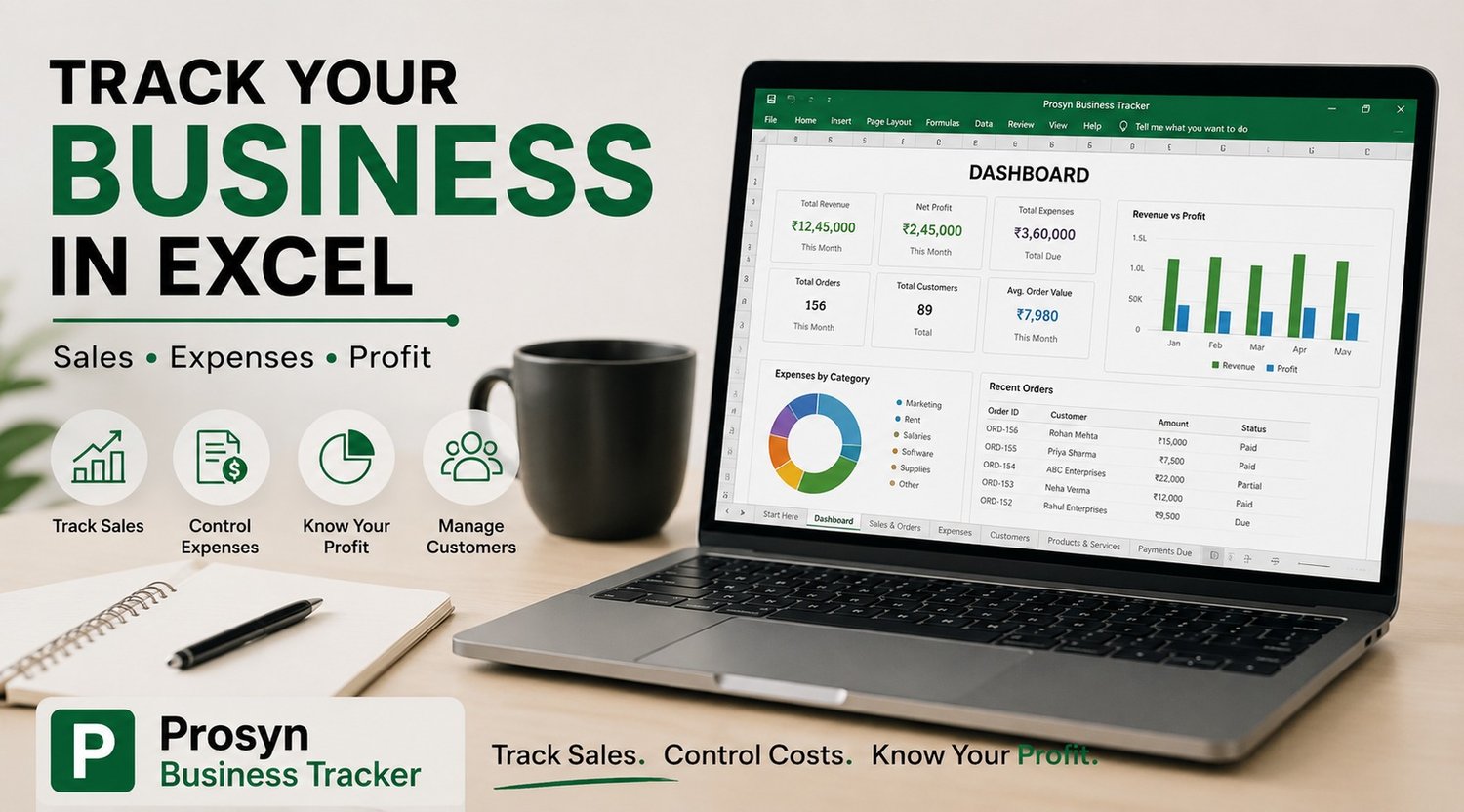
The Prosyn Business Tracker is designed for small businesses, freelancers and side hustlers who want a structured way to manage their everyday business activity in Excel.
It brings important areas of business tracking into one workbook, including:
- Sales and order tracking
- Expense tracking
- Customer management
- Products and services
- Payment tracking
- Profit & Loss
- Sales and profit goals
- Business reports
- Invoice generation
- Dashboard summaries
- Setup and help instructions
The goal is simple:
Track Sales. Control Costs. Know Your Profit.
You enter your business activity and use the connected sections of the workbook to turn that information into useful business summaries.
Is an Excel Business Tracker Right for You?
An Excel-based system can be a practical choice if you are:
- Running a small business
- Selling products or services
- A freelancer or independent professional
- Running a side hustle
- Selling digital products
- Starting a new business
- Looking for a simple alternative to complicated business software
You don't need to build a complete tracking system from scratch if you already know what information your business needs to monitor.
Final Thoughts
A small business becomes much easier to understand when your numbers are organized.
Tracking sales tells you how much you are generating.
Tracking expenses tells you where your money is going.
Tracking costs and profit tells you whether your sales are actually producing a healthy return.
Tracking customers and payments helps you stay organized.
And reviewing your monthly performance helps you make better decisions about what to improve next.
The important thing is to build a system you will actually keep using.
If you want a ready-made Excel system that brings these essential business tracking areas together, take a look at the Prosyn Business Tracker.