

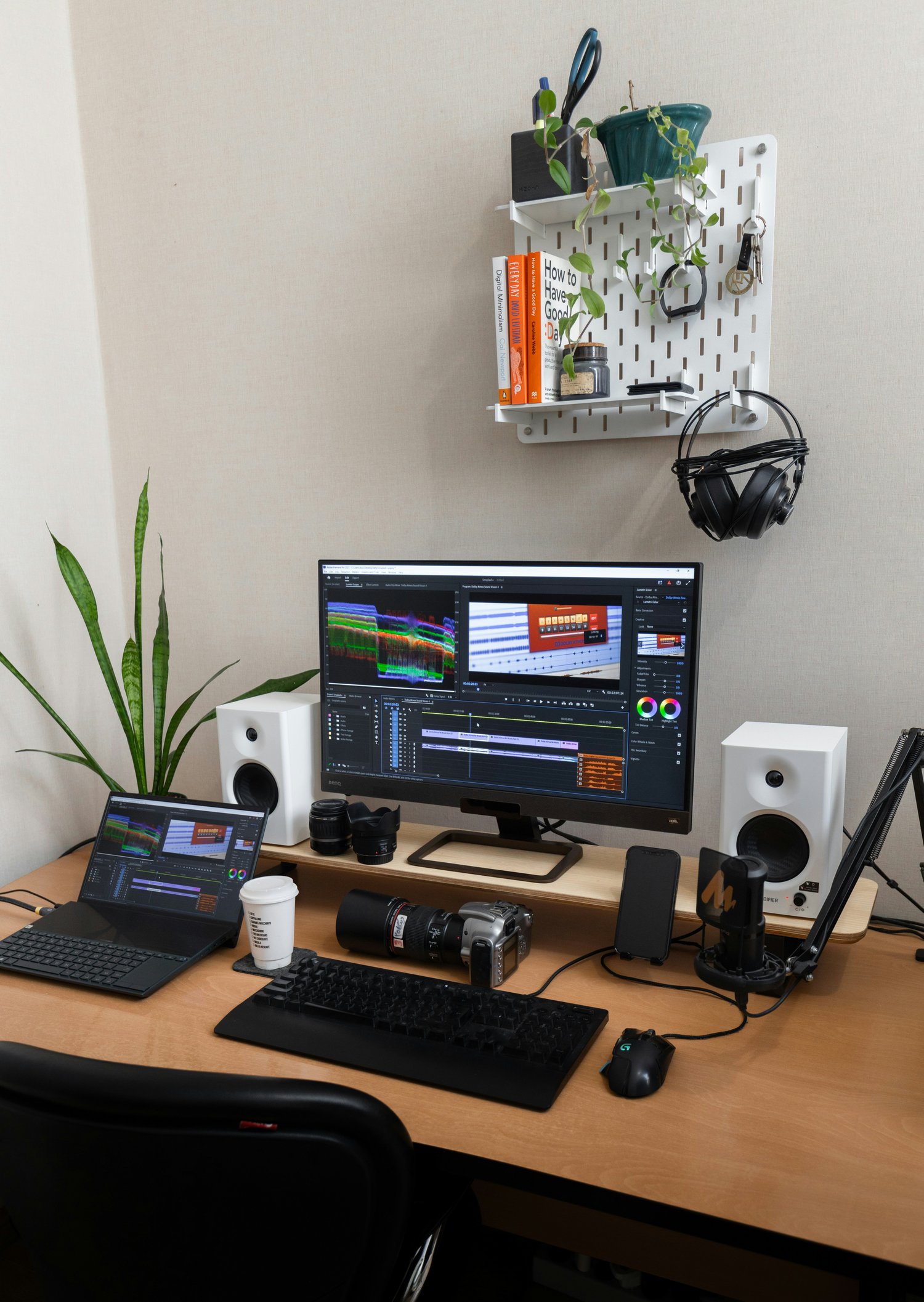
Instagram Edits Is Now Available on Mac: Should Real Estate Videographers Use It?
Summary
On November 5, 2026, Instagram released the first desktop version of Edits, its video editing application, bringing the software to Mac computers.
The development is particularly relevant to real estate photographers and videographers who regularly produce property Reels, agent introductions, builder marketing videos, and short-form architectural content.
Until now, Edits was primarily a mobile editing application.
The new Mac version introduces a more substantial editing environment with features that are normally associated with desktop video production.
These include a multitrack timeline, keyframe animation, color grading, custom LUTs, audio waveforms, automatic captions, and exports up to 4K without a watermark.
The application also allows creators to publish directly to Instagram.
Instagram is providing these capabilities for free.
There are important limitations. Edits for desktop currently supports Apple silicon Macs, with no Windows version announced. Editing the same project interchangeably between the mobile and desktop applications is also still in development.
The desktop application introduces an option for connecting AI agents through the Model Context Protocol, although the practical reliability, permissions, and suitability of those workflows for commercial client production require evaluation.
My recommendation: If you already use a compatible Mac and regularly produce short-form property videos, Edits is worth testing. I would begin with a noncritical project and compare it against your existing workflow. For substantial architectural films, complex commercial projects, and multi-editor productions, I would continue using an established professional editing system until the new application has demonstrated that it can meet those requirements.
One issue deserves particular attention: access to music within Edits does not automatically establish permission to use that music in commercial real estate advertising or distribute it across other platforms.
That distinction should be understood before creating deliverables for paying clients.
Instagram's official announcement and download information are available through the Edits website.
1. What Instagram Announced
Instagram originally introduced Edits in April 2025 as a mobile video creation application.
The software was designed to give creators a dedicated environment for recording, assembling, editing, and publishing video.
Over the following year, Instagram expanded the application with additional effects, editing controls, templates, and other creative tools.
The November 5 announcement represents a more substantial change.
Edits now has a desktop application designed for larger, more involved projects.
Brett Westervelt, who leads the Edits team, explained that creators increasingly needed more room and control when working with complicated timelines.
The desktop application responds to that need with a larger interface, keyboard and mouse controls, additional editing tools, and direct publishing capabilities.
Instagram is also expanding the software beyond the traditional vertical short-form workflow.
The Mac application supports horizontal and vertical video formats, with exports up to 4K resolution.
This means the application can potentially serve several types of property-marketing content.
A videographer could assemble a short listing Reel.
An agent could edit an on-camera introduction.
A builder could create a brief project update.
A photographer could prepare a short behind-the-scenes video.
An architectural media company could produce selected social media variations from an existing project.
These are practical applications.
The more important question is how effectively Edits handles each one compared with the software already being used.
2. What You Actually Get With Edits for Mac
The new desktop application includes several features worth examining.
FeatureEdits for Mac
Release dateNovember 5, 2026
PriceFree at launch
Supported computersApple silicon Macs, M1 or newer
Windows supportNot available at launch
Multitrack editingSupported
Keyframe animationSupported
Audio waveformsSupported
Color wheels and curvesSupported
Log conversionSupported
Custom LUT importSupported
Custom font importSupported
Automatic captionsSupported
Multiple aspect ratiosHorizontal and vertical
Maximum advertised export resolution4K
Export watermarkNone
Direct Instagram publishingSupported
Desktop/mobile project continuityStill in development
AI agent integrationMCP option available
These capabilities were described in Instagram's November 5 announcement and accompanying reporting from TechCrunch and 9to5Mac.
The list is encouraging.
However, the presence of a feature does not establish that its capabilities are identical to those in established professional editing applications.
A color grading tool may provide useful corrections without offering every control found in a dedicated color-grading environment.
A multitrack timeline may be sufficient for a property Reel without being the best choice for a complicated commercial documentary.
A 4K export option establishes the available output resolution, but the quality of the result also depends on the source footage, processing, compression, and other export settings.
These differences matter when evaluating software for paid production.
A Free Editor Changes the Entry Point
One of the strongest aspects of this announcement is the absence of an initial subscription requirement.
A new real estate videographer may already own a compatible Mac.
They may need an editor for short listing videos but have limited experience with professional post-production software.
Edits provides another option for learning the fundamentals.
The larger interface should make operations such as trimming clips, arranging music, adjusting timing, and adding captions easier to manage than on a phone.
The software may also be useful to agents who produce their own social media content.
That could affect the market for certain basic editing services.
However, the amount of professional work required to produce a good property video remains important.
A capable editing application does not automatically determine which footage should be used or how the property should be presented.
3. The Most Useful Feature May Be Direct Instagram Publishing
Real estate media companies often use a workflow that involves several applications.
A videographer records the property.
The footage is transferred to a computer.
The editor assembles the video.
The finished file is exported.
The file is delivered to the client.
The client downloads the video.
It is then uploaded to Instagram.
Sometimes another editing step is required inside Instagram before publication.
That process can become repetitive when a company produces several social media videos for each property.
Edits for Mac offers a more direct approach.
The application allows creators to publish finished content to Instagram without first exporting the file and transferring it to another device.
According to the launch reporting, the publishing workflow includes supported native Instagram features such as tagging and location information.
For a photographer managing a personal business account, that could be useful.
For an agent who edits and publishes their own Reels, it may remove several steps.
The Difference Between Creating and Delivering Client Content
A media company needs to consider another factor.
Who controls the Instagram account?
If the photographer is producing content for the photographer's own brand, direct publishing is straightforward.
If the photographer is producing a Reel for a real estate agent, the situation becomes more complicated.
The agent may want to review the finished video before publication.
The brokerage may have brand requirements.
The client may want to publish through its own scheduling system.
The marketing team may manage several social media accounts.
The video may need to be distributed to Instagram, Facebook, YouTube, and other platforms.
In these situations, direct publishing may provide limited benefit.
An exported master file with an established review and approval process may remain more useful.
Consider a Two-Part Workflow
For a professional media company, I would generally separate the production process into two stages.
Production and approval: Edit the video, check its accuracy, complete the sound and color, and obtain client approval.
Distribution: Prepare the appropriate versions and publish them through the client's authorized channels.
Edits may become useful in either stage.
The company should determine which responsibilities it has actually agreed to handle.
REPT PROFESSIONAL TIP
Before moving a client workflow into Edits, establish who will review and approve the video and which account will publish it. Direct publishing can save time, but client approval and account management should remain clear.
4. Where Edits Could Fit Into Real Estate Video Production
I see several practical applications.
They vary considerably in complexity.
Short Listing Reels
This is probably the strongest immediate use case.
Consider a photographer who captures a residential property and delivers a thirty-second vertical video.
The sequence might include:
A strong exterior composition.
An entrance reveal.
A kitchen movement.
The primary living room.
An architectural detail.
The backyard or outdoor living area.
A final exterior.
The editor needs to arrange the clips, adjust their timing, add appropriate music, insert simple branding, and export the finished video.
Edits appears well suited to testing this type of work.
The multitrack timeline and audio waveforms may make it easier to align important cuts with the soundtrack.
Keyframes can help control selected visual changes.
Color adjustments can improve consistency between shots.
Automatic captions may be useful when the video includes dialogue.
For this type of production, the application deserves a trial.
Agent Introduction Videos
An agent may record a short on-camera introduction.
For example, the agent stands in the kitchen and explains the property's most important features.
The editor combines the presentation with footage of the rooms being discussed.
Automatic captions could reduce some of the repetitive work involved in preparing the final Reel.
The editor would still need to verify the captions.
Names, addresses, measurements, and property-specific terminology can be transcribed incorrectly.
The captioning system should be treated as a starting point.
Builder Project Updates
Builders frequently have material that can be assembled into shorter updates.
Construction progress.
A recently completed exterior.
New cabinetry.
A finished kitchen.
A project announcement.
A brief interview.
Edits could potentially provide a convenient way to create social content from these materials.
However, the company should preserve a consistent brand presentation.
Fonts, logo usage, color, music, and editing style should remain recognizable across the client's videos.
The ability to import fonts and LUTs may help with that process.
Behind-the-Scenes Content
For photographers, this may be another useful application.
A short video showing the setup of a lighting scene or the progression from camera capture to finished image can be effective educational and marketing content.
These videos often need relatively simple editing.
Edits may provide enough control without requiring the creator to open a more complicated project.
For a professional example of how sound contributes to property video, the REPT Real Estate Video Sound Design and Music Editing chapter develops the principles of rhythm, music selection, natural sound, and editing structure.
5. Where I Would Continue Using Premiere or DaVinci Resolve
The new desktop release makes Edits more capable.
However, larger architectural projects introduce requirements that go well beyond assembling a short social video.
Consider a builder commissioning a complete architectural film.
The production may include multiple cameras, drone footage, interviews, construction images, licensed music, sound effects, and several deliverables.
The client may request revisions from different stakeholders.
The editor may need advanced audio processing.
The footage may require careful color management.
The company may need to archive the project and reopen it later.
These requirements influence which software is appropriate.
Larger Project Organization
A complicated production may involve hundreds of source files.
A professional editing pipeline needs dependable media organization, project backups, and recovery procedures.
Advanced Color Work
Architectural footage frequently contains challenging lighting.
Bright windows.
Mixed artificial light.
Different camera profiles.
Reflections.
Material colors that need to remain accurate.
Edits includes color wheels, curves, log conversion, and LUT support.
Those tools are useful.
However, a company should evaluate the results before assuming the application can replace its existing color workflow.
Audio Finishing
A builder interview may require dialogue cleanup, noise reduction, music mixing, sound design, and consistent output levels.
A larger editing environment may offer more flexibility for those tasks.
Team Collaboration
A company using multiple editors needs to manage project access, version control, shared media, reviews, and final approval.
The initial Edits desktop release does not establish that it provides the same collaboration and media-management capabilities as a mature professional production system.
Project Archiving
Commercial clients sometimes request a revised film months after delivery.
The company needs to preserve the project and relevant source materials.
Before adopting Edits for substantial commercial work, I would evaluate how projects are stored, backed up, transferred, and reopened.
For now, I would continue using established professional software for projects that depend on those capabilities.
Edits may still be useful for preparing selected short-form versions after the main production has been completed.
6. The Audio Licensing Issue Matters More Than the Free Price
This is the area I would examine most carefully before using Edits for paid client work.
Instagram describes the application as including licensed music and royalty-free audio.
That sounds convenient.
However, those terms need to be understood.
Instagram's Licensed Music Library
Meta has agreements with music rights holders that allow certain music to be used within its services.
The applicable permissions depend on the music, account, format, territory, and intended use.
Instagram's help documentation explains that its general licensed music library is intended for personal, noncommercial use.
Some business accounts and types of posts therefore have restricted access.
A song appearing inside an editing application does not automatically authorize its use in commercial property advertising.
Meta Sound Collection
Meta separately provides a Sound Collection containing music and sound effects intended for eligible uses within its platforms, including certain commercial applications.
The scope of those permissions still matters.
A track authorized for use in an Instagram Reel may not carry the rights needed for a YouTube advertisement, a builder's website, or a separate commercial campaign.
The word royalty-free should not be interpreted as universal permission.
Separately Licensed Music
For clients who require distribution across several platforms, independently licensed music may provide a more predictable workflow.
The agreement should cover the actual commercial use, platforms, territories, duration, and client requirements.
An Example
Suppose a media company creates a property Reel for an agent.
The agent wants to use it on Instagram.
Later, the same video will be uploaded to YouTube.
Then the brokerage wants to run it as a paid advertisement.
If the video uses music with permissions limited to a particular Instagram use, the company may need to replace that track before preparing the other versions.
That can create unnecessary editing work.
I would determine the intended distribution before choosing the soundtrack.
The REPT Music Licensing for Real Estate Video guide explains the differences between platform music libraries, independently licensed tracks, client-delivered videos, and cross-platform distribution.
REPT COMMON MISTAKE
A videographer sees a popular song available in Edits and assumes it can be included in a paid real estate advertisement. Music availability and commercial licensing are separate questions. Verify the applicable rights before delivering the finished video.
7. The New AI Agent Integration Is Worth Watching
Edits for Mac also introduces a feature that deserves attention beyond ordinary video editing.
Instagram has added an option to enable the Model Context Protocol, commonly called MCP.
MCP provides a way for compatible software systems and AI agents to interact with supported tools.
In principle, this could allow an AI assistant to help perform certain editing operations.
For example, an editor may eventually be able to give an agent a specific instruction and have it assist with preparing the timeline.
That direction is interesting.
However, the practical capabilities of the newly released integration should be evaluated carefully.
What Has Been Announced
Instagram has confirmed the presence of an MCP option within the desktop application.
The launch reporting describes compatibility with AI-agent workflows.
What Remains Uncertain
The announcement does not establish that every editing task can be performed reliably through an AI agent.
There are also practical questions involving:
Which operations the integration supports.
How permissions are granted.
What information connected tools can access.
Whether project files or source footage may be exposed to third-party services.
How changes are reviewed.
What happens when an automated action produces an incorrect result.
The answers may vary according to the agent and configuration being used.
A Practical Approach
I would begin with nonconfidential material.
Use footage from a practice project.
Test one limited editing task.
Review the result.
Determine whether the process actually saves time.
Avoid connecting confidential client assets to unfamiliar tools without understanding their permissions and data-handling practices.
For a media company, this is particularly important.
Client projects may contain private residences, property-access information, unpublished developments, or other sensitive material.
An editing shortcut should not introduce unnecessary security problems.
8. One Important Limitation: Desktop and Mobile Projects Do Not Yet Move Seamlessly Between Devices
Instagram has confirmed that it is working on better continuity between mobile and desktop editing.
However, that capability is still in development.
Some saved audio and text styles can carry over to the desktop application.
The same does not yet apply to seamless editing of one project across both devices.
This matters for photographers who imagine beginning a Reel on the phone during a shoot and finishing it on the Mac later.
That may eventually become an attractive workflow.
But the initial release should be evaluated according to what it supports today.
For now, I would plan to complete the primary edit on one device unless a tested transfer procedure meets the project's requirements.
Mac Compatibility
There is another important limitation.
The desktop application currently requires an Apple silicon Mac, beginning with the M1 generation.
Older Intel-based Macs are not supported.
There is no Windows desktop version available at launch.
Instagram has not established a public Windows release date.
A photographer using Windows should continue with existing editing software rather than relying on unofficial Edits installers.
9. Does This Make Basic Real Estate Video Editing Less Valuable?
Potentially, for certain types of work.
The effect will depend on how agents and media companies use the application.
Consider a basic property Reel.
The photographer captures several clips.
The editor places them in sequence.
A soundtrack is added.
A few cuts are synchronized to the music.
The finished video receives a logo and is exported.
This type of editing can be relatively straightforward.
A free application offering the necessary tools may reduce the barrier for agents who want to perform the work themselves.
That could create additional competition for basic editing packages.
However, software capability is only one part of the production.
The agent still needs usable footage.
The shots need appropriate framing.
The property needs to be represented accurately.
The sequence needs to communicate the important spaces.
The soundtrack needs to be appropriate.
The final file needs to meet its intended purpose.
Those decisions still require time and judgment.
Different Services Carry Different Value
I would distinguish between three common products.
ServicePrimary WorkPotential Effect of Edits
Basic social media editAssemble existing footage, music, titles, and captionsGreater competition from accessible editing tools
Professionally filmed walkthroughPlan and capture original video, then complete the editEdits may assist with post-production
Architectural brand filmCustom cinematography, interviews, sound, color, storytelling, and multiple deliverablesLimited immediate replacement value established
The distinction should be clear in the company's packages.
A client purchasing a professionally filmed walkthrough is receiving original production work.
A client purchasing a basic edit from existing footage is purchasing a different service.
The company should price and describe those services according to the work involved.
I would avoid making immediate price changes based on the release of one application.
Instead, measure how the software affects actual production time and client demand.
10. A Practical Test for Real Estate Videographers
If I were evaluating Edits for a real estate media company, I would begin with a simple comparison.
Use one existing property project.
Select a short sequence of approved footage.
Then create the same Reel in Edits and in the software normally used by the company.
For example, prepare a thirty-second vertical property video.
The sequence should contain several architectural clips, a short spoken introduction, captions, appropriate music, and simple branding.
Step 1 — Build the Project
Import the source footage.
Arrange the clips.
Add the spoken material and music.
Determine how easily the editor can establish the intended timing.
Step 2 — Adjust the Color
Match the important shots.
Check the appearance of walls, cabinetry, flooring, and natural light.
Determine whether the color tools are sufficient.
Step 3 — Add Captions
Generate automatic captions.
Review every line.
Correct property names, measurements, and other important details.
Step 4 — Prepare the Branding
Add the required logo and text.
Determine whether the available typography and positioning controls meet the client's standards.
Step 5 — Export
Export the finished video.
Check the actual file.
Look at:
Image quality.
Sharpness.
Motion.
Color.
Audio.
Captions.
File size.
Aspect ratio.
Step 6 — Compare Production Time
Record how long the project took.
Include the time required for setup, editing, corrections, export, and review.
Then compare it with the established workflow.
A software application that is free to install may still require additional labor.
The relevant business question is whether it improves the completed production process.
Step 7 — Test Client Delivery
If the video will be delivered to a client, determine how the exported file fits into the company's existing approval and delivery process.
A direct publishing feature may be useful.
But it should be compared with the responsibilities the company has agreed to provide.
11. Should You Adopt, Update, Buy, Delay, or Monitor?
My recommendations are based on the announced capabilities and current limitations.
SituationRecommendationReason
Beginner using a compatible MacTestFree access to a capable editing environment
Photographer creating personal business ReelsTestDirect publishing and editing tools may simplify the process
Agent producing occasional listing videosConsider adopting after a trialMay reduce dependence on several separate applications
Media company producing basic vertical editsRun a comparisonPotential production-time savings need verification
Architectural filmmaker using Premiere or ResolveKeep current workflowComplex projects have broader requirements
Company using several editorsMonitorCollaboration and project-management suitability need evaluation
Windows userWaitNo official Windows application is available
Intel Mac userWait or use another editorApple silicon is currently required
Business using Instagram music for paid advertisementsVerify licensing firstIn-app availability does not establish all commercial rights
Company interested in MCP and AI agentsTest with nonconfidential footagePermissions, reliability, and practical capabilities require review
There is no general reason to replace a dependable editing system immediately.
The new application is worth evaluating where it addresses a specific need.
For some photographers, that need may be a more comfortable way to create Reels.
For an agent, it may be a simpler way to produce short property videos.
For a media company, it may become an additional tool for preparing social deliverables.
The usefulness should be demonstrated through actual work.
12. Frequently Asked Questions
Is Instagram Edits available on Mac?
Yes. Instagram launched Edits for Mac on November 5, 2026.
Is Edits for Mac free?
The initial desktop application is available for free.
Instagram has not announced a paid requirement for the capabilities described at launch.
Can I use Instagram Edits on Windows?
No official Windows desktop version is available as of November 9, 2026.
Does Edits work on older Intel Macs?
The current desktop release requires an Apple silicon Mac, beginning with the M1 generation.
Can Edits export 4K video?
Yes. Instagram advertises watermark-free exports up to 4K resolution.
Does Edits add a watermark?
The desktop application supports exports without an Edits watermark.
Can I publish directly to Instagram?
Yes. Direct Instagram publishing is one of the announced desktop features.
Can I edit horizontal property videos?
Yes. Edits for desktop supports horizontal and vertical aspect ratios.
Can I import custom LUTs?
Yes. Instagram lists custom LUT import among the desktop application's capabilities.
Does Edits support automatic captions?
Yes. The application includes automatic captioning in multiple languages.
Captions should be checked before client delivery.
Can I begin editing on my phone and finish the same project on my Mac?
Seamless cross-device project editing remains in development.
Some saved styles can carry over, but full project continuity is not yet available.
Can AI agents edit videos in Edits?
The Mac application includes an MCP integration option for compatible AI-agent workflows.
The specific capabilities and reliability should be tested before professional adoption.
Can I use any Instagram song in a commercial property video?
No. Music permissions depend on the track, account, intended use, distribution platform, and applicable licenses.
The general Instagram licensed music library is intended for personal, noncommercial use.
Should I replace Premiere or DaVinci Resolve?
I would not replace an established professional workflow solely because of this launch.
Test Edits against actual production requirements first.
Is Edits useful for real estate agents?
Potentially. The application may help agents assemble property clips, add captions, and publish short-form content.
The agent still needs accurate footage and appropriate usage rights.
Will Edits replace professional real estate videographers?
The release may increase competition for basic editing services.
It does not eliminate the production requirements associated with original cinematography, architectural storytelling, or complex commercial films.
13. Recommended REPT Training & Resources
Editing software continues becoming more accessible.
That makes strong photography and video-production fundamentals increasingly important.
Whether a Reel is edited in Edits, Premiere, Resolve, or another application, the quality of the original footage has a substantial influence on the result.
Camera placement, architectural composition, lighting, exposure, and consistent capture remain essential skills.
Free REPT First Listing Starter Kit
If you are preparing for your first paid listing assignment, begin with the Free REPT First Listing Starter Kit.
The kit includes an eight-page field guide and a two-sided quick-reference card covering equipment preparation, interior and exterior photography, exposure bracketing, editing, and delivery.
It is the best next step for beginners who want a repeatable property-photography process before expanding into more involved video production.
Complete Real Estate Photography Training
For deeper instruction, explore the Real Estate Photography Training course and products.
The complete training path covers professional camera operation, exterior and interior photography, bracketing, flambient capture, Photoshop editing, and final delivery.
These fundamentals support the consistent imagery that makes professional property media possible.
Continue Through the Knowledge Base
The REPT Knowledge Base contains connected guides covering real estate photography, video production, editing, sound design, client management, marketing, and business development.
Additional educational resources are available through the main REPT website.
For property photography, editing examples, and observations from professional media production, follow Malachi Gobart on Instagram.
Related REPT Articles
Real Estate Video Sound Design and Music Editing
Learn how soundtrack structure, musical timing, natural sound, dialogue, and audio effects contribute to a professional property video.
Music Licensing for Real Estate Video
Understand the rights associated with music used in property Reels, client videos, paid advertisements, YouTube uploads, and other commercial media.
Read the Music Licensing Guide
Attribution and Campaign Tracking for Real Estate Media
Learn how to evaluate marketing activity using appropriate tracking and reporting rather than relying on headline view counts.
Read the Attribution and Campaign Tracking Guide
Real Estate Photography Marketing Analytics: What to Track
Build a practical framework for measuring marketing results, understanding client acquisition, and evaluating business performance.
Read the Marketing Analytics Guide
How to Deliver Real Estate Photos Professionally
Develop a dependable process for preparing, organizing, exporting, and delivering professional property media.
Read the Delivery Workflow Guide
14. What to Watch Next
Several developments will determine whether Edits becomes a significant part of professional real estate media production.
1. Windows Availability
The current desktop release supports Apple silicon Macs. A future Windows version would make the application available to a larger portion of the photography industry.
2. Desktop and Mobile Project Continuity
Seamless editing between devices could become useful for photographers who capture and begin editing on location before completing work at the office.
3. AI Agent Editing Capabilities
The MCP integration may develop into a more substantial editing tool. Its practical usefulness will depend on supported operations, permissions, reliability, and the ability to review changes.
4. Commercial Music Licensing and Client Distribution
The application includes several music options. Commercial users need clear guidance about the permitted uses of individual tracks and whether those rights extend beyond Instagram.
5. Real-World Editing Performance
The most important test is whether Edits can produce dependable client-ready work efficiently.
That includes editing speed, media handling, output quality, caption accuracy, branding, approvals, and final delivery.
As the application develops, those capabilities should be evaluated through actual projects.
Editorial Note
I think this is an interesting development for real estate videographers because it reflects how much the editing side of the industry has changed.
Several years ago, producing a polished property video generally required a dedicated desktop editing application.
The software could be complicated.
The computer needed sufficient processing power.
An editor had to understand timelines, transitions, color, audio, and export settings.
Those requirements have gradually become easier to manage.
Mobile applications introduced simpler editing workflows.
Automatic captions reduced repetitive transcription work.
Templates made short-form content easier to assemble.
Now Instagram is bringing a more substantial version of those tools back to the desktop.
That progression makes sense.
Editing on a phone can be convenient, particularly when the video is short.
But a larger project benefits from a larger screen.
It becomes easier to see the timeline.
Audio adjustments become more precise.
Several clips can be organized together.
The editor can examine the footage more carefully.
I can see this being useful for photographers who regularly create short property videos.
It may also be useful for agents who want to produce more of their own social media content.
However, I would still approach the software according to the work being performed.
A thirty-second listing Reel and a three-minute architectural film have different production requirements.
The Reel may involve a relatively simple sequence, music, captions, and branding.
The architectural film may require interviews, multiple cameras, more complicated sound, careful color matching, and several rounds of client review.
The appropriate editing environment should reflect those requirements.
I would also pay attention to the music issue.
A convenient audio library is valuable when the permissions match the intended use.
But a real estate media company needs to understand where the finished video will go.
An agent may want the Reel on Instagram.
Later, the brokerage may want the same file for YouTube or a paid campaign.
If the music cannot legally travel with the video, that creates another production problem.
I would prefer to establish those rights before editing the sequence.
The new AI-agent integration is another feature worth observing.
There may be useful opportunities to automate repetitive editing tasks.
However, I would be careful with client footage.
Private residences, unpublished projects, and commercial property information should be handled responsibly.
A new integration deserves testing before it becomes part of a dependable production process.
For now, I would use Edits as an additional option.
If you already have a compatible Mac, try it with a short project.
Build a Reel.
Work with the color.
Add captions.
Prepare the export.
Compare the result with your normal editing process.
If it saves time while maintaining the quality of the work, it may deserve a permanent place in the workflow.
If the current limitations create additional complications, continue using the tools that already perform reliably.
There is no reason to change software simply because another application has become available.
For professional photographers, I think the more lasting opportunity remains in understanding the property and creating strong source material.
An editor can arrange clips, adjust timing, and add music.
The cinematographer still needs to understand the architecture.
The camera needs to be in the right position.
The lighting needs to be controlled.
The footage needs to communicate the property accurately.
Those decisions determine what the editor has to work with.
As editing tools become easier to use, the quality of those original decisions becomes even more important.
That is where I would continue concentrating my attention.
Sources
1. Instagram Edits — “Edits on desktop is here”
Author: Brett Westervelt, Head of Edits
Published: November 5, 2026
Instagram's official announcement introducing the desktop application, including multitrack editing, color tools, captions, direct publishing, multiple aspect ratios, 4K export, and future development plans.
Instagram Edits — Official Desktop Launch Announcement
2. Instagram Edits — “Edits for Desktop”
Publication / last-updated date: Not specified.
Official desktop application and download page, including platform compatibility and product information.
Instagram Edits — Official Desktop Application
3. TechCrunch — “Instagram brings Edits to desktop to take on CapCut”
Author: Aisha Malik
Published: November 5, 2026
Reporting on the desktop launch, editing capabilities, direct publishing, platform limitations, and Instagram's plans for future updates.
TechCrunch — Instagram Edits Desktop Launch
4. 9to5Mac — “Instagram launches Edits for Mac with multi-track video editing and 4K exports”
Author: Marcus Mendes
Published: November 5, 2026
Reporting on the Mac application's technical capabilities, including color grading, custom LUTs, 4K exports, and MCP integration.
9to5Mac — Instagram Edits for Mac
5. Meta — “Introducing Edits: A Streamlined Video Creation App”
Originally Published: April 22, 2025
Updated: December 17, 2025
Meta's original announcement explaining the purpose of Edits, its mobile production workflow, export capabilities, and product development.
Meta — Introducing Edits
6. Instagram Help Center — “Access to the Licensed Music Library on Instagram”
Publication / last-updated date: Not specified.
Official Instagram guidance concerning music-library access, commercial-use limitations, and available audio options.
Instagram Help Center — Licensed Music Library
7. Meta — “Music Guidelines”
Effective Date: March 26, 2024
Meta's music-use rules addressing commercial and nonpersonal uses and the need for appropriate licenses.
Meta — Music Guidelines