

For most small businesses, AI has worked like a conversation so far. You ask, it answers, and you decide what happens next. OpenAI's announcements this week move ChatGPT away from that and toward work you hand off and check later.
What happened
OpenAI held DevDay 2026 on September 29 and announced more than 20 launches. Much of the coverage focused on developer tools, but several of the launches are aimed at how ordinary business teams work:
- Dots are always-on agents inside ChatGPT. Each one has its own cloud computer and works in the background across the apps you connect to it. Fortune describes them as agents that "proactively complete the work" and "only reach out to the human when something requires their review or attention."
- ChatGPT Space is a shared workspace where teammates and agents work on the same documents. Sam Altman described it this way: "Your pages and files all live together in Space, like they would in a drive." Pages, a collaborative document editor, launched alongside it. Collaborative Slides is due in the coming weeks.
- Team Tasks let a team "set up work to run on a schedule or when a specific event occurs, such as preparing a weekly report or summarizing new project updates," according to OpenAI's documentation.
- @ChatGPT in Slack and Microsoft Teams lets people mention ChatGPT in channels and direct messages. OpenAI says teammates don't each need their own license to use it.
- Plugins can now respond to events in other apps. OpenAI's example is ChatGPT that "can watch for new tasks...and draft a plan, even while you're away."
Availability varies. OpenAI says Dots are "rolling out gradually to eligible accounts." Fortune reports that the $200-a-month Pro plan and ChatGPT Business Premium each include one dot, and that Dots aren't available in the EU, the UK, or Switzerland. OpenAI lists Space for Pro, Business, and Enterprise plans, and Team Tasks and the Slack and Teams integration for Business and Enterprise. Check your own workspace before you plan around any of these.
Why it matters
Every one of these features is a form of delegation. The work runs on a schedule, reacts to an event, or acts in a connected app, and it happens when you aren't looking at the screen.
Small-business owners already know how delegation works. It's what you do with a virtual assistant or a contractor, and it succeeds or fails on the same things every time: a clear scope, clear limits on what they can touch, and a way to check the work.
OpenAI's own week makes the point. On September 28, OpenAI confirmed it would not release a model called GPT-6.1 Astra after internal testing. According to CBS News, Saachi Jain, OpenAI's head of safety systems, said the model "didn't quite meet the bar in terms of staying within scope and authorization, and how it communicates back to the user about the type of work it's done." That is a different model from the GPT-6 Astra that powers Dots, and nothing suggests Dots are affected. The point is narrower. Once AI starts acting on its own, staying within scope and reporting honestly on what it did become the main requirements. Even the company building the models treats them as a hard bar.
OpenAI has built some guardrails into the new features. According to Fortune, Dots ask permission before sensitive actions such as changing passwords, deleting data, or installing software, and users can set their own rules to restrict what a dot can do. OpenAI's documentation says scheduled Team Tasks can't complete new app sign-ins while running unattended and remain subject to approval requirements. Admins also control who can create team automations in the first place.
Those are sensible defaults. But a tool can only enforce the rules it's been given. It doesn't know that client emails need your review before they go out, or that a quote never leaves the business without your sign-off. Only you can write that down.
What it means for a small business
Nothing here requires action this week. Many of these features are still rolling out, some are limited to higher-tier plans, and a new feature is always worth testing before you trust it.
The direction is clear, though, and it isn't only OpenAI. Meta launched an enterprise AI platform the same week, and agents that act on your behalf are becoming a standard feature of the tools small businesses already pay for. The owners who get value from them will be the ones who can answer three questions before switching anything on:
- Which of our tasks are repeatable enough to hand off?
- Which of them are safe to run without someone watching?
- What does a good result look like, specifically enough that someone else could check it?
Those answers belong in a document, not scattered across a settings screen. Once they're written down, they carry over to whichever tool you use next, and they're what you check the agent's work against.
What to do next
- List your recurring tasks. Think weekly reports, inbox triage, order follow-ups, content calendars, meeting notes: anything that happens on a rhythm or in response to the same trigger.
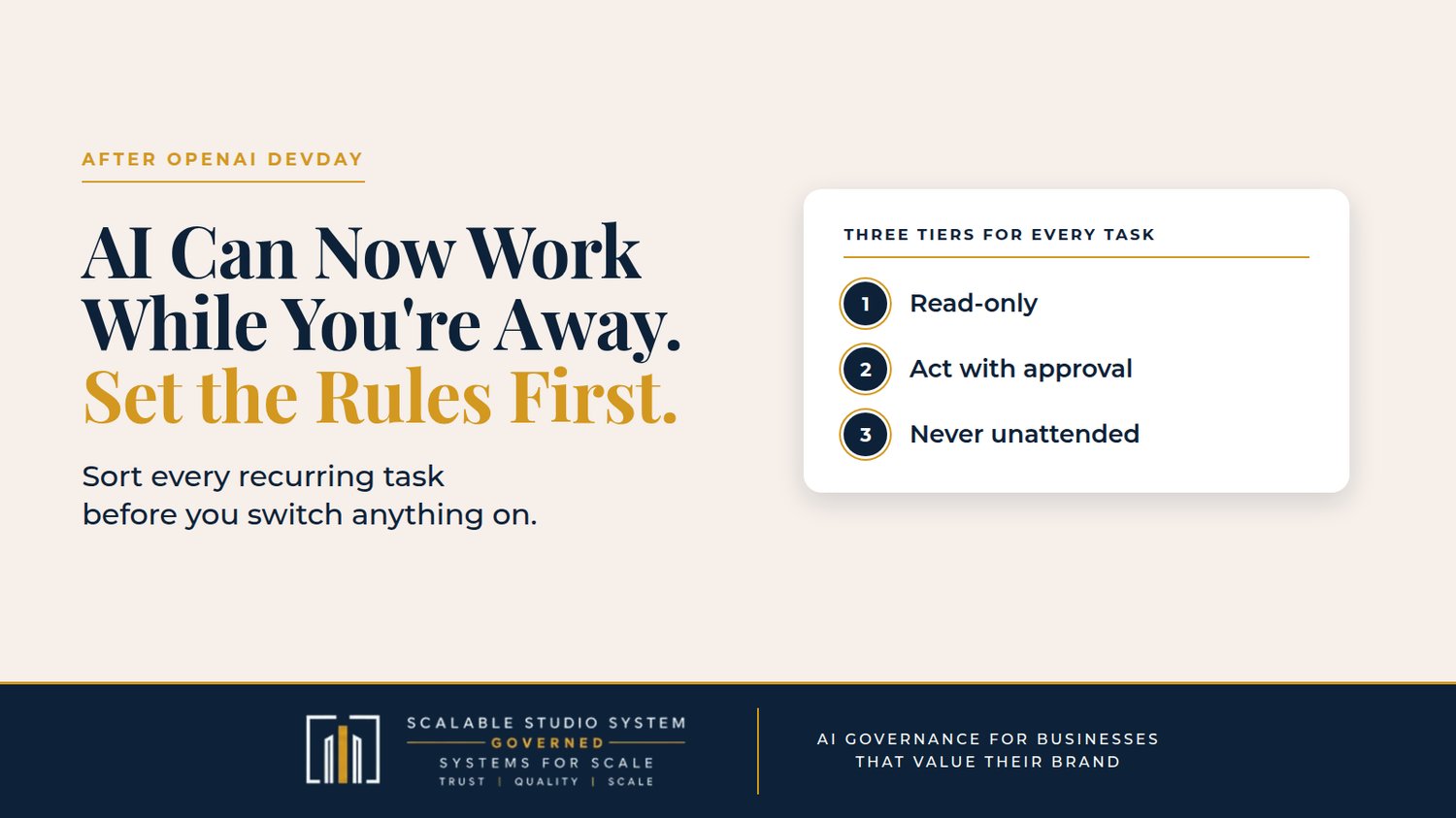
- Sort each task into one of three tiers:
- Read-only: research, summarize, or draft something for you to review.
- Act with approval: send, post, or update a record only after you confirm.
- Never unattended: payments, pricing, client commitments, deleting anything, and anything with legal weight.
- Write a short rule for each task you'd hand off. Cover what the agent does, which apps it can touch, what it must never do, who reviews its output, and what a good result looks like.
- Start with one read-only task. Run it for two weeks and compare the output to your definition before you give it any more permission.
- Check your plan and admin settings. Features and permissions differ by plan and workspace, so confirm who in your business can create automations before anyone sets one up.
That written rule set is the core idea behind Scalable Studio System's Build Your AI Project God Mode — Complete Kit ($97, on Payhip). Its Define stage includes a 12-part Instruction Core template for how the AI should operate inside a project. Its Direct stage adds eight setup tests to confirm the project is working as intended. That way, the rules for your AI live in documents you control, whichever platform ends up running the work.
Agents can now work while you're away. Write down the rules they follow before they start.
Sources
- OpenAI — DevDay 2026 Recap — https://openai.com/index/devday-2026-recap/
- Fortune — OpenAI unveils Dots to rival Meta's Muse — https://fortune.com/2026/09/29/openai-takes-on-metas-muse-with-new-dot-agents-and-unveils-a-potential-google-workspace-competitor/
- OpenAI — Set up and manage teams and Team Tasks — https://learn.chatgpt.com/docs/enterprise/teams
- CBS News — OpenAI holds off on releasing new model over safety concerns — https://www.cbsnews.com/news/openai-halts-gpt-astra-safety-concerns/
- TechCrunch — OpenAI takes on Microsoft with what feels a whole lot like ChatGPT's own office suite — https://techcrunch.com/2026/09/29/openai-takes-on-microsoft-with-the-launch-of-what-feels-a-whole-lot-like-chatgpts-own-office-suite/