
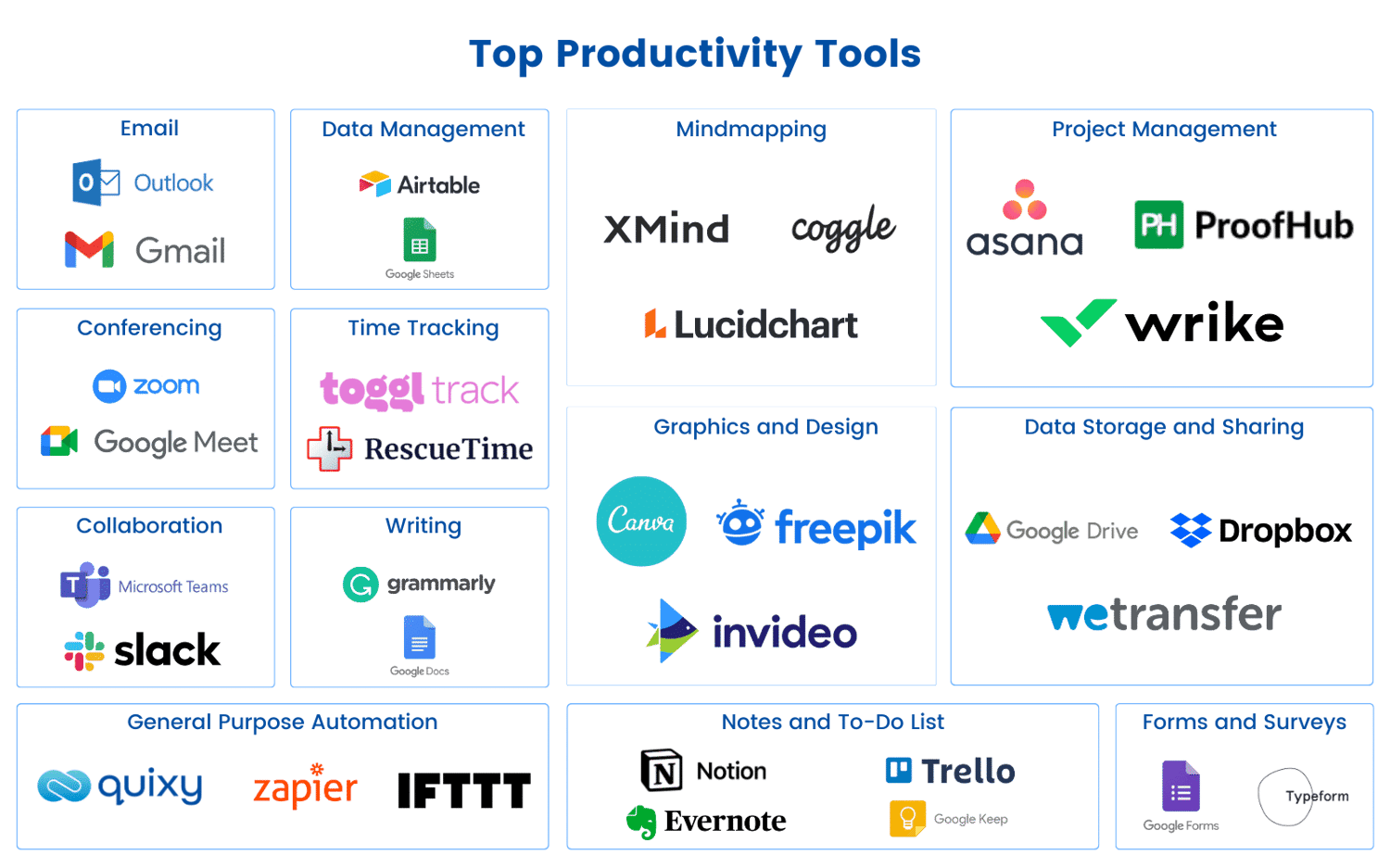
In the fast-paced digital age, virtual assistants (VAs) have become indispensable assets for businesses and entrepreneurs. Their ability to manage tasks, streamline operations, and enhance productivity is unparalleled. However, to maximize their efficiency, VAs need the right set of tools. Here, we explore the must-have tools for virtual assistants that can transform the way they work and deliver exceptional results.
1. Communication Tools
Effective communication is the cornerstone of any successful virtual assistant's toolkit. Tools like Slack and Microsoft Teams offer robust platforms for real-time messaging, file sharing, and video conferencing. These tools ensure seamless collaboration, keeping everyone on the same page and fostering a productive work environment.
2. Project Management Software
Managing multiple tasks and projects can be overwhelming without the right project management software. Trello and Asana are two popular choices that allow VAs to organize tasks, set deadlines, and track progress. These tools provide visual boards and lists that make it easy to prioritize and manage workloads efficiently.
3. Time Tracking Tools
Time management is crucial for virtual assistants who juggle various tasks for different clients. Toggl and Harvesttime-tracking are crucial tools in tracking time.
4. File Storage and Sharing
Virtual assistants often handle a plethora of documents and files. Tools like Google Drive and Dropbox offer secure and accessible cloud storage solutions. These platforms enable VAs to store, share, and collaborate on documents in real-time, ensuring that important files are always within reach.
5. Email Management
Managing emails can be a daunting task, but with tools like Mailbird and Spark, VAs can streamline their inboxes. These email clients offer features such as unified inboxes, customizable layouts, and smart filters that help in organizing and prioritizing emails effectively.
6. Scheduling Tools
Scheduling meetings and appointments can be time-consuming. Tools like Calendly and Acuity Scheduling simplify this process by allowing clients to book appointments based on the VA's availability. These tools integrate with popular calendar apps, reducing back-and-forth communication and ensuring a smooth scheduling experience.
7. Social Media Management
For VAs handling social media accounts, tools like Hootsuite and Buffer are indispensable. These platforms allow for scheduling posts, monitoring engagement, and analyzing performance across multiple social media channels. This ensures a consistent and strategic online presence for clients.
8. Accounting and Invoicing
Keeping track of finances is essential for any virtual assistant. Tools like QuickBooks and FreshBooks offer comprehensive accounting and invoicing solutions. These platforms help VAs manage expenses, generate invoices, and track payments, ensuring financial accuracy and transparency.
9. Note-Taking Apps
Virtual assistants often need to jot down ideas, tasks, and important information. Evernote and OneNote are powerful note-taking apps that allow VAs to capture and organize notes efficiently. These tools offer features like tagging, search functionality, and multimedia support, making note-taking a breeze.
10. Password Management
Security is paramount for virtual assistants who handle sensitive information. LastPass and 1Password are reliable password management tools that store and encrypt passwords securely. These tools also offer features like password generation and autofill, ensuring that VAs can manage their credentials safely and conveniently.
11. Automation Tools
Automation can significantly enhance a VA's productivity. Tools like Zapier and IFTTT enable VAs to automate repetitive tasks by connecting different apps and services. This allows for seamless workflows and saves valuable time that can be spent on more critical tasks.
12. Virtual Meeting Platforms
With remote work becoming the norm, virtual meeting platforms like Zoom and Google Meet are essential. These tools offer high-quality video conferencing, screen sharing, and recording features, facilitating effective communication and collaboration with clients and team members.
Conclusion
Equipping yourself with the right tools is crucial for success as a virtual assistant. These must-have tools for virtual assistants not only enhance productivity but also ensure that you can deliver top-notch services to your clients. By integrating these tools into your daily workflow, you can streamline operations, and manage tasks ready to elevate your virtual assistant game? Start exploring these tools today and experience the difference they can make in your productivity and efficiency. Don't wait—empower yourself with the best tools and watch your virtual assistant business thrive! efficiently, and ultimately, achieve greater success in your virtual assistant career.