
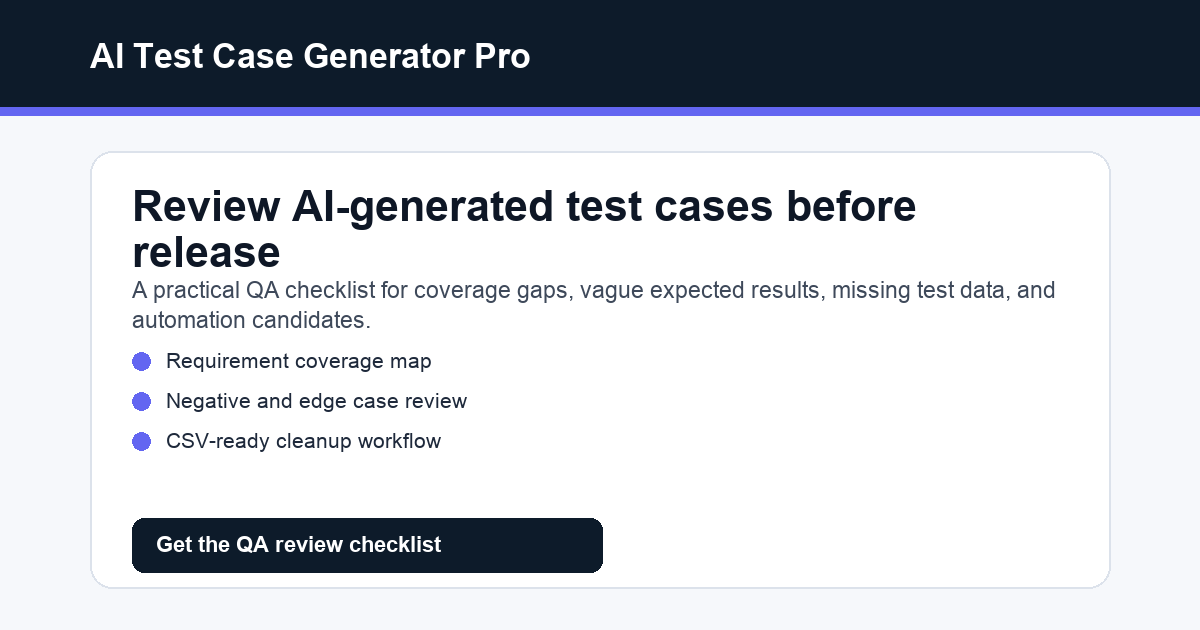
Test Case Review Checklist for AI-Generated QA Tests
AI can create QA test cases quickly, but speed is only useful if the output can be trusted. A test case list that looks complete may still miss important risks, invent product rules, or describe expected results too vaguely for a real tester to execute.
That is why every AI-generated QA draft needs a human review step. The goal is not to rewrite everything manually. The goal is to catch weak assumptions, missing coverage, unclear expected results, and cases that cannot be run in a real test environment.
Why AI Test Cases Need Review
AI is useful for turning requirements, user stories, bug reports, and API notes into a first draft. But it does not automatically know:
• which business rules are final
• which workflows are high risk
• which permissions matter most
• which old bugs must never return
• which test data exists
• which environments are safe for destructive checks
• which cases should be automated later
• which edge cases matter for your product
A review checklist gives QA, PMs, founders, and developers a repeatable way to turn an AI draft into something usable.
The Review Checklist
Use this checklist after generating test cases with ChatGPT, Claude, Gemini, or another AI assistant.
1. Requirement Coverage
Check whether every requirement, acceptance criterion, user story, bug fix, or API rule has at least one matching test case.
Ask:
• Is every requirement covered?
• Are high-risk requirements covered by more than one test?
• Are missing assumptions listed as questions?
• Did the AI ignore any acceptance criteria?
If the answer is unclear, ask AI to create a coverage map that links each test case back to the source requirement.
2. Expected Result Quality
Weak test cases often fail because the expected result is too vague. A good expected result should be specific enough that two testers would reach the same conclusion.
Avoid expected results like:
• works correctly
• error is shown
• data is updated
• user sees the right page
Prefer expected results that name the exact state, message, status code, field, permission, or data change.
3. Negative and Edge Cases
AI often writes happy paths first. Review whether the draft includes:
• invalid input
• missing required fields
• duplicate records
• expired sessions
• wrong permissions
• boundary values
• empty states
• network or integration failures
• previously fixed bugs
For SaaS products, permissions, billing, account limits, exports, integrations, and data deletion usually deserve extra attention.
4. Test Data and Preconditions
A test case is hard to run if it does not explain setup.
Check whether each case includes:
• user role
• account state
• feature flag state
• required test data
• existing records
• environment
• API token or permission level
• cleanup notes
If setup is missing, ask AI to add preconditions and test data for each high-priority case.
5. Priority and Risk
Not every test case has the same value. Ask AI to label each case by priority and risk:
• High: payment, login, permissions, data loss, signup, core workflow, API contract
• Medium: common workflow, important edge case, integration, reporting, export
• Low: low-impact UI, copy, secondary workflow, rare state
This helps small teams decide what to run when release time is limited.
6. Automation Potential
AI-generated test cases can become a starting point for automation, but not every case should be automated.
Tag cases as:
• manual only
• good automation candidate
• API automation candidate
• UI automation candidate
• exploratory testing candidate
Good automation candidates usually have stable steps, clear expected results, repeatable data, and high regression value.
7. Tool Import Readiness
If you plan to move the output into Jira, TestRail, Qase, Xray, Zephyr, Azure DevOps, Linear, GitHub, or a spreadsheet, check whether the fields are ready.
A practical table should include:
• Test ID
• Requirement or story ID
• Scenario
• Preconditions
• Test data
• Steps
• Expected result
• Priority
• Test type
• Automation candidate
• Notes
If the AI output is just a paragraph list, ask it to convert the cases into a CSV-ready table.
Prompt to Review AI-Generated Test Cases
Paste this prompt after your AI creates the first draft:
Act as a senior QA lead reviewing AI-generated test cases.
Review the test cases below against the source requirement. Identify missing coverage, vague expected results, invented product rules, missing preconditions, weak test data, missing negative cases, and automation candidates.
Return:
1. Coverage gaps
2. Questions for the PM or developer
3. Test cases that need rewriting
4. High-risk cases that should be added
5. A cleaned CSV-ready test case table
Do not invent product behavior. Mark unclear behavior as a question.
Example Review Notes
A strong review might catch issues like:
• duplicate invitation behavior is not tested
• non-owner permission checks are missing
• expected result says "email is sent" but does not specify subject, recipient, or trigger
• invalid email format is tested, but missing email is not tested
• existing workspace member state is not covered
• API response field is mentioned in the requirement but absent from test cases
• cleanup is missing for test accounts and pending invitations
These are exactly the kinds of problems that make AI test cases look useful at first and weak during execution.
Want the ready-made workflow?
AI Test Case Generator Pro is a $9 instant-download pack with test case generation prompts, review checklists, CSV-ready templates, Jira and Azure story workflows, API test case prompts, BDD/Gherkin prompts, bug-to-regression prompts, example inputs, and finished outputs.
Use it when you want AI-generated QA drafts to become reviewable, import-ready test cases instead of vague checklists.
Get instant access here:
https://payhip.com/b/SkOtc