
How I turned credit card statements into an automated financial tracker — and discovered that getting the numbers right was harder than building the automation.
I’ve been tracking income from all my projects, and I love having a system that keeps everything organised. But expenses are another story. Without checking them regularly, things get messy, and I often lose track of how much I’ve spent or still owe. That’s when I realised I needed a clearer picture of three things: what I earn, what I spend, and what I owe.
I already track my freelance income in ClickUp, so I figured, why not build the rest there too, with AI doing most of the heavy lifting?
What started as a simple expense tracker turned into a complete financial dashboard, along with a few unexpected lessons about automation and my own finances.
Building the System
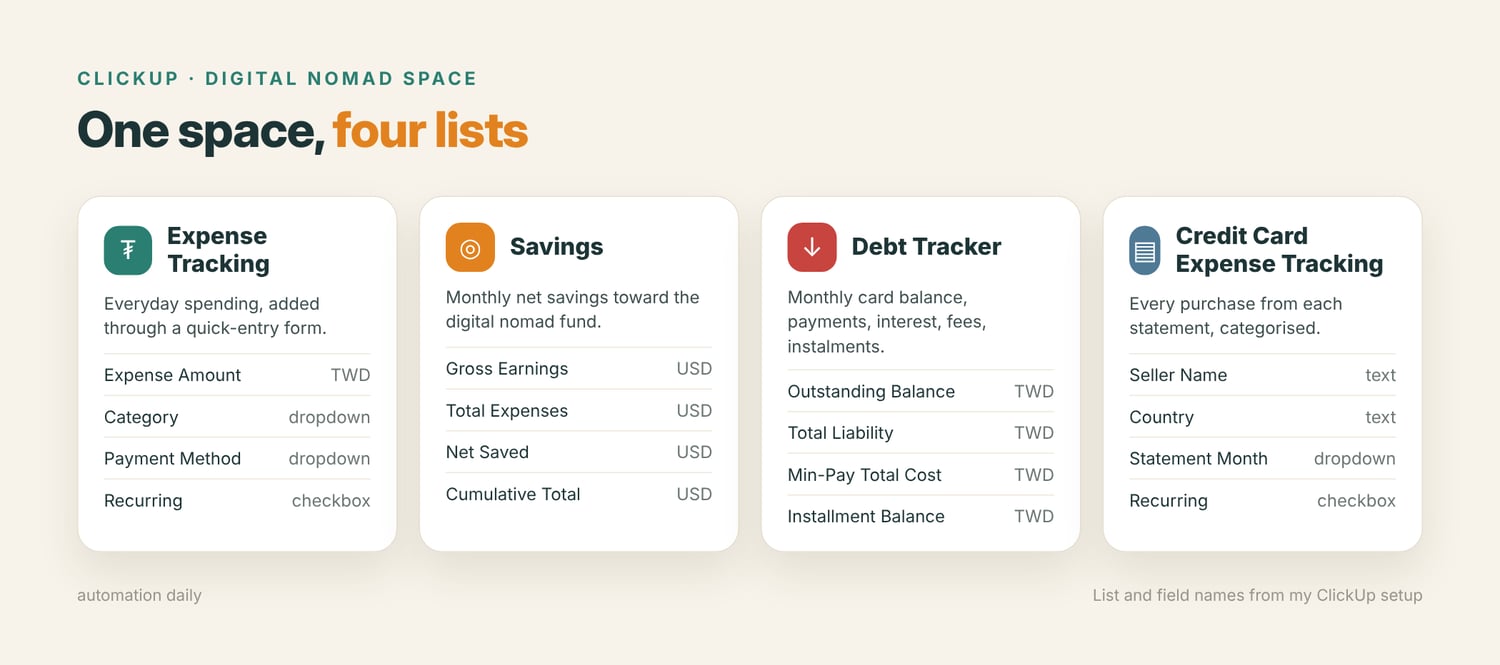
I created a Digital Nomad space in ClickUp with four lists:
- Expense Tracking: Everyday spending, with a quick-entry form.
- Savings: Track monthly net savings against my digital nomad fund goal.
- Debt Tracker: Monthly credit card balances, payments, interest, fees, and instalments.
- Credit Card Expense Tracking: Individual purchases categorised by merchant, country, payment method, and recurring status.
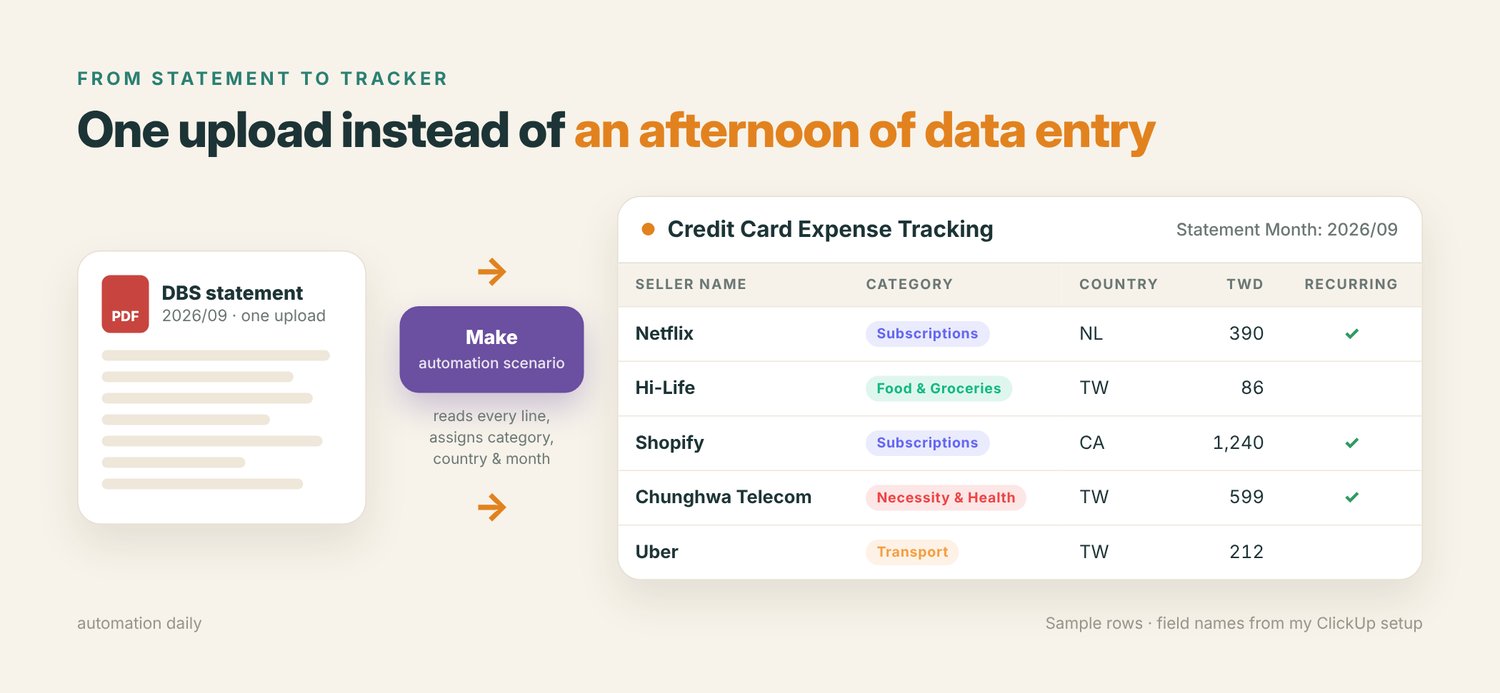
Then came the tedious part: processing months of DBS credit card statements. Instead of manually entering every transaction, I used Make to extract and organise the data, then turned the process into a “scenario” or “template”.
Now, processing a new statement takes just one upload instead of an afternoon of data entry. Sounds simple enough. Except a few things broke along the way.
What Went Wrong (And What I Learned)
1. Full automation wasn’t as simple as connecting a few APIs.
I initially wanted everything to sync automatically: Taiwan’s e-invoices, my bank account, and my Kraken crypto portfolio.
The e-invoice integration was workable through Make.com, but bank API access was limited. Kraken required an additional signing process that Make couldn’t handle without a separate endpoint. Turns out, “just connect the API” can easily turn into a weekend of technical work.
2. Some ClickUp fields can’t be changed later.
I accidentally created my balance fields in USD instead of TWD. Since ClickUp doesn’t let you change a field’s currency after creation, I had to rebuild them manually.
3. Missing dropdown options caused incomplete imports.
My Statement Month dropdown didn’t include older months, leaving imported tasks with empty fields. I had to add the missing options and backfill around 50 tasks.
4. A correct total didn’t mean the transactions were correct.
When I manually entered one statement, every amount shifted down by one row. Netflix ended up with the Hi-Life amount, Shopify got my phone bill, and a small transaction fee disappeared.
The monthly total still looked right. That reminded me to check individual transactions against the original statement, not just trust the final number.
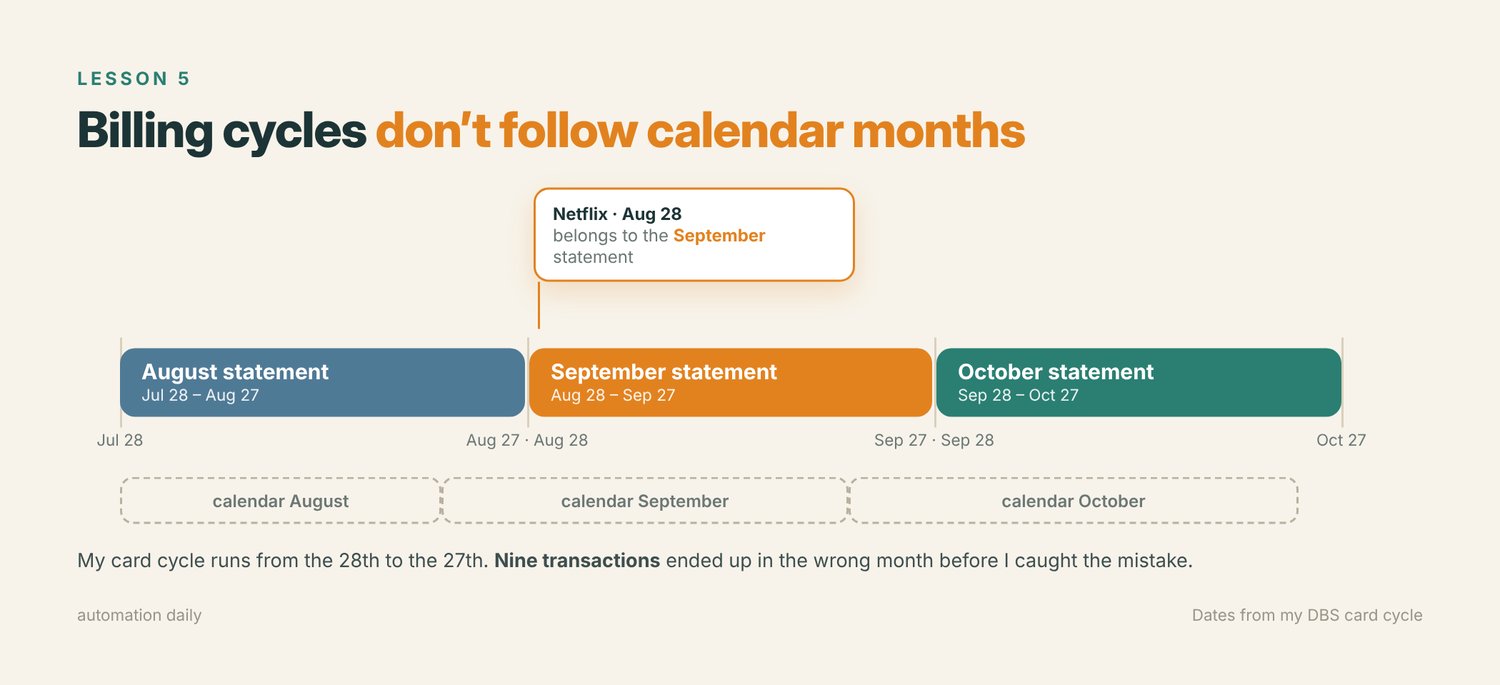
5. Billing cycles don’t follow calendar months.
My credit card cycle runs from the 28th to the 27th. That means a Netflix charge on August 28 belongs to September’s statement, not August’s. Nine transactions ended up in the wrong month before I caught the mistake.
6. I was tracking the wrong debt figure.
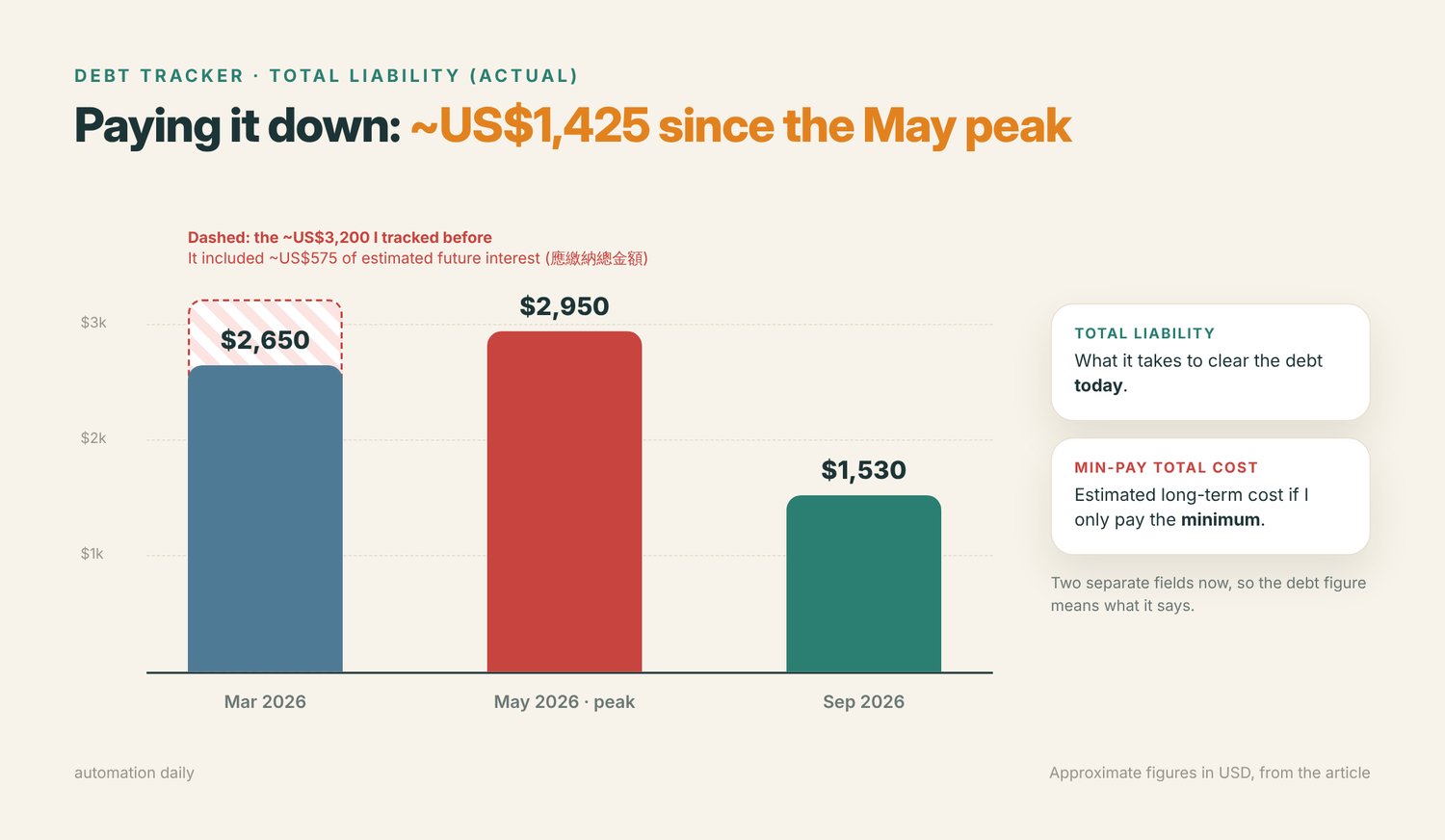
This was the biggest discovery. I’d used a figure from DBS called 應繳納總金額 as my Total Liability. It sounded like the amount I owed, but it actually included estimated future interest if I only made minimum payments.
In March 2026, my tracker showed roughly US$3,200 in debt. After checking the statement, I realised my actual outstanding debt was closer to US$2,650. The difference — around US$575 — was estimated future interest, not debt I already owed.
I corrected the tracker by separating two figures:
- Total Liability: What it would take to clear my outstanding debt today.
- Min-Pay Total Cost: The estimated long-term cost of making only minimum payments.
Suddenly, I had a much clearer picture of my finances.
Finally, a Budget I Can Actually Trust
With the corrected calculations, my actual debt reduction became much easier to see:
- March 2026: Approximately US$2,650 in actual debt, after correcting the inflated figure.
- May 2026: Debt reached its peak of roughly US$2,950.
- September 2026: Debt dropped to approximately US$1,530.
That’s around US$1,425 paid down between May and September, with most of the remaining balance tied to one instalment plan.
More importantly, each new statement now updates my debt, spending categories, and overall savings picture in one process.
I can finally see where my money goes, how much progress I’m making, and what I need to save before starting my digital nomad journey.
The Biggest Takeaway
If you’re building something similar, start with the data you already have rather than chasing complicated integrations.
Set up your fields before importing anything, verify individual transactions against the original documents, and make sure your financial figures actually mean what you think they mean.
AI made building the system easier. Making the data accurate enough to trust was where the real work happened.
👉 Want the same setup? The AI Expense Tracker template turns your credit card statements into categorised rows, with expenses and debt kept separate.
Spend less time on repetitive tasks and let automation do the heavy lifting.