
Restaurant Par Level & Inventory System | Food Cost Workbook
Stop ordering by gut feeling. The Par Level & Inventory System is a ready-to-use Excel workbook that helps restaurants and foodservice operations set accurate par levels, order to their delivery schedule, and connect weekly inventory counts to actual food cost, all in one file.
It’s built by Foodservice Education, using the same methods taught in our Par Levels video lesson, so you can follow along tab by tab.
What’s inside: 8 connected tabs
- How To Use: Step-by-step instructions for every tab, a color key, and a quick reference of the key formulas (usage, par, order quantity, COGS, food cost %, inventory turnover and days on hand).
- Setup: Enter your business settings once, including operating days, default safety stock %, food sales and target food cost %. The delivery schedule holds up to 10 vendors, with order days, cutoff times, delivery days, lead time, days covered per delivery and minimum order.
- Usage Log: Track 4 weeks of usage per item with the formula Beginning + Received − Ending = Usage. The workbook calculates average weekly and average daily usage automatically.
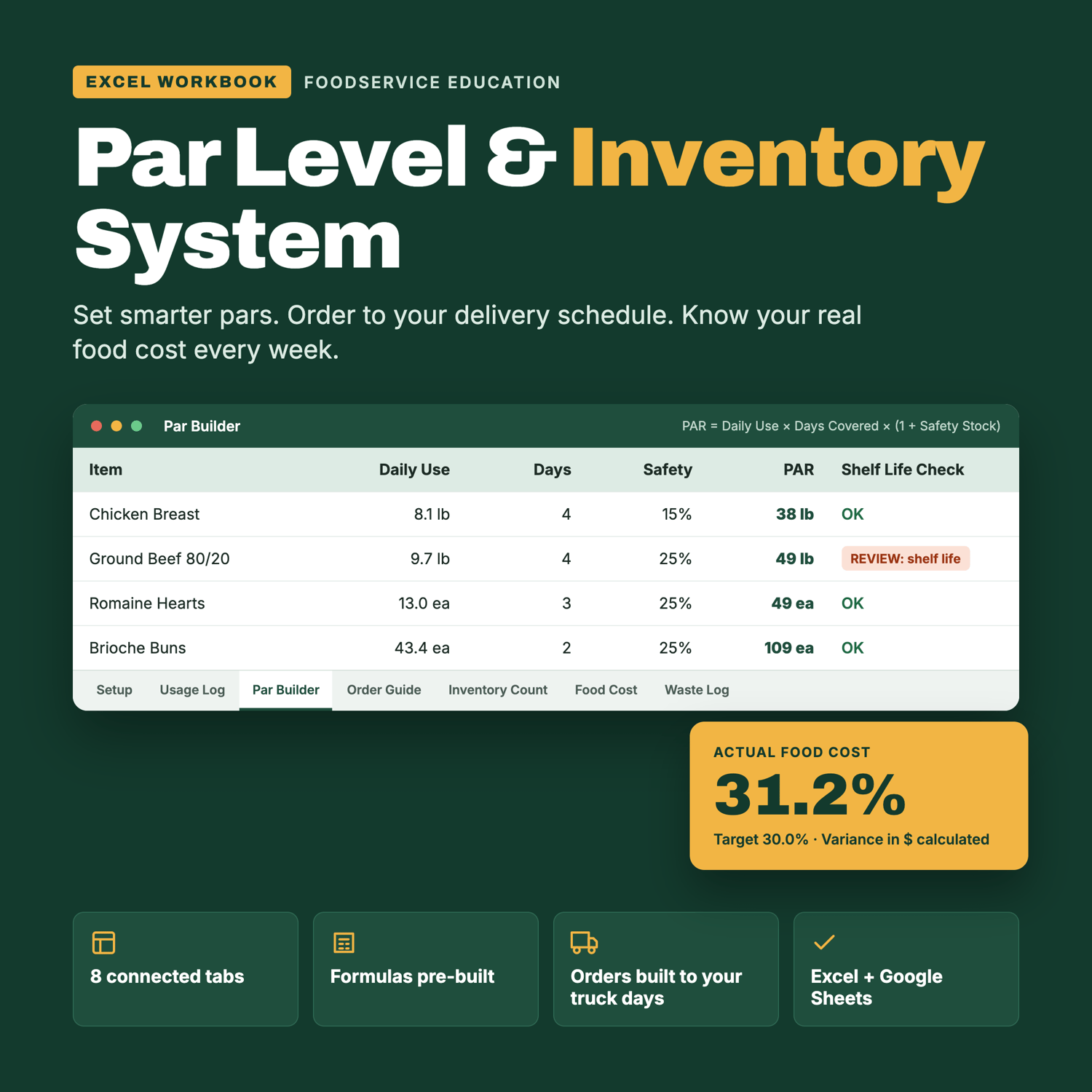
- Par Builder: Your master item list in shelf order. Pars are calculated from daily usage, days covered and safety stock, then shown in both count units (lb, each, qt) and purchase units (cases, bags). You can override safety stock for any item. A built-in shelf-life check flags any item whose par covers more days than the product lasts.
- Order Guide: Enter what’s on hand and get the exact number of cases to order. It accounts for product you’ll use before the truck arrives and rounds up to full purchase units. Each vendor’s order is totaled and checked against its minimum.
- Inventory Count: A printable shelf-to-sheet count sheet organized by storage area (walk-in, freezer, produce, dry storage). Each count is multiplied by unit cost to calculate ending inventory value.
- Food Cost: Calculates cost of goods sold, actual food cost %, and the variance from your target in both percentage points and dollars. It also shows average inventory, inventory turnover and days on hand, so you can see whether your pars are too high or too low.
- Waste Log: Record discarded product with a reason from a dropdown menu. The waste value is calculated automatically and feeds into the Food Cost tab, so you can spot items whose pars need to come down.
Built to be easy to use
- All formulas are pre-built and linked across tabs. Enter your item list once and it carries through the whole workbook.
- Input cells are color-coded (yellow with blue text) so you always know what to fill in and what to leave alone.
- It comes loaded with a 12-item sample restaurant, so you can see exactly how the numbers flow before entering your own.
- Room for 60 items per tab, which you can expand by copying rows down.
- Dropdown menus for vendors, storage areas and waste reasons.
- Print-ready layouts for count sheets and order guides.
- Works in Microsoft Excel and Google Sheets.
Who it’s for
Restaurant owners, chefs, kitchen managers, F&B directors, catering and institutional foodservice operators, and culinary instructors teaching purchasing, inventory and cost control.
What you’ll be able to do
- Set pars from real usage data instead of guesses
- Cover the longest gap between deliveries so you don’t run out on weekends
- Build vendor orders in minutes on order day
- Take faster, more accurate weekly inventory counts
- Know your actual food cost % every week and what the variance costs you in dollars
- Cut waste by catching overstocked and short-shelf-life items
Includes 1 Excel workbook (.xlsx). Digital download, no physical product will be shipped.