



GMP Training Matrix Excel | SOP Training Tracker with Version-Triggered Retraining & Dashboard
In a GMP lab the question is not only who has been trained, but who is trained on the current version of every SOP their role needs. The GMP Training Matrix answers that from three simple inputs: a staff list with job roles, an SOP register with versions and effective dates, and a log of training records.
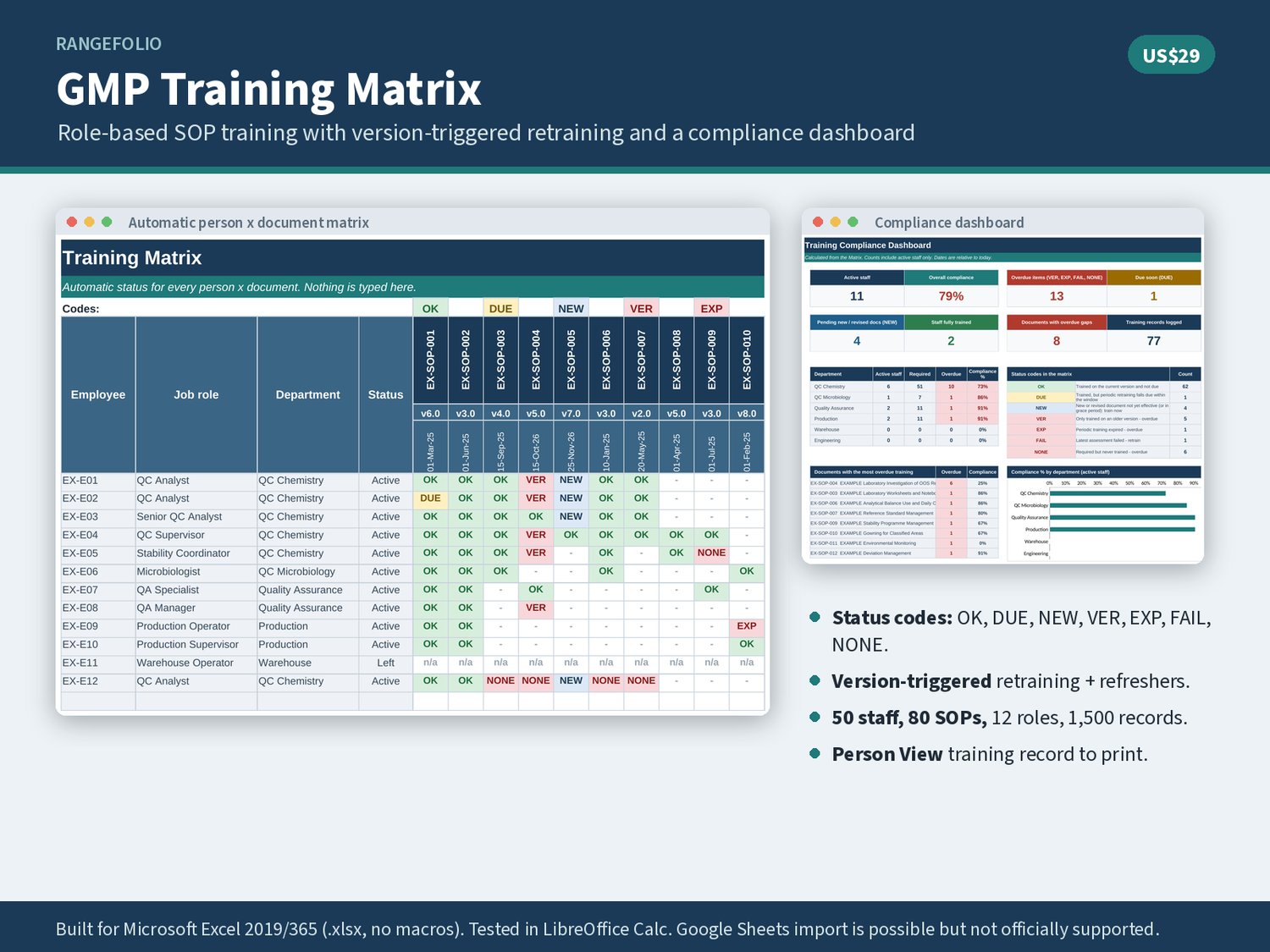
A role curriculum says which documents each of up to 12 roles must be trained on, and each document can carry a periodic retraining interval. The Matrix then shows one status code for every person and document: OK, DUE (retraining due soon), NEW (new or revised document in its grace period: train now), VER (only trained on an older version), EXP (periodic training expired), FAIL (latest assessment failed) or NONE (required but never trained). Revise an SOP and old-version training turns NEW, then VER once the effective date and grace period have passed.
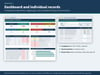
The Dashboard shows the overall percentage of required training that is current, overdue items by department and the documents with the most gaps. Person View prints an individual training record for any staff member. Fictional EXAMPLE staff, SOPs and records show every status.
Capacity: 50 staff, 80 documents, 12 roles and 1,500 training records.
What's included
• GMP-Training-Matrix.xlsx (9 tabs)
• Start Here: quick start, status code key, rules, disclaimer
• Dashboard: compliance %, overdue, status counts, department table, top documents with gaps, chart
• Matrix: 50 people x 80 documents with colour-coded status codes
• Staff, SOP Register (versions, effective dates, periodic retraining interval) and role Curriculum
• Training Records (1,500 rows): version trained, date, method, assessment result, trainer role, evidence reference
• Person View: printable training record per person; Lists and settings
• User-Guide.pdf (8 pages): set-up, how every status is decided, public references and disclaimer
• Fictional EXAMPLE data: staff, SOPs and records that show every status code
Who it's for
• QC laboratory managers and team leads who keep training current
• QA and training coordinators preparing for audits and inspections
• Small GMP sites and start-ups that do not yet have an LMS
• Anyone who has to show that staff were retrained after an SOP revision
File formats and compatibility
• Microsoft Excel .xlsx workbook plus a PDF user guide, delivered as one zip
• Built for Microsoft Excel 2019/365 (.xlsx, no macros). Tested in LibreOffice Calc. Google Sheets import is possible but not officially supported.
• No add-ins, internet connection or macros required
• Instant digital download; no physical item is shipped
FAQ
Q: How does version-triggered retraining work?
A: Each training record stores the version trained. When the SOP Register shows a newer version, the person's status changes to NEW until the effective date plus the grace period on Lists has passed, then to VER if there is still no training on the new version.
Q: Can I change the roles and departments?
A: Yes. Roles, departments, training methods and settings are on Lists and the Curriculum tab. Up to 12 roles and 80 documents are supported.
Q: Does it replace a learning management system?
A: No. It is a spreadsheet tracker. It does not send reminders, record e-signatures or keep an automatic audit trail.
Q: Is it validated or compliant out of the box?
A: No. It is a template. No spreadsheet is compliant on its own, and this file is not a validated computerised system or a Part 11 / Annex 11 electronic records system. Verify the formulas with your own data and approve it under your own procedures before GMP use.
Q: Is the example data real?
A: No. All staff codes, documents and records in the EX- rows are fictional. Clear them before first use.
Disclaimer: Template only. This workbook is a tracking and calculation aid. It is not regulatory, legal or quality advice, it does not make your processes compliant, and it is not a validated computerised system: validate it for your intended use under your own procedures before relying on it for GMP decisions. Public guidelines (ICH, EU GMP, US 21 CFR, USP and others) are cited for concepts only. Rangefolio is not affiliated with or endorsed by ICH, USP, EDQM, FDA, EMA or PIC/S. All example data is fictional.