
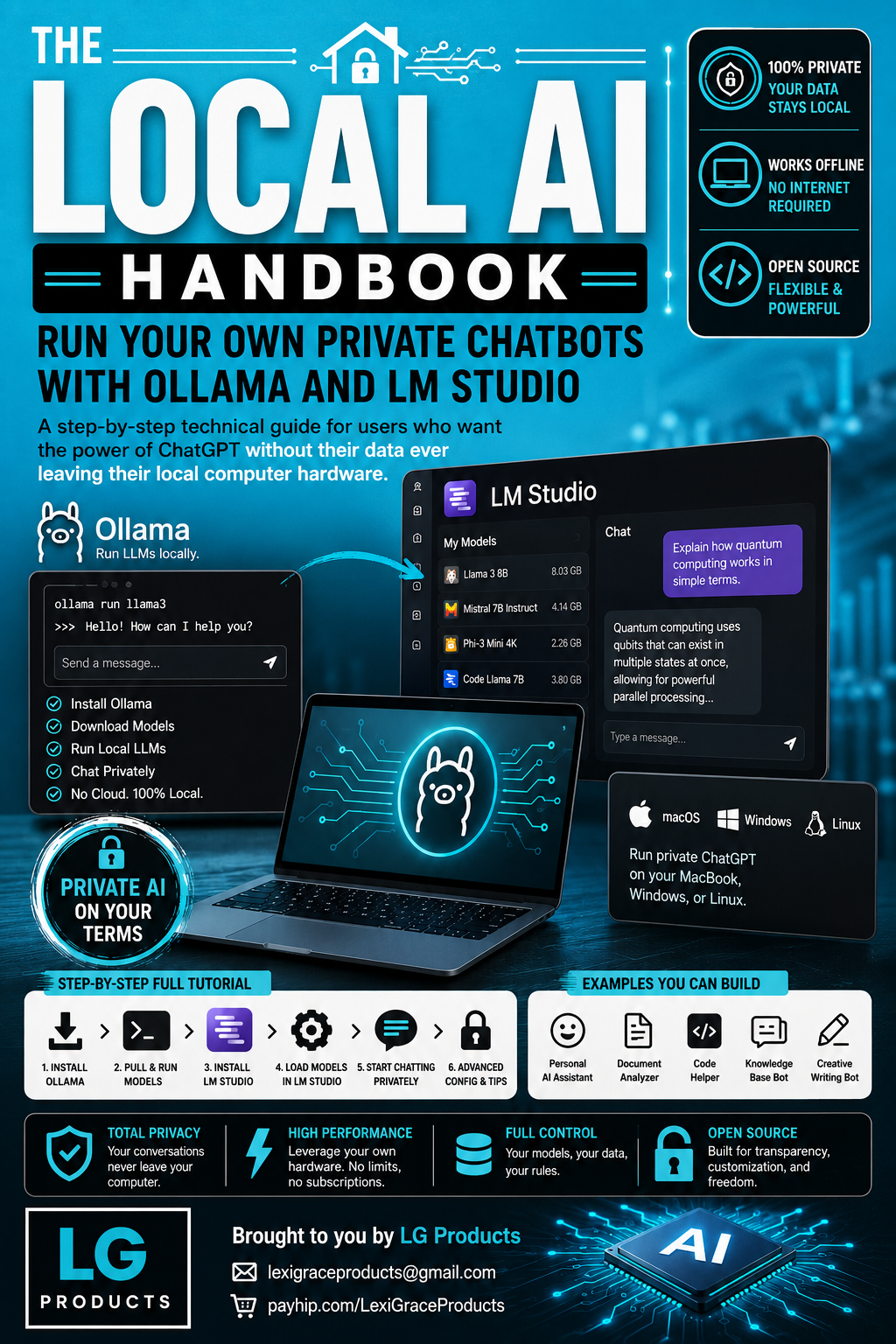
The Local AI Handbook: Run Your Own Private Chatbots with Ollama and LM Studio — A Complete Step-by-Step Guide for Running Private ChatGPT on MacBook, Windows, and Linux
Every time you type into ChatGPT your data travels to a server you do not control. For most things that is fine. For your personal journal, confidential business documents, private medical questions, and proprietary code — it is not.
Running AI locally means your conversations never leave your computer. No subscriptions. No data retention policies. No usage limits. No internet required. Just powerful AI running entirely on your own hardware under your complete control.
In 2026 this is no longer complicated or expensive. Two free tools — Ollama and LM Studio — make it possible for anyone with a modern laptop to run production-quality AI models completely offline. This handbook shows you exactly how.
The Local AI Handbook is the most complete step-by-step guide available for running private AI chatbots locally using Ollama and LM Studio — covering full installation on Mac, Windows, and Linux, model management, practical use cases, five complete AI applications you can build yourself, and a full troubleshooting and model comparison reference.
What's Inside:
✅ Introduction — Cloud AI vs Local AI — a complete side-by-side comparison showing exactly what changes when you run AI locally including privacy, cost, speed, usage limits, model control, and data security, plus a hardware requirements table showing exactly what your Mac, Windows, or Linux machine can run and which models perform best on each hardware configuration
✅ Section 1 — Ollama Tutorial for Beginners — Complete Setup and 20 Examples — ten complete step-by-step installation blocks covering downloading and installing Ollama on Mac, Windows, and Linux, pulling your first AI model, running interactive chat sessions, managing your model library, running Ollama without interactive mode, using the Ollama REST API from any programming language, creating custom AI assistants with Modelfiles and system prompts, and installing Open WebUI for a full ChatGPT-style browser interface — plus 20 practical copy-and-paste examples covering document summarization, email drafting, code explanation, SQL query writing, unit test generation, CSV data analysis, legal document summarization, medical notes formatting, financial report analysis, personal journal analysis, and more — every example with the exact command to run and the expected output
✅ Section 2 — LM Studio Setup Guide — Complete Walkthrough and 15 Examples — ten complete step-by-step setup blocks covering downloading and installing LM Studio on Mac, Windows, and Linux, searching and downloading models through the built-in model browser, loading models and starting your first private chat session, configuring model parameters including temperature, context length, and max tokens, setting custom system prompts to create specialized AI assistants, enabling the local OpenAI-compatible API server, using LM Studio with Python via the standard OpenAI library, and connecting Continue.dev in VS Code for private AI-powered code completion — plus 15 use case examples covering private document Q&A, AI code review in VS Code, medical research summarization, financial document analysis, resume improvement, meeting notes to action items, email thread summarization, custom customer support personas, competitive intelligence analysis, Python debugging sessions, lesson plan generation, personal finance analysis, batch document processing, and AI-powered Git commit messages
✅ Section 3 — Private ChatGPT on MacBook, Windows, and Linux — five complete private AI applications you build and own entirely including a Personal AI Assistant with custom Modelfile configuration and 10 daily use cases, a Private Document Analyzer for contracts, financial statements, and confidential reports, a Private Code Helper for proprietary codebases with zero cloud exposure, a Knowledge Base Bot using LangChain and ChromaDB to query your own document library with natural language, and a Creative Writing Bot that keeps your unpublished work completely private — plus platform-specific optimization tips for Apple Silicon Macs, Windows with NVIDIA and AMD GPUs, and Linux with CUDA acceleration
✅ Bonus — Advanced Configuration, Model Comparison Guide, and Troubleshooting — a complete 2026 model comparison table covering 14 models including Llama 3 8B and 70B, Mistral 7B and Nemo 12B, Code Llama, Phi-3 Mini and Medium, Gemma 2, DeepSeek Coder, Qwen 2.5, LLaVA vision model, and Nomic Embed — with size, best use case, minimum RAM, and speed rating for each — plus a troubleshooting guide for the 8 most common issues, a complete Ollama commands reference, and a curated list of 10 free tools that work with your local AI including Open WebUI, Continue.dev, AnythingLLM, Msty, LangChain, LlamaIndex, and PrivateGPT
This guide is perfect for:
- Privacy advocates who want the power of ChatGPT without their personal data, private communications, or sensitive documents ever leaving their own hardware
- Developers and engineers who work with proprietary codebases and need AI coding assistance without the security risk of sending code to external APIs
- Healthcare professionals, legal professionals, and financial advisors who need AI assistance with sensitive client or patient data that cannot be shared with cloud services
- Tech enthusiasts who want to explore the rapidly expanding world of open-source AI models and build their own AI-powered applications for free
- Small business owners who want enterprise-grade AI capability without the monthly subscription costs of cloud AI services
- Anyone who has tried ChatGPT and wants more control, more privacy, and zero ongoing cost
No subscriptions. No data leaving your machine. No usage limits. No internet required after setup.
The open-source AI models available for free in 2026 handle the vast majority of tasks most people use ChatGPT for every day. The only difference is that everything you do with your local AI stays permanently between you and your computer.
Your AI. Your data. Your rules. 100% private. Works offline. Free forever.
Instant digital download. Have your private AI running today.
Note: Software versions and commands may change over time. Always verify against current official documentation for Ollama and LM Studio before executing commands in your environment.
© 2026 Lexi Grace Products | LexiGraceProducts@gmail.com | payhip.com/LexiGrace