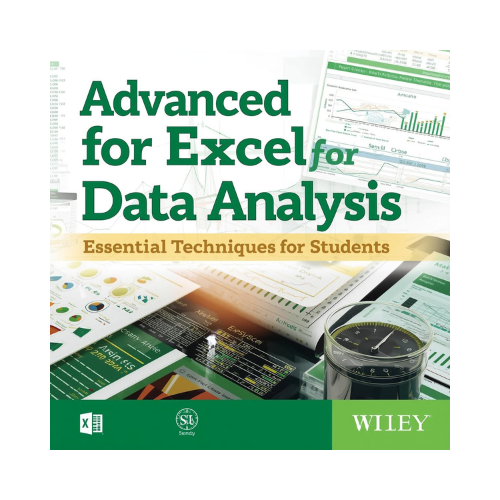
BOOK - Advanced Excel for Data Analysis: Essential Techniques for Students
@
Welcome to the Language Improvement Course! In this lesson, we will delve into the essential techniques for data analysis using the book "Advanced Excel for Data Analysis." Excel is a powerful tool widely used for analyzing and visualizing data in various fields. This book focuses on advanced features and functions that can help students enhance their data analysis skills and efficiency. Whether you are a student, a researcher, or a professional, mastering these techniques can greatly benefit your data analysis projects and make you stand out in your field.
One of the key topics covered in this book is pivot tables. Pivot tables are a powerful feature in Excel that allows users to summarize and analyze large datasets with ease. By organizing and manipulating data within a pivot table, users can quickly extract meaningful insights and trends. For example, you can use pivot tables to analyze sales data by region, product, or time period. This feature simplifies complex data analysis tasks and enables users to present information in a clear and structured manner, making it easier to draw conclusions and make informed decisions.
Another important aspect discussed in the book is data visualization techniques. Excel offers a variety of tools for creating visually appealing charts and graphs to represent data. Visualizations help users better understand patterns, relationships, and outliers within their datasets. With Excel's charting capabilities, you can easily create bar graphs, pie charts, scatter plots, and more to communicate your findings effectively. By mastering data visualization techniques, you can enhance the impact of your analysis and communicate complex information in a simple and accessible way.
In the book "Advanced Excel for Data Analysis: Essential Techniques for Students," readers will dive deep into the world of Excel and learn how to harness its full potential for data analysis. The book covers a range of advanced techniques that are essential for students looking to excel in data analytics. From advanced functions and formulas to data visualization and automation, this book equips students with the tools they need to manipulate and analyze data effectively. By exploring the various features and functionalities of Excel in a hands-on manner, students can develop a solid foundation in data analysis that will serve them well in their academic and professional pursuits.
One key aspect of the book is its focus on advanced functions and formulas in Excel. Readers will learn how to leverage functions such as VLOOKUP, INDEX-MATCH, and IFERROR to perform complex data analysis tasks efficiently. By understanding how to use these functions effectively, students can streamline their data analysis processes and extract valuable insights from large datasets. The book provides step-by-step instructions and practical examples to help readers grasp these advanced concepts and apply them to real-world data analysis scenarios.
Another important topic covered in the book is data visualization techniques in Excel. Students will learn how to create dynamic charts, graphs, and pivot tables to present their data in a visually appealing and easy-to-understand way. By mastering data visualization techniques, students can effectively communicate their findings and insights to others, enhancing the impact of their data analysis projects. The book also delves into automation features in Excel, such as macros and VBA, which can help students automate repetitive tasks and streamline their data analysis workflows. Overall, "Advanced Excel for Data Analysis" offers a comprehensive guide to mastering Excel for data analysis, making it an invaluable resource for students looking to enhance their analytical skills.
In the book "Advanced Excel for Data Analysis: Essential Techniques for Students," readers will delve into the world of data analysis using one of the most powerful tools available - Microsoft Excel. This book goes beyond the basic functions of Excel and explores advanced techniques that are crucial for students and professionals working with data. From pivot tables to statistical analysis, this book covers a wide range of topics that are essential for anyone looking to enhance their data analysis skills.
One of the key features of this book is its practical approach to teaching complex Excel techniques. Each concept is explained in a clear and concise manner, with step-by-step instructions and examples to help readers understand how to apply these techniques in real-world scenarios. Whether you are analyzing sales data, conducting research, or preparing a financial report, the skills learned from this book will enable you to work more efficiently and effectively with large datasets.
By mastering the techniques outlined in "Advanced Excel for Data Analysis," students will be better equipped to handle the demands of the data-driven world we live in today. From creating interactive dashboards to performing regression analysis, this book will empower readers to unlock the full potential of Excel as a data analysis tool. Whether you are a student looking to excel in your studies or a professional seeking to advance your career, this book is a valuable resource that will provide you with the skills and knowledge needed to succeed in the field of data analysis.
Today, we are going to delve into the essential techniques for data analysis using the book "Advanced Excel for Data Analysis." Excel is a powerful tool that can help students and professionals alike in making sense of data, drawing insights, and making informed decisions. This book is a comprehensive guide that covers advanced functions, formulas, pivot tables, and data visualization techniques. By mastering these skills, you will be equipped to handle complex data sets with ease and efficiency.
One of the key features of the book is its detailed explanation of advanced Excel functions. These functions allow you to perform complex calculations, manipulate data, and automate tasks. For example, the VLOOKUP function enables you to search for a value in a table and return a corresponding value, helping you streamline data analysis processes. Understanding these functions is crucial for conducting in-depth data analysis and gaining valuable insights from your data.
Another highlight of the book is its coverage of pivot tables and data visualization techniques. Pivot tables are powerful tools for summarizing and analyzing large data sets quickly. With pivot tables, you can create customized views of your data, uncover trends, and identify patterns effortlessly. Additionally, the book explores data visualization techniques using Excel's charting tools, helping you present your findings in a clear and compelling manner. By mastering these techniques, you can communicate your insights effectively and drive data-backed decisions in your academic or professional projects.