



Net Worth Tracker Spreadsheet | Monthly Assets & Debt Tracker with Goals, Milestones & FI Number | Excel & Google Sheets
List every account once (checking, savings, retirement, investments, home, car, mortgage, credit cards, loans), then type balances once a month. Net worth, monthly change, assets vs. liabilities and allocation update by themselves. Set goals, watch milestones fill in, and see how close you are to your FI number. Works in Excel and Google Sheets, with no macros.
Want to know if you're actually getting ahead? Net worth is the one number that tells you, and tracking it monthly is the habit that changes how you see your money. This spreadsheet makes that a 10-minute job once a month. No bank logins, no app subscription, no sign-ups. Your numbers stay in your file.
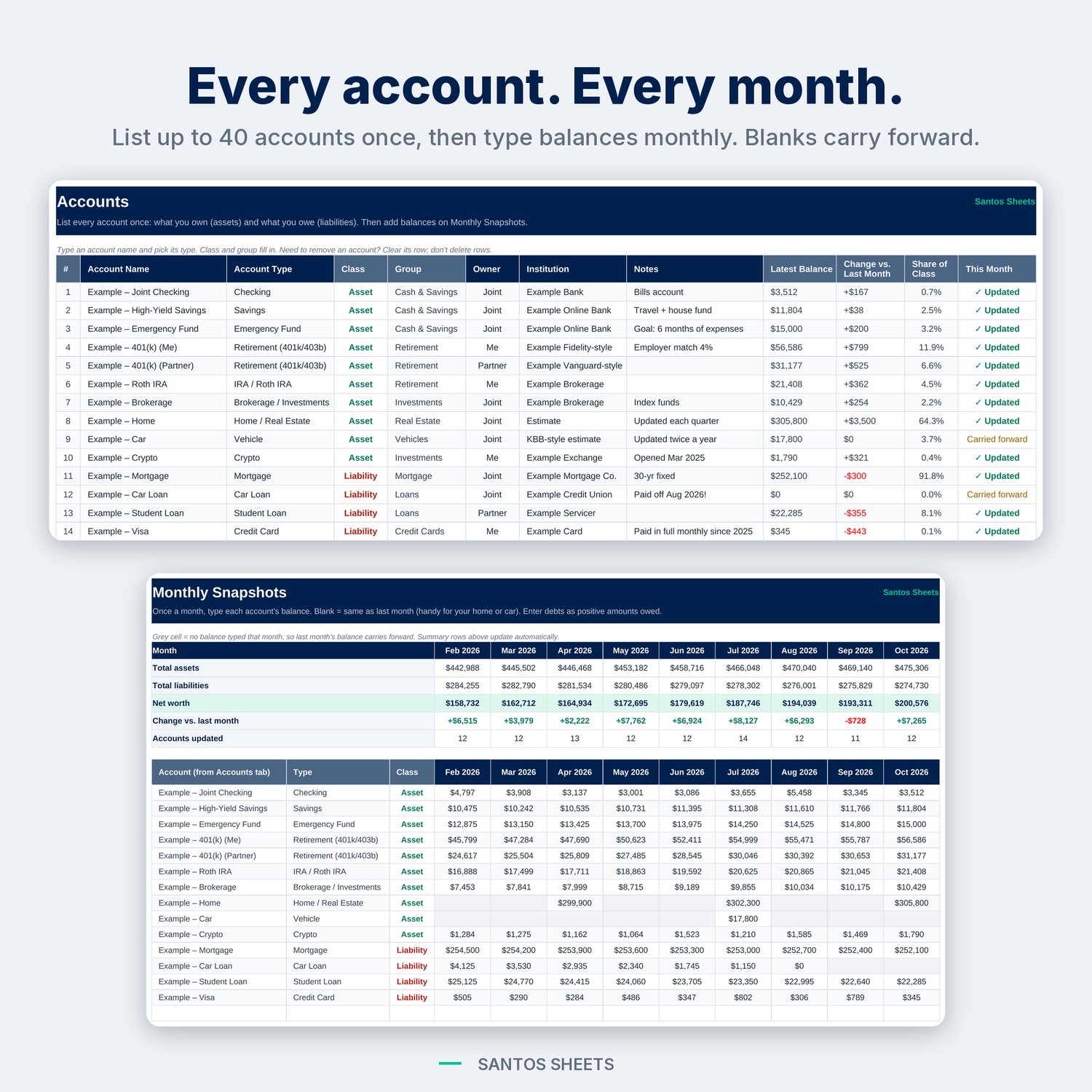
List your accounts once. Then each month, type the balances that changed. Leave a cell blank and last month's balance carries forward, which is handy for your home or car value. The dashboard, charts, goals and milestones all update automatically.
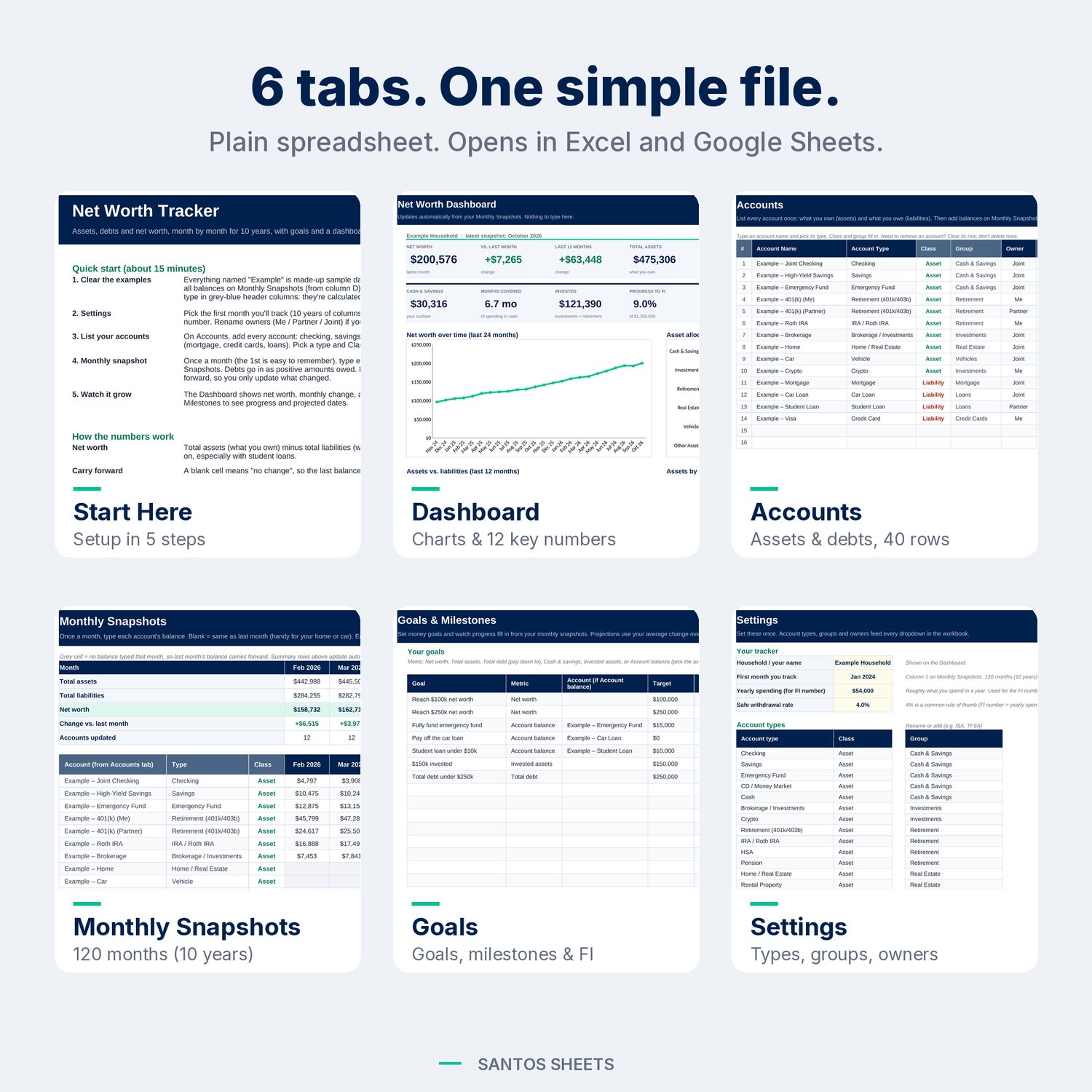
What's inside (6 tabs):
• Start Here: a 5-step quick start (about 15 minutes) and plain-English notes on how the numbers work.
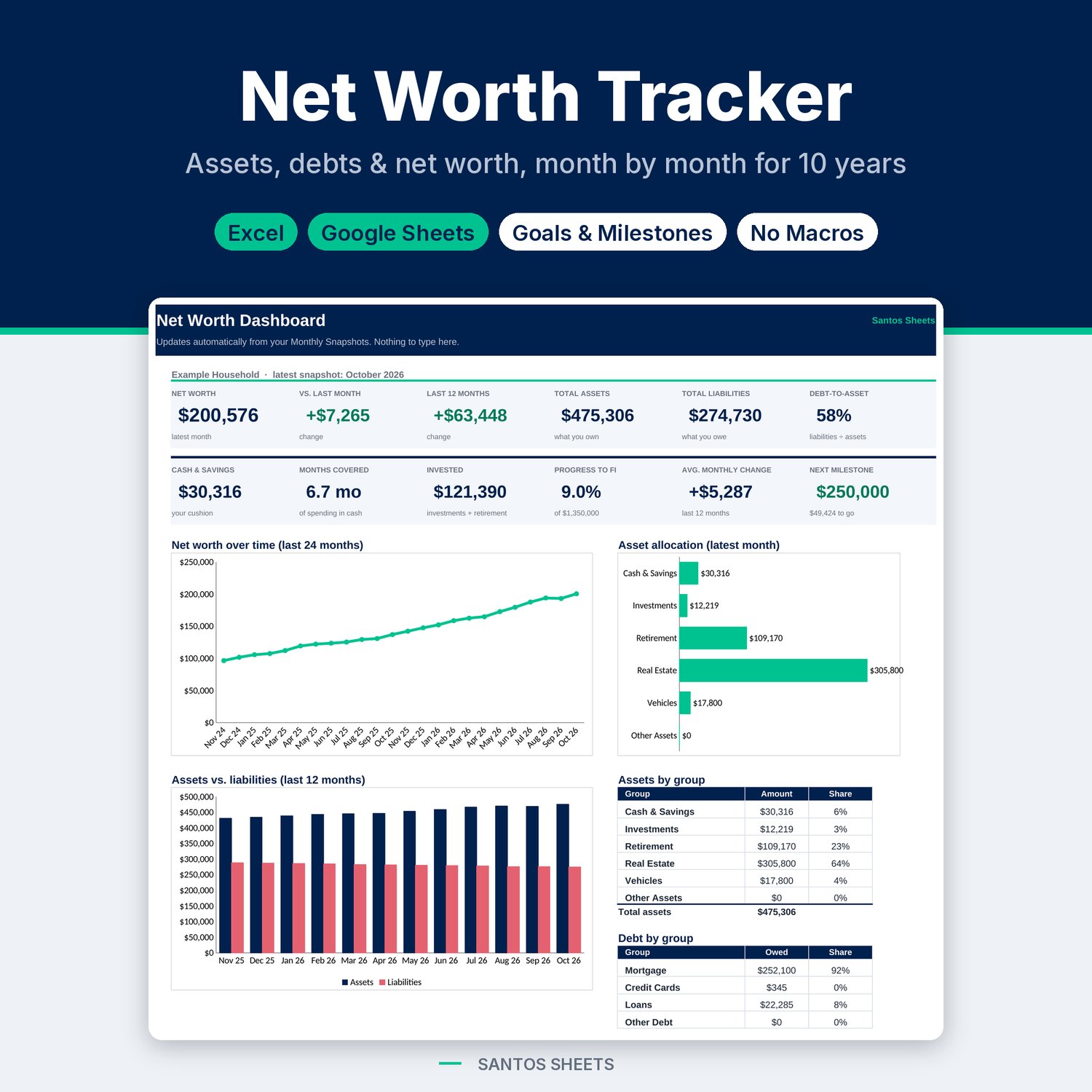
• Dashboard: 12 key numbers at a glance:
– net worth, change vs. last month and over the last 12 months
– total assets, total liabilities and debt-to-asset ratio
– cash & savings, and how many months of spending that covers
– invested assets, progress to FI, average monthly change, and your next milestone
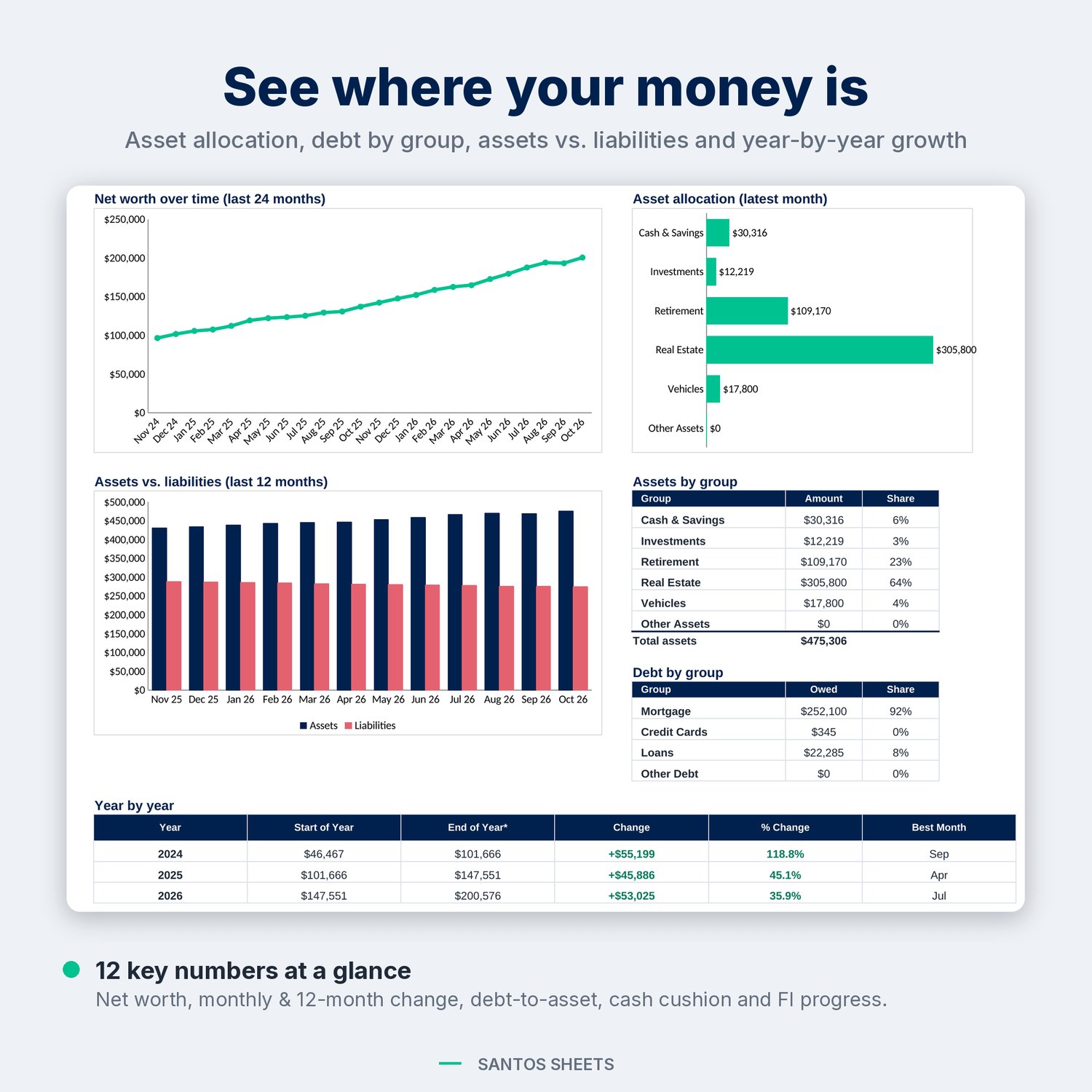
It also has charts: net worth over time (last 24 months), asset allocation, and assets vs. liabilities (last 12 months). Tables show assets and debts by group, and a year-by-year table shows start, end, change, % change and best month for each year.
• Accounts: room for 40 accounts, both assets and debts. Pick from 28 account types (Checking, HSA, Roth IRA, Rental Property, Crypto, Mortgage, HELOC, Buy Now Pay Later, Student Loan and more), and the class and group fill in. Assign an owner (Me / Partner / Joint) and add institution and notes. Each account shows its latest balance, monthly change, share and whether it was updated this month.
• Monthly Snapshots: 10 years of monthly columns (120 months). Summary rows at the top show total assets, total liabilities, net worth, change and accounts updated. Grey cells show where a balance was carried forward.
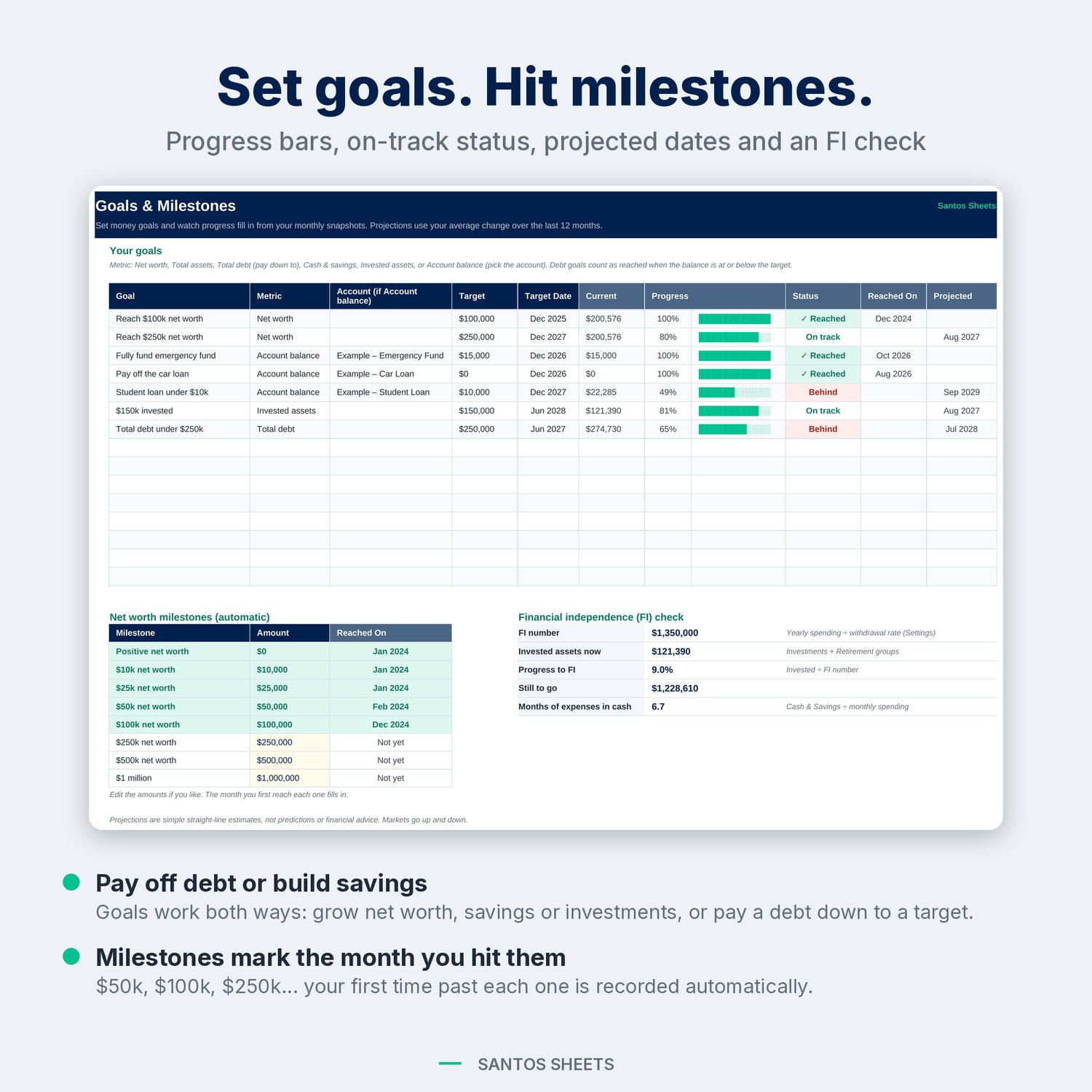
• Goals & Milestones: up to 15 goals, such as net worth, total assets, debt paid down to a target, cash & savings, invested assets, or a single account. Each goal gets a progress bar, an on track / behind / reached status, the month you reached it, and a projected date. Automatic milestones ($0, $10k, $25k, $50k, $100k, $250k, $500k, $1 million; editable) record the month you first hit each one. An FI check shows your FI number (yearly spending ÷ withdrawal rate, 4% by default) against your invested assets.
• Settings: your name, start month, yearly spending and withdrawal rate, editable account types and groups (add ISA, TFSA, Super, etc.), and owner names.
Made for:
• Anyone starting to track their money, whether they're paying off debt or building savings
• Couples who want one shared picture with Me / Partner / Joint accounts
• FIRE fans who want an FI number and a progress bar
• People who'd rather not link bank accounts to yet another app
Details:
• Works in Microsoft Excel (desktop & web) and Google Sheets (upload to Google Drive, then Open with → Google Sheets)
• No macros, add-ons or sign-ups. It's just a spreadsheet
• Comes filled with clearly labeled "Example" accounts and 34 months of sample balances, so you can see how it works. Delete them and add your own
• Negative net worth is fine. Student loans often mean you start below zero, and the tracker handles it
• Instant digital download (1 .xlsx file)
Please note: this is a digital file, so nothing will be mailed to you. It is a tracking tool, not financial or investment advice. Goal dates are rough straight-line projections based on your average change over the last 12 months, and the FI number is a common rule of thumb, not a guarantee. Amounts display in US dollars by default, but you can change the currency format in Excel or Google Sheets. Apple Numbers and LibreOffice will open the file, but it is built for Excel and Google Sheets.