
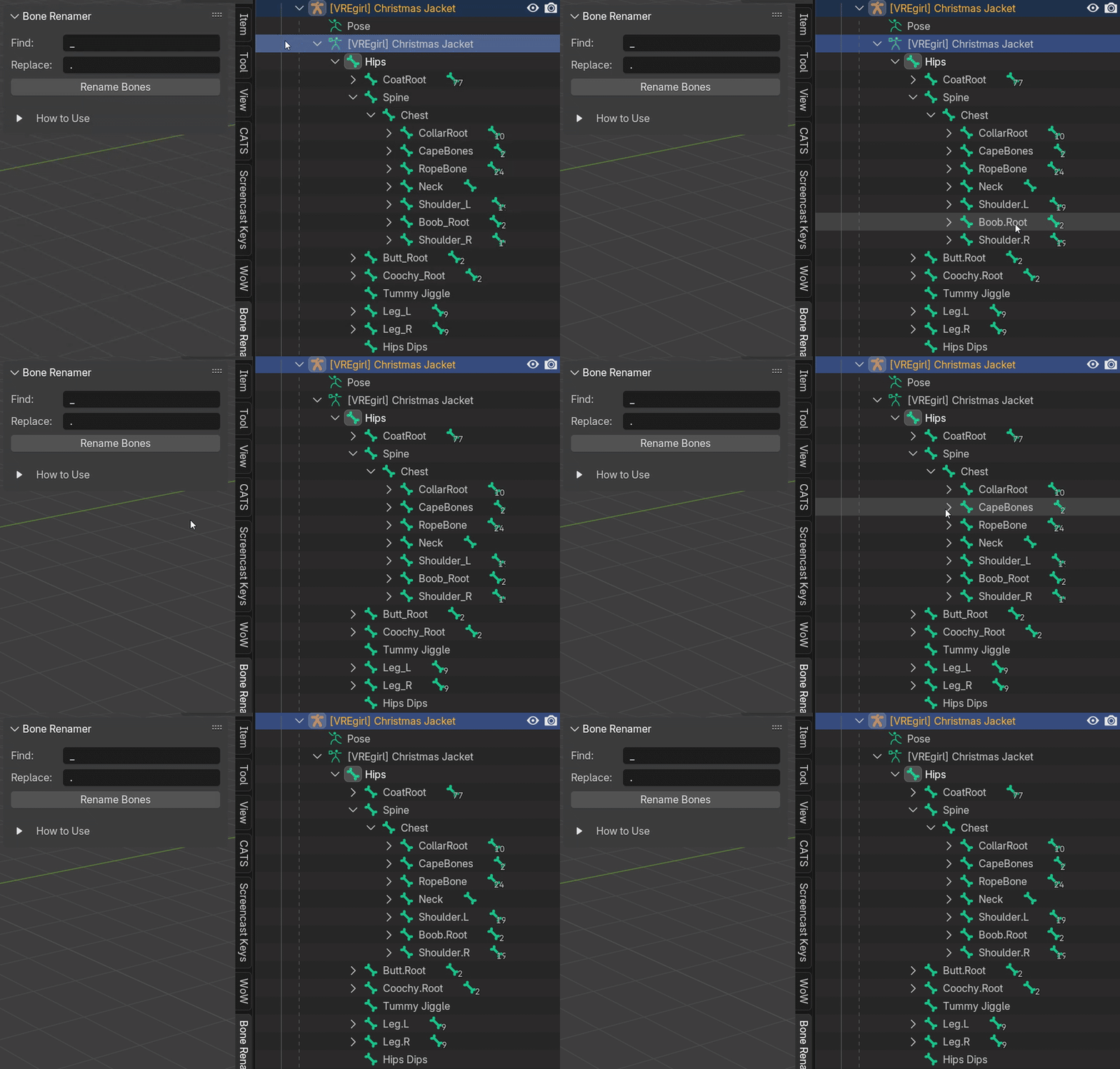
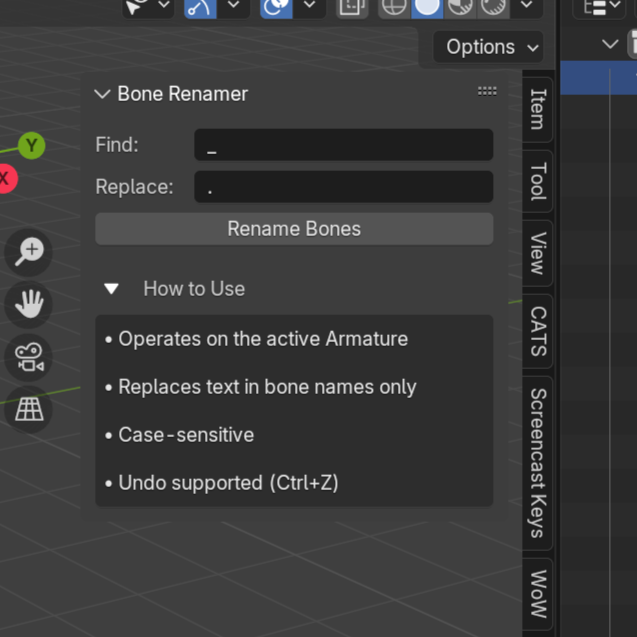
🛠 Blender Bone Name Modifier
On Sale
€0.00
Pay what you want:
€
Bone Name Modifier is a lightweight Blender add-on that helps you quickly and safely rename bones in an armature using a simple Find & Replace workflow.
It is designed especially for beginners and artists who regularly run into naming mismatches when:
- merging armatures
- importing rigs from different sources
- preparing models for game engines (Unity, Unreal, VRChat, etc.)
No scripting knowledge required.
✨ Features
- 🔍 Find & Replace bone names with full control
- 🦴 Works on the active armature only (safe & predictable)
- 📌 Operates on bones only (no meshes, no surprises)
- ↩ Undo supported (Ctrl + Z)
- 📋 Clear fold-out help section explaining how it works
- 🧭 Accessible from the N-Panel in the 3D Viewport
- ⚡ Instant results, no setup required
🧠 Example Use Cases
- Convert Upper_Arm_L → Upper.Arm.L
- Remove unwanted prefixes or suffixes
- Fix inconsistent bone naming before merging rigs
- Normalize bone names for export or retargeting
- Learn safe Blender workflows without touching Python
📥 How to Install
- Download the .py file from Payhip
- Open Blender
- Go to Edit → Preferences → Add-ons
- Click Install…
- Select the downloaded .py file
- Enable the add-on by checking the box
That’s it!
📍 Where to Find It
After installing the add-on:
3D Viewport → Press N → Bone Renamer tab
🛠 How It Works
- Select an Armature
- Enter the text you want to find
- Enter the text you want to replace it with
- Click Rename Bones
That’s it.
A built-in help section is included directly in the UI.
💡 Who This Is For
- Blender beginners
- Game asset creators
- VRChat / Unity users
- Anyone tired of manually renaming bones
- Artists who want a safe and simple tool
📦 What’s Included
- One Blender add-on (.py)
- Compatible with Blender 4.4+
- Free forever
❤️ License & Usage
- Free to use in personal and commercial projects
- No tracking, no DRM, no dependencies
If this tool saves you time, feel free to leave a rating or share it with others 💙