




Roof Overframing Planner
On Sale
$59.00
$59.00
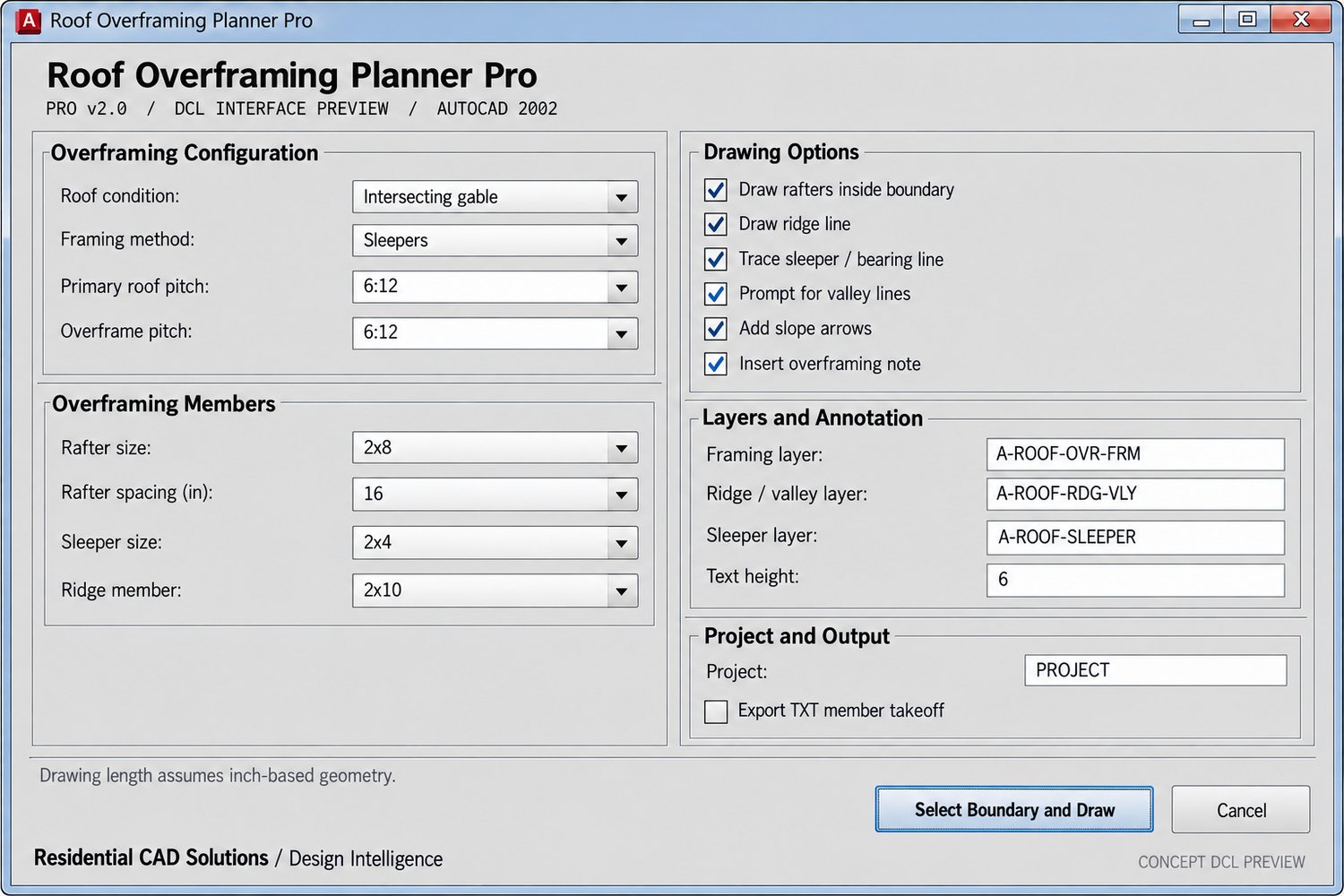
Lay out roof overframing in AutoCAD 2002 with a guided DCL dialog. Choose the roof condition, pitches, member sizes, spacing, and drawing options. Then select a closed boundary and pick the proposed ridge endpoints.
The routine draws overframing members within the selected area, a ridge line, and optional valley lines, sleeper lines, slope arrows, and a coordinated plan note. Elements are placed on dedicated drawing layers for easier review and editing.
Includes the AutoLISP file, DCL dialog, and instructions. This is a preliminary drafting and coordination tool. It does not size structural members or verify loads, connections, existing-roof capacity, flashing, or waterproofing.