



Job Application Tracker: ADHD Friendly | Google Sheets Template | Interview Tracker, Offer Comparison, Dashboard
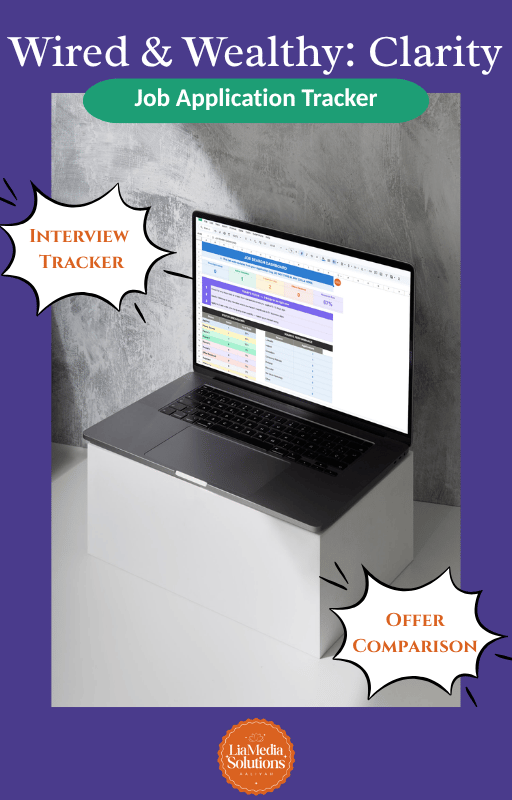
The Job Application Tracker by LiaMedia Solutions is a done-for-you Google Sheets/Excel template built specifically for job seekers who want to stay organized without getting overwhelmed. It tracks everything — applications, interviews, contacts, offers, and job descriptions — all in one place, with an ADHD-friendly design that works with your brain, not against it.
✨ WHAT'S INSIDE
✅ Application Log — One row per job. Track the job title, company, posting link, salary range, source, resume version, referral info, status, and more. Each row auto-colors based on where you are in the process so you can scan without reading.
📊 Dashboard — Auto-updates as you fill in the other tabs. See your total applications, active interviews, response rate, and which job boards are actually producing results. Do not type in this tab — it fills itself in.
🗓 Interview Tracker — Log every round of your interview process (phone screen through Round 4) with dates, formats, interviewer names, notes, and thank-you email checkboxes. Company and job title pull in automatically from the Application Log.
👥 Contacts — A dedicated tab for recruiter and hiring manager details. Includes a follow-up due date that highlights when it's time to check in.
⚖️ Offer Comparison — When the offers come in (they will!), compare up to 3 side by side with weighted scoring across salary, benefits, remote flexibility, culture fit, growth potential, and more.
📝 Job Descriptions — Paste the full job description right after you apply — before the listing gets taken down — so you always have it for interview prep.
🧠 START HERE — A full instruction guide built into the first tab so you are never left wondering what to do.
————————————————————
🧠 ADHD-FRIENDLY FEATURES
This tracker was designed with the ADHD brain in mind:
• Color-coded rows — scan your entire search at a glance without reading a single cell
• Dropdown menus throughout — no blank fields to stare at
• Interest rating column — filter your energy toward roles you actually want
• Auto-calculated columns — the tracker does the math so you do not have to
• Dashboard "Today's Focus" — shows you exactly 3 things to do, nothing more
• Frozen header row — always know which column you are in
————————————————————
📥 WHAT YOU GET
• Instant access to the Google Sheets template (link delivered in your PDF download)
• Full instruction PDF with step-by-step setup for both Google Sheets and Excel
• Compatible with Microsoft Excel — download directly from Google Sheets via File > Download > Microsoft Excel (.xlsx)
• 200+ rows of tracking capacity
• Sample data pre-filled so you can see exactly how it works before you start
————————————————————
📌 HOW IT WORKS
1. Purchase and download your PDF file
2. Click the Google Sheets link inside the PDF
3. Select "Make a copy" to save it to your own Google Drive
4. Start tracking — your data is private and belongs to you
————————————————————
📋 GOOD TO KNOW
• This is a digital product — nothing physical will be shipped
• Due to the nature of digital downloads, all sales are final
• For personal use only — this template may not be resold, shared, or redistributed
• Questions? Head to YouTube at LiaMediaSolutions
© 2026 LiaMedia Solutions | Aaliyah M. Gibbs. All rights reserved.