

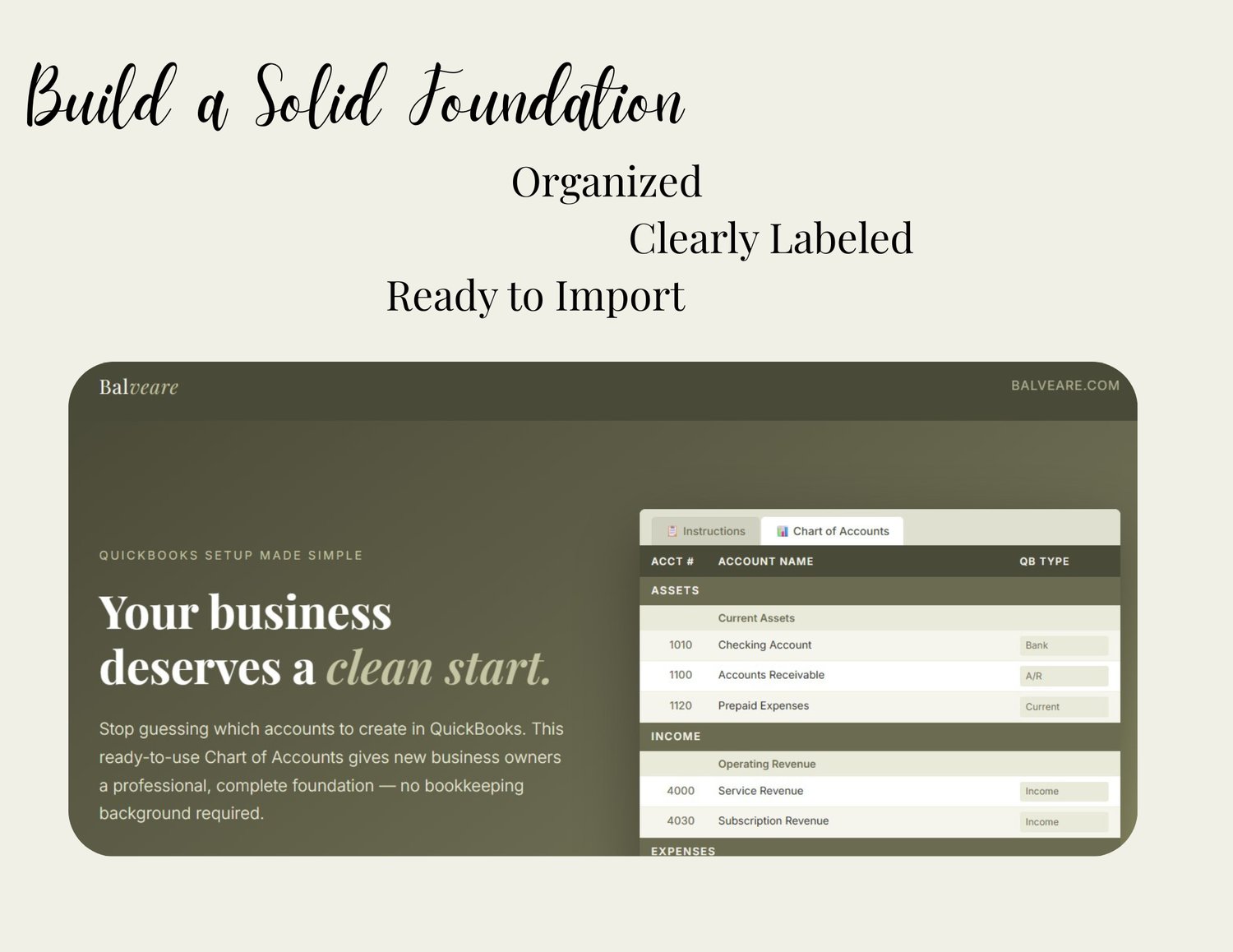
General Use Chart of Accounts — QuickBooks Setup Template for New Business Owners
Starting your QuickBooks setup without a clear Chart of Accounts is like building a house without a blueprint. Everything might look fine at first — until you need to run a real report, file taxes, or hand your books to an accountant.
This template gives you the clean, professional foundation your finances deserve.
What’s included:
- 80+ pre-built accounts spanning Assets, Liabilities, Equity, Income, Cost of Goods Sold, Operating Expenses, and Other Income & Expenses
- Exact QuickBooks labels — every account includes the precise Account Type and Detail Type that QuickBooks expects, so setup is straightforward
- A numbered account system (1000s through 7000s) that keeps your COA organized as your business grows
- Plain-English Instructions tab — no bookkeeping background required. Explains what a Chart of Accounts is, how the numbering system works, and how to enter each account in QuickBooks
- Fully editable — delete what doesn’t apply, add accounts specific to your business, and make it entirely your own
Who this is for:
This template was designed for freelancers, consultants, coaches, service providers, e-commerce sellers, and any new business owner who wants to get their QuickBooks set up properly from day one. It’s also a practical tool for virtual assistants and online business managers who set up books on behalf of clients.
How to use it:
Open the template, review the accounts, delete any that don’t apply to your business, then use the Account Type and Detail Type columns as your guide when adding each account in QuickBooks. That’s it.
File details: One .xlsx Excel file. Opens in Microsoft Excel or Google Sheets. Instant download upon purchase.