
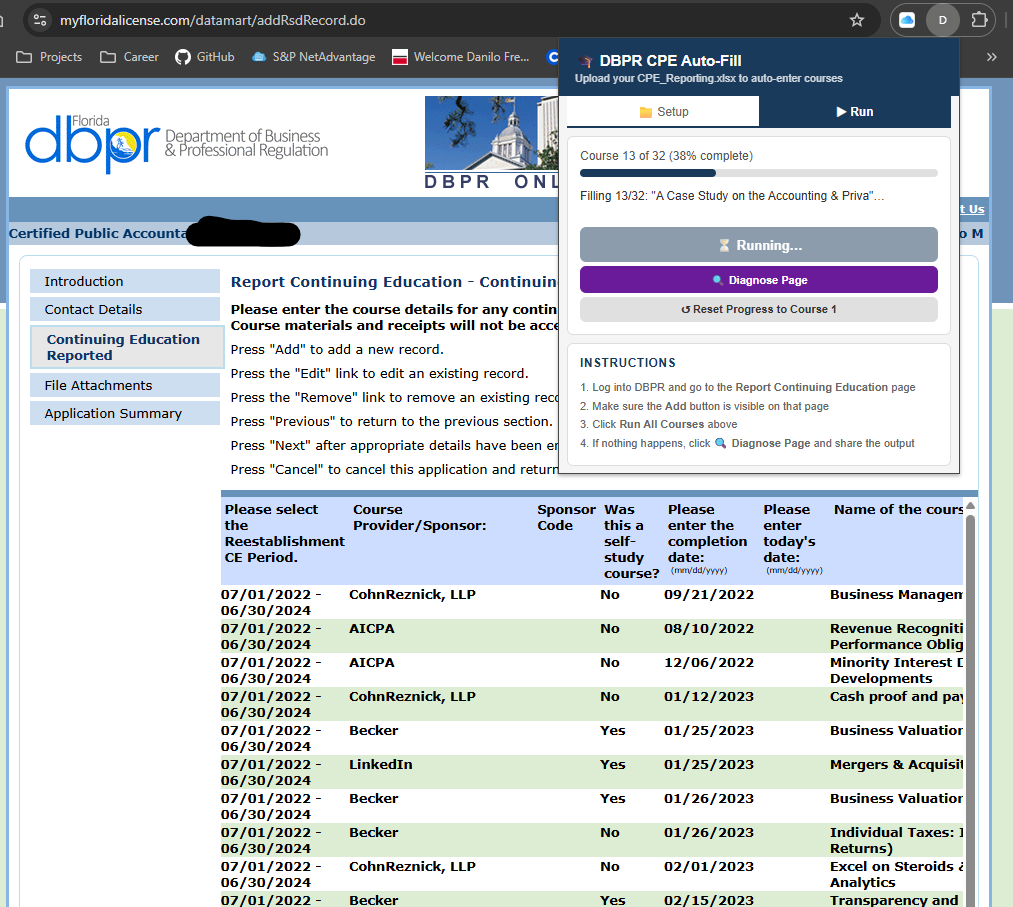
CPE Reporting 06.30.2026
If you've ever spent hours manually entering courses into the DBPR portal, I built a tool that does it for you.
What it does:
✅ Auto-fills every course into the DBPR portal with one click
✅ Uploads your completion certificates automatically
What used to take 2-3 hours now takes minutes.
I built this out of frustration with the process and figured other Florida CPAs might find it useful.
A Chrome extension that reads your CPE transcript Excel file and automatically enters all your continuing education courses into the Florida DBPR portal — then attaches your completion certificates.
---
## What You'll Need
- Google Chrome browser
- Your `CPE_Reporting.xlsx` transcript file
- A folder containing your completion certificate PDFs
- A DBPR online services account at [myfloridalicense.com](https://www.myfloridalicense.com)
---