
Christmas Gift Tracker & Holiday Budget Spreadsheet, Google Sheets & Excel, Printable Gift List, Card List & Holiday Planner PDF
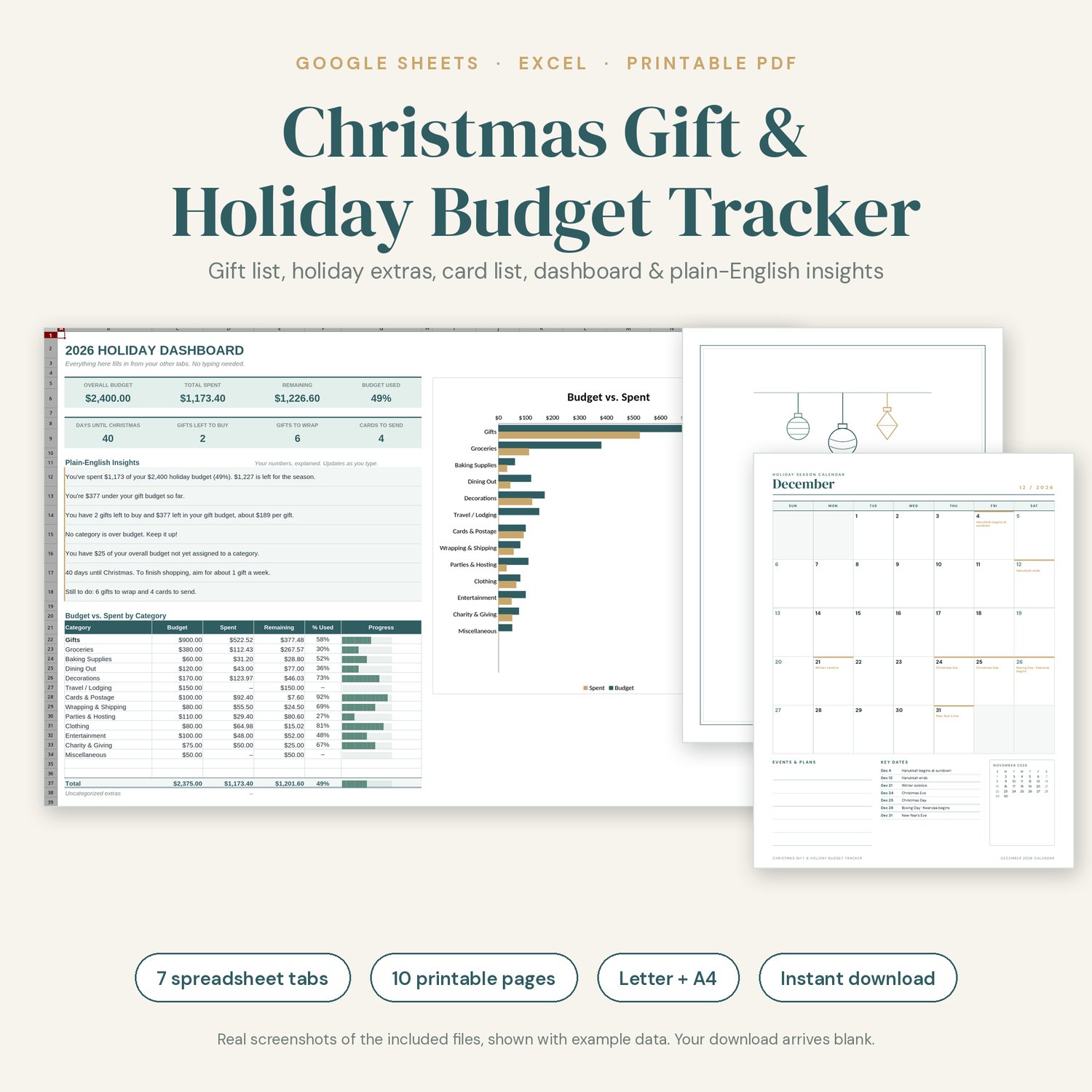
Enjoy the season without the January money surprise. The Christmas Gift & Holiday Budget Tracker pairs a spreadsheet that does the math (and explains it in plain English) with matching printable pages for pen-and-paper planners. Clean, calm, and easy on your printer ink.
★ WHAT MAKES IT DIFFERENT
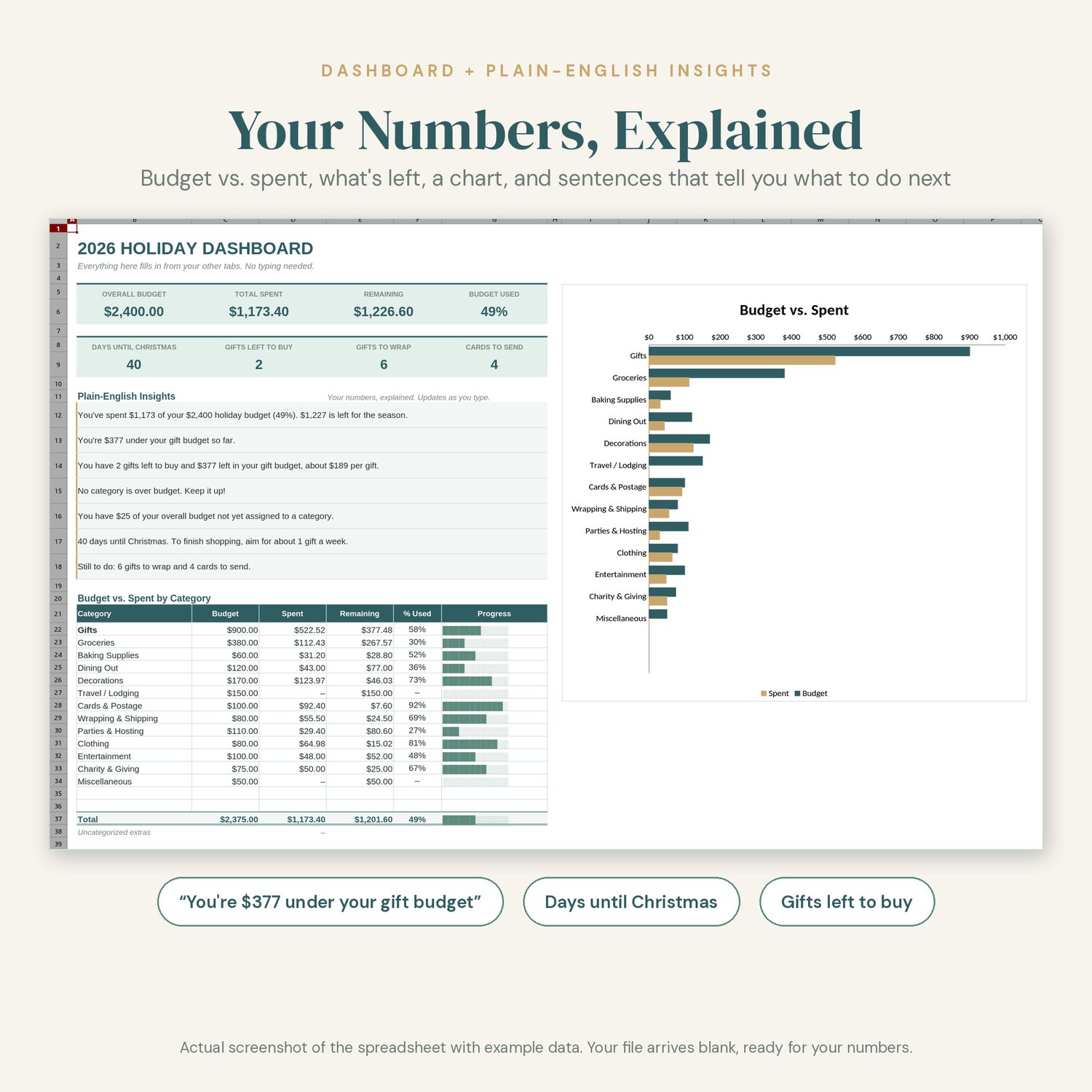
• Plain-English Insights: the dashboard writes your numbers out as sentences, like "You're $40 over budget on gifts" or "You have 5 gifts left to buy and $120 left in your gift budget, about $24 per gift." It also names your most over-budget category and suggests how many gifts a week will finish your shopping on time.
• Quick Start setup: a numbered, step-by-step guide gets you set up in about 10 minutes.
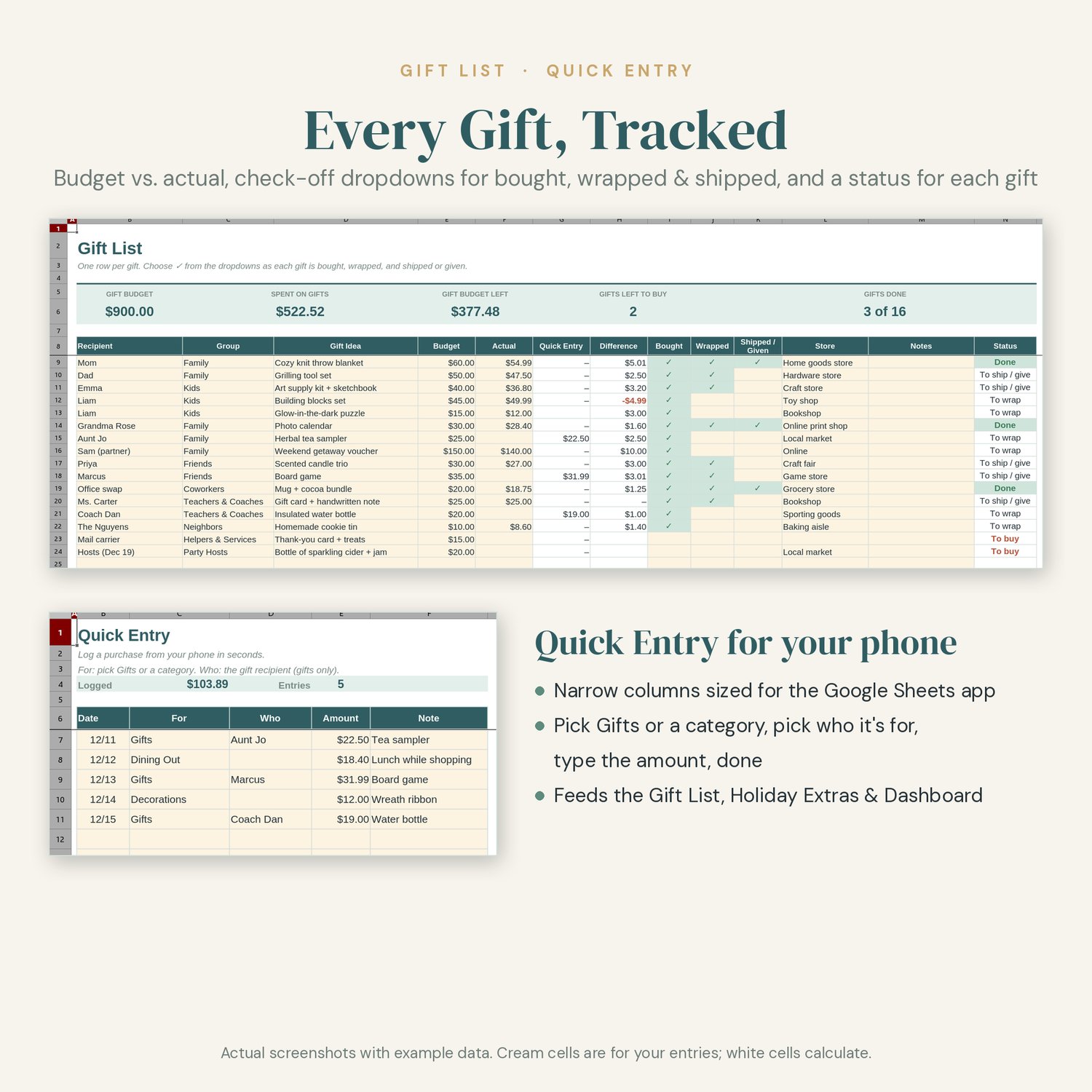
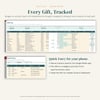
• Quick Entry tab for your phone: narrow columns sized for the Google Sheets app. Enter the date, pick Gifts or a category, pick the recipient, and type the amount. It feeds your Gift List, Holiday Extras, and Dashboard automatically.
• Free 2027 holiday edition update: when the 2027 edition is ready, I'll update the files on this product. Download the new edition free from your original purchase download link. I'll also email buyers when the update is ready.
★ WHAT'S INCLUDED
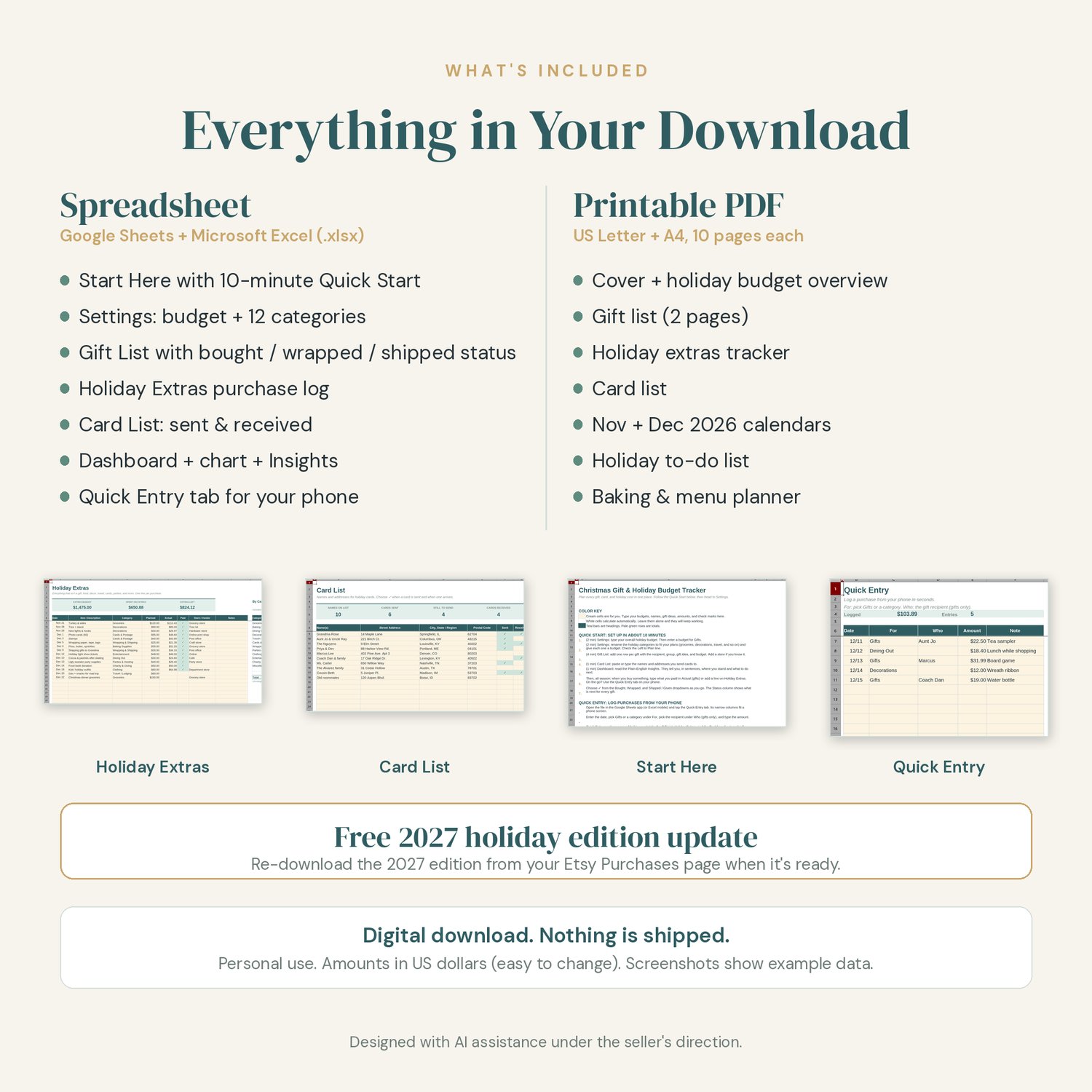
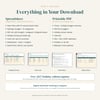
SPREADSHEET (one .xlsx file that works in Google Sheets and Microsoft Excel)
• Start Here: Quick Start steps, a color key (cream cells are for you, white cells calculate), and setup help for Google Sheets and Excel
• Settings: your overall holiday budget, a Gifts budget, and 12 holiday categories you can rename (Groceries, Baking Supplies, Dining Out, Decorations, Travel / Lodging, Cards & Postage, Wrapping & Shipping, Parties & Hosting, Clothing, Entertainment, Charity & Giving, Miscellaneous), plus 2 spare rows
• Gift List: room for 100 gifts. Recipient, group, gift idea, budget, actual, difference, store, and notes, with ✓ dropdowns for Bought, Wrapped, and Shipped / Given. A Status column shows what's next for every gift.
• Holiday Extras: a purchase log for everything that isn't a gift, with category dropdowns and a budget vs. spent summary
• Card List: names and addresses for 150 cards, with Sent and Received checks
• Dashboard: overall budget, total spent, remaining, and % used; days until Christmas; gifts left to buy and wrap; cards left to send; budget vs. spent by category with a chart; gift progress bars; and Plain-English Insights
• Quick Entry: a phone-friendly tab for logging purchases on the go
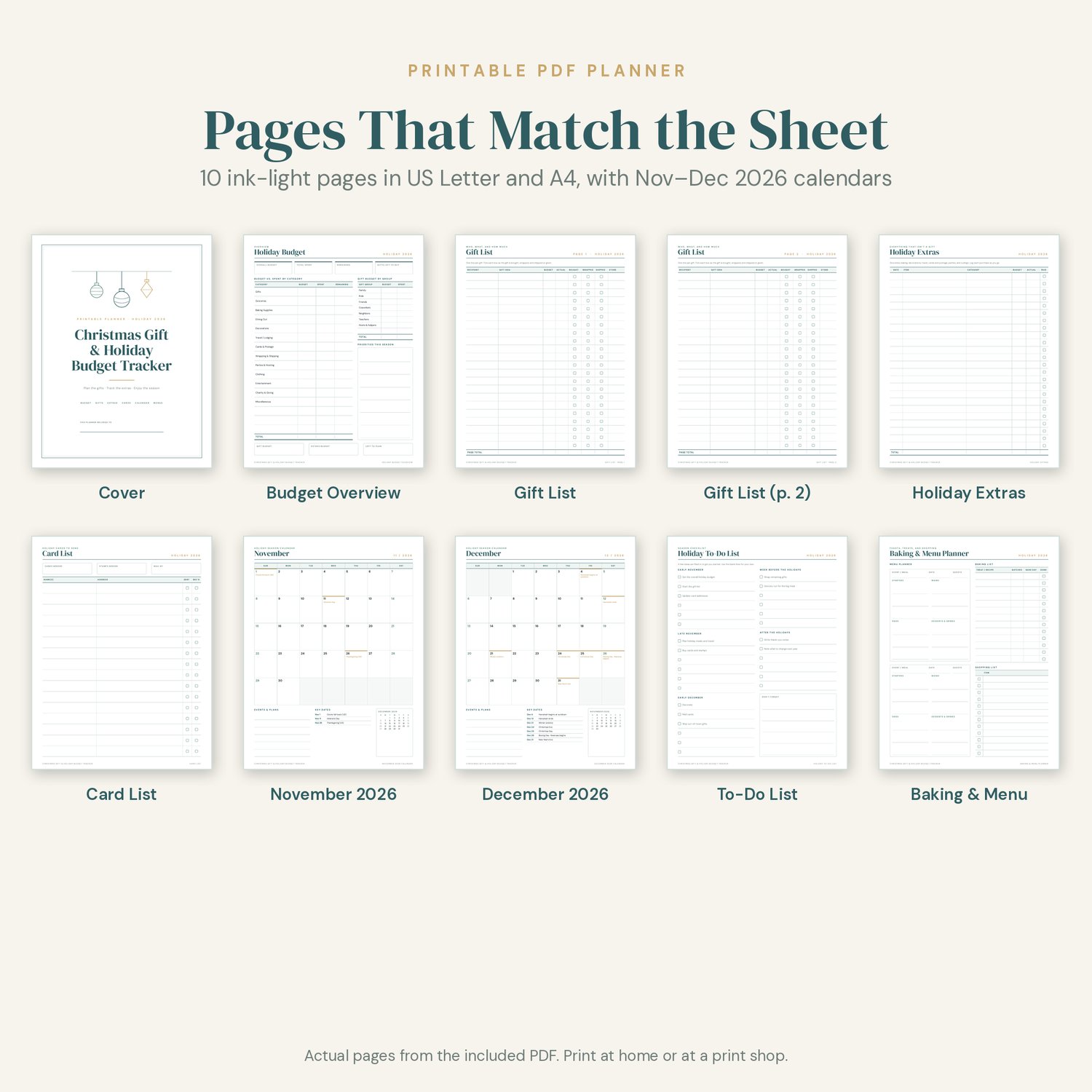
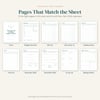
PRINTABLE PDF PLANNER (10 pages, in both US Letter and A4)
• Cover
• Holiday budget overview
• Gift list (2 pages)
• Holiday extras tracker
• Card list
• November 2026 and December 2026 holiday-season calendars with key dates marked
• Holiday to-do list
• Baking & menu planner
★ HOW TO USE IT IN GOOGLE SHEETS
1. Download the files from the link in your purchase receipt email (a computer is easiest).
2. In Google Drive, click New > File upload and choose the .xlsx file.
3. Open it and choose File > Save as Google Sheets. Work in that copy.
4. Follow the Quick Start steps on the Start Here tab.
5. On your phone, open the same file in the Google Sheets app and use the Quick Entry tab.
6. Optional: to use clickable checkboxes, select a ✓ column and choose Insert > Checkbox. The totals count either style.
★ HOW TO USE IT IN MICROSOFT EXCEL
1. Download and open the .xlsx file in Excel (desktop, web, or mobile).
2. If you see a Protected View bar, click Enable Editing.
3. Save a personal copy and follow the Quick Start steps on the Start Here tab.
★ PRINTING
Print the PDF at home or at a print shop. Choose "Actual size" or "Fit" in your print settings. Print every page or only the ones you need, as many times as you like. The pages use thin lines and little color to save ink.
★ PLEASE NOTE
• This is a DIGITAL DOWNLOAD. Nothing will be shipped to you.
• The listing photos show example data so you can see how the tracker works. Your file arrives blank.
• Amounts are shown in US dollars. You can change the currency format in your spreadsheet app.
• The printable calendar covers November and December 2026. The spreadsheet can be reused any year: change the year on Settings.
• You need a free Google account or Microsoft Excel to use the spreadsheet, and a PDF reader to print the planner.
• For personal use only. Please do not share or resell the files.
• Colors may look slightly different on screen than on paper.
★ ABOUT HOW THIS WAS MADE
This product was designed with AI assistance under my direction. I planned the tracker, chose its features and look, and reviewed and tested the spreadsheet formulas and printable pages before listing.
Questions? Use the contact form on this store, or reply to your receipt email. I'm happy to help you get set up.