
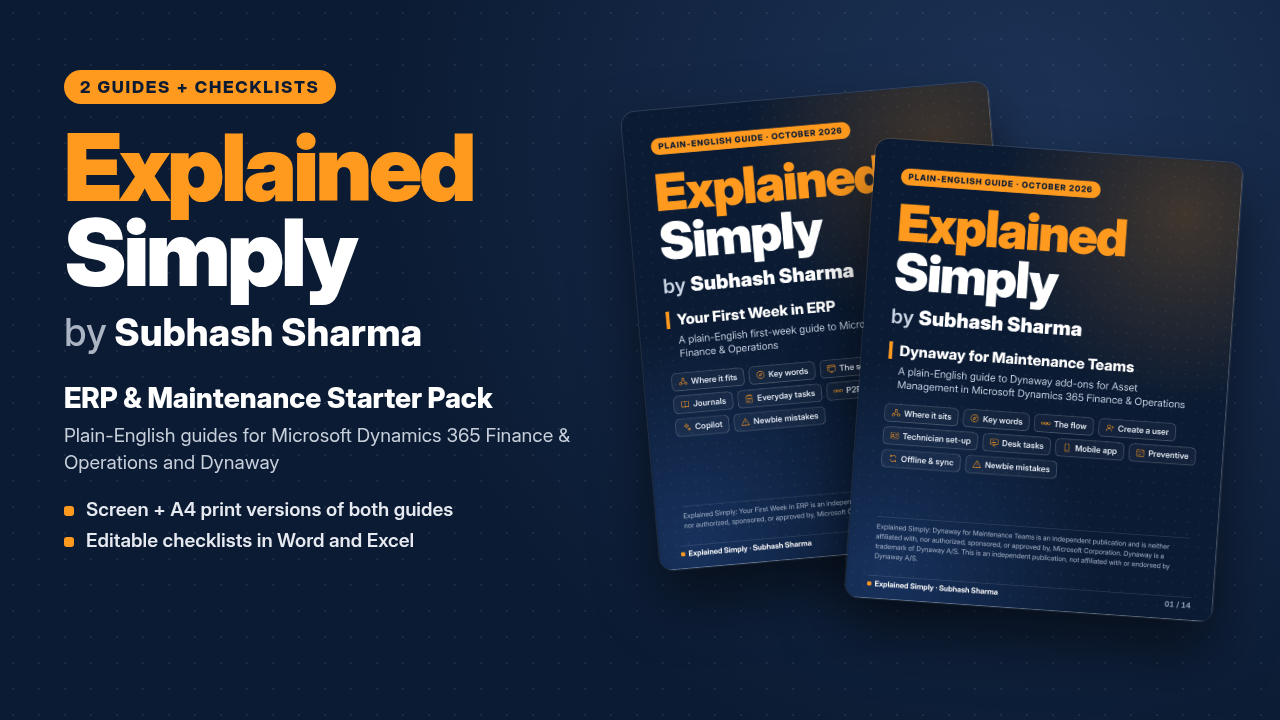
Explained Simply: ERP & Maintenance Starter Pack (by Subhash Sharma)
Plain-English guides and ready-to-edit checklists for your first weeks in Microsoft Dynamics 365 Finance & Operations and the Dynaway maintenance add-ons.
Launch offer: use code LAUNCH19 for £3 off until 20 October 2026.
Starting out in an ERP system is hard. The menus are deep, the words are new, and everyone assumes you already know what a voucher, a legal entity or a functional location is.
Explained Simply is a series of plain-English cheat sheets by Subhash Sharma: a web developer from 1994 to 2016, and now an application support and tech lead who explains tech the way he wishes someone had explained it to him.
This pack brings two guides together with editable checklists:
- Your First Week in ERP: a first-week guide to Microsoft Dynamics 365 Finance & Operations. Covers the key words, the main screen, finding things fast, creating and posting a general journal, checking or reversing a voucher, batch jobs, Excel, procure-to-pay and order-to-cash, keyboard shortcuts, Copilot, and the mistakes everyone makes in week one.
- Dynaway for Maintenance Teams: a guide to the Dynaway add-ons for Asset Management in Microsoft Dynamics 365 Finance & Operations. Covers where Dynaway fits, key words, how a job flows from request to closed, creating a user, setting up a technician and their mobile app user, everyday desk tasks, the mobile app, preventive maintenance, sync and offline working, and common mistakes.
- Three editable checklists in Word and Excel: new user and technician set-up, a first-week checklist, and a journal posting checklist.
Every page uses short steps, real menu paths and everyday comparisons ("a ledger period is like opening hours for posting"). Names and menu paths were checked against Microsoft Learn and Dynaway Help in October 2026.
WHO IT'S FOR
- New starters in finance, procurement or operations teams using Finance & Operations.
- Maintenance planners, supervisors and technicians starting with Dynaway.
- System administrators and support analysts who set up users and technicians.
- Team leads and trainers who want a simple hand-out for new joiners. (Team licences are available on request; see the FAQ.)
WHAT'S INCLUDED
One ZIP download (about 1.5 MB) with 8 files:
- 00-Start-Here.pdf: one-page overview of the pack and how to use it (1 page, A4)
- 01-Explained-Simply-Your-First-Week-in-ERP-Screen.pdf: Guide 1, screen version (4:5 pages, dark theme, 14 pages)
- 02-Explained-Simply-Your-First-Week-in-ERP-A4-Print.pdf: Guide 1, printable A4 version (light theme, 14 pages)
- 03-Explained-Simply-Dynaway-for-Maintenance-Teams-Screen.pdf: Guide 2, screen version (4:5 pages, dark theme, 14 pages)
- 04-Explained-Simply-Dynaway-for-Maintenance-Teams-A4-Print.pdf: Guide 2, printable A4 version (light theme, 14 pages)
- 05-Explained-Simply-Checklists.docx: three editable checklists with tick boxes (Word, 7 A4 pages)
- 06-Explained-Simply-Checklists.xlsx: the same checklists with Done / Not needed drop-downs and a progress count (Excel, 4 tabs)
- README.txt: plain-text contents list and licence
The checklists:
1. New user & technician set-up checklist (28 steps): Finance & Operations user, worker, security roles, scheduling resource, maintenance worker, Dynaway mobile user, licence check, first sign-in and sync test.
2. First-week checklist (28 steps over five days): getting around, lists and records, money words and journals, look-ups, the big picture and who to ask.
3. Journal posting checklist (16 steps): right company, period open, lines and dimensions, validate, submit for approval, post, check and reverse if needed.
Org-specific details (your company code, roles, calendars, app link) are left as placeholders for you to fill in.
WHAT IT ISN'T
- Not official training. This is an independent plain-English guide. It is not from, or endorsed by, Microsoft or Dynaway A/S.
- Not a replacement for your own processes. Your organisation's set-up, approvals and security roles come first.
- Your screens may differ. Menus, buttons and app features vary with your version, licences, module configuration and security role. Content was checked in October 2026.
- Not a full manual. It covers the first weeks and the everyday tasks, not every module or setting.
FAQ
What format are the files?
PDF guides (one version to read on screen and one A4 version to print), plus checklists as a Word document (.docx) and an Excel workbook (.xlsx). They also open in LibreOffice, Google Docs and Google Sheets. The Word tick boxes work best in Microsoft Word.
Can I share it with my team?
The standard purchase is a single-user licence: please don't share, upload or resell the files. Team licences are available on request. Contact me via Payhip for team pricing.
Can I edit the checklists?
Yes. Edit and print them for your own work. Please don't resell or redistribute them.
Is this affiliated with Microsoft or Dynaway?
No. See the disclaimers below.
What's your refund policy?
Because this is an instant digital download, refunds aren't offered once the files are downloaded, unless a file is faulty.
DISCLAIMERS
Explained Simply: ERP & Maintenance Starter Pack is an independent publication and is neither affiliated with, nor authorized, sponsored, or approved by, Microsoft Corporation.
Dynaway is a trademark of Dynaway A/S. This is an independent publication, not affiliated with or endorsed by Dynaway A/S.
Microsoft and Dynamics 365 are trademarks of the Microsoft group of companies.