
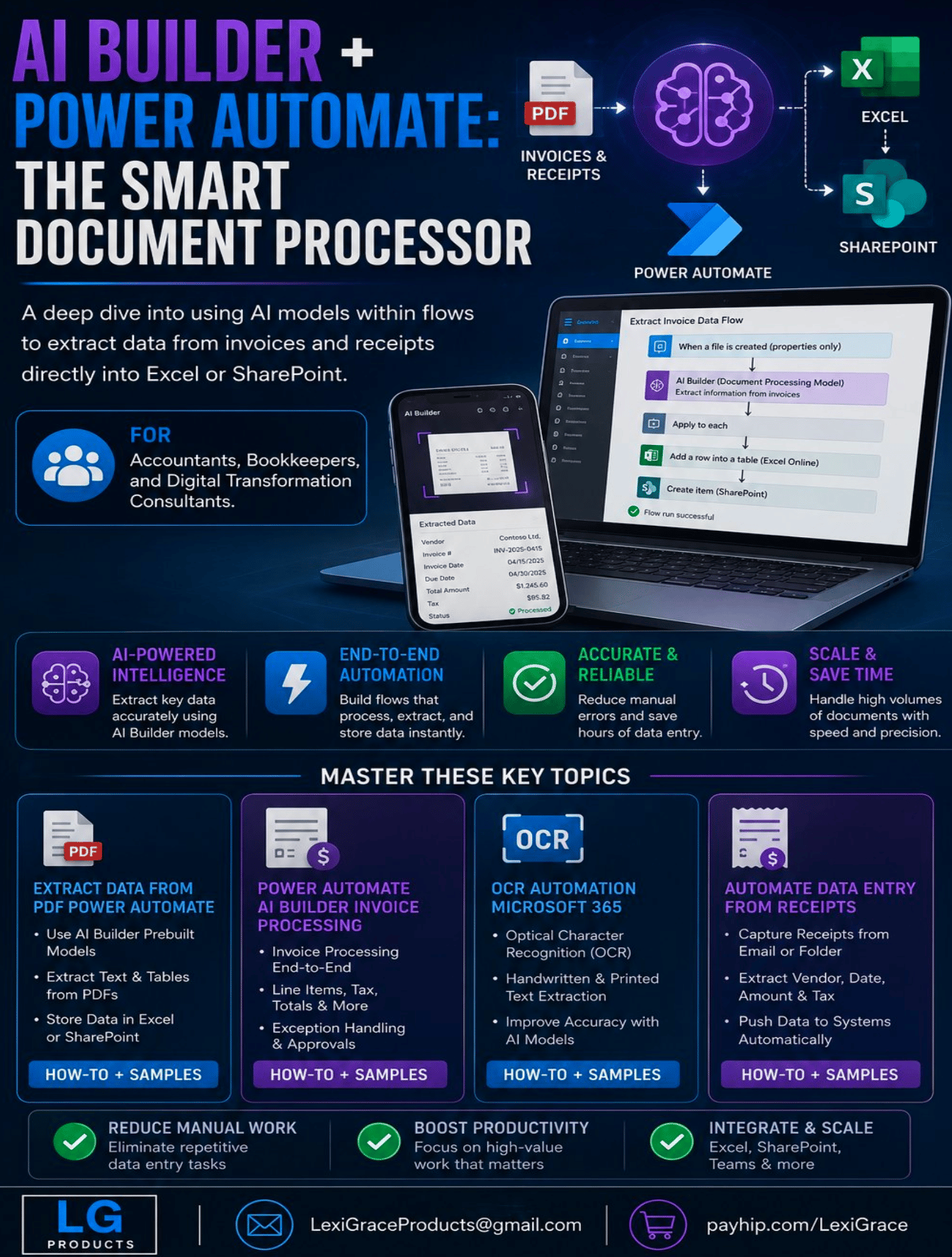
AI Builder + Power Automate: The Smart Document Processor
How many hours did your team spend manually typing data from invoices and receipts last month?
10 hours? 20 hours? More? Every one of those hours was spent on a task that AI can now do in seconds — automatically, accurately, and without anyone touching a keyboard.
AI Builder is Microsoft's no-code artificial intelligence platform built directly into Microsoft 365. It reads invoices. It reads receipts. It reads any structured document — and it sends the extracted data exactly where you need it. Excel. SharePoint. Your accounting system. All automatically. All without writing a single line of code.
This guide shows you exactly how to build it.
AI Builder + Power Automate: The Smart Document Processor is the complete step-by-step guide for accountants, bookkeepers, and digital transformation consultants who want to eliminate manual data entry from invoice and receipt processing using Microsoft's AI Builder and Power Automate platform.
No developer required. No coding required. Just your Microsoft 365 subscription and this guide.
What's Inside:
✅ Introduction — The manual data entry problem, why it persists, and exactly how AI Builder eliminates it permanently for any organization using Microsoft 365
✅ Chapter 1 — What AI Builder is and how it works inside Power Automate — prebuilt models versus custom models, the three core use cases, and a real-world accounting firm case study showing 80 percent reduction in manual entry time
✅ Chapter 2 — Setting up your first AI Builder document processing model — step-by-step how-to for both prebuilt models (ready immediately) and custom models (trained on your specific document formats), plus model training best practices
✅ Chapter 3 — Extract data from PDFs — exactly what the Invoice Processing model extracts automatically including vendor name, invoice number, dates, line items, tax, and totals — with a complete step-by-step how-to for building your first PDF extraction flow
✅ Chapter 4 — Power Automate AI Builder invoice processing — the complete production-ready workflow from trigger to destination including approval routing for high-value invoices, line item handling, and Teams notifications — with the full flow architecture in code format
✅ Chapter 5 — OCR automation in Microsoft 365 — when OCR is needed versus when it is not, how to use the Text Recognition prebuilt model, and how to process scanned documents and handwritten forms accurately
✅ Chapter 6 — Automate data entry from receipts — the complete receipt processing workflow for employee expense submissions including what the Receipt Processing model extracts, how to set up submission methods, and how to route data to your expense system automatically
✅ Chapter 7 — Sending extracted data to Excel and SharePoint automatically — exact configuration for Excel Online table rows, SharePoint list items, parallel destinations, and how to set up your workbooks and lists to receive automated data
✅ Chapter 8 — Troubleshooting, testing, and going live — how to use Power Automate's test feature, how to read run history, the 5 most common errors with exact fixes, and a complete production go-live checklist
✅ Bonus — 10 ready-to-use flow templates covering email invoice to Excel, receipt photo processing, high-value invoice approval workflows, purchase order processing, contract data extraction, delivery note processing, and more
This guide is perfect for:
- Accountants and bookkeepers who process invoices and receipts manually and want to automate the most time-consuming part of their workflow
- Digital transformation consultants who implement Microsoft 365 solutions for clients and want to add AI-powered document processing to their service offering
- Finance managers and operations leaders who want to eliminate data entry errors and reduce processing time without hiring additional staff
- Any Microsoft 365 user who receives PDFs with data that needs to end up in Excel or SharePoint
The math is simple.
If your team spends 10 hours per month on manual invoice and receipt data entry and your average hourly cost is $25 this guide pays for itself in the first 6 minutes of time saved.
Instant digital download. Build your first working document processing flow today.
Note: Requires Microsoft 365 subscription with Power Automate. AI Builder credits are included in Power Automate Premium and Microsoft 365 Business Premium plans. A 30-day free trial is available at flow.microsoft.com.
© 2026 Lexi Grace Products | LexiGraceProducts@gmail.com | payhip.com/LexiGrace