




Inventory Management System Excel Template
On Sale
$5.00
$5.00
The Enterprise Inventory Management System is a high-performance, relational database-architected Excel solution designed specifically for medium-to-large-scale industrial manufacturing, supply chain, and distribution operations. Engineered to process high transaction volumes without system lag, this template bridges the gap between complex ERP systems (such as SAP or Oracle) and practical, front-line warehouse management.
By enforcing a strict separation between master data, transactional ledgers, and dynamic calculation engines, this workbook guarantees data integrity, automates reorder triggers, and provides real-time visibility across multi-warehouse environments.
Key Architecture & Capabilities
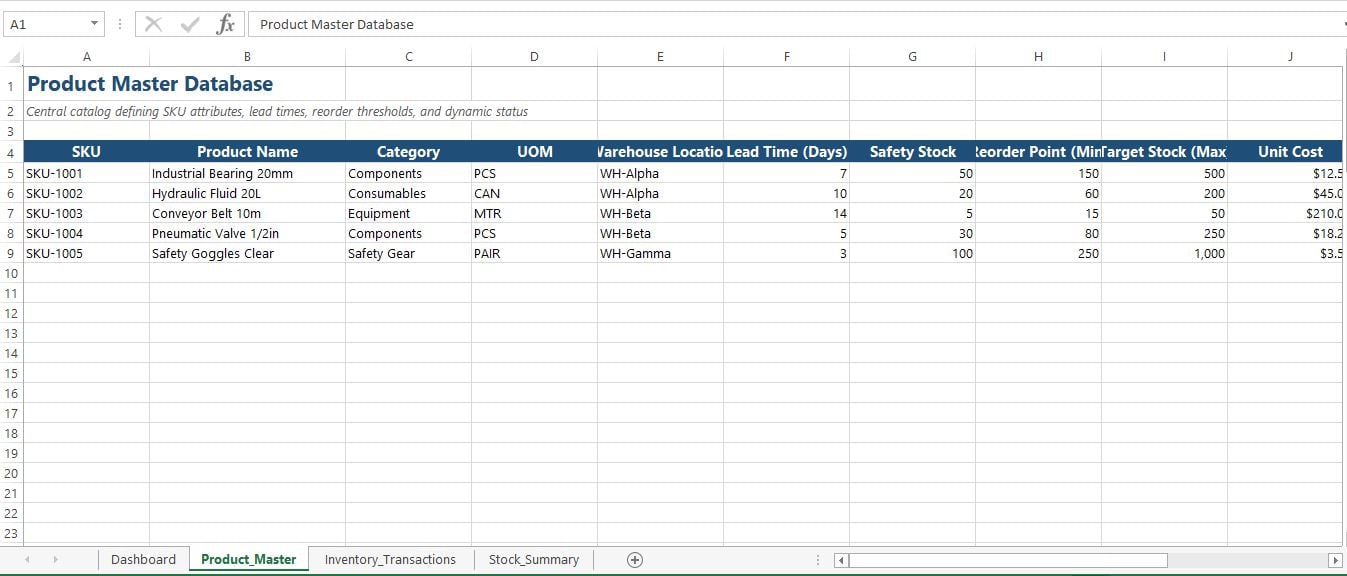
1. Central Product Master Database (Product_Master)
- Relational Primary Key Architecture: Houses unique SKUs, detailed metadata, warehouse assignments, unit costs, and supplier IDs.
- Lead Time & Buffer Modeling: Incorporates supplier lead times (in days), safety stock limits, minimum reorder thresholds, and maximum target inventory levels.
- Automated Status Alerts: Calculates dynamic stock statuses (OK, Low Stock, Stockout) with automated conditional formatting alerts.
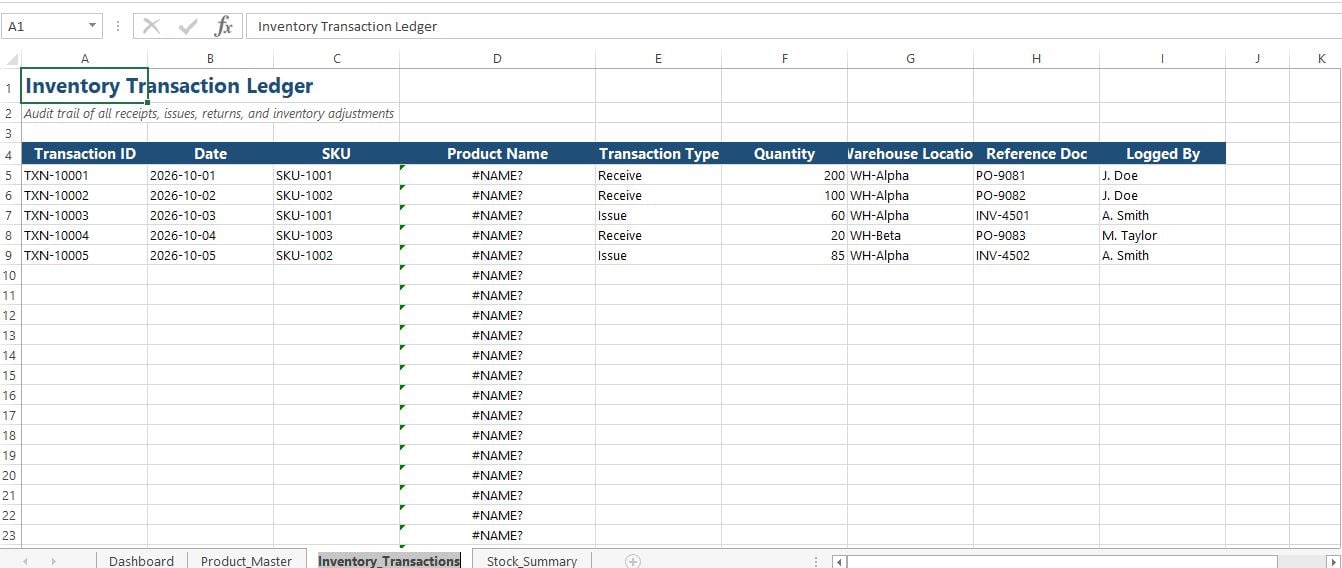
2. Scalable Transaction Ledger (Inventory_Transactions)
- Audit-Trail Logging: Formatted as an auto-expanding Excel Table (t_Transactions) to log every stock movement—including receipts, issues, customer returns, and physical adjustments.
- Data Integrity Safeguards: Features strict Data Validation dropdowns for SKUs and transaction types to prevent data entry errors and typos.
- Non-Volatile Lookup Engine: Utilizes modern XLOOKUP formulas for instant product name auto-population without sacrificing calculation speed.
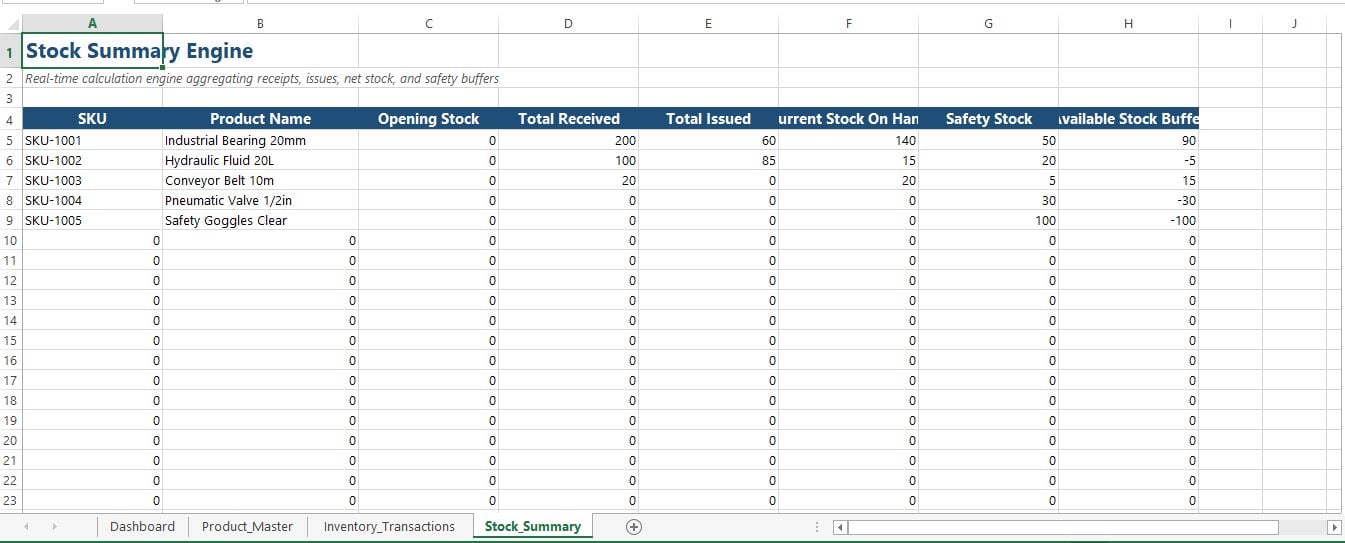
3. Real-Time Stock Engine (Stock_Summary)
- Non-Volatile Aggregation: Powered by optimized SUMIFS formulas that aggregate thousands of transaction rows instantly without triggering continuous workbook recalculations.
- Available Buffer Tracking: Automatically calculates net stock on hand versus safety buffer reserves to prevent stockouts before they disrupt operations.
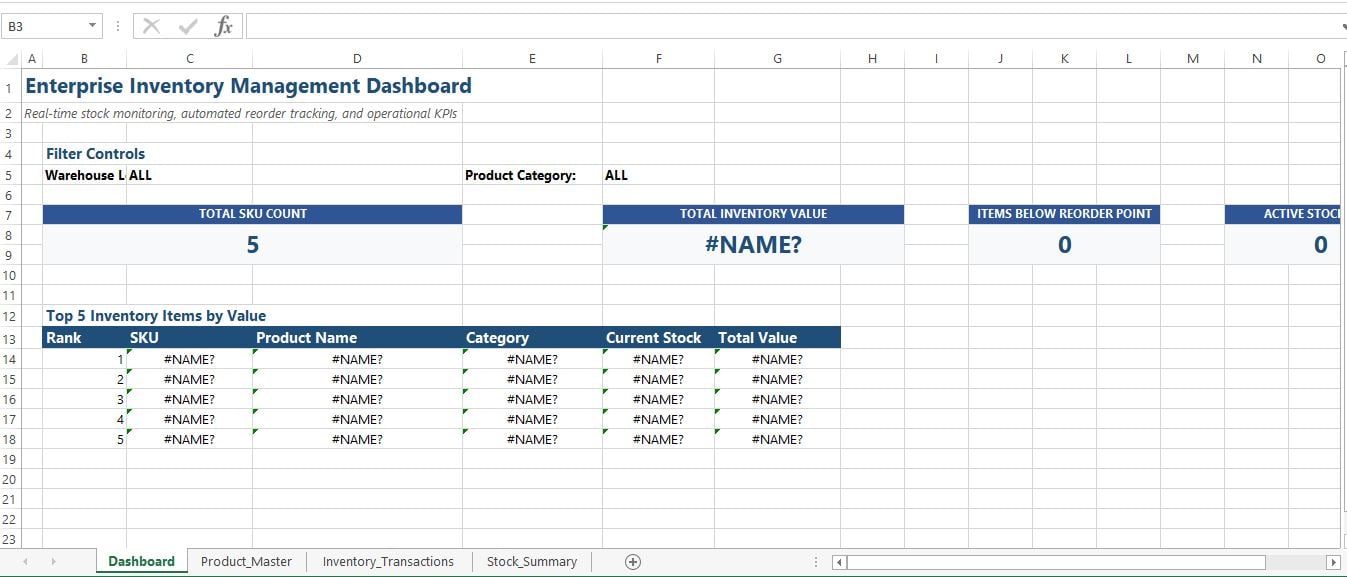
4. Executive Visual Dashboard (Dashboard)
- At-a-Glance Operational Metrics: Displays high-level KPIs including Total SKU Count, Total Inventory Asset Value, Active Stockouts, and Items Below Reorder Point.
- Top-Moving Items Analytics: Automatically extracts and ranks top inventory items by asset value.
- Multi-Warehouse Filtering: Prepared for sliced multi-location and product category drill-downs.
Target Industries & Use Cases
- Manufacturing & Industrial Processing: Manage raw materials, spare parts, and finished goods across multi-facility operations.
- Logistics & Warehousing: Track inventory movements across multiple regional distribution centers.
- Retail & E-Commerce Operations: Monitor fast-moving consumer goods (FMCG) and prevent stockouts during demand spikes.
- Pharmaceuticals & Healthcare Supply: Control critical consumable levels with strict safety stock thresholds.
Technical Specifications
- Format: Microsoft Excel (.xlsx) / VBA Macro-Enabled (.xlsm for historical archiving).
- Formula Standards: 100% modern, non-volatile functions (XLOOKUP, SUMIFS, IFS, INDEX/MATCH).
- Performance: Optimized to handle tens of thousands of transaction rows smoothly.
- VBA Automation: Includes a lightweight script for archiving historical transactions older than 90 days to keep active workbooks fast and responsive.