


Automated Bookkeeping and Invoicing Excel Template
Designed specifically for freelancers, consultants, and small business owners, this premium template gives you all the power of an expensive accounting software for a single, one-time payment. No monthly subscriptions, no complications.
🌟 KEY FEATURES INCLUDED:
1. Financial Dashboard (The Command Center)
Instantly visualize your income and see your "Total Accounts Receivable" updating automatically in real-time. Know exactly how much money is pending collection with zero effort.
2. Smart Transactions Log (The Engine)
Effortlessly track your income, clients, descriptions, invoice numbers, and taxes in a clean, professional database layout.
3. 1-Click PDF Invoice Generator (The Magic)
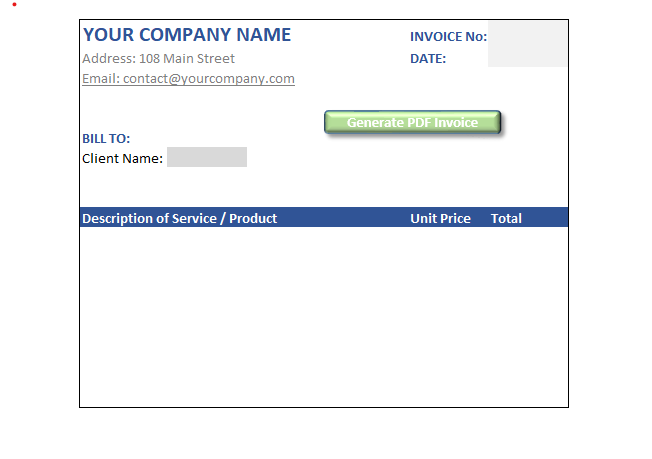
Fill in your client’s details, type the invoice number, and press the "Generate PDF Invoice" button. The built-in automation instantly exports a professional PDF invoice directly to your computer, ready to be sent to your client.
⚠️ IMPORTANT TECHNICAL NOTE FOR USERS: • Excel Macros Enabled: This template uses an advanced VBA macro to run the "1-Click PDF Invoice Generator". Upon opening the file for the first time, make sure to click "Enable Macros" or "Enable Content" on the yellow Microsoft security bar at the top. • Invoice Number Required: Before clicking the "Generate PDF Invoice" button, always make sure to fill in the Invoice Number cell (Cell G2). The automation uses this specific number to name and save the PDF file dynamically. If left blank, the macro will display a technical error. • Auto-Save Location: Your generated PDF invoices will be automatically created and saved inside the exact same folder or directory where you have stored this Excel file on your computer.