
KirtanFX Text Animator Pro
KirtanFX Text Animator Pro for Premiere Pro
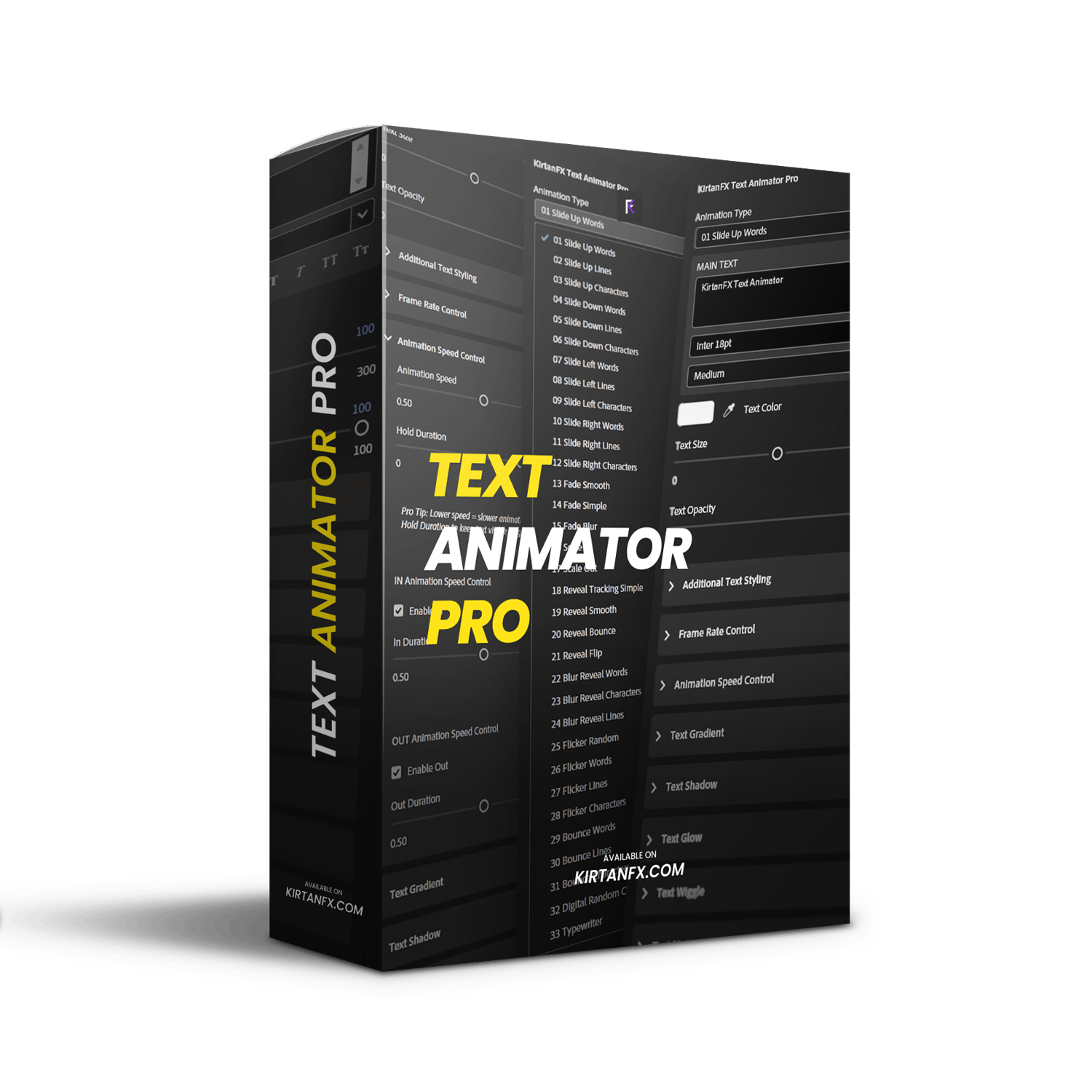
33 Professional Smooth Text Animations. No After Effects. No Plugins. No Keyframes
Drag it to your timeline. Type your text. Pick your animation. Done in seconds.
Perfect for Reels, YouTube, ads, client work, and cinematic edits.
What’s Inside
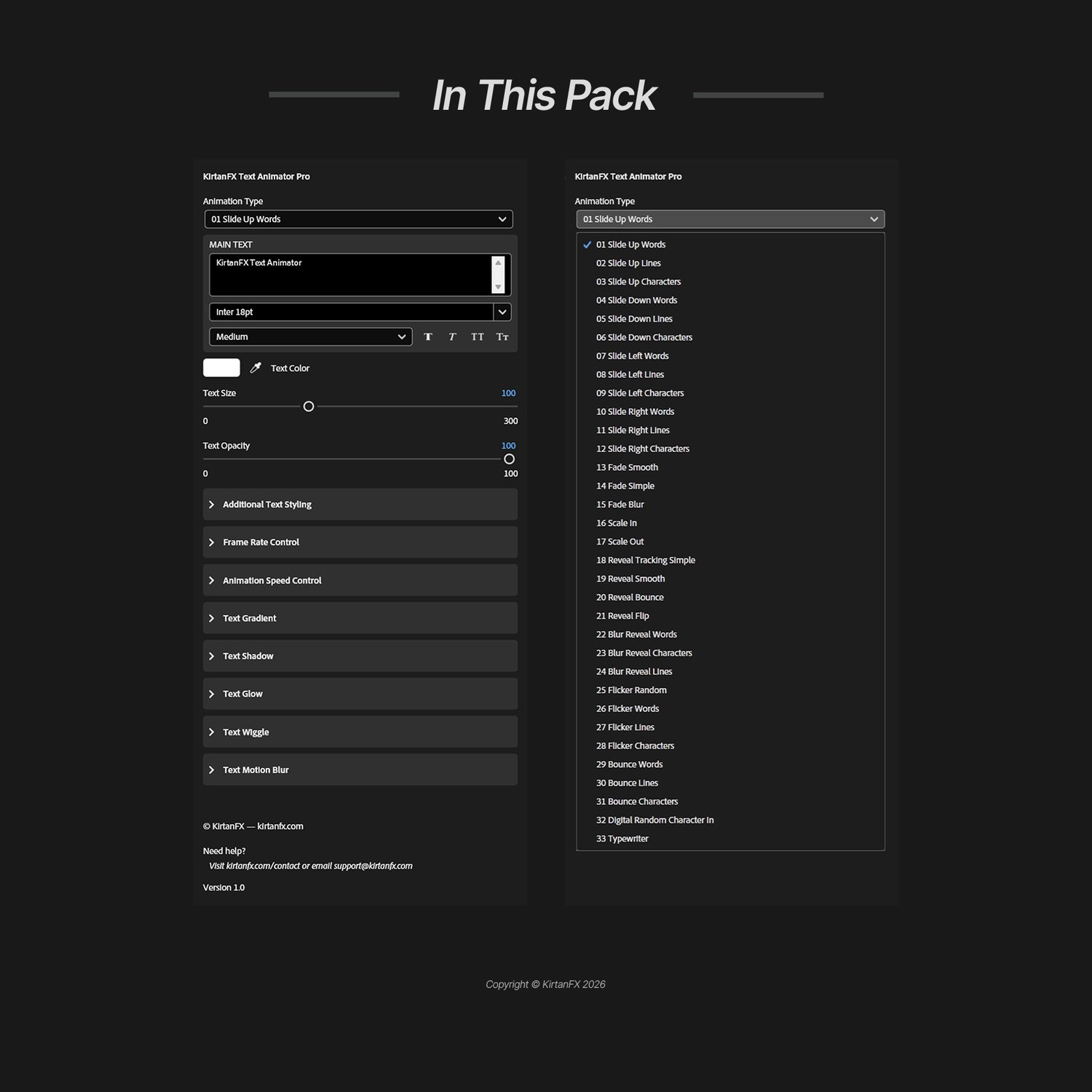
33 smooth animations with IN and OUT — Slide, Fade, Scale, Reveal, Bounce, Flicker, Blur Reveal, Digital Random, and Typewriter at word, line, or character level.
Full text control — font, size, color, opacity, letter spacing, and stroke, all inside Premiere Pro.
Animation Speed Control — separate IN, OUT, and Hold Duration sliders.
Frame Rate Control — 3 to 60 FPS for smooth or stylized motion.
Text Gradient — 2-color gradient with position control.
Text Shadow — opacity, direction, distance, and softness.
Text Glow — intensity, radius, and threshold.
Text Wiggle — Basic, Word, and Character level with speed control.
Text Motion Blur — samples and shutter control.
Additional Text Styling — letter spacing, line spacing, and stroke.
Bonus — 10 free fonts included to get started instantly.
Zero After Effects. Zero Keyframes. Zero Plugins. 100% Inside Premiere Pro.
Compatibility

- Adobe Premiere Pro 2023 and above.
- Fully compatible with Windows and Mac.
- No plugins required — 100% native.
Want the After Effects version? Get it here
How to Get Started
- Import the MOGRT into Premiere Pro’s Essential Graphics panel.
- Drag it onto your timeline. Type your text, pick your animation, and adjust the controls.
- Watch the included How To Use.mp4 if you need guidance.
- Ready in under 2 minutes.
The only text animator you will ever need in Premiere Pro.
Having trouble with checkout?